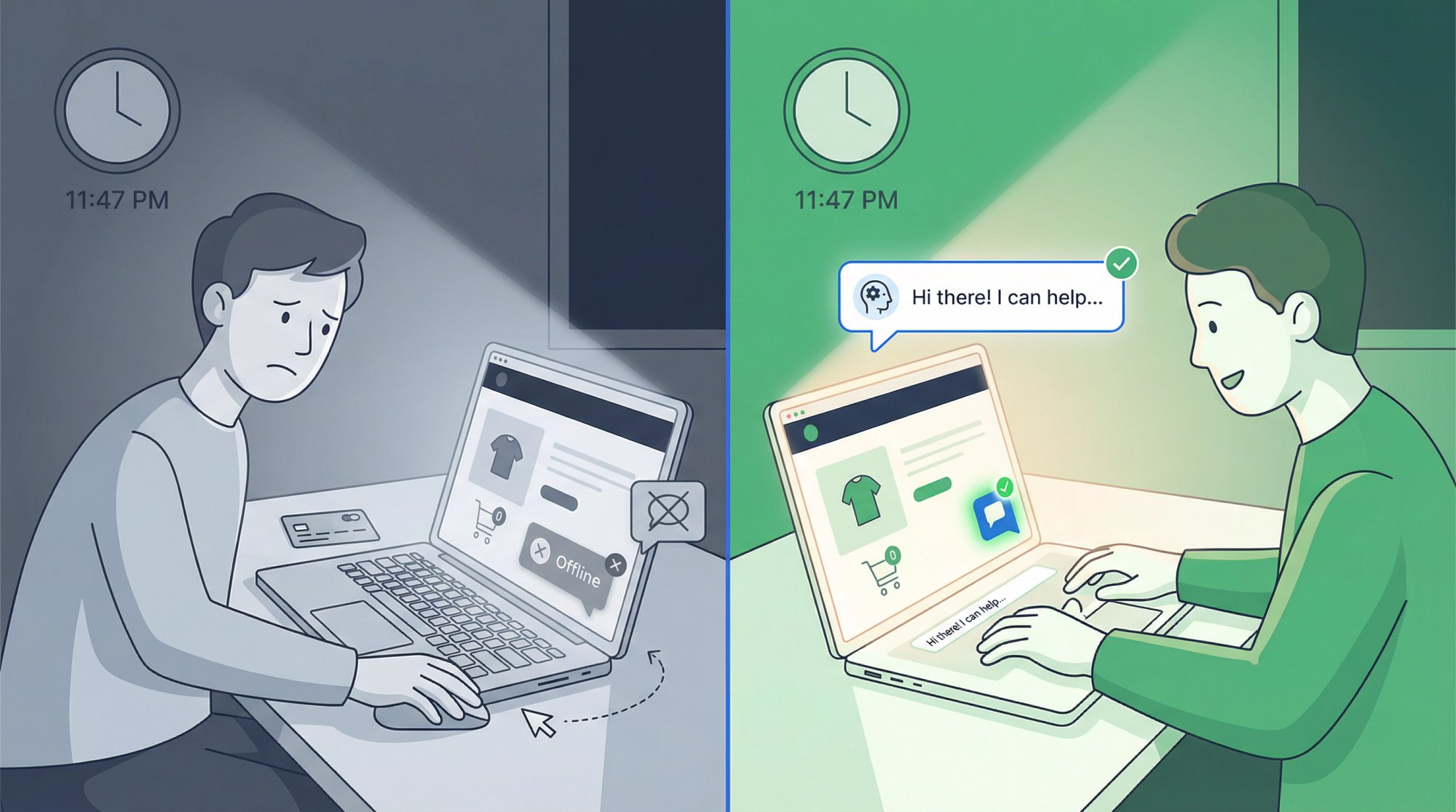
Your customer just landed on your pricing page at 11:47 PM with their credit card ready. They have one quick question about your return policy. The chat widget is right there, inviting them to ask.
What happens next determines whether you wake up to a new customer or a lost opportunity.
Research shows that 72% of customers expect immediate service when they reach out. That expectation doesn't vanish at 5:01 PM. Actually, Vonage's 2024 study found that 48% of consumers get frustrated when 24/7 support isn't available. Nearly half your potential customers now see round-the-clock availability as a baseline requirement, not a luxury.
Here's something uncomfortable: 74% of customers will switch to a competitor after just one poor support experience. For 46% of people, it only takes one or two bad encounters before they're gone for good.
But here's some good news. You don't need a team of night-shift agents to deliver great after-hours support. With the right combination of AI automation, smart workflows, and strategic human backup, even small teams can provide responsive 24/7 service without burning out.
This guide will show you exactly how to build an after-hours chat strategy that captures late-night revenue, prevents customer frustration, and handles true emergencies without making your team work around the clock.
Why 24/7 Chat Support Matters More Than You Think
We all know customers contact businesses outside normal hours. What's changed is how much this matters to your bottom line.
The loyalty impact is real. Studies show that 83% of customers feel more loyal to companies they can reach quickly for help. On the flip side, when you're not there when they need you? They remember that too. And they tell their friends about it.
Speed directly affects conversion. If someone contacts an online lead within one hour, you're nearly 7 times more likely to convert them compared to waiting longer. That 2 AM inquiry about your pricing isn't just a question. It's a hot lead cooling off by the second.
Your competitors are probably asleep too. Right now, offering responsive after-hours support gives you a clear competitive edge. If your industry competitors only operate 9-to-5, your availability becomes a genuine differentiator. Being there when others aren't signals that you take customer needs seriously.
Global reach means global hours. Your "off hours" might be prime business hours in London, Tokyo, or Sydney. Every hour your support appears closed is an hour you might be losing international customers who would gladly buy from you if they could just get one question answered.
Why Most Companies Can't Afford 24/7 Live Support
Recognizing you need after-hours coverage is easy. Actually delivering it? That's where things get complicated.
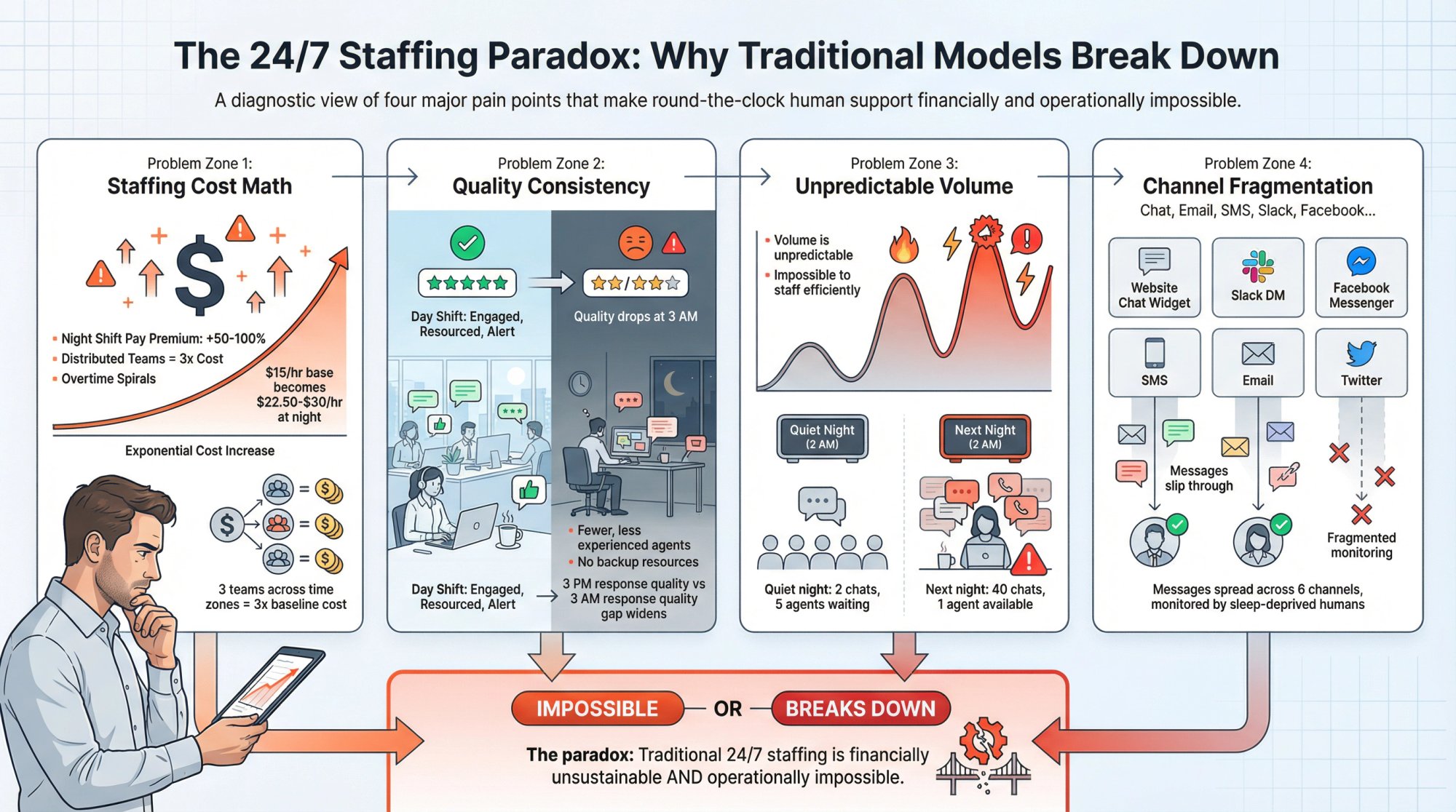
The staffing math doesn't work for most companies. Maintaining live agents around the clock means night shift pay, overtime costs, or hiring follow-the-sun teams across continents. For many businesses, the budget for true 24/7 human coverage simply isn't there.
Quality consistency is hard. Even if you can staff nights, ensuring the same service quality at 3 AM as 3 PM takes serious effort. Night agents might be fewer, less experienced, or working remotely without the same resources. Customers don't care what time it is when they have a problem. They expect the same level of help.
Volume unpredictability makes planning tough. After-hours contact volume tends to spike unpredictably. You might get two chats one night, then forty the next if something breaks or a promotion drives traffic. This makes it nearly impossible to staff efficiently without either wasting resources on slow nights or getting overwhelmed during surprise surges.
Different channels need different approaches. Your website chat, social media DMs, email, and SMS all need monitoring. That's a lot of places for inquiries to slip through if you're not careful about your after-hours strategy.
The solution isn't throwing more people at the problem. It's building a system that combines technology and humans intelligently.
6 After Hours Chat Support Models (Which One Fits Your Business?)
Most successful after-hours strategies use a combination of these approaches.
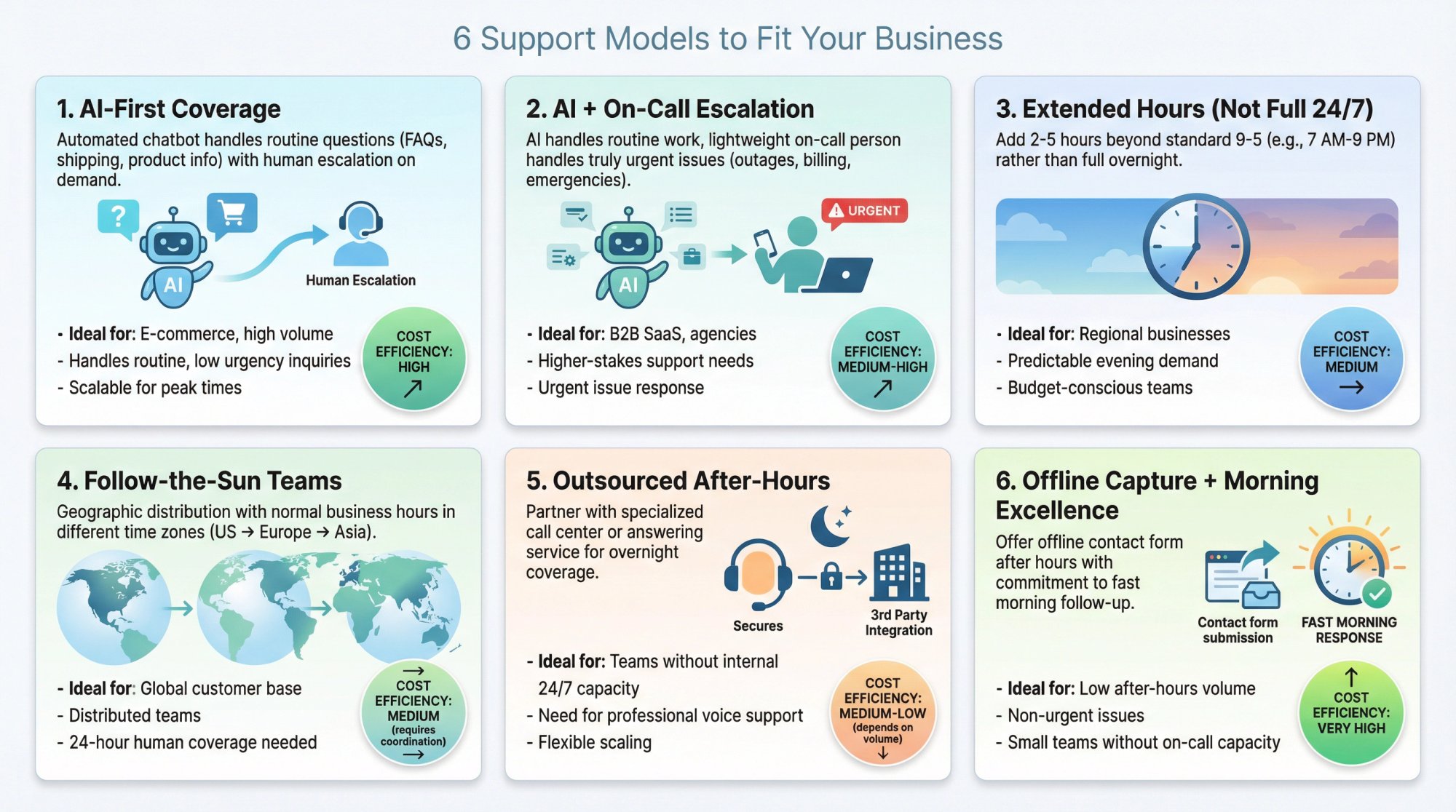
AI-First Coverage
Your chatbot handles common questions and captures details for everything else. This works brilliantly for:
-
E-commerce FAQs and shipping questions
-
Basic product information
-
Simple troubleshooting steps
Research found that 55% of customers say AI-powered chatbots are effective for handling their needs. The key is making sure your bot knows when to gracefully hand off to a human.
Social Intents makes this approach straightforward. Our ChatGPT-powered chatbot can be trained on your website content and documents, then automatically handles routine questions while seamlessly escalating complex issues to your team. The bot stays active 24/7, and when someone needs a person, it captures their details and notifies your team.
AI + On-Call Escalation
For B2B SaaS, agencies, or higher-stakes support scenarios, you'll want a human backup plan. Your AI covers routine items, but a lightweight on-call rotation handles truly urgent issues like:
-
Service outages affecting customers
-
Billing access problems
-
Enterprise account emergencies
The trick is defining "urgent" very specifically (we'll cover this below) so your on-call person isn't getting pinged for questions that can absolutely wait until morning.
Extended Hours (Not Full 24/7)
Sometimes you don't need overnight coverage. You just need to catch evening shoppers.
Adding 2-5 hours of coverage beyond standard 9-5 can drastically reduce your after-hours load without the complexity of true 24/7 operations. For regional businesses with predictable evening demand, this middle ground often makes the most financial sense.
Follow-the-Sun Teams
If you serve a global customer base or have remote employees across time zones, you can split support hours geographically. Your U.S. team handles their daytime, then a team in Europe or Asia covers what corresponds to your night.
| Advantage | Challenge |
|---|---|
| 24-hour human coverage | Consistent training required |
| Normal shifts for all | Smooth handoffs needed |
| No night work | Potential time zone confusion |
This gives you 24-hour human coverage by scheduling normal shifts in different locations. The challenge is maintaining consistent training and smooth handoffs between regions.
Outsourced After-Hours
Research shows that 55% of companies currently outsource part of customer care, and 47% of those expect to increase outsourcing. Using a specialized call center or answering service for overnight can bridge the gap between automation and full in-house staffing.
The key is ensuring outsourced reps are thoroughly trained on your products and policies. Customers should ideally not realize they're talking to a third party. Studies show that 75% of consumers prefer a genuine, authentic interaction over a perfectly scripted one.
Offline Capture + Morning Excellence
If demand is genuinely low and issues aren't urgent, you can use a clear offline message with a contact form, then nail the morning follow-up process. This only works if you commit to responding fast the next business day and truly deliver on that promise.
How to Build a Complete After Hours Support System
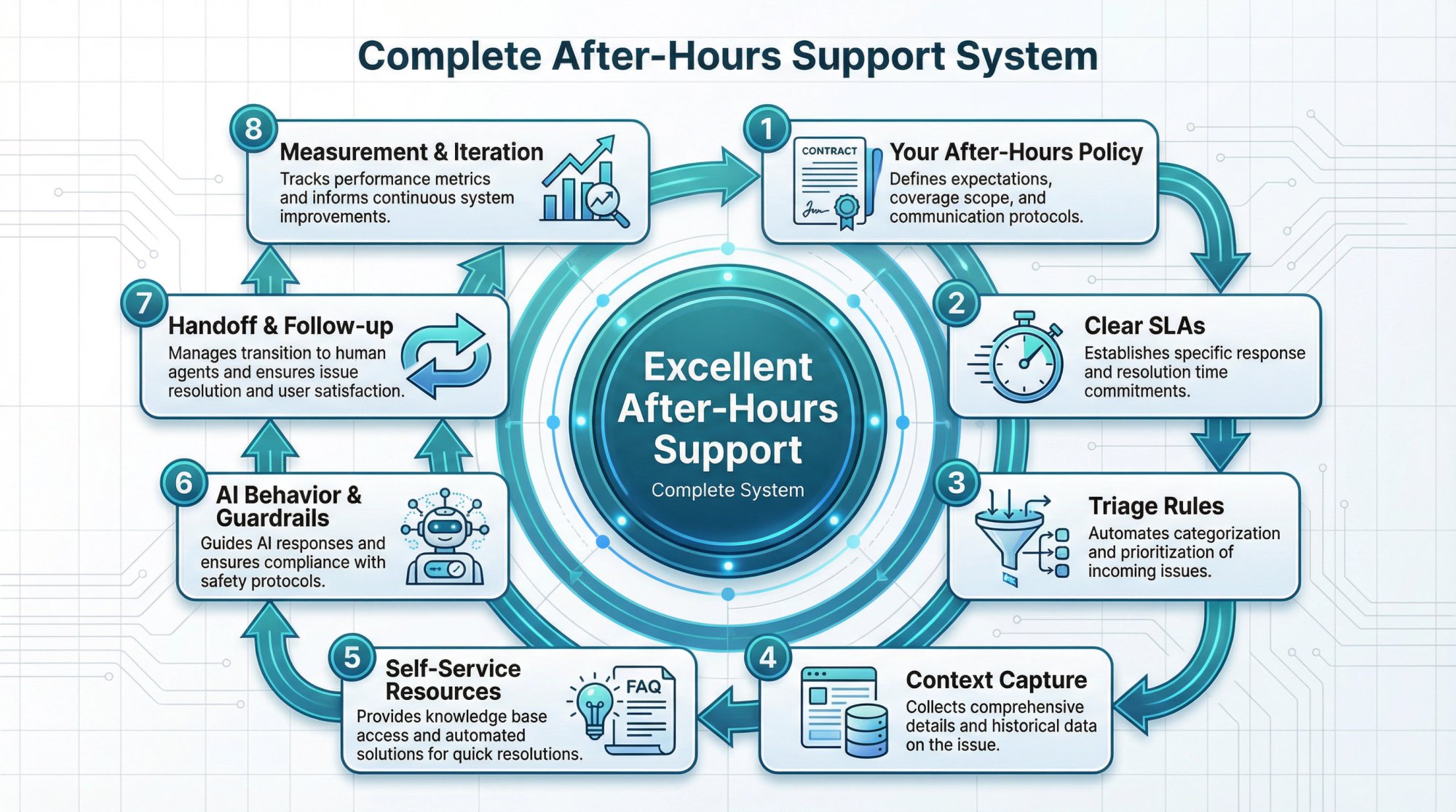
The difference between mediocre and excellent after-hours support comes down to having a complete system with these eight components:
① Your after-hours policy defines what you cover and what you don't. Be explicit about this.
② Clear SLAs set response and resolution expectations. Don't leave customers guessing.
③ Triage rules separate urgent from non-urgent so you're not treating everything like an emergency at 2 AM.
④ Context capture through smart forms and structured fields means your morning team has everything they need to resolve issues quickly.
⑤ Self-service resources like FAQs, knowledge bases, and quick links give customers the option to help themselves immediately.
⑥ AI behavior and guardrails determine what your bot can answer and when it needs to bring in a human.
⑦ Handoff and follow-up workflows ensure nothing falls through cracks when shifting from bot to human or overnight to morning.
⑧ Measurement and iteration through the right KPIs helps you improve continuously.
Let's make this concrete with specific steps.
How to Write Your After Hours Support Promise
Publish this on your Contact page and mirror it in your live chat experience:
After-hours support
Our live team is available Monday-Friday, 9 AM to 6 PM EST.
Outside these hours, our AI assistant can help with common questions immediately. If you need a person, type "agent" and we'll notify our on-call team for urgent issues.
For non-urgent requests, leave your details and we'll reply by 10 AM EST on the next business day.
This prevents expectation mismatch, which is often the root cause of after-hours frustration.
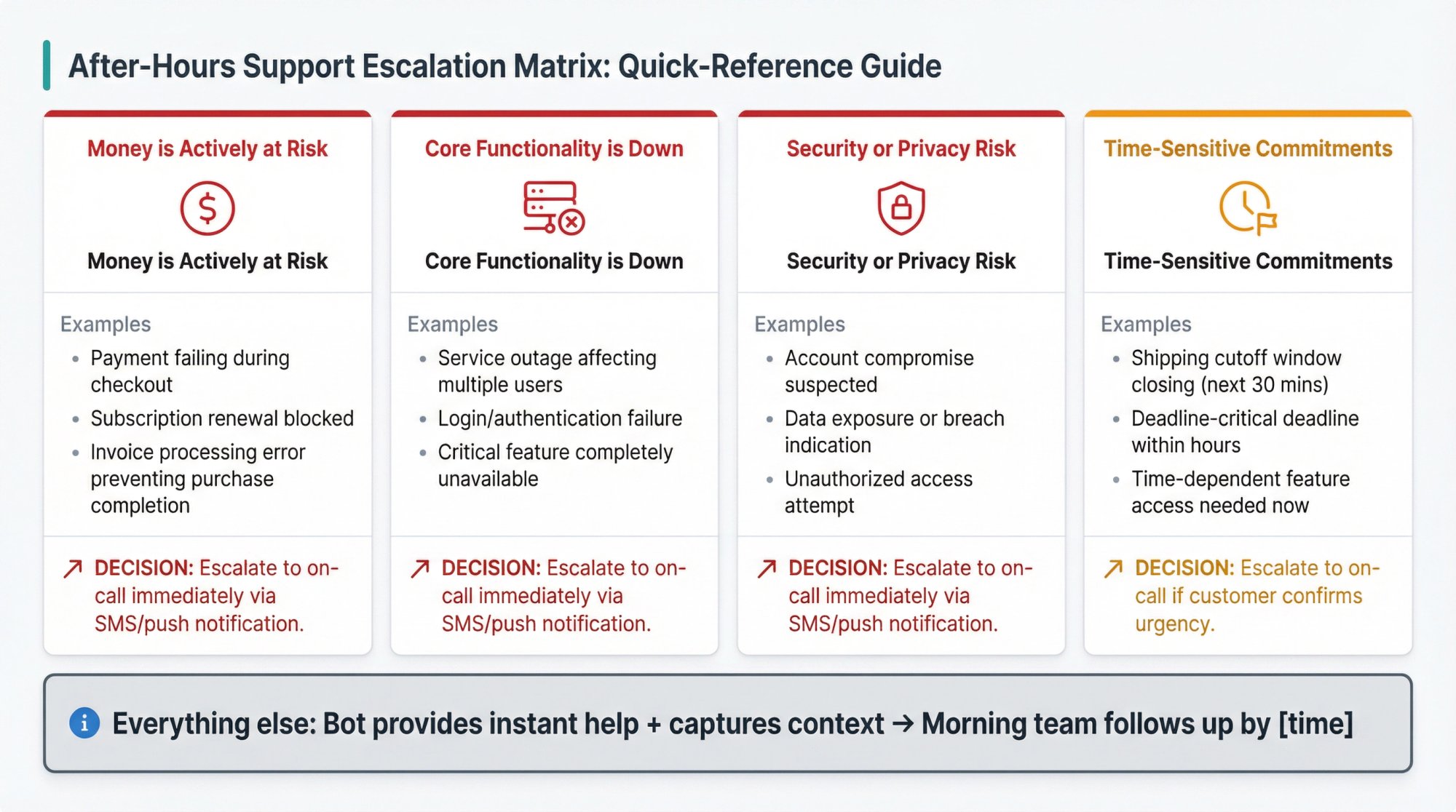
How to Define "Urgent" for After Hours Chat
Your after-hours escalation must be narrow and objective. Escalate only when:
-
Money is actively at risk (payment failing, checkout broken)
-
Core functionality is down (outage, login failure affecting multiple users)
-
Security or privacy risk (account compromise, data exposure)
-
Time-sensitive commitments (shipping cutoff windows, deadline-critical issues)
Everything else gets instant bot help plus message capture, then queues for business hours with a clear response commitment.
How to Reduce Silent Chat Abandonment After Hours
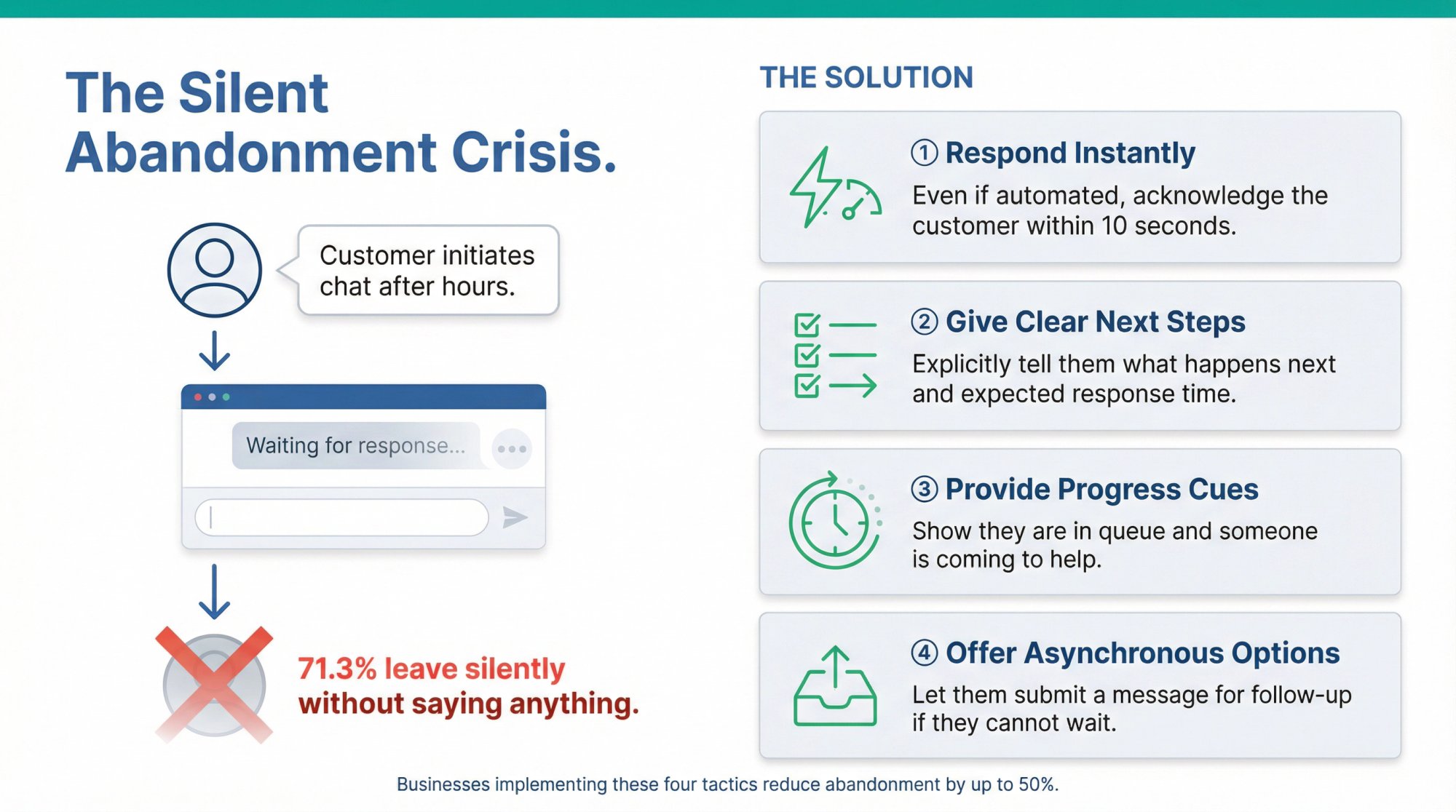
Research on text-based contact centers found that silent abandonment can range from 3% to 70% across companies. In one study, 71.3% of abandoning customers left silently without saying anything.
After-hours chat has a unique failure mode where customers just disappear if they don't get immediate acknowledgment.
Stop this by:
-
Responding instantly (even if automated)
-
Giving a clear next step right away
-
Providing progress cues if waiting for a human
-
Offering asynchronous completion options
How to Set Up After Hours Chat in Social Intents
We've designed Social Intents specifically to make after-hours support manageable for teams already using Microsoft Teams, Slack, Google Chat, Zoom, or Webex. Here's how to set it up.
Dashboard Screenshot Unavailable: The Social Intents dashboard requires authentication. To capture this screenshot manually, log in to https://app.socialintents.com/, navigate to Settings → Chat Widget Settings, and capture the Schedule/Business Hours and Chatbot When Offline configuration panels. See web-screenshots/captures/SC-02-dashboard-placeholder.md for detailed instructions.
Set Your Schedule (So "After-Hours" Happens Automatically)
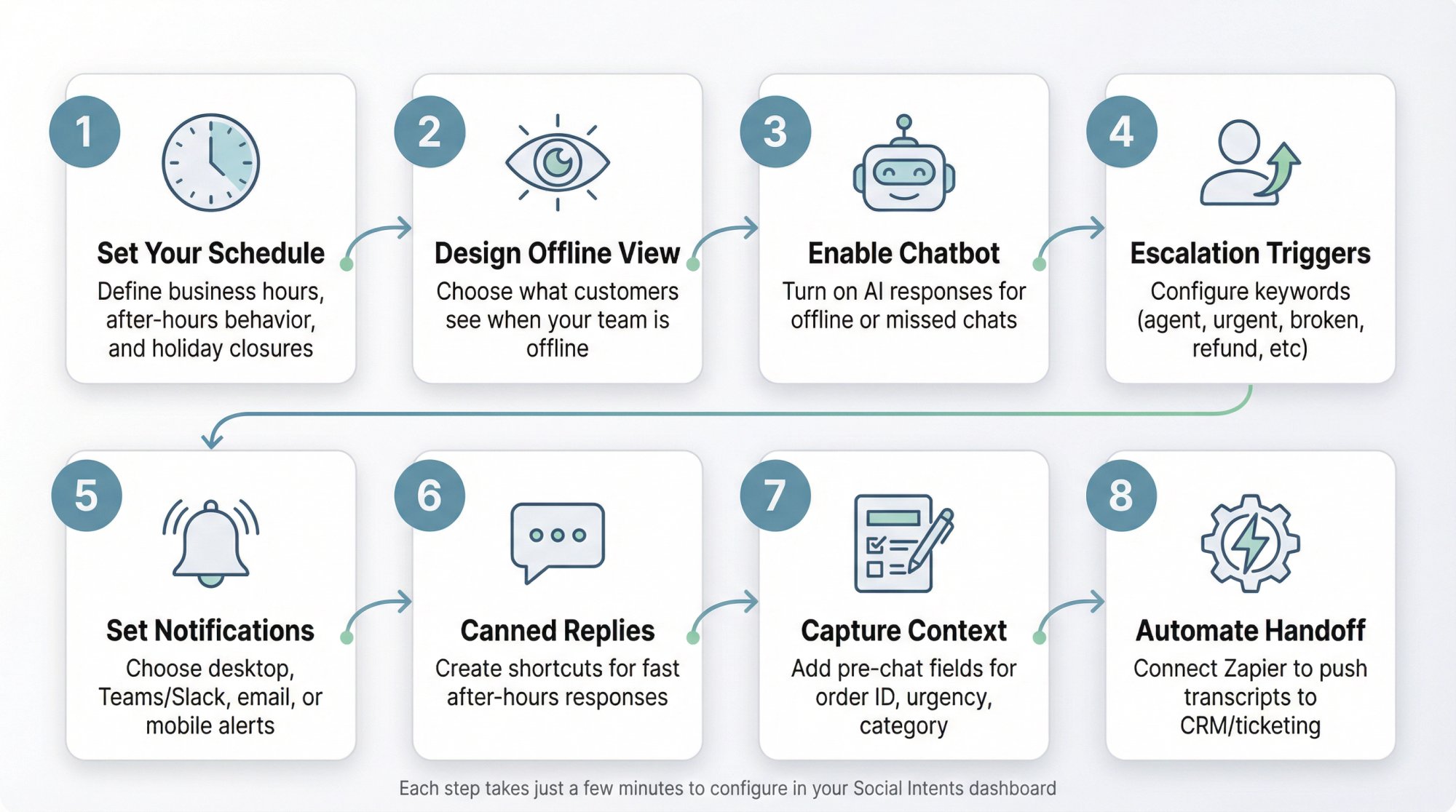
Define your business hours for normal live chat, then define your after-hours behavior (offline form, AI-only mode, or hide widget). Add holiday closures so you don't get surprise "no one answered" complaints.
Pro move: Use the "Always stay online" agent setting combined with schedule control, rather than relying on people to manually log in and out.
Decide What Visitors See When You're Offline
We recommend not hiding chat entirely after hours. Instead, run AI-first coverage with "leave a message" as fallback. This captures opportunities you'd otherwise miss completely.
Turn On "Chatbot When Offline or Missed"
This is the heart of after-hours automation. When your team is offline by schedule, or if an agent misses a chat, the AI chatbot can still engage and provide immediate responses instead of silence.
Make "Talk to a Human" Easy and Explicit
Configure trigger phrases like "agent," "human," "representative," "call me," "refund," "cancel," "security," "urgent," "emergency," "broken," or "down" to immediately escalate to your team.
This directly addresses customer fears about AI blocking them from reaching real people.
Ensure On-Call People Actually See the Chat
Social Intents offers flexible notification options:
→ Browser desktop notifications
→ Collaboration notifications in Teams, Slack, or Google Chat
→ Email notifications
→ Mobile push notifications via your collaboration apps or Pushover
Your escalation path is only as strong as your notification reliability. If someone's on-call, they need to actually get alerted.
Use Canned Replies for Fast After-Hours Responses
After-hours chats tend to be repetitive. Set up shortcuts for common questions so agents can reply in a few clicks from Microsoft Teams or Slack, even from their phones.
Capture the Right Context Every Time
Customize your pre-chat form to collect order numbers, account IDs, or member numbers. Add fields like:
-
"What can we help you with?" (dropdown: Billing / Technical / Sales / Other)
-
Account email
-
Order or invoice number
-
"How urgent is this?" with clear definitions
-
Screenshot upload for bug reports
This context makes morning follow-up dramatically faster because your team isn't starting from scratch.
Automate the Next Step
Social Intents integrates with Zapier to push chat transcripts into your CRM or ticketing system. You can also use the /zap command to manually trigger actions for specific chats that need follow-up.
Add Translation for Global Coverage
Our real-time translation feature uses Google Translate API to handle conversations in multiple languages. This can reduce the need for separate language-specific after-hours staffing, though don't rely on machine translation for legally binding or regulated conversations.
After Hours Chat Scripts You Can Copy Right Now
After-Hours Greeting (AI-First)
Hi there! We're not at our desks right now, but I can help with common questions immediately.
If you need a person, type AGENT and we'll notify our on-call team for urgent issues.
What can I help you with?
Offline Capture (When AI Can't Help)
Thanks for that info. I want to make sure this gets handled correctly.
Please share:
- Your email
- Order or account ID (if you have one)
- A quick summary (1-2 sentences)
We'll reply by 10 AM EST on the next business day.
Urgent Escalation Confirmation
Got it, this looks urgent. I'm notifying our on-call team now.
While I do that, can you confirm:
• Account email:
• Best contact method (chat/email/phone):
• What changed right before the issue started?
"Human Request" Acknowledgment
Absolutely. I can bring in a teammate.
Before I notify them, what's the best email for follow-up in case we get disconnected?
This approach builds trust by making the human path explicit and easy.
After Hours Chat Metrics That Actually Matter
Skip vanity metrics. Focus on speed, containment, escalation quality, and follow-through.
| Metric | Target | Why It Matters |
|---|---|---|
| Immediate Response Rate (IRR) | Near 100% | Percentage of after-hours chats receiving a response within 10 seconds. This is your "no silence" metric. |
| After-Hours Human Escalation Rate | Monitor carefully | Percentage of chats that trigger on-call or human invitation. If this is high, either your bot isn't trained well or you're labeling too much as urgent. |
| After-Hours Deflection Rate | Interpret carefully | Percentage resolved without human involvement. High deflection is only good if customer satisfaction stays stable. |
| First Business Hour Time-to-Response | <1 hour | For messages left after hours, how fast do you reply once the team is back? This is where loyalty gets won or lost. |
| Repeat Contact Rate | Low | If customers come back repeatedly overnight, your promise or bot answers aren't working. |
| Lead Capture Rate | Track conversions | After-hours is often high intent. Track conversion to meetings, demos, or purchases. |
Social Intents recommends responding under one minute and following up on all missed or offline chats from your chat history each morning.
5 After Hours Chat Mistakes to Avoid
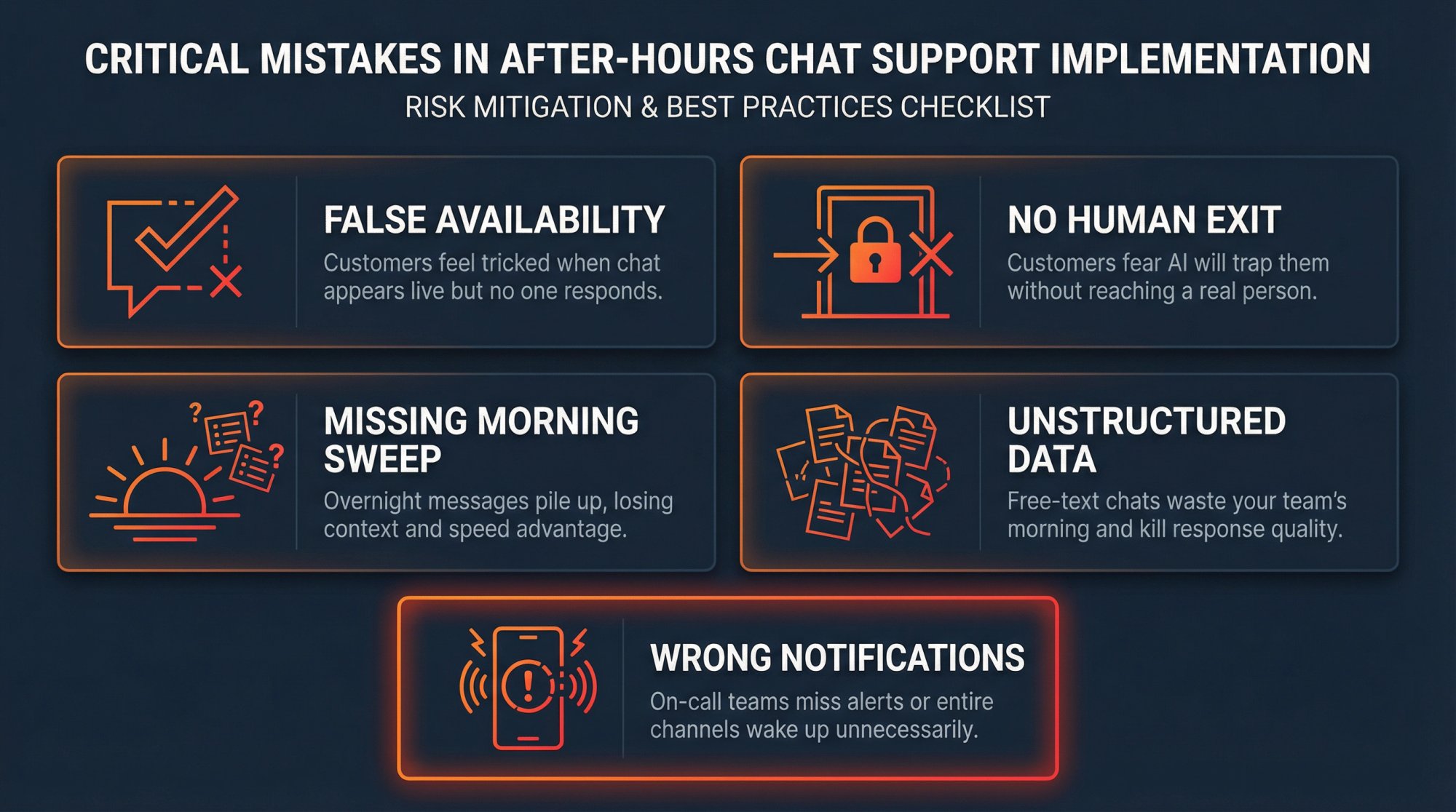
Pretending you're online when you're not. If your chat widget looks live but no one replies, customers feel tricked. Better to be explicit about availability.
AI with no human exit. Customers fear AI will block them from reaching a person. Always provide an obvious escape path.
No morning sweep process. If after-hours messages aren't triaged immediately at opening time, you lose the benefit of capturing them in the first place.
No structured context capture. If every after-hours chat comes in as free text, you'll waste time the next day and response quality drops.
Notifications that don't wake the right person. After-hours escalation should alert one accountable on-call person, not a whole channel of teammates trying to sleep.
30-Day Implementation Plan for After Hours Chat
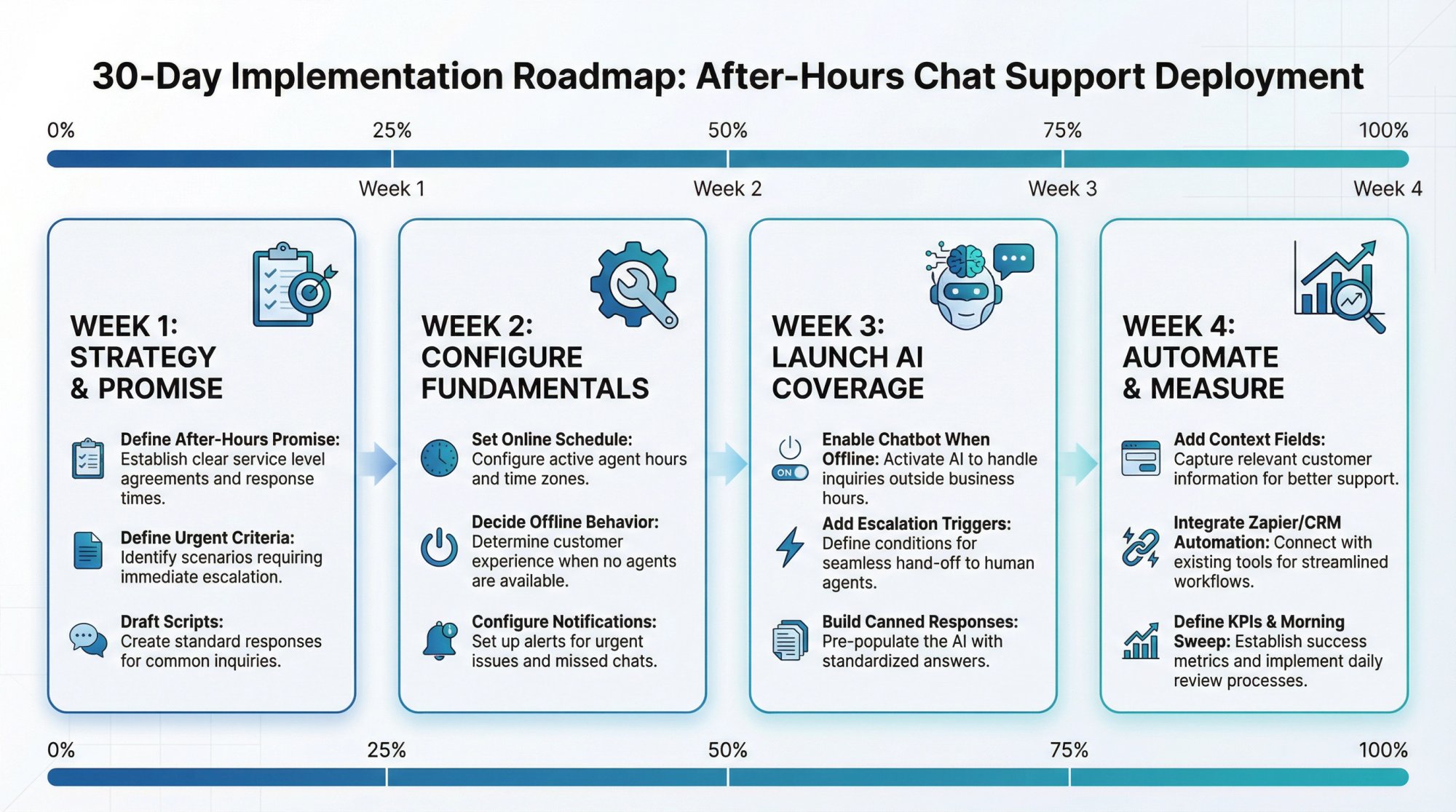
Week 1: Strategy and Promise
-
Define your after-hours promise (which model you're using)
-
Define "urgent" and escalation rules precisely
-
Draft your scripts (offline message, escalation, human request)
Week 2: Configure Social Intents Fundamentals
-
Set online schedule plus holiday schedule per widget
-
Decide offline behavior (form vs. AI continuation)
-
Configure notifications (desktop and mobile)
Week 3: Launch AI-First Coverage
-
Enable "chatbot when offline or missed"
-
Add escalation trigger phrases
-
Build shortcuts and canned responses for your top 20 questions
Week 4: Automate Follow-Up and Measure
-
Add required context fields to your pre-chat form
-
Integrate Zapier to auto-create tickets or CRM leads
-
Define KPIs and begin weekly review meetings
-
Implement the morning sweep standard operating procedure
Why Social Intents Is Built for After Hours Support
Most live chat tools force you to learn a completely new interface. We take a different approach. Your team stays in the tools they already use every day.
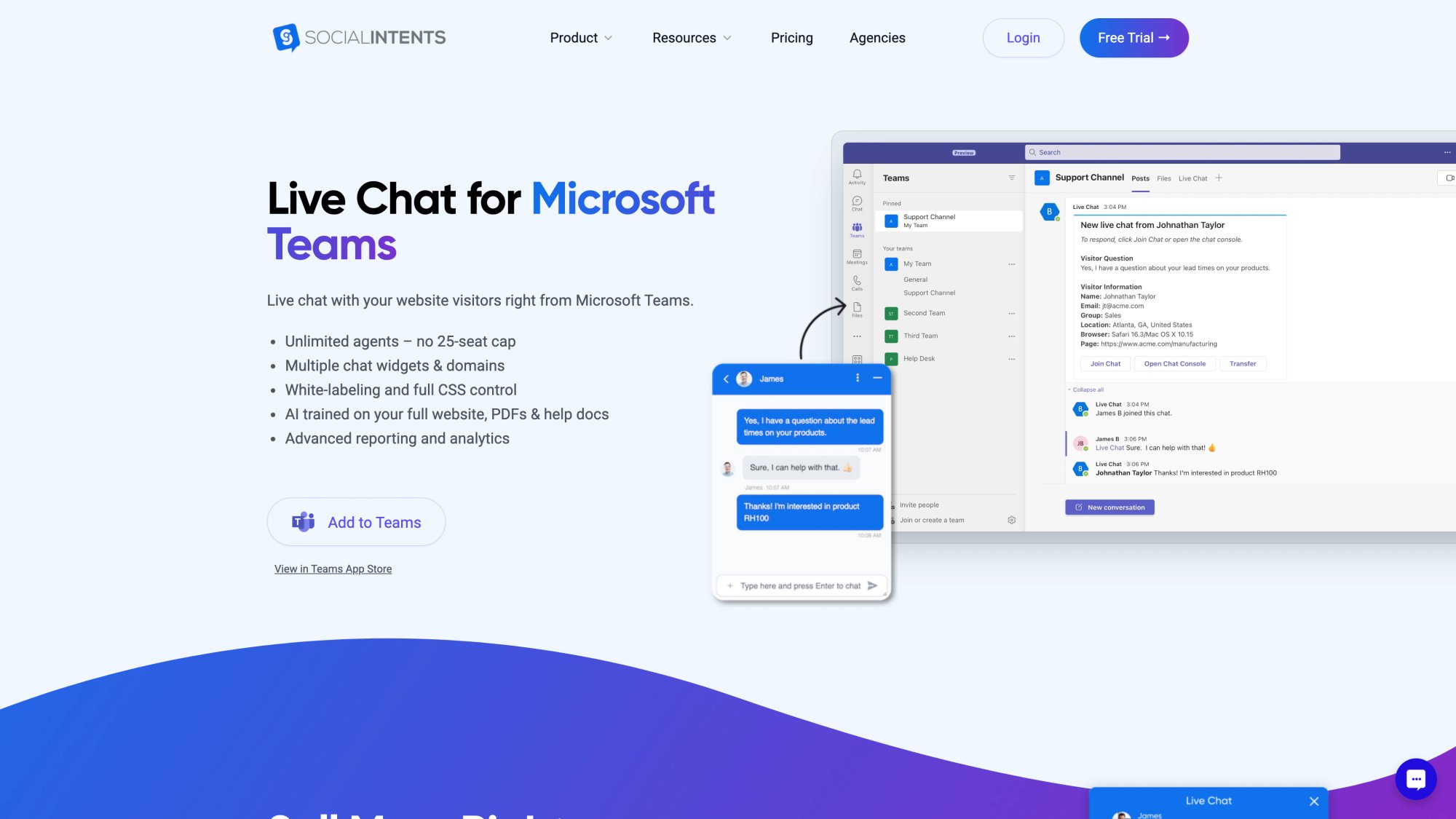
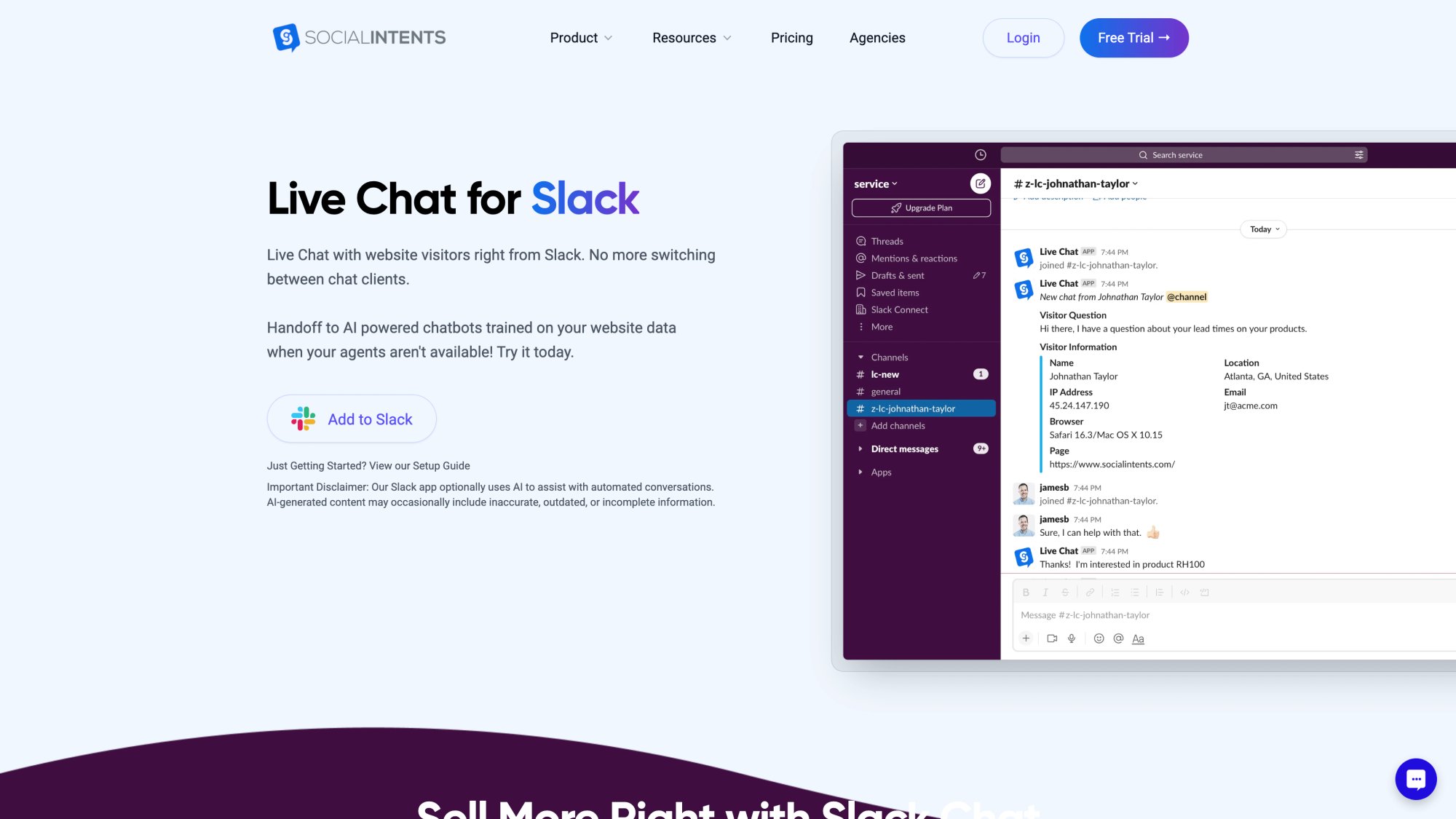
Website chats route directly into Microsoft Teams, Slack, Google Chat, Zoom, or Webex. When someone on-call gets a notification at 11 PM, they can respond from the Slack mobile app they already have open. No context switching, no new logins, no separate "helpdesk" to monitor.
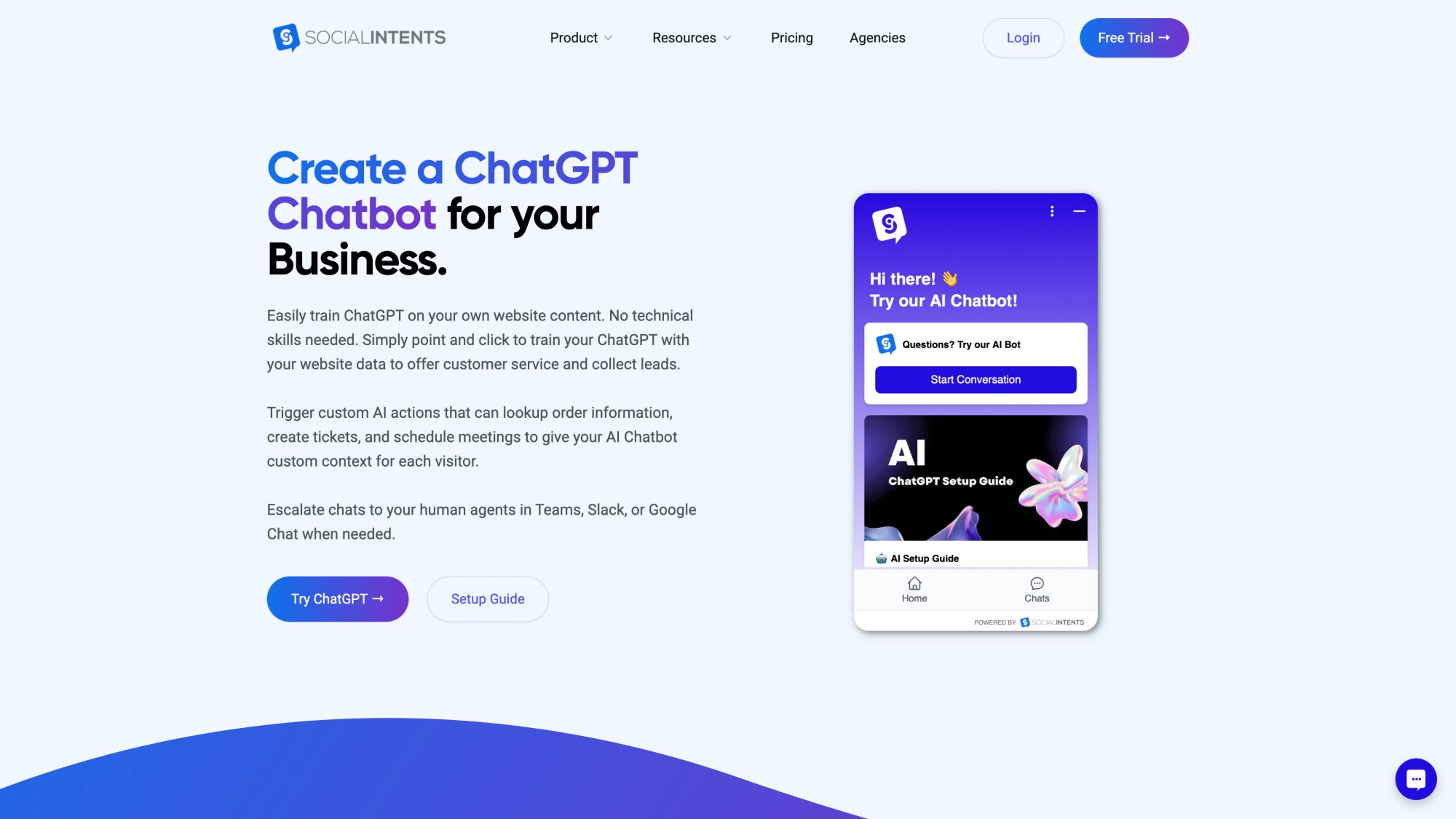
Our AI chatbot with human handoff gives you true 24/7 coverage without staffing 24/7. The bot handles routine questions from your knowledge base and documents. When it encounters something complex or when a customer asks for a human, it seamlessly escalates into your team's existing workflow.
Key features for after-hours success:
• Chatbot modes (AI-only after hours, hybrid during business hours)
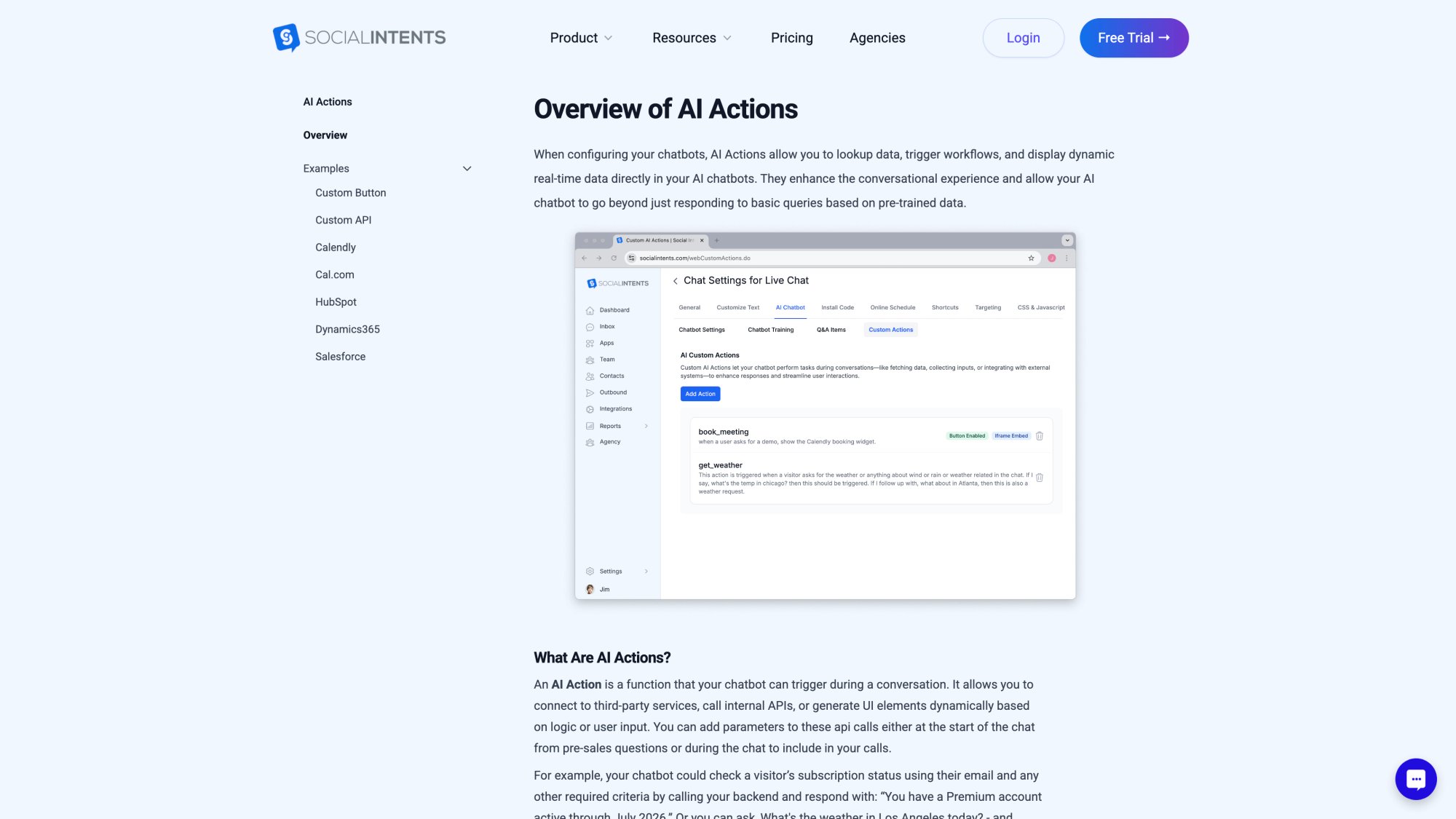
• Custom AI Actions that connect to your order tracking, account systems, or other APIs
• Unlimited agents from our Basic plan up (no per-seat pricing that punishes you for having backup coverage)
• Real-time translation for global customers
• WhatsApp and Facebook Messenger support (all funneling into one team inbox)
• Canned responses and shortcuts for fast replies
• Zapier integration for automated ticket creation and CRM updates
The result? Customers get immediate acknowledgment any time they reach out. Simple issues get resolved instantly by AI. Complex or urgent issues get routed to the right person with full context. And your team operates from familiar tools without learning new systems.
Start your free 14-day trial and see how quickly you can deploy intelligent after-hours coverage.
The Real Win: 24/7 Confidence Without 24/7 Staffing
Customers don't necessarily need a human awake all night. They need immediate acknowledgment, clear expectations, fast resolution when possible, and a trustworthy human path when it matters.
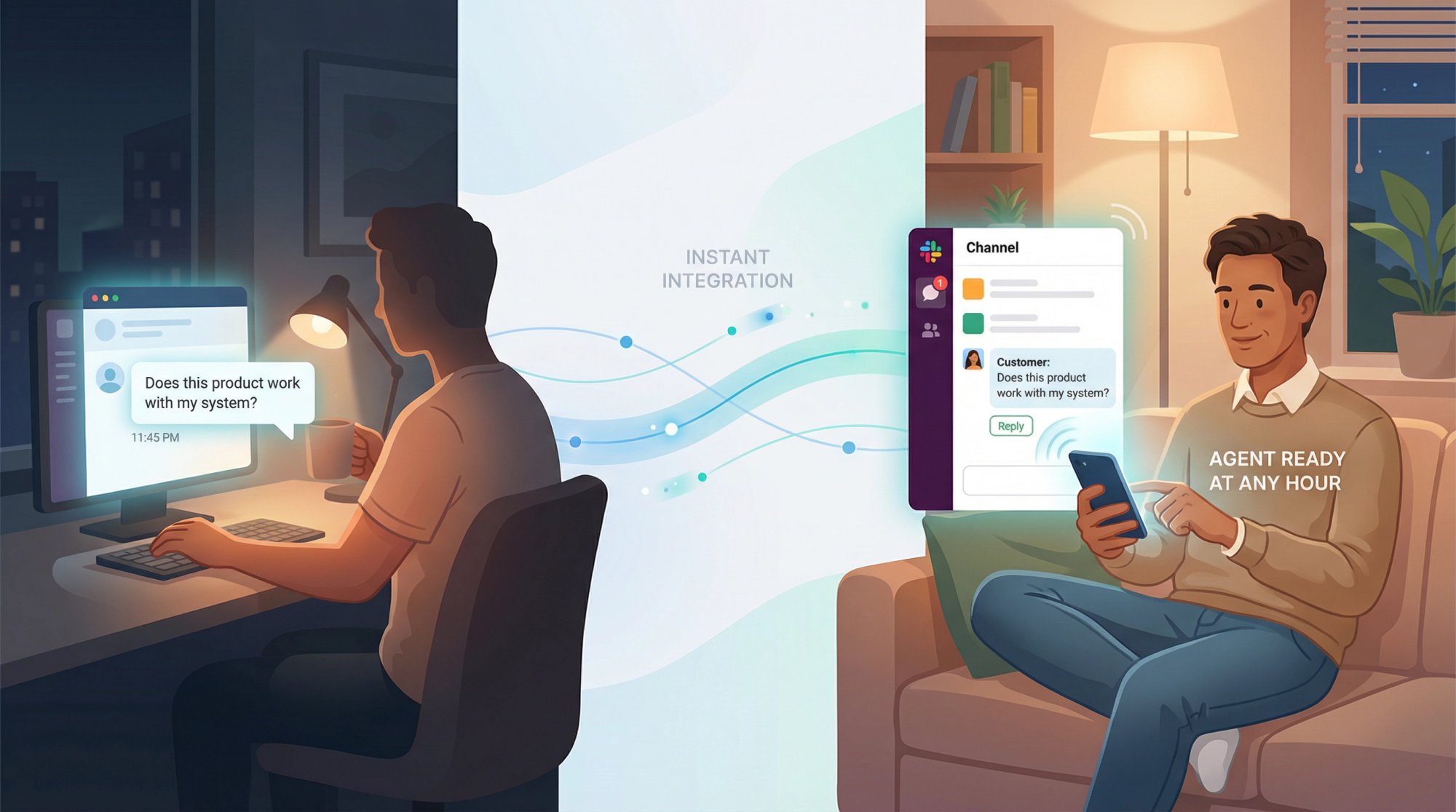
Research shows that 74% of consumers now expect customer service to be available 24/7 because of AI. Studies show what happens when those expectations aren't met: 74% will take their business elsewhere after poor experiences.
Social Intents' approach (keeping agents in their existing tools while AI handles routine questions) makes after-hours coverage operationally simpler. Your on-call team can respond from the platforms they already use, especially on mobile, while automation covers the repetitive questions and intelligently routes urgent issues.
Frequently Asked Questions
How much does 24/7 chat support actually cost?
It depends on your approach. True 24/7 human staffing with night shifts or outsourcing can run thousands per month. AI-first coverage with on-call backup (what we recommend for most businesses) costs a fraction of that. Social Intents' Basic plan starts at $69/month with unlimited agents, and our ChatGPT chatbot is included. Compare that to hiring even one overnight agent.
Will customers accept talking to a chatbot after hours?
If done right, yes. Research shows that 55% of customers find AI chatbots effective, and 60% actually prefer self-service for simple questions. The key is being transparent about it ("Our AI assistant can help immediately, or type 'agent' for a person") and making the human path easy when needed.
What if we get an urgent issue at 3 AM?
That's exactly why you define "urgent" clearly and set up escalation triggers. For truly critical issues (outages, security incidents, payment failures), your chatbot can immediately notify your on-call person via SMS, Teams mobile notification, or Slack ping. They respond from their phone if needed. For everything else, the bot captures details and your team handles it first thing in the morning.
How do we train the AI chatbot on our specific business?
Social Intents makes this straightforward. You can train our ChatGPT chatbot by pointing it at your website URLs, uploading PDFs of your documentation, or adding FAQ content directly. The AI learns from your existing resources. You can also set up Custom AI Actions to pull real-time data from your systems (order status, account info, etc.) to give accurate, personalized answers.
What about social media messages after hours?
Social Intents routes messages from multiple channels (website chat, WhatsApp, Facebook Messenger) into one unified inbox in Teams or Slack. You can set auto-replies on these channels and have your bot or on-call person monitor them all from one place. This prevents messages from slipping through cracks across different platforms.
Can we start with just extended hours instead of full 24/7?
Absolutely. Many businesses start by extending coverage 2-5 hours (maybe 7 AM to 9 PM instead of 9 to 5) before deciding if overnight coverage is needed. You can configure Social Intents to have live agents during extended hours and AI-only mode for true overnight. Start where it makes sense for your volume and expand as needed.
How do we measure if after-hours support is actually working?
Track these metrics: immediate response rate (should be near 100% with automation), human escalation rate (should be low unless truly urgent), customer satisfaction specifically for after-hours interactions, and lead conversion from overnight inquiries. Also monitor your morning "time to first human response" for overnight messages. If you promised 10 AM replies and you're consistently delivering by 9:30 AM, you're nailing it.
What if our team is too small to have on-call rotations?
Then go with automation-first and no overnight human coverage. Your AI handles everything after hours, and you commit to a fast morning sweep (review all overnight chats by 10 AM and respond promptly). This works perfectly well for many small businesses. As you grow, you can add on-call for true emergencies.
How do we prevent bot conversations from feeling robotic?
Write your bot greetings and responses in your actual brand voice. Don't use stiff corporate language. Test the bot extensively and review transcripts to see where it sounds awkward, then refine those responses. And always give customers an easy out ("type 'agent' if you'd rather talk to a person"). People tolerate bots when they're helpful and honest, not when they're trying too hard to sound human while clearly being automated.
What happens if the chatbot gives a wrong answer?
Train it on accurate, up-to-date content and review conversation transcripts regularly to catch issues. When you spot a wrong answer, update the training data. Also, configure the bot to escalate when confidence is low rather than guessing. With Social Intents, you control what the bot knows and when it hands off to humans. Start conservative (fewer topics) and expand as you build confidence in its accuracy.
The businesses winning at customer service in 2026 aren't necessarily the ones with the biggest support teams. They're the ones who've figured out how to be genuinely helpful at any hour without burning out their people or their budgets.
After-hours chat support isn't about staffing every minute of the day. It's about building a system where customers always get acknowledgment, simple issues get resolved immediately, and complex or urgent situations route to the right human quickly.
Social Intents was built specifically for this reality. Try it free for 14 days and see how quickly you can deploy intelligent 24/7 coverage that works with your existing tools and team.