Running a Shopify store in 2025 means dealing with customer expectations that've changed completely. Nobody wants to wait hours for an email reply or spend 10 minutes hunting through FAQ pages. They want answers now, right when they're thinking about buying.
That's exactly where a ChatGPT-powered chatbot becomes your secret weapon.
Modern AI chatbots can handle up to 70-80% of common customer questions, which means roughly 30% savings on support costs. They work 24/7 without breaks, and here's the impressive part: one 2025 study found 93% of customer inquiries on a retail platform were resolved by AI without any human stepping in.
But it's not just about deflecting support tickets. An AI chatbot can also function as a virtual salesperson on your site. Some retailers have seen conversion rates jump 4-5x and average order value increase 20-30% after adding an AI shopping assistant. Smart bots that follow up on abandoned carts can even recover 15-25% of lost sales by re-engaging customers before they disappear forever.
Key insight: A ChatGPT chatbot isn't just about deflecting support tickets. It's about creating a better shopping experience that leads to more sales and happier customers.
This guide will show you exactly how to add a ChatGPT chatbot to your Shopify store. You'll learn about your options, get step-by-step installation instructions, and discover best practices for maximizing your bot's effectiveness. When you're done, you'll have a working chatbot that boosts sales, improves support quality, and frees up your team for work that actually needs human intelligence.
Why Your Shopify Store Needs a ChatGPT Chatbot
An AI chatbot powered by ChatGPT (or similar models like Claude or Gemini) can completely transform how customers experience your store. Here's what you actually get:
24/7 Instant Customer Support
Your chatbot never sleeps, never takes vacation, never calls in sick.
Whether it's 2 AM on a Sunday or Christmas morning, visitors get instant answers about products, shipping, returns, or whatever else they're wondering about. This kind of responsiveness builds real trust and keeps people from bouncing to your competitors.
Automates Repetitive Customer Questions
From "Where is my order?" to "What's your return policy?", an AI bot addresses FAQs on autopilot. Modern chatbots can resolve the majority of routine queries on their own, which means your human support team wastes zero time on repetitive questions and can focus on the complex problems that actually need human judgment.
Increases Sales and Conversions
A ChatGPT chatbot isn't limited to answering questions. It can guide shoppers toward products and actively encourage purchases.
If a customer asks "Do you have this shoe in blue?", the bot can instantly check inventory and display the exact product. By providing quick, helpful answers and smart recommendations, an AI assistant keeps customers engaged on your site. Some stores have reported dramatic uplifts in conversion rates and order values thanks to AI-driven product recommendations that actually match what people want.
Recovers Abandoned Shopping Carts
Chatbots can proactively reach out to shoppers who're hesitating. A friendly "Need help finding something or have questions?" message can start a conversation that saves the sale.
For customers who do abandon their cart, an AI bot can follow up (via chat or integrated email) with reminders or special offers, helping reclaim lost revenue that would otherwise vanish into thin air.
Handles High-Volume Traffic Without Hiring
During peak times (Black Friday, viral social media posts, product launches), a chatbot handles surges in inquiries without breaking a sweat. You won't need to frantically hire and train temporary support staff for traffic spikes. The AI scales on demand, ensuring every customer gets attention even when your inbox would normally explode.
Adapts to Your Product Catalog
Unlike a generic FAQ page, a modern chatbot can be trained on your store's exact data. Feed it your product catalog, size guides, policy pages, or knowledge base, and the bot's answers become tailored to your business.
It knows your shipping options, product materials, size recommendations, and anything else you teach it. This makes it far more useful than a one-size-fits-all answer bot that gives generic responses.
Serves International Customers in Their Language
If you serve an international audience, many AI chatbot solutions can automatically converse in multiple languages. Some Shopify chatbot apps support 90+ languages right out of the box, or even auto-translate conversations in real-time. This lets you provide native-language customer service without hiring multilingual staff or outsourcing to expensive call centers.
Reduces Support Costs Significantly
ChatGPT's AI capabilities allow one virtual agent to handle the workload of many human agents for routine tasks. While there's a cost for AI (app subscription or API usage), it typically pales in comparison to hiring additional support reps for 24/7 coverage.
Companies are seeing roughly 30% reductions in support costs by deflecting common queries to chatbots, while simultaneously improving response times and customer satisfaction.
The bottom line: Adding a ChatGPT-powered chatbot improves customer satisfaction (faster answers, 24/7 availability), increases sales (personalized recommendations and recovery of abandoned carts), and improves efficiency (offloading work from your team).
Does Shopify Include a Built-In AI Chatbot?
No. Shopify doesn't provide a built-in AI chatbot for your customers (as of 2025).
Shopify's AI tool, called Shopify Sidekick, is an assistant designed to help merchants with store management tasks. It's not a customer-facing chatbot on your storefront. Sidekick might help you generate reports or tweak your store settings, but it won't chat with your customers.
Shopify does have a basic live chat system called Shopify Inbox that lets you or your team chat with visitors manually. But Shopify Inbox isn't an AI chatbot. It won't answer questions automatically. You have to be online to respond, or at best set up some simple automated greeting messages. There's no native conversational AI for shoppers built into the platform right now.
Because of this limitation, Shopify store owners turn to third-party solutions for AI chatbots. The Shopify App Store features many chatbot apps (including those with ChatGPT integrations), and there are also external AI platforms that integrate with Shopify stores.
In the next sections, we'll explore these options and show you exactly how to implement them.
How to Add a Chatbot Using Shopify Apps (No Code)
The fastest way to add a ChatGPT-powered chatbot to your Shopify store is installing a pre-built app from the Shopify App Store. This approach requires zero coding knowledge.
Why use an app?
Because the heavy lifting (AI model integration, chat widget UI, training interface, conversation management) is already done for you. You don't need to understand APIs or write code. Just install the app, adjust some settings, and you have a working chatbot. App developers maintain the AI backend and keep it updated with the latest features.
Most apps offer free trials or free tiers, so you can test them before spending money.
Top AI Chatbot Apps for Shopify
Here are the top options that incorporate ChatGPT for Shopify customer service:
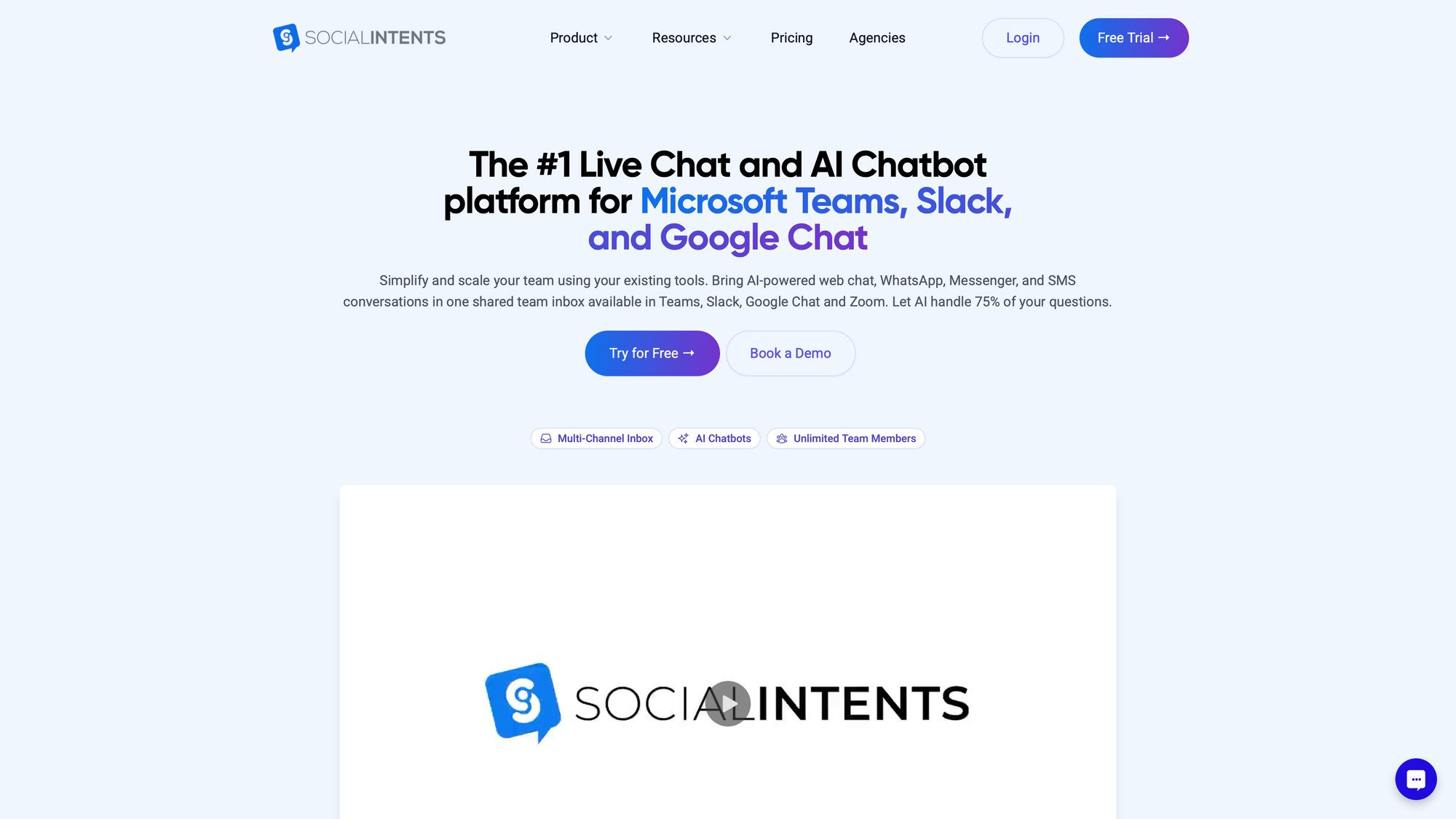
Social Intents – AI Live Chat
Our platform lets you add an AI-enhanced live chat to your Shopify store, powered by ChatGPT for automated answers. What makes Social Intents unique is the seamless human handoff via Microsoft Teams or Slack.
You can train the bot on your website content with one click, and when the AI isn't confident about an answer, the chat seamlessly escalates to a real person on your team in your Slack or Teams channel. This means your support team stays in the tools they already use all day, instead of learning a whole new interface.
We offer a free plan (up to 20 chat conversations per month) to get started, with paid plans from $69/month when you need more capacity or advanced features like custom AI actions, order lookup automation, and real-time translation.
Other Popular Options
While we recommend Social Intents for Shopify stores, there are several other chatbot apps available in the Shopify App Store. Each has different features, pricing models, and integration approaches. We encourage you to explore options and choose the solution that best fits your specific business needs.
What to Expect for Pricing
Expect to pay somewhere between $20 to $100+ per month for a quality AI chatbot app, depending on your store's needs and conversation volume.
| Price Range | What You Get | Typical Use Case |
|---|---|---|
| Free – $20/mo | Basic chatbot, limited conversations (20-100/month) | Testing, very small stores |
| $69 – $99/mo | Full features, 1,000-5,000 conversations, unlimited agents | Growing stores, professional use |
| $100+/mo | High volume (5,000-10,000+ chats), advanced features like AI actions and translation | High-traffic stores, enterprise needs |
Many apps have tiered pricing based on number of conversations or features. For example:
→ Social Intents' Basic plan: $69/month for 1,000 chats with unlimited agents
→ Higher tiers offer more conversations and advanced features like AI actions and translation
Almost all offer free trials or free tiers, so you can start without spending anything and scale up if it delivers value.
How to Set Up Social Intents ChatGPT Chatbot (Complete Walkthrough)
To make this concrete, let's walk through setting up an AI chatbot on Shopify using Social Intents – Live Chat with AI Chatbot as an example.
The process will be similar for other apps (install, configure, train, launch), so even if you choose a different solution, these steps give you a roadmap for what to expect.
① Install the Chatbot App from Shopify
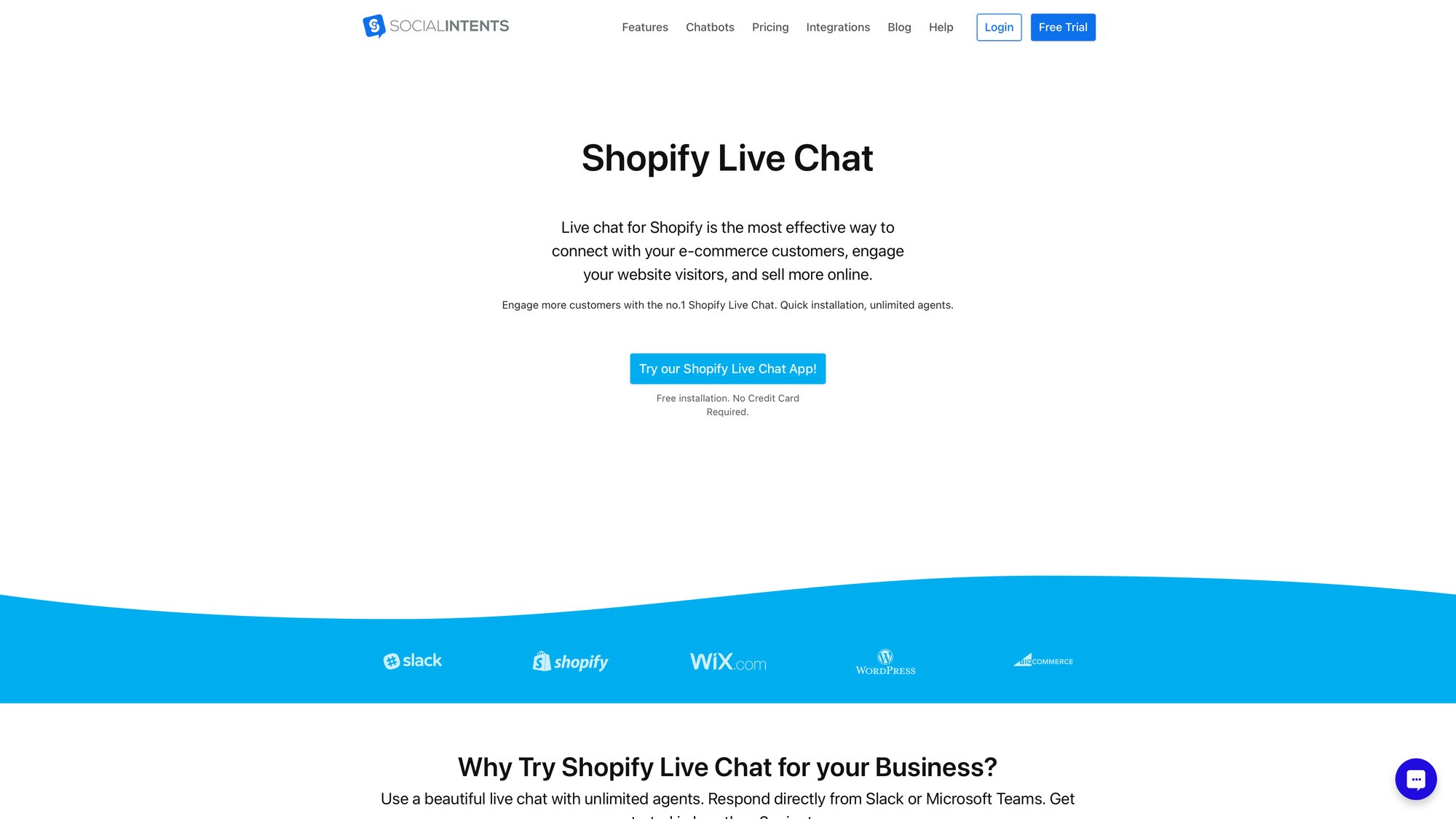
Log in to your Shopify admin panel and go to the Shopify App Store.
Search for "Social Intents live chat" and click Add app. Shopify will ask you to confirm the installation permissions. Click Install app to proceed.
What this does: Installing the app creates a Social Intents account for you (if you don't already have one) and integrates the app with your Shopify store. After installation, you'll be redirected to the app's dashboard or setup wizard.
② Configure Your Chat Settings
In the Social Intents app dashboard (accessible via your Shopify Apps menu), configure a few basics.
First, choose your integration for live chats. Do you want chats routed to Microsoft Teams, Slack, Google Chat, Zoom, or the Social Intents web console? One unique aspect of Social Intents is you can have live chats sent to your team's existing Slack or Teams channels, so your staff replies from tools they already use every day. If you prefer a traditional web dashboard, that's available too.
Add any team members (agents) who should be able to respond when live chat is needed. Even though we're focusing on AI automation, it's smart to set up the human backup for handling complex questions.
Next, customize the chat widget's appearance to match your brand.
You can usually upload your logo or chatbot avatar, pick widget colors to match your store's design, and write a welcome greeting. For example, you might set the bot's greeting to "👋 Hi! I'm the AI Assistant for [Your Store Name]. Ask me anything about our products or policies!"
You can also configure when the widget appears on your site. Show it on all pages or only certain pages. Display it after a few seconds or immediately. Social Intents allows deep customization from button styles to offline messages, so the chat widget feels like a natural part of your storefront.
Once basic settings are in place, your website now has a chat widget ready. Shoppers will see a chat icon (typically at the bottom corner of the site). When they click it, they can start typing questions to the AI assistant.
The chatbot responds in natural language, thanks to the ChatGPT API running behind the scenes. The first time a user asks something, they might get a friendly reply like, "Hi there! I'm here to help. What product are you looking for?" and the conversation flows from there.
If at any point the AI isn't confident in its answer or the customer requests human help, Social Intents can escalate the chat to a real person on your team (you'd get a ping in Slack or Microsoft Teams). The transition is smooth, so users just see that an agent joined the chat.
③ Train the AI on Your Store's Content
Out-of-the-box, a ChatGPT-based bot has general knowledge and some ability to answer common retail questions. But it doesn't automatically know the specifics of your store.
The real power comes when you train it on your data.
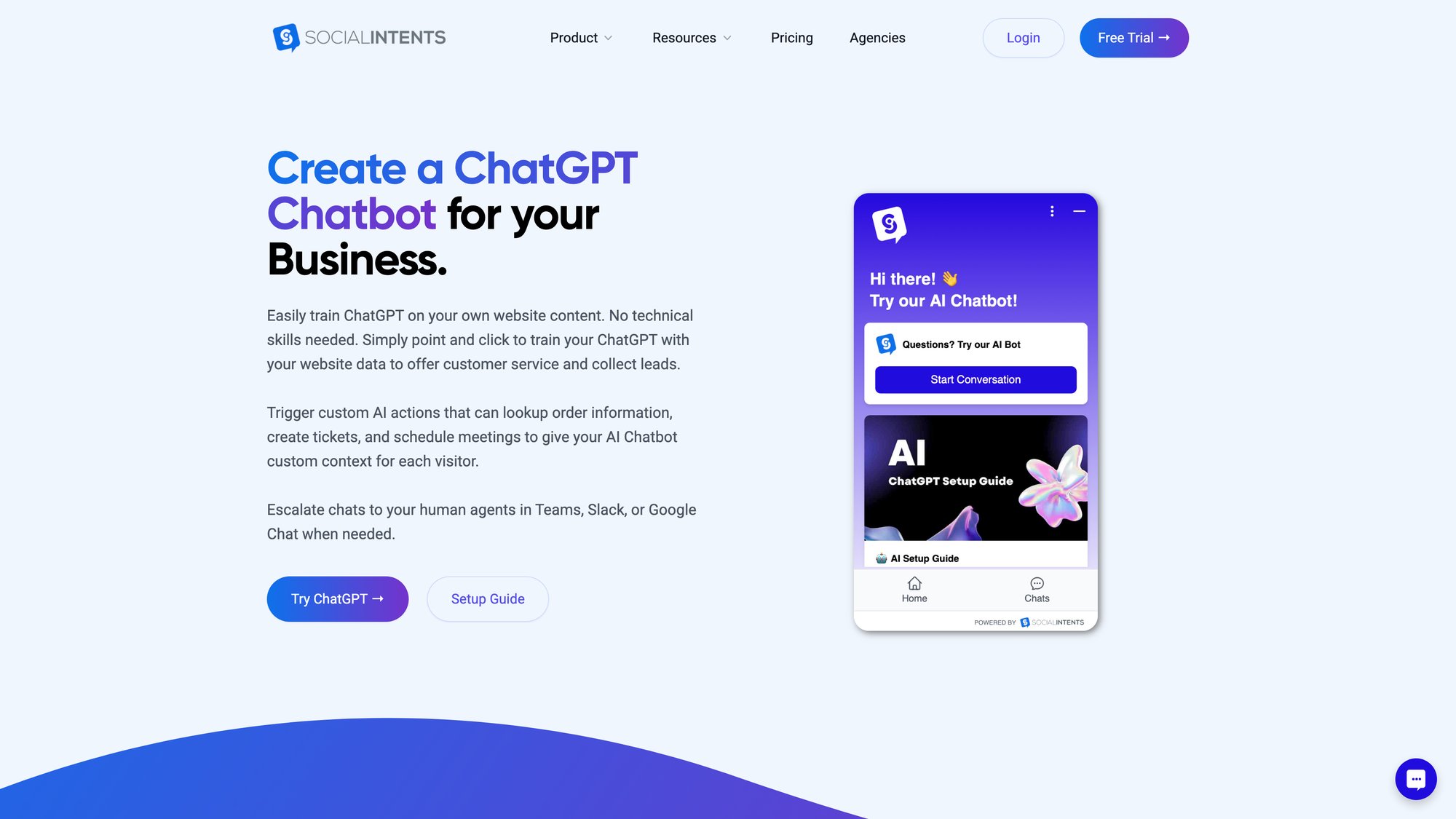
In the Social Intents app, there's an option to "Train Chatbot" or add knowledge sources. With one click, you can have it crawl your Shopify store pages, knowledge base, or FAQ URLs. For example, provide your FAQ page and product pages as training material.
The AI indexes that content so it can answer questions like "What is your return policy?" or "Do these shoes use genuine leather?" with accurate, store-specific information. You can also upload documents (PDFs, help guides) or manually input Q&A pairs for specialized knowledge.
After training, your chatbot automatically uses this information when answering customers. Instead of responding "Please check our shipping policy page," it can say "We offer free shipping on orders over $50, and standard shipping takes 3-5 business days."
If a user asks about product availability or details, the bot pulls answers from your product descriptions. This step is crucial for making the chatbot truly effective and tailored to your business.
④ How to Enable AI Features and Automation
Make sure the AI chatbot functionality is toggled on.
In Social Intents, once you've integrated ChatGPT, you decide if the bot should answer immediately or only outside business hours. You'll likely want it active 24/7 for instant answers.
Explore any additional AI settings. You can set confidence thresholds (when to auto-answer versus when to say "Let me get a human"). You might also set up proactive greetings where the bot automatically sends a message like "Hi! Let me know if you have any questions 😊" after a visitor spends 30 seconds on a product page.
These proactive prompts can increase engagement, though use them carefully to avoid annoying visitors.
Also consider enabling lead capture features. Some AI chatbots can ask for the user's email after helping, especially if the user seems interested in a product. The bot might say "Can I get your email in case we get disconnected? I can also send you a discount code!" Capturing leads via chatbot is valuable for follow-up marketing.
If your chatbot app supports custom AI actions or deeper Shopify integration, set that up as well.
Social Intents allows you to create custom API-based actions so the bot can handle things like order lookups. This means a customer can type "Where's my order #12345?" and the bot fetches tracking info from Shopify and responds with the current status.
Similarly, you could integrate a returns system where the user says "I want to return an item" and the bot initiates that process. Setting up these advanced workflows might require some developer help (to provide API endpoints), but many apps have templates or guides to simplify it.
Enabling such features takes your chatbot from basic Q&A to a truly interactive assistant that can take action on behalf of customers (checking order status, creating support tickets, applying promo codes, initiating returns).
⑤ How to Test and Launch Your Chatbot
Before rolling out the chatbot to all customers, test it thoroughly.
Pretend you're a customer and ask various questions:
• "What are your shipping options?"
• "Do you have size 8 in stock for the red sneakers?"
• "What's the status of order 1001?"
• "Can I return an item if I'm not happy?"
Verify that the bot responds accurately and helpfully. Most apps have a testing mode or preview chat you can use without it being live for everyone.
If you find the bot giving incorrect or confusing answers, update your training data or add that question and answer to its knowledge base. Tweak the bot's welcome message and tone if needed to better match your brand voice.
Once you're satisfied, go live!
The chatbot widget will be active on your storefront for all visitors. Monitor the first few days of interactions. Nearly all apps provide a dashboard where you can see questions asked and how the bot answered. This lets you catch any gaps quickly.
For example, if many people ask "Do you ship to Canada?" and the bot doesn't have that answer, you'll know to add that information immediately.
Congratulations! You've added a ChatGPT-powered chatbot to your Shopify store 🎉
Shoppers can now get instant answers and assistance, and you've barely written a line of code (if any).
What to expect:
Initially, you might find the bot answers most questions correctly and struggles with some. Don't be discouraged. These AI bots learn and improve, especially as you refine their training data.
Within a short time, you'll likely see a reduction in repetitive customer emails and an increase in site engagement. Remember, you or your team can always jump into a live chat if the AI gets stuck (the bot signals when it's unable to help, depending on settings).
Social Intents advantage: AI efficiency combined with human empathy when needed. Your team stays in the tools they already use (Slack/Teams) instead of learning a new interface.
How to Build a Custom ChatGPT Chatbot for Shopify
What if you prefer a custom solution or have development resources available? It's absolutely possible to build your own Shopify chatbot using the OpenAI ChatGPT API (or other AI APIs).
This route gives you maximum flexibility. You're not tied to the features of a specific app. But it requires significantly more work and technical knowledge.
What Building Custom Requires
A custom approach typically includes:
① Using the OpenAI API (or another AI service)
You'd call the GPT-4 or GPT-3.5 model via API to get responses for customer questions. OpenAI charges per API usage (fractions of a cent per token of text), so you'd pay based on chat volume instead of a fixed app subscription.
② Creating a chat interface on your site
This could be done by adding custom HTML/JavaScript to your Shopify theme to render a chat bubble, chat window, and capture user input. You might use an open-source chat widget library, or build a simple one yourself in Liquid/JavaScript. The widget needs to send the user's message to your backend and display the AI's reply.
③ Building a backend to relay messages
It's not safe to call the OpenAI API directly from the front-end (you'd expose your API key). You'd create a small backend service. This could be a lightweight server or even a serverless function.
When the user sends a message, your front-end sends an AJAX request to your backend, which calls the OpenAI API with the message, gets the AI response, and sends it back to the front-end to display.
④ Training and context
By default, ChatGPT's API knows nothing about your store. To give it context, you can programmatically include relevant info in each API request (for example, prepend your store FAQs or product info as part of the prompt).
Another approach is using a vector database or knowledge base: embed your content and retrieve the most relevant pieces to include when the AI is answering. This is known as a retrieval augmented generation approach.
This is advanced, but open-source tools and services exist to help. Some store owners use external services where you upload your documents/FAQs and it provides an API or widget that uses your data with ChatGPT. This avoids building the entire training pipeline from scratch.
⑤ Integration with Shopify data
If you want the bot to check order status or product availability, you'd integrate with Shopify's Admin API or Storefront API. That way your backend can query the order or product when the user asks.
Security is key here. You'd need to verify the user (have them provide an email or order number) before showing order details, to protect customer privacy.
⑥ Deployment and maintenance
You'd host the backend somewhere (Heroku, AWS Lambda, or even within a Shopify cloud function if feasible). You're responsible for making sure it's running reliably.
You'd need to monitor your OpenAI API usage and costs, and handle any model updates or changes.

Custom Build: Pros and Cons
Pros:
Complete ownership of the solution (no monthly app fees, you only pay API usage). Total flexibility to add any feature or integration you want. Ability to choose the AI model or even switch models (OpenAI, Anthropic, etc.) and fine-tune as needed.
You can also keep conversation data internal, which matters for some businesses with strict privacy concerns who don't want to route chats through third-party apps.
Cons:
Initial development effort is high. You (or your developer) will be responsible for every aspect: front-end UI, backend logic, API calls, error handling, scaling, maintenance.
If the AI gives bad answers, you have to improve the prompt or data yourself. If the API changes, you update your code. If usage spikes and your server struggles, you need to scale it.
Essentially, you become the chatbot app developer.
While building your own bot with ChatGPT's API gives you full control, the setup is significantly more work compared to using a pre-built app.
For most small-to-mid-sized Shopify stores, this likely isn't worth the cost and time compared to using an existing app that's continually improved by a dedicated team.

Middle-Ground Options
You might choose a middle ground. For example, you could embed an external chatbot widget that's not from the Shopify App Store.
You configure it on their site and just paste a script into your theme (or via Google Tag Manager to avoid editing code). Another example: if you use a service like Chatbase or Dialogflow, they often provide an embeddable chat widget. You add a <script> tag to Shopify which loads the chatbot interface.
This is still "no-code" from your perspective, though it's outside the Shopify App Store ecosystem. The downside is you have to manage those third-party accounts and integration details, but it can work well if you have a specific AI setup in mind.
Is Custom Right for Your Store?
For tech-savvy entrepreneurs or those who want a highly tailored chatbot experience, building custom is an exciting project. Shopify's ecosystem is also evolving. New APIs are making it easier for apps (and custom developers) to pull store data into AI models. This trend means custom integrations will get easier over time.
Tip: If you decide to go custom, start small. Begin with a simple FAQ bot using the OpenAI API and see it working on your site. Then gradually add complexity (product data integration, etc.). Consider using community resources or boilerplate projects on GitHub. There are open-source chatbot frameworks that can give you a head start.
What to Look for in a Shopify AI Chatbot
Whether you opt for a ready-made app or a custom bot, it's helpful to know what features make an AI chatbot truly effective.
As you evaluate solutions (or design your own), keep an eye out for these key capabilities:
→ Natural Language Understanding
At the core, the bot should use a strong AI model (like OpenAI's GPT-4/GPT-3.5, Anthropic's Claude, or Google's Gemini) that can understand varied customer questions and respond conversationally.
The whole point is moving beyond scripted Q&A to more fluid, helpful dialogue. Most reputable apps now use advanced NLP, but ensure the one you choose is explicitly "ChatGPT-powered" or equivalent.
→ Training on Your Content
The chatbot must allow easy training on your store's data. Otherwise it'll give generic answers.
Look for features like one-click import of FAQs and help center content, ability to upload documents, or crawling your site. Some apps even automatically sync your product catalog or knowledge base on a schedule.
The more relevant info you can feed the AI, the better its answers will be.
→ Continuous Learning and Updates
The solution should let you continually improve the bot. This might mean reviewing chat transcripts and adding new Q&A pairs for questions it couldn't answer, or updating its knowledge when you launch new products or policies.
Some systems may learn from each interaction (with admin oversight). You want a bot that isn't static. Check if the app allows you to edit the AI's responses or gives feedback tools to refine answers over time.
→ Human Handoff (Escalation)
No AI is perfect, so it's crucial that tough questions can be handed to a human seamlessly.
If you have a live support team (even just yourself), choose a chatbot that supports live chat takeover. Social Intents, for example, routes chats to Microsoft Teams or Slack for a human agent when needed.
Others might send it to an inbox or pop up in the app's dashboard for an agent to pick up. This feature ensures customers don't hit a dead-end if the bot doesn't know an answer. They'll still get help, which maintains a good experience.
→ Integration with Other Channels
Think about where you want to answer when a human takes over. Some apps only let you reply in their own dashboard.
Others (like those focused on Teams/Slack integration) let your team stay in tools you already use. Also consider if the chatbot can be deployed on other channels besides your site. Can the same AI bot work on Facebook Messenger, WhatsApp, or via SMS?
If omnichannel is important, look for a solution that offers multi-channel deployment so you maintain one AI brain across platforms.
→ Custom Actions and Shopify Integration
This is a more advanced feature, but very powerful.
The best Shopify chatbots can integrate with your store data and even third-party systems to perform actions. The bot can look up order status, check product inventory, apply discount codes, or create support tickets.
Social Intents refers to these as Custom AI Actions. If you want your bot to do more than just answer questions (essentially to act on behalf of the customer or agent), ensure the solution supports it or has an API you can use to build that functionality later.
→ Multilingual Support
If you need to serve customers in multiple languages, verify the chatbot's capabilities there.
Some bots can detect the customer's language and respond in kind, or use translation to bridge language gaps. Social Intents' Business plan offers real-time auto-translation of chats, and other apps natively support many languages.
Multilingual support can dramatically expand who can use your chatbot, making it useful for global stores.
→ Customization and Branding
The chatbot should be an extension of your brand.
Look for ability to customize the chat widget's appearance: colors, avatar, chat bubble style, position on screen. Also see if you can customize the bot's voice (tone or personality).
Some platforms let you choose from presets like friendly/professional, or even give the bot a name and avatar that matches your brand's character. A clothing boutique might have a bot called "Style Guru", whereas a tech store might use "TechHelper AI".
Consistent branding in the chatbot's behavior and look makes it feel like a natural part of your site.
→ Analytics and Monitoring
To gauge the chatbot's impact and keep improving it, you'll want analytics.
Good chatbot apps provide dashboards showing metrics like:
• Number of conversations
• Resolution rate (how often the bot answered successfully without human help)
• Common questions asked
• Conversion stats (did chats lead to purchases)
• Customer satisfaction scores (if you ask for ratings)
Analytics help you demonstrate ROI and identify areas to fine-tune. For instance, if you see many customers ask a question that the bot doesn't have an answer for, you can add it. Or if a certain prompt often leads to a sale, you know it's effective.
→ Privacy Controls
Don't overlook data privacy and security.
Your chatbot will be capturing customer queries, which might include personal data. Ensure the app or service you use has a good privacy policy, stores data securely (encrypted), and ideally offers a way to delete data upon request (for GDPR or other compliance).
If you're in a regulated industry (health, finance), you may need an option for on-premise hosting or a vendor that signs a HIPAA Business Associate Agreement. Most SaaS apps including chatbot ones aren't HIPAA-compliant by default, so know your requirements.
At minimum, look for SSL encryption and reputable providers.
→ Cost and Scalability
Make sure the pricing model aligns with your store's size.
Some apps charge by number of conversations or messages. Estimate how many chats you might get (look at your traffic and support volume). If an app's free tier allows 20 chats a month and you expect 200, you'll need a paid plan.
Also check if there are overage charges or if the bot just stops responding after the quota. You don't want a surprise where the bot goes offline or racks up big fees.
Choose a plan that gives some headroom. If your business grows, ensure the vendor has higher plans or enterprise options so you won't outgrow them.
In summary, pick a solution that's capable, customizable, and aligned with your business needs. Most of the top Shopify chatbot apps hit these points. You might just prioritize some features over others based on your specific situation.
Proven Strategies for Successful Chatbot Deployment
Adding the chatbot is step one. Now you want to make sure it truly delivers value and a great experience.
Here are some best practices to get the most out of your new ChatGPT assistant:
Keep Training It
Your chatbot's answers are only as good as the information you've given it.
Make sure your product descriptions, help center articles, and policy pages are up-to-date and thorough. The bot draws from those. If you notice it giving incomplete answers, it might be a sign your content needs more detail.
Regularly update the bot's knowledge with new FAQs. If you start getting lots of questions about a new promotion or product, add that Q&A to the training data.
High-quality, accurate content in equals accurate answers out.
Set Clear Boundaries for the AI
Most AI platforms let you set guidelines or rules for the bot's behavior. Use this!
You might instruct the bot, "Don't attempt to answer questions about specific medical advice," or "If user asks for a discount, do not provide one directly but hand off to human."
By setting these boundaries in the configuration (sometimes called "System Prompt" or guidelines), you prevent the AI from going off track or saying something it shouldn't. Define what the bot should and shouldn't do in alignment with your business policies.
Personalize the Bot (But Be Transparent)
Give your chatbot a friendly persona that matches your brand. It could have a name and a bit of character in its language (formal versus casual, playful versus straight-to-business).
A distinct voice can make the experience more engaging.
But be clear that it's an AI assistant. You don't want to trick customers into thinking they're chatting with a human if they're not. Being upfront (e.g., "Hi, I'm Atlas, the virtual assistant for XYZ Store!") sets proper expectations.
Most people don't mind chatting with a bot if it can help them, but they do dislike feeling deceived.
Test, Test, Test
Don't just set the bot and forget it.
Regularly test it with new questions or even ask some friends to try it out. See how it handles various phrasings ("Do you ship to UK?" versus "international shipping" versus "deliver UK").
The more scenarios you test, the more you can refine its performance. Many apps offer an AI preview or testing console for this purpose.
Periodically go through the chat logs to spot any weird or wrong answers. Treat it as an ongoing optimization process.
Monitor Analytics
Use the analytics provided to understand how customers interact with the bot.
Look at metrics like resolution rate (what percentage of chats did the bot handle without human help?), fallback rate (how often did it not know an answer), and any ratings if you have feedback enabled.
Also review the common questions being asked. These insights are valuable. They can tell you what customers care about, which might even inform your business (e.g., if many people ask "do you have X product," maybe you should stock that!).
By monitoring this data, you can continuously improve the bot's knowledge and also measure the ROI (did average response time go down? Are customers happier?). Some apps even let you see if chats led to conversions (e.g., "customers who chatted with the bot had a 10% higher purchase rate"), which validates the chatbot's impact.
Have a Human Backup Plan
Even with a great chatbot, some users will always prefer human help, and some issues will be beyond the AI's capability (complex account-specific problems).
Make sure your chatbot makes it easy to reach a human when needed. If you have live chat hours, configure the bot to say "I'll connect you with an agent now" and ping you.
If you're offline, ensure it collects the customer's email or creates a ticket so you can follow up. Also consider adding a line like "If at any time you want to talk to a human, just type 'human' or 'agent'."
Most bots hand off automatically on certain triggers, but it's nice to explicitly offer the option. This safety net prevents frustration and shows customers you're not forcing them into an AI-only interaction.
Mind the Tone and Manners
Train the bot to adhere to your customer service principles.
It should be polite, patient (never getting irritated no matter what the user says), and helpful. If a user is angry or asks something the bot can't do, the bot shouldn't scold or give a snarky answer. It should apologize and offer alternatives (like escalating to support).
For example, "I'm sorry, I'm not able to assist with that. Let me connect you with a human team member who can help further."
Ensuring the AI maintains a professional, empathetic tone protects your brand's reputation.
Keep the Bot Updated
Your store will evolve. New products, new policies, seasonal promotions.
Make it part of your routine that whenever there's a significant change (you launched a new collection or updated your return window), you update the chatbot's knowledge.
Many bots won't automatically know about new Shopify products unless told. If your app syncs the product catalog automatically, great. Just verify it's working. If not, retrain it or add an entry in its FAQ for the new info.
If you run a sale or campaign, consider "teaching" the bot about it so it can answer related questions (customers often ask things like "Is the Black Friday sale still on?" or "Can I use more than one coupon?").
Announce or Introduce Your Chatbot
When you first deploy it, you might want to let your customers know.
Some stores do a blog post or an email like "Meet Zoe: our new AI assistant!" explaining how it can help customers. At minimum, you could have the bot introduce itself on first use.
This sets expectations and can even increase usage (customers might not click the chat widget unless they know what it is). If you use proactive chat greetings, that'll naturally draw attention to it too.
By following these best practices, you'll ensure your ChatGPT chatbot is not only set up correctly but continues to improve and deliver value over time. The goal is an engaging, trustworthy AI assistant that feels like a helpful part of your customer service team.
Frequently Asked Questions
How much does it cost to add a ChatGPT chatbot to Shopify?
Most Shopify chatbot apps cost between $20 and $100+ per month, depending on features and conversation volume. Many offer free trials or free tiers to start. For example, Social Intents has a free plan with 20 chats per month, and paid plans start at $69/month for 1,000 conversations with unlimited agents.
If you build a custom integration using OpenAI's API directly, you'd pay per API usage (typically fractions of a cent per conversation), but you'd need to factor in development and maintenance costs.
Can the chatbot handle multiple conversations at the same time?
Yes. AI chatbots can handle unlimited simultaneous conversations. Unlike human agents who can only chat with one or maybe a few customers at a time, an AI bot can respond to hundreds or thousands of shoppers at once. This is one of the major benefits: during traffic spikes, the bot scales automatically without you needing more staff.
Will customers know they're talking to a bot?
Most apps let you customize the greeting message. It's best practice to be transparent and let customers know they're chatting with an AI assistant (e.g., "Hi! I'm the AI Assistant for XYZ Store"). You can choose to make this more or less obvious based on your preferences. Being upfront builds trust, and most customers don't mind if the bot is helpful.
What happens if the bot doesn't know the answer?
Good chatbot apps have a human handoff feature. If the AI can't answer a question confidently, it can escalate the chat to a human agent. With Social Intents, the chat gets routed to your team's Slack or Teams channel, so someone can step in and help. If no one's online, the bot can collect the customer's email so you can follow up later.
Can the chatbot be trained on my specific products and policies?
Absolutely. Most AI chatbot apps let you train the bot on your store's content. You can upload FAQs, provide URLs to crawl (your product pages, help center), or manually add Q&A pairs. This training makes the bot give accurate, store-specific answers instead of generic responses.
Does adding a chatbot slow down my website?
Modern chatbot widgets are designed to load asynchronously and have minimal impact on site speed. They typically add only a small JavaScript file that loads after your main content. If you're concerned, test your site speed before and after installation using tools like Google PageSpeed Insights or GTmetrix. In most cases, the impact is negligible.
Can I customize how the chatbot looks and sounds?
Yes. Most apps offer extensive customization options. You can change the widget's colors, position, avatar, and welcome message. You can also adjust the bot's tone and personality to match your brand. Some platforms even let you give the bot a name and specific character traits (friendly, professional, playful, etc.).
Will the chatbot work on mobile devices?
Yes. Modern chatbot widgets are responsive and work seamlessly on mobile devices, tablets, and desktops. Since a large portion of Shopify traffic comes from mobile, this is essential. The chat interface automatically adjusts to fit different screen sizes.
Can the chatbot look up order status or check inventory?
Advanced chatbot solutions offer custom AI actions that integrate with Shopify's API. This means the bot can look up order status, check product inventory, apply discount codes, or create support tickets. Setting up these integrations might require some technical configuration, but many apps provide templates or guides to make it easier.
Does the chatbot work in multiple languages?
Many AI chatbot apps support multiple languages. Some can automatically detect the customer's language and respond accordingly. Others offer real-time translation of conversations. For example, Social Intents offers real-time auto-translation on higher-tier plans, making it easy to serve international customers.
How long does it take to set up a chatbot?
Using a Shopify app, you can have a basic chatbot running in 15-30 minutes. This includes installing the app, configuring basic settings, and customizing the widget appearance. Training the bot on your content and fine-tuning it might take a few more hours, depending on how much data you want to provide. Custom integrations take significantly longer (days or weeks of development).
Can I see transcripts of conversations?
Yes. All chatbot apps provide a dashboard where you can view conversation transcripts. This is useful for monitoring what customers are asking, identifying gaps in the bot's knowledge, and ensuring quality. You can also use transcripts to train the bot further by adding frequently asked questions it didn't handle well.
Is my customer data secure?
Reputable chatbot apps use SSL encryption and follow industry-standard security practices. Check the app's privacy policy and terms of service to understand how data is stored and used. If you have specific compliance requirements (GDPR, HIPAA, etc.), verify that the app meets those standards or can sign necessary agreements.
Can I test the chatbot before making it live?
Yes. Most apps have a testing or preview mode where you can interact with the bot without it being visible to customers. This lets you test various questions, refine training data, and ensure the bot responds appropriately before launching it publicly.
What's the difference between a chatbot and live chat?
Traditional live chat requires a human to respond in real-time. A chatbot uses AI to respond automatically without human intervention. Many modern solutions (like Social Intents) combine both: the AI handles routine questions automatically, and complex issues get escalated to human agents. This hybrid approach gives you the efficiency of automation with the empathy of human support when needed.
Conclusion
AI chatbots have evolved dramatically. What used to require a large development project can now be added to your Shopify store in an afternoon.
Whether you choose a plug-and-play app or a custom integration, a ChatGPT-powered chatbot can transform your e-commerce business. It's like giving every visitor a personal concierge who never sleeps and can handle thousands of conversations simultaneously.
In this guide, we covered how to evaluate different chatbot solutions and walked through an example setup using a Shopify app. We also discussed tips to train and fine-tune your bot for the best performance.
The key takeaway is that context is everything. The more you teach the bot about your products, policies, and customers, the more effective it'll be. When paired with human oversight and continuous improvement, the result is a hybrid support system that customers will actually enjoy using.
If you haven't already, consider giving an AI chatbot a try on your store. Start with a free trial of a top-rated app, or spin up a small prototype with the OpenAI API. Watch how customers interact. You'll likely be surprised at how many common questions can be answered instantly by AI.
That translates to happier customers (quick help!) and happier you (time saved and potentially more sales).
In the competitive landscape of 2025, providing fast, smart service is a genuine differentiator. A ChatGPT chatbot is an affordable way to offer that kind of experience at scale. As the technology continues to evolve, your chatbot will only get smarter and more capable. It's an investment that keeps paying dividends in customer satisfaction and operational efficiency.
Ready to Get Started?
The easiest path forward is picking one of the recommended apps and installing it on your Shopify store to start configuring your bot.
You can try Social Intents with a completely free plan or another app of your choice and follow the steps in this guide. In just minutes, you'll have a live ChatGPT assistant on your site, welcoming shoppers and answering their questions.
Embrace the power of AI to elevate your store's customer experience. Your shoppers (and your bottom line) will thank you.