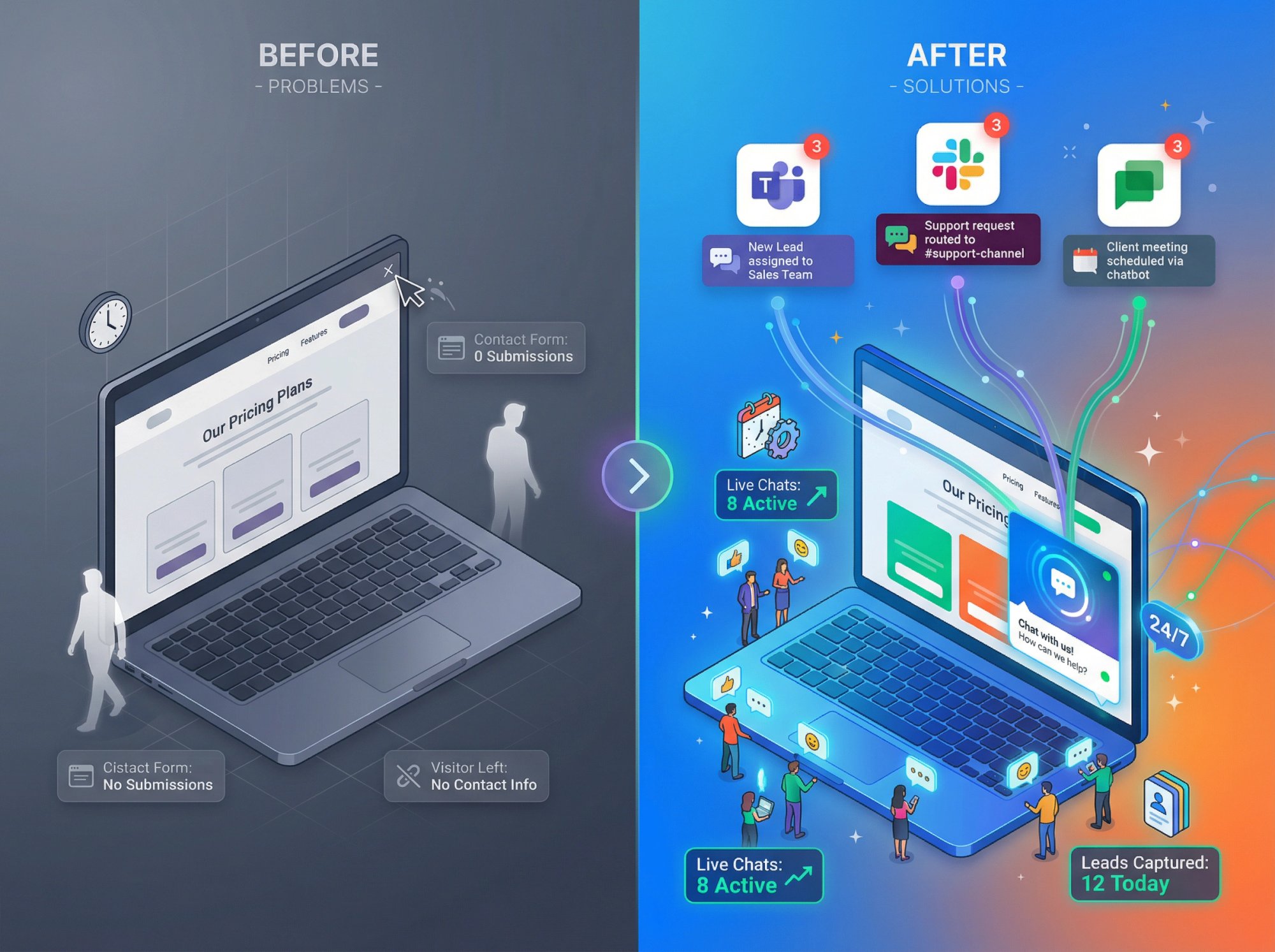
Website visitors slip away every day. They browse your pricing page, read a product description, maybe even hover over the "Contact Us" button, and then leave without a trace. No email, no conversation, no second chance.
What if you could engage every single one of them? Not with annoying pop-ups or lengthy forms, but with instant, helpful conversations that actually convert?
That's exactly what a lead generation chatbot does. It greets visitors the moment they show interest, answers their questions in real time, and captures their contact information while they're most engaged. The result? Companies using AI chatbots see 3× higher conversion rates compared to traditional lead forms, with some businesses reaching conversion rates as high as 70%.
At Social Intents, we've helped thousands of businesses transform their website chat into a lead-generating machine. Our platform lets you set up AI-powered chatbots that work 24/7, route conversations directly into Teams, Slack, Google Chat, or Zoom, and automatically qualify leads without adding another tool to your stack.
In this guide, you'll learn exactly how to set up a chatbot for lead generation from start to finish. No fluff, no theory. Just a practical, step-by-step roadmap you can follow today.
Why Chatbots Convert Better Than Traditional Lead Forms
Before we get into setup: why chatbots?
Traditional contact forms have one fundamental problem. They feel like work. Fill out six fields, click submit, wait days for a response. Most visitors can't be bothered.
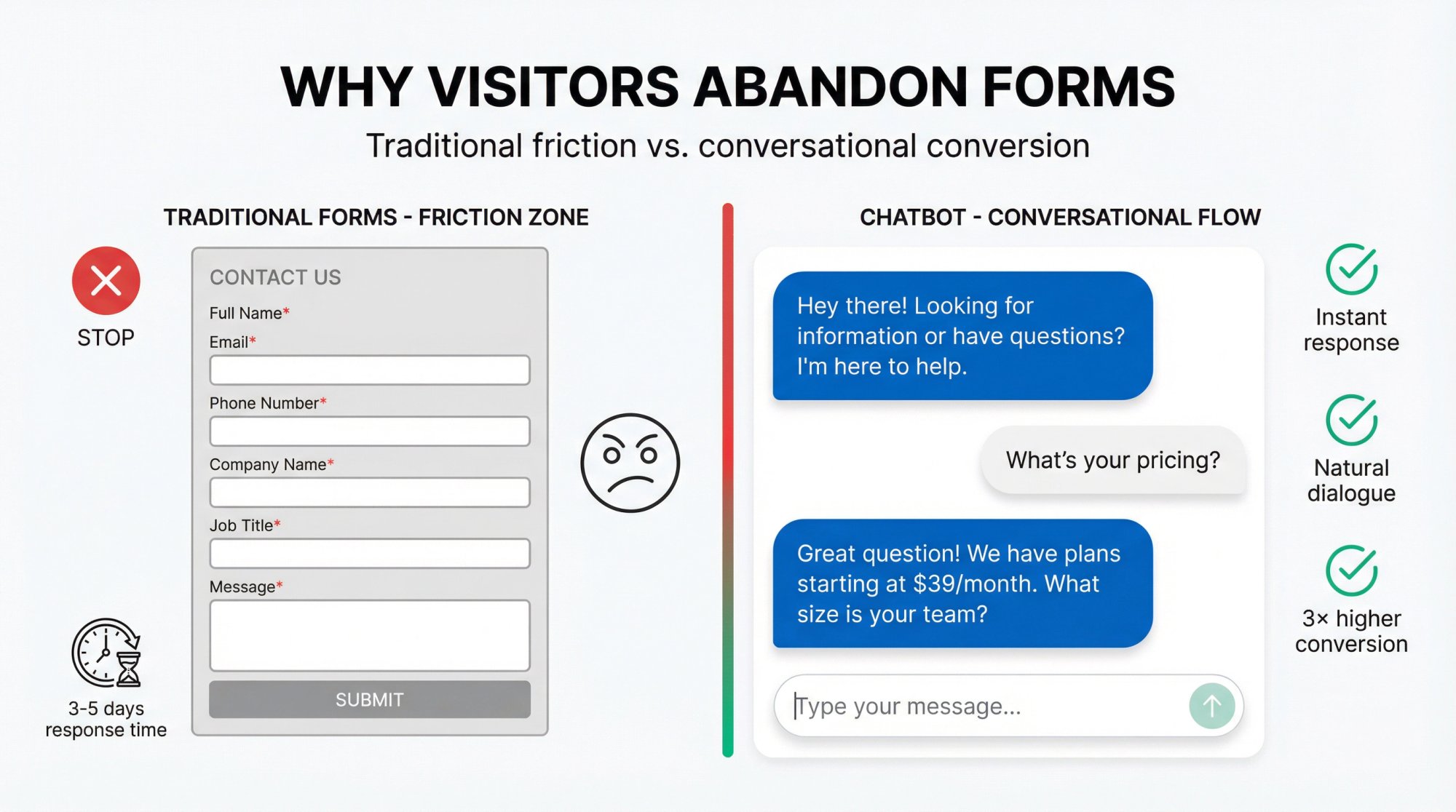
Chatbots flip the script entirely. They start conversations immediately, answer questions on the spot, and collect lead information naturally through dialogue. The experience feels helpful rather than transactional.
The numbers back this up:
• 59% of consumers expect chatbot responses within 5 seconds
• Companies responding within 5 minutes are 100× more likely to connect with leads than those waiting 30 minutes
• 84% of B2B companies planned to integrate AI into lead generation by 2024
But speed is only part of the equation. Chatbots also qualify leads automatically. Instead of your sales team wading through unqualified contacts, the bot asks smart questions upfront (company size, budget, timeline) and routes only the serious prospects to your team.
Think of it this way: It's like having a receptionist who never sleeps, never takes lunch breaks, and handles hundreds of conversations simultaneously without breaking a sweat.
What Makes a High-Converting Lead Generation Chatbot?
Not all chatbots are created equal. You've probably encountered those frustrating bots that can't understand simple questions or trap you in endless loops. That's not what we're building here.
A high-converting lead gen chatbot has three core characteristics:
1. It provides value before asking for anything
The worst chatbots hit you with "Enter your email to continue" before they've answered a single question. Smart bots do the opposite. They answer FAQs, recommend products, or solve problems first. Then, once they've demonstrated value, they naturally ask for contact information ("Would you like me to email you a summary of what we discussed?").
This is the difference between interruption and invitation.
2. It knows when to bring in a human
AI is powerful, but it's not magic. The best lead gen bots recognize when a conversation exceeds their capabilities and smoothly hand off to a real person. At Social Intents, we've built this hybrid chat approach into our platform so your team can jump in from Slack or Teams whenever the bot escalates a conversation.
3. It captures and routes leads automatically
A lead that lives only in chat history is a lost lead. Your bot needs to feed contact information, conversation transcripts, and qualification data directly into your CRM or sales workflow. We'll cover exactly how to set this up later in this guide.
How to Set Up Your Lead Generation Chatbot: Step-by-Step Guide
Time to build. We'll walk through the complete setup process using Social Intents as our example, but these principles apply regardless of which platform you choose.
Step 1: Define Your Primary Goal
Before touching any software, get crystal clear on what you want this chatbot to accomplish.
Pick one primary outcome:
→ Book demos or sales calls
→ Capture qualified lead information (email + company details)
→ Start free trials
→ Request pricing quotes
→ Schedule product walkthroughs
→ Route visitors to the right department
Don't try to do everything at once. A chatbot optimized for one goal will always outperform a chatbot trying to handle five different objectives.
For example, if your main goal is booking demos, your entire conversation flow should guide visitors toward scheduling a meeting. Every question you ask, every piece of information you share, should serve that single purpose.
Pro tip: Write out your success definition before you start. Example: "A qualified lead = email address + company size + clear use case + requested demo within 30 days."
Step 2: Choose Your Chatbot Platform
You need a platform that balances ease of use with powerful lead generation features. When evaluating options, prioritize these capabilities:
| Feature | Why It Matters |
|---|---|
| AI Integration | Handles free-form questions naturally; trained on your content |
| Pre-Chat Forms | Captures contact info before conversation starts |
| CRM Connectors | Automatically creates leads in Salesforce, HubSpot, etc. |
| Team Routing | Escalates to humans in tools they already use (Slack, Teams) |
| Analytics | Tracks conversion rates and identifies drop-off points |
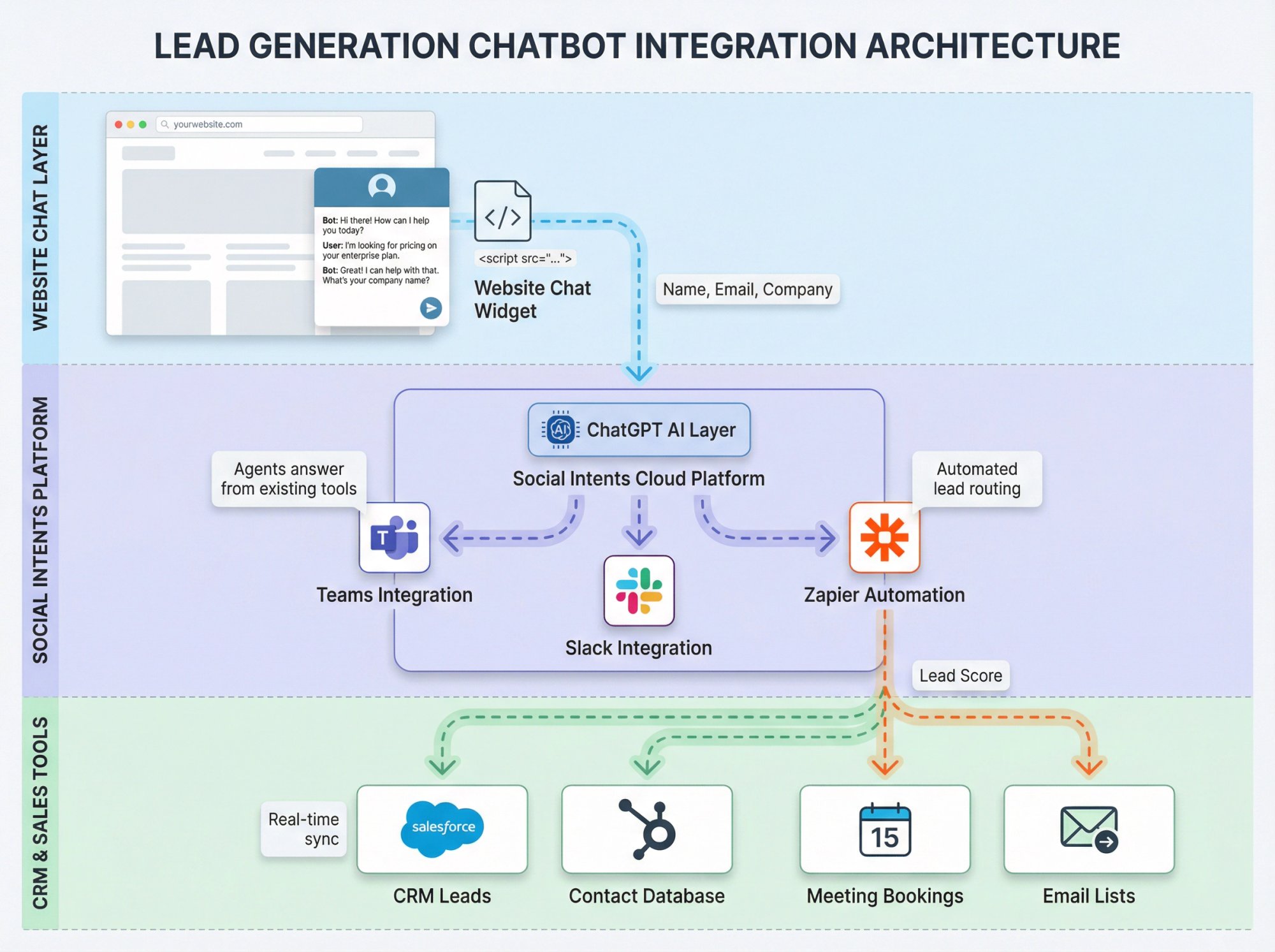
At Social Intents, we built our platform specifically for businesses that want powerful lead gen capabilities without the complexity. You can set up an AI chatbot trained on your website content in minutes, route conversations into Microsoft Teams or Slack, and push leads directly to your CRM via Zapier.
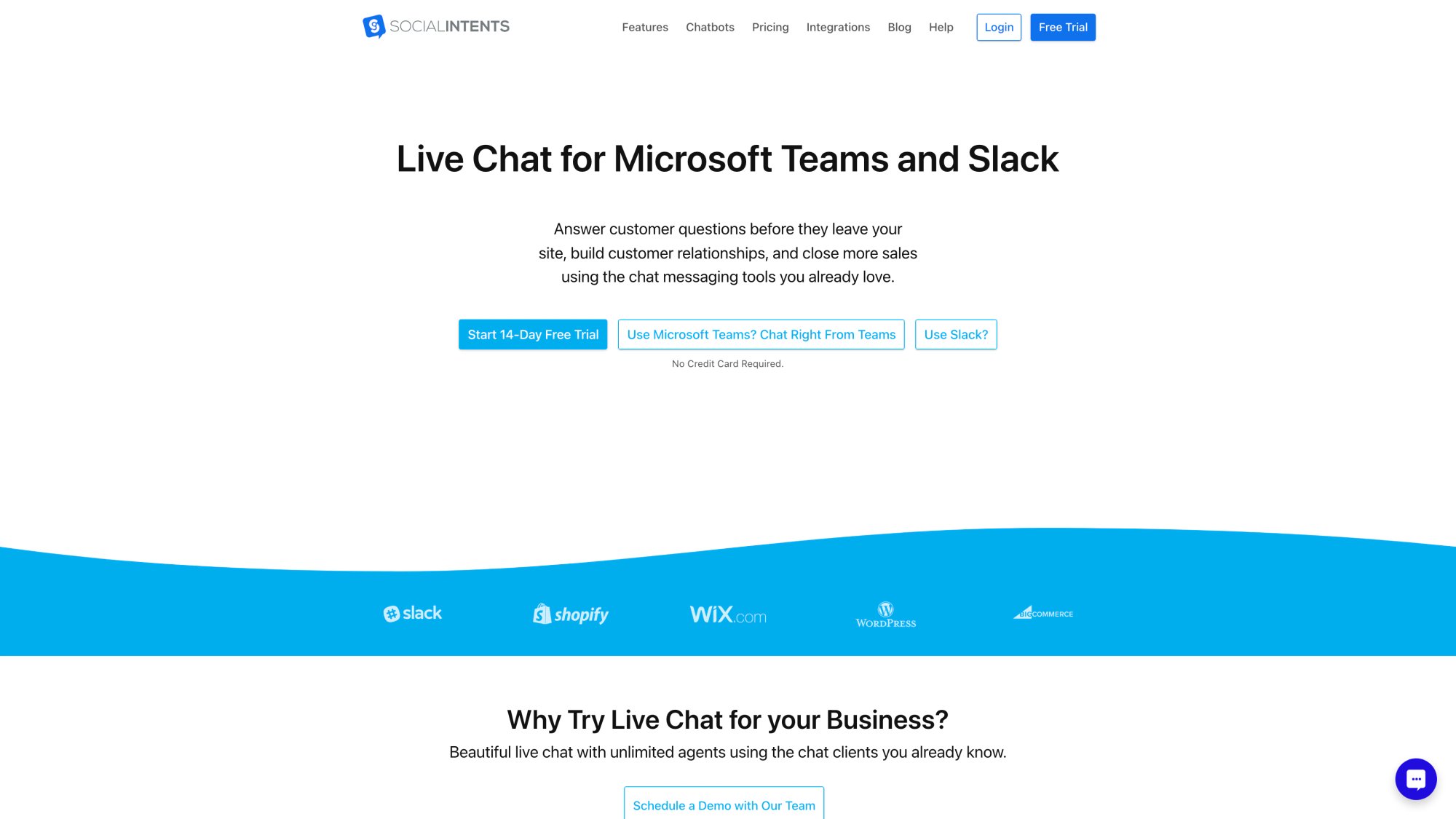
The platform combines AI automation with human support seamlessly. Your chatbot handles routine questions while your team focuses on high-value conversations.
The biggest advantage? Your sales team doesn't need to learn another tool. They respond to website visitors right from the chat apps they're already using all day.
Step 3: Sign Up and Configure Your Bot
Once you've selected a platform, create your account and set up your first chatbot.
For Social Intents, here's the quick-start process:
① Sign up for a 14-day free trial (full functionality, no credit card required)
② Create a new ChatGPT-powered chatbot from your dashboard
③ Connect your OpenAI API key (gives you control over AI costs and configuration)
Most modern platforms use external AI services like OpenAI's GPT for natural language understanding. You'll need to grab an API key from OpenAI's platform (it's a simple copy-paste process) and add it to your chatbot settings.
The whole process takes about 2 minutes, even if you've never worked with APIs before.
Why use AI instead of rule-based bots? Because real visitors ask real questions in unpredictable ways. "How much does this cost?" vs "What's your pricing?" vs "Can I afford this?" all mean the same thing, but a rule-based bot might only catch one variation. AI understands the intent behind the words.
Step 4: Train Your Chatbot on Your Business
An untrained chatbot is like a new employee who knows nothing about your company. They can't answer basic questions, they give generic responses, and they frustrate visitors instead of helping them.
Training fixes this.
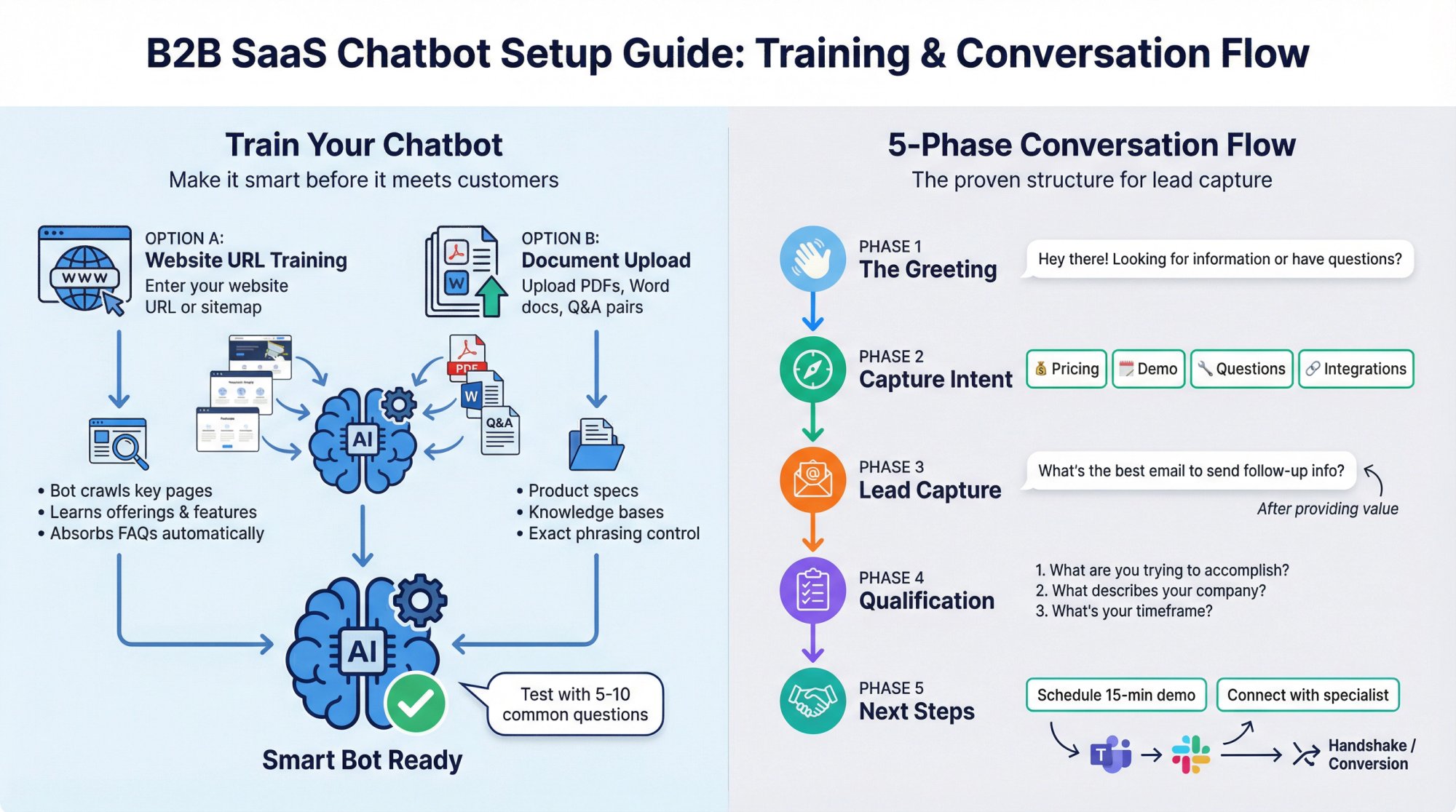
Most AI chatbot platforms (including Social Intents) let you train your bot in two ways:
Option A: Website URL training
-
Enter your website URL or sitemap
-
The bot crawls your key pages (homepage, pricing, product pages, FAQ)
-
It learns your offerings, features, and common questions automatically
Option B: Document upload
-
Upload PDFs, Word docs, or CSV files with Q&A pairs
-
Great for detailed product specs or internal knowledge bases
-
Gives you more control over exact phrasing
What content should you include?
Focus on information that answers the questions leads actually ask:
-
Pricing and plan details
-
Key features and integrations
-
Setup and implementation process
-
Security and compliance information
-
Common objections and concerns
The more relevant training data you provide, the smarter your bot becomes. Don't hold back. If prospects ask it, your bot should know it.
Quick test: After training, try asking your bot 5-10 common questions in preview mode. Does it give accurate, helpful answers? If it stumbles or says "I'm not sure," add more source material or create specific Q&A pairs to fill those gaps.
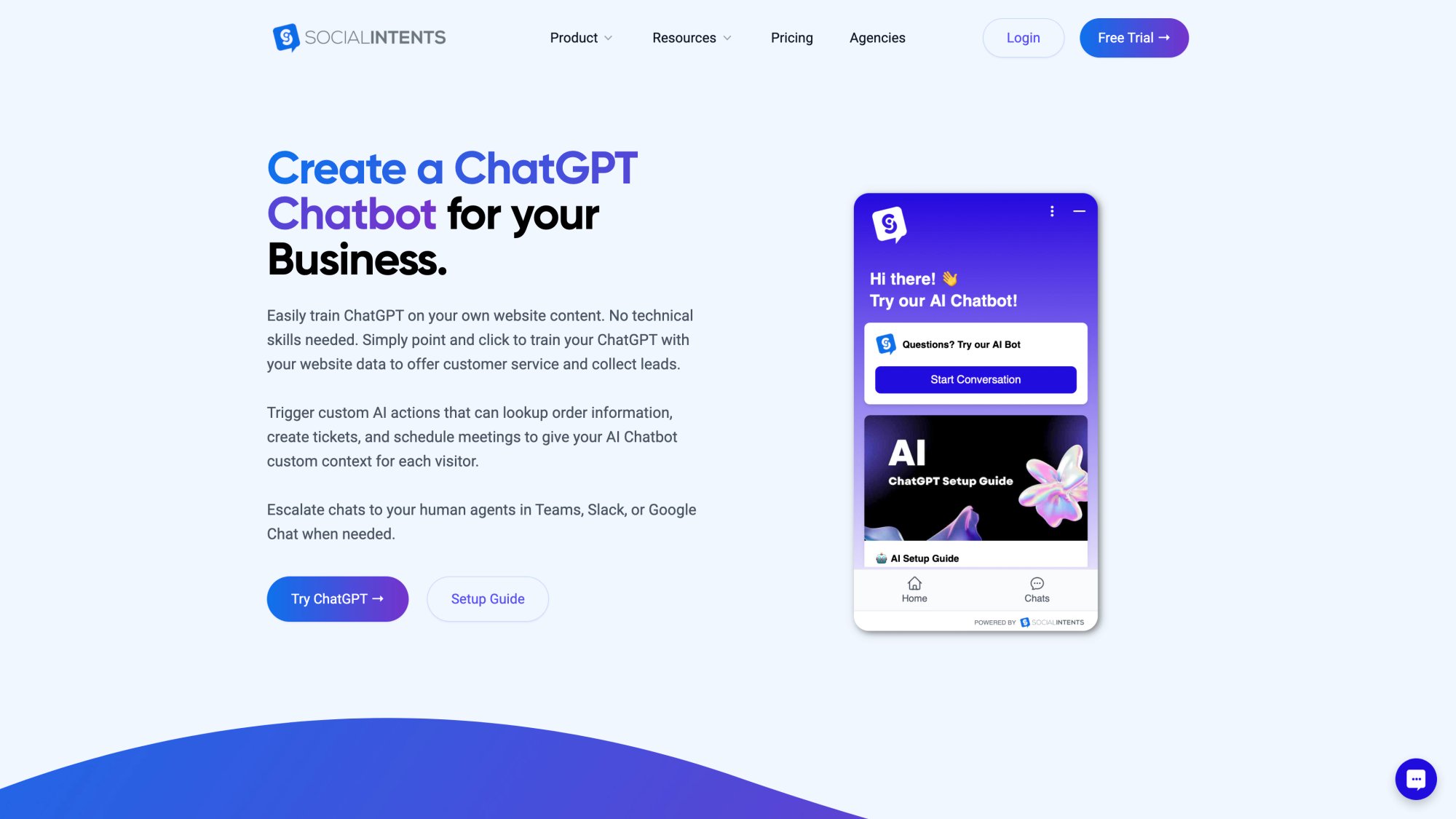
Social Intents makes ChatGPT integration seamless. You can train your bot on your website content, knowledge base documents, and custom Q&A pairs. The platform handles the technical complexity while you focus on training quality.
Step 5: Design Your Conversation Flow
Now comes the design work: deciding exactly what your chatbot will say and ask.
A strong lead generation conversation follows this structure:
Phase 1: The Greeting (Make it warm and inviting)
Your opening message sets the tone for the entire interaction. Skip the corporate stiffness.
Good examples:
-
"Hey there! Looking for information or have questions? I'm here to help."
-
"Hi! I can help you find the right plan, answer questions, or connect you with our team. What are you looking for?"
Bad examples:
-
"Welcome to our website. Please state your inquiry." (Too formal)
-
"SPECIAL OFFER! Click here now!" (Too pushy)
Phase 2: Capture Intent
Find out what the visitor actually wants. You can do this with an open-ended prompt ("What brings you to our site today?") or with quick-reply buttons that let them tap their choice:
-
💰 Pricing & plans
-
📅 Book a demo
-
🔧 Product questions
-
🔗 Integrations
-
💬 Support
Quick replies work brilliantly because they reduce friction. One tap beats typing every time.
Phase 3: Lead Capture (Get that email)
Here's where you capture contact information. You have two approaches:
Pre-chat form (capture upfront):
Before the chat starts, ask for name and email in a quick form. Social Intents makes this easy to configure in your widget settings. The advantage? You guarantee every conversation includes contact info. The downside? It's a small barrier some visitors might bounce from.
In-conversation capture (capture after providing value):
Let the bot answer one or two questions first, then naturally request an email:
"Great question! I can definitely help with that. In case we get disconnected, what's the best email to send you any follow-up information?"
This feels more natural and often converts better because you've already demonstrated value.
Pro tip: Always explain why you're asking for contact information. "So I can send you a summary" or "So our specialist can follow up" gives context and increases the likelihood they'll share it.
Phase 4: Qualification Questions (Know who you're talking to)
Don't interrogate, but do gather enough information to prioritize this lead properly.
The three-question framework that works:
① "What are you trying to accomplish?" (captures their need)
② "What best describes your company?" (offers: Solo / Small team / Mid-market / Enterprise)
③ "What's your timeframe?" (gauges urgency: Researching / Next 30 days / Next 90 days / Just browsing)
These three questions give you everything you need to score and route leads effectively. Keep it conversational. Frame questions as helpful guidance rather than interrogation.
Phase 5: Next Steps & Handoff
Wrap up with a clear call to action:
-
For hot leads: "Would you like to schedule a 15-minute demo call with our product team?"
-
For cold leads: "I'll email you our detailed comparison guide. Feel free to reach back out with any questions!"
-
For complex inquiries: "Let me connect you with one of our specialists who can help with that right now."
If the conversation needs a human, Social Intents makes handoff seamless. The bot can route the chat into your Microsoft Teams or Slack channel instantly, and your team can take over the conversation without the visitor even noticing the transition.
Step 6: Set Up Proactive Chat Triggers
Here's a secret: most visitors never click your chat widget. They browse, they think, and they leave.
Proactive triggers change everything.
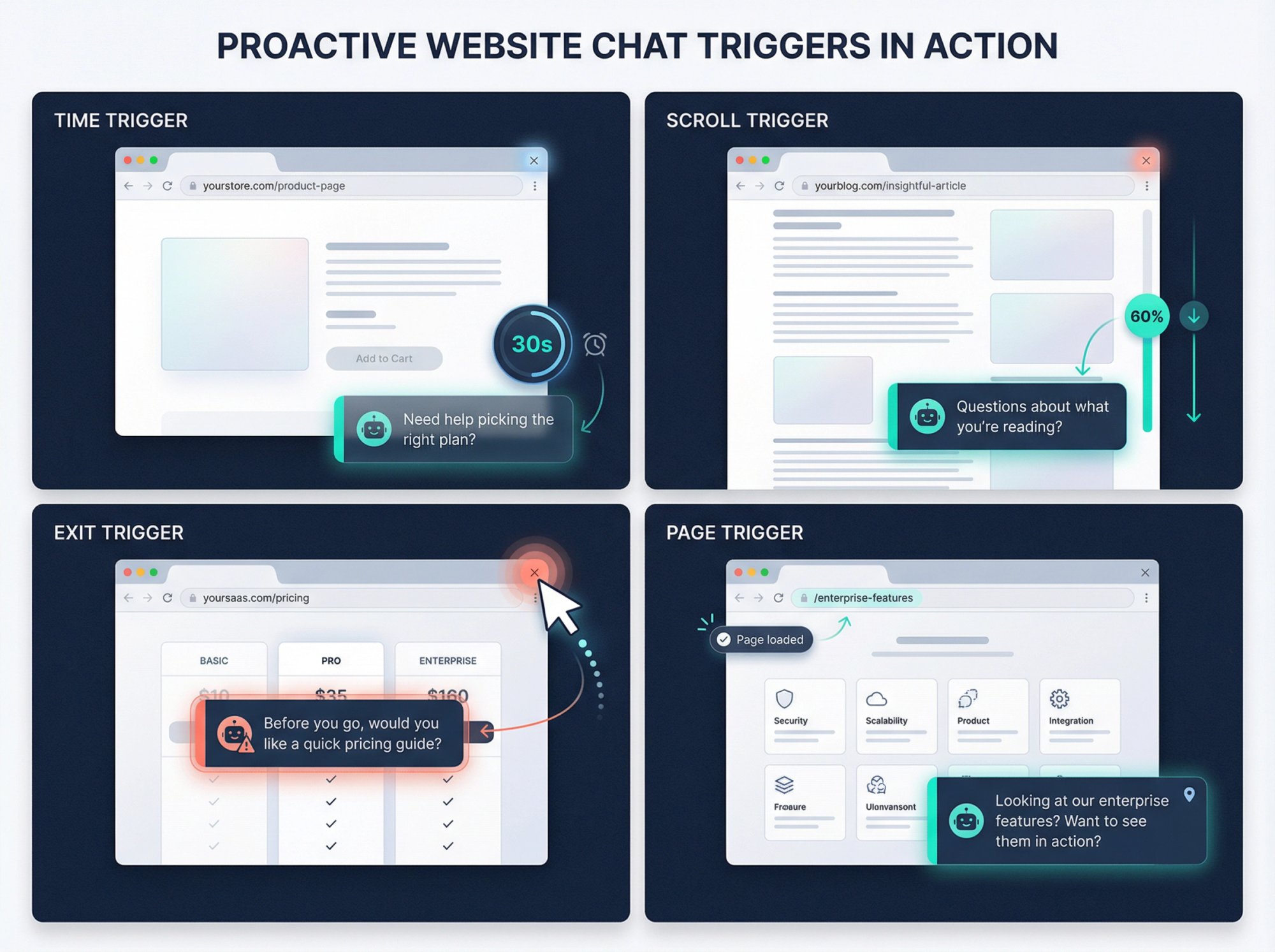
Instead of waiting for visitors to initiate chat, your bot can reach out first based on specific behaviors:
| Trigger | When To Use It | Example Message |
|---|---|---|
| Time on page | After 30 seconds on pricing page | "Need help picking the right plan? I can recommend the best fit in 60 seconds." |
| Scroll depth | After scrolling 60% down a product page | "Questions about what you're reading? I'm here to help!" |
| Exit intent | Mouse moves toward browser close button | "Before you go, would you like a quick pricing guide?" |
| Specific page visit | Lands on high-intent pages | "Looking at our enterprise features? Want to see them in action?" |
Social Intents lets you configure these triggers in your widget settings. You can also use our JavaScript API for more advanced targeting (different messages on different pages, personalized greetings for returning visitors, etc.).
Research shows that about 33% of visitors respond to proactive chat invites. That's 33% more lead conversations than you'd get by waiting passively.
And these proactive-triggered conversations often convert better because they're contextual and timely.
Important: Don't spam. If someone closes the chat prompt, don't show it again that session. One polite offer is helpful. Three pop-ups in five minutes is annoying.
Step 7: Embed the Chat Widget on Your Site
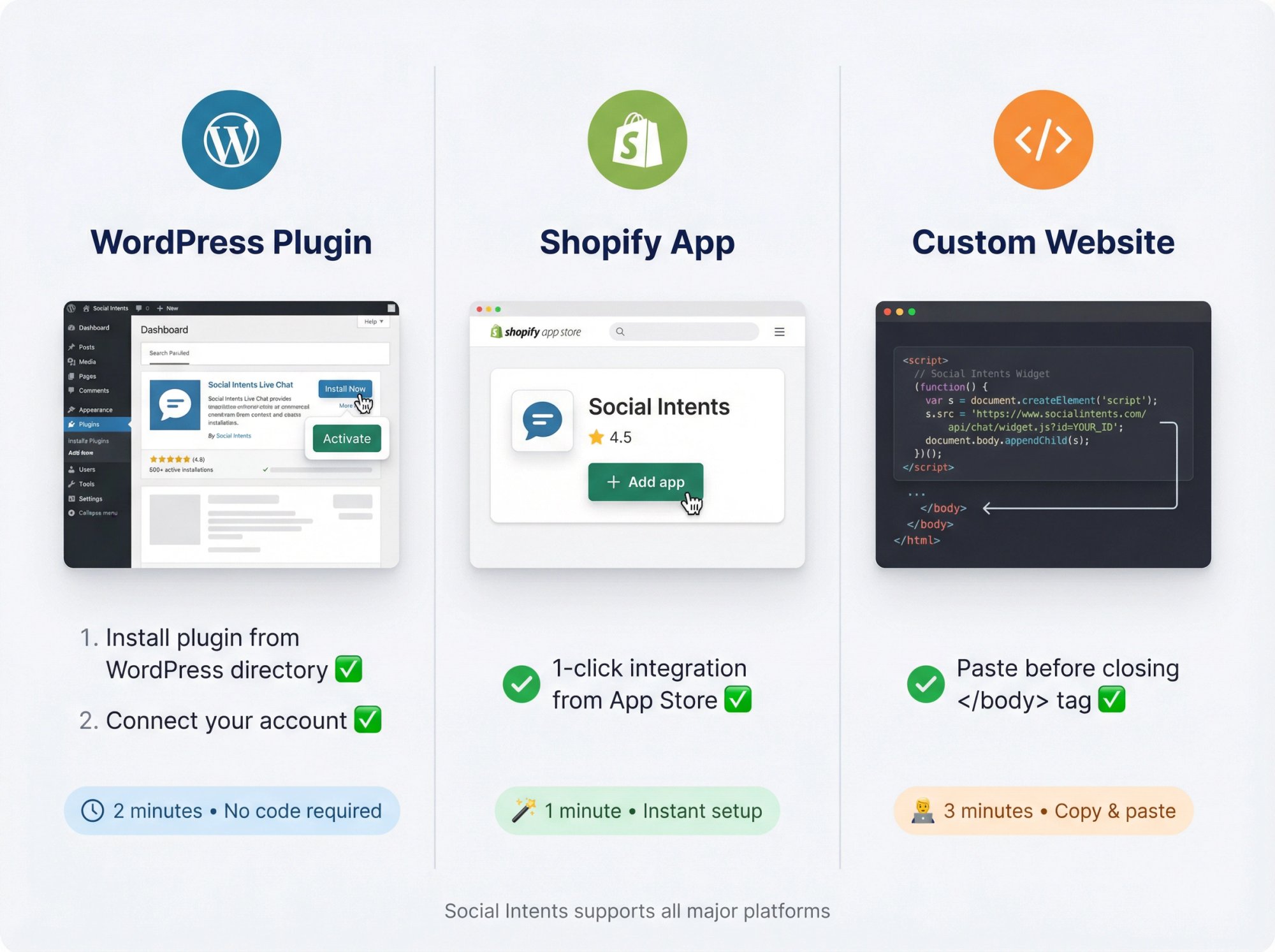
Time to make your chatbot visible to the world.
Most platforms provide a simple JavaScript snippet you paste into your website. For Social Intents, it's even easier:
→ If you use WordPress: Install our WordPress plugin and connect your account (2 minutes, no code)
→ If you use Shopify: Install our Shopify app from the app store (1-click integration)
→ If you have a custom site: Copy the provided <script> tag and paste it before your closing </body> tag
Once installed, the chat widget appears on your site (usually bottom-right corner). Test it immediately:
-
Load your site in a new browser window
-
Try clicking the chat widget
-
Send a test message
-
Verify the bot responds correctly
-
Check that proactive triggers fire when expected
If you run into issues, check your browser console for errors. Usually it's just a matter of ensuring the script isn't blocked by ad blockers or other plugins.
Step 8: Connect Your CRM and Sales Tools
A lead captured in chat but not in your CRM is a lead that falls through the cracks.
Integration is non-negotiable.
Social Intents supports multiple integration paths:
Option 1: Zapier Integration (Universal)
Connect your chatbot to virtually any CRM, email marketing tool, or sales platform:
① Set up a Zapier connection between Social Intents and your CRM
② Configure which chat events trigger lead creation
③ Map chatbot fields (name, email, company size, etc.) to CRM fields
④ Add tags like "Website Chatbot Lead" for tracking
Pro move: Use our /zap command feature. Instead of creating a CRM lead for every single chat (including low-quality ones), have your team type /zap during conversations they want to save. This keeps your CRM clean and focused on real prospects.
Option 2: Native Team Integrations
For sales teams using Microsoft Teams, Slack, Google Chat, Zoom, or Webex, Social Intents routes website chats directly into those platforms. Your team sees new chats as messages in their collaboration tools and can respond natively.
Why this matters:
Your sales team doesn't need to monitor another dashboard. They work where they already work. Adoption happens instantly because there's nothing new to learn.
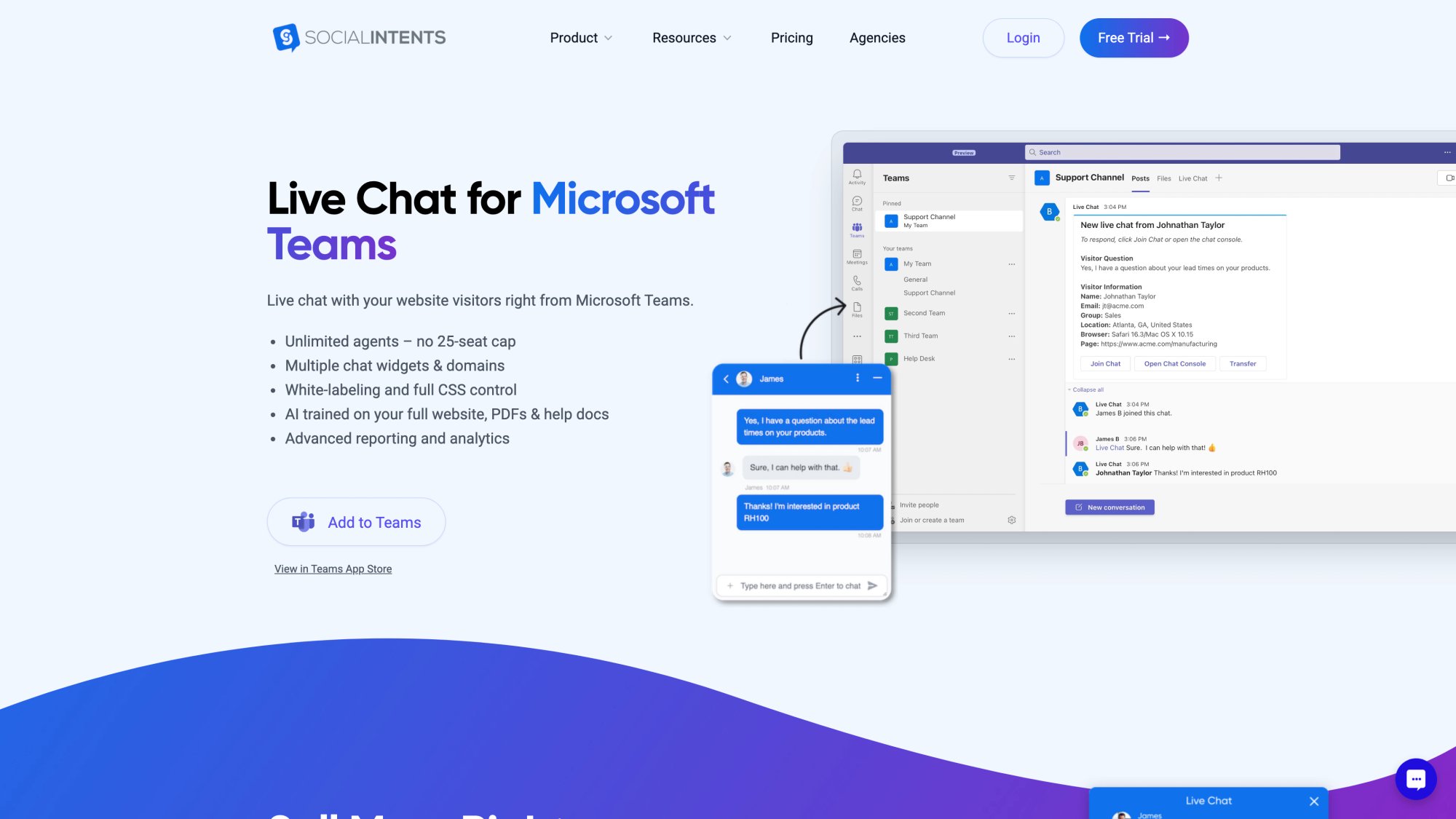
With Teams integration, your support team responds to website visitors without leaving Microsoft Teams. Chats appear as native Teams messages, complete with file sharing, notifications, and all the collaboration features your team already uses.
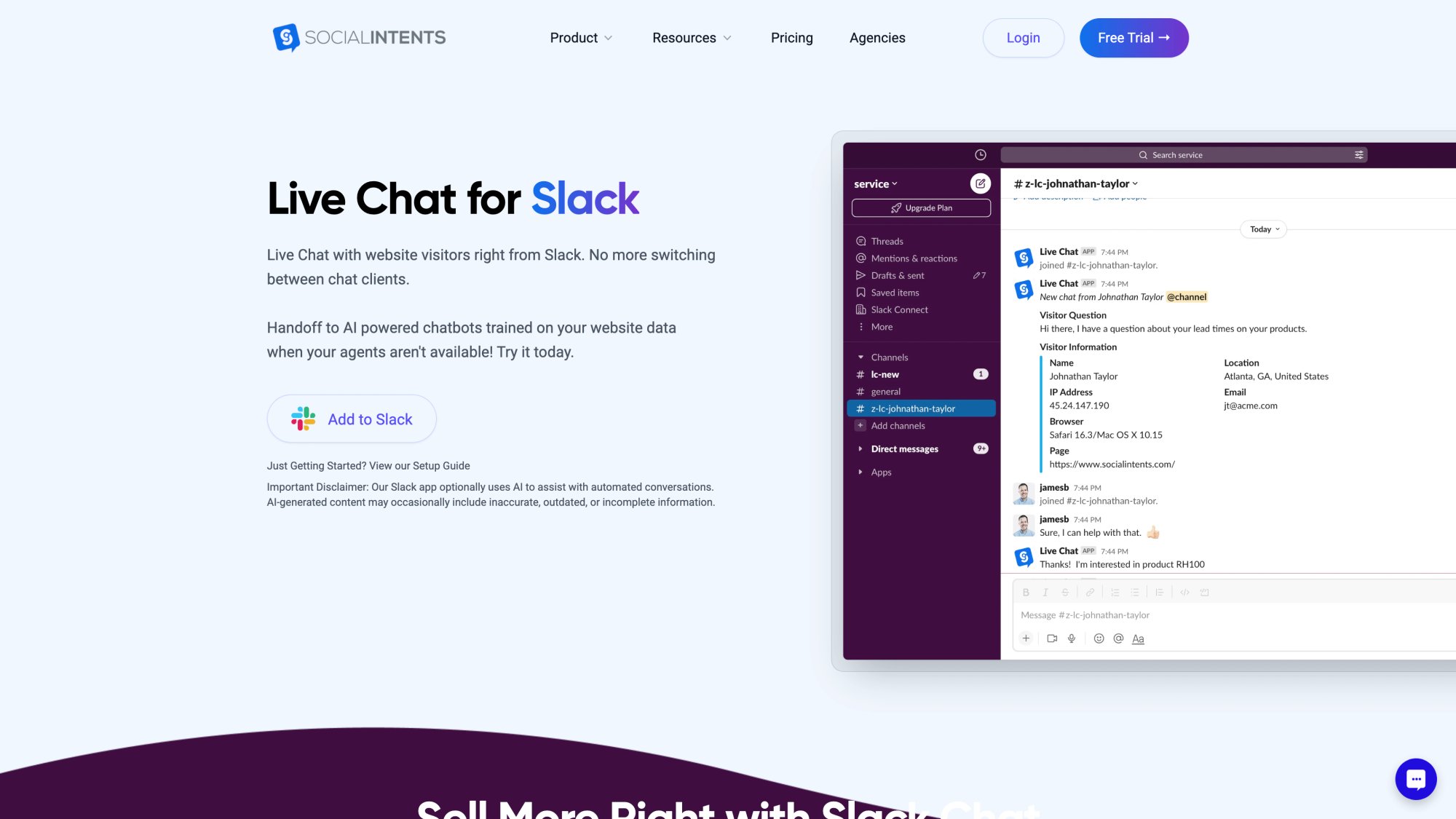
Slack integration works the same way. Website chats flow into your chosen Slack channel, and agents respond using Slack's familiar interface. No context switching, no new tools to learn.
Option 3: AI Actions (Advanced)
For sophisticated workflows, Social Intents supports AI Actions that let your chatbot:
-
Create leads or tickets in real-time via Salesforce, HubSpot, or Dynamics 365
-
Pull live data from CRMs or APIs
-
Display booking forms inside chat
Imagine this: A visitor asks "Can I book a demo?" The bot immediately shows available time slots right in the chat window. The visitor picks a time, and a calendar invite goes out instantly. No back-and-forth emails, no scheduling friction. That's the power of AI Actions for lead generation.
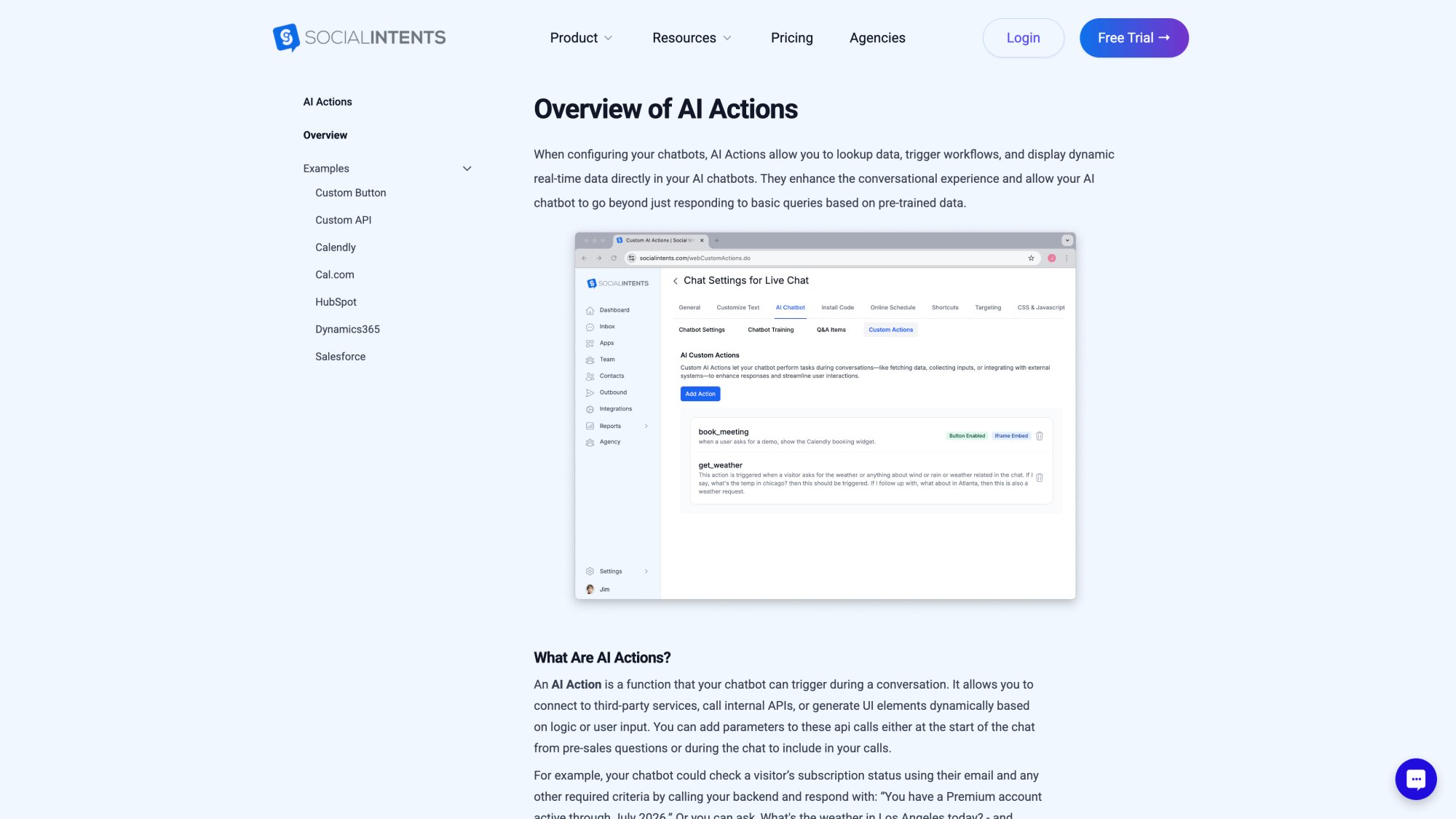
AI Actions transform your chatbot from a simple Q&A tool into a full-featured sales assistant. The platform supports dozens of pre-built actions for popular tools, plus custom webhook integration for bespoke workflows.
Step 9: Test Everything End-to-End
Before declaring victory, run through the complete user experience yourself.
Quality assurance checklist:
- Greeting displays properly and sets the right tone
-
Bot answers common questions accurately
-
Lead capture form or prompt appears at the right moment
-
Qualification questions flow naturally
-
Contact information saves to CRM correctly
-
Human handoff works when triggered
-
Proactive triggers fire on the right pages and timing
-
Mobile experience works smoothly (test on actual phones)
-
Bot handles unexpected inputs gracefully ("I don't understand" vs crashing)
Ask colleagues or friends to test it. Watch them interact with the bot. You'll spot usability issues you'd never notice on your own.
Also test edge cases: What happens if someone types gibberish? What if they ask a question you haven't trained on? What if they explicitly refuse to give their email? Your bot should handle all these scenarios gracefully, not crash or trap users in loops.
Step 10: Monitor, Measure, and Optimize
Your chatbot launches. Now what?
Track these six metrics weekly:
① Chat start rate (how many visitors engage with the bot)
② Lead capture rate (percentage of chats that yield contact info)
③ Qualification completion rate (how many complete all qualification questions)
④ Human handoff frequency (how often bots escalate to humans)
⑤ Meeting booking rate (for demo-focused bots)
⑥ Drop-off points (where visitors abandon the conversation)
Social Intents integrates with Google Analytics 4 to track chat events automatically. You can see which pages generate the most leads, which traffic sources engage with chat, and where your conversion funnel leaks.
Read your chat transcripts regularly. This is absolute gold. You'll discover:
-
Questions your bot can't answer yet (add that training)
-
New FAQs you hadn't anticipated
-
Frustration points where users repeat themselves
-
Opportunities to improve phrasing or flow
Run A/B tests on high-impact elements:
-
Proactive invite timing (20 seconds vs 40 seconds)
-
Lead capture moment (before value vs after value)
-
Number of qualification questions (2 vs 4)
-
CTA button wording ("Book demo" vs "See it live" vs "Talk to sales")
-
Routing logic (general vs department-based)
Small tweaks compound. Improving your lead capture rate from 20% to 25% means 25% more leads from the same traffic. That's massive.
How to Set Up Lead Generation with Social Intents (Complete Workflow)
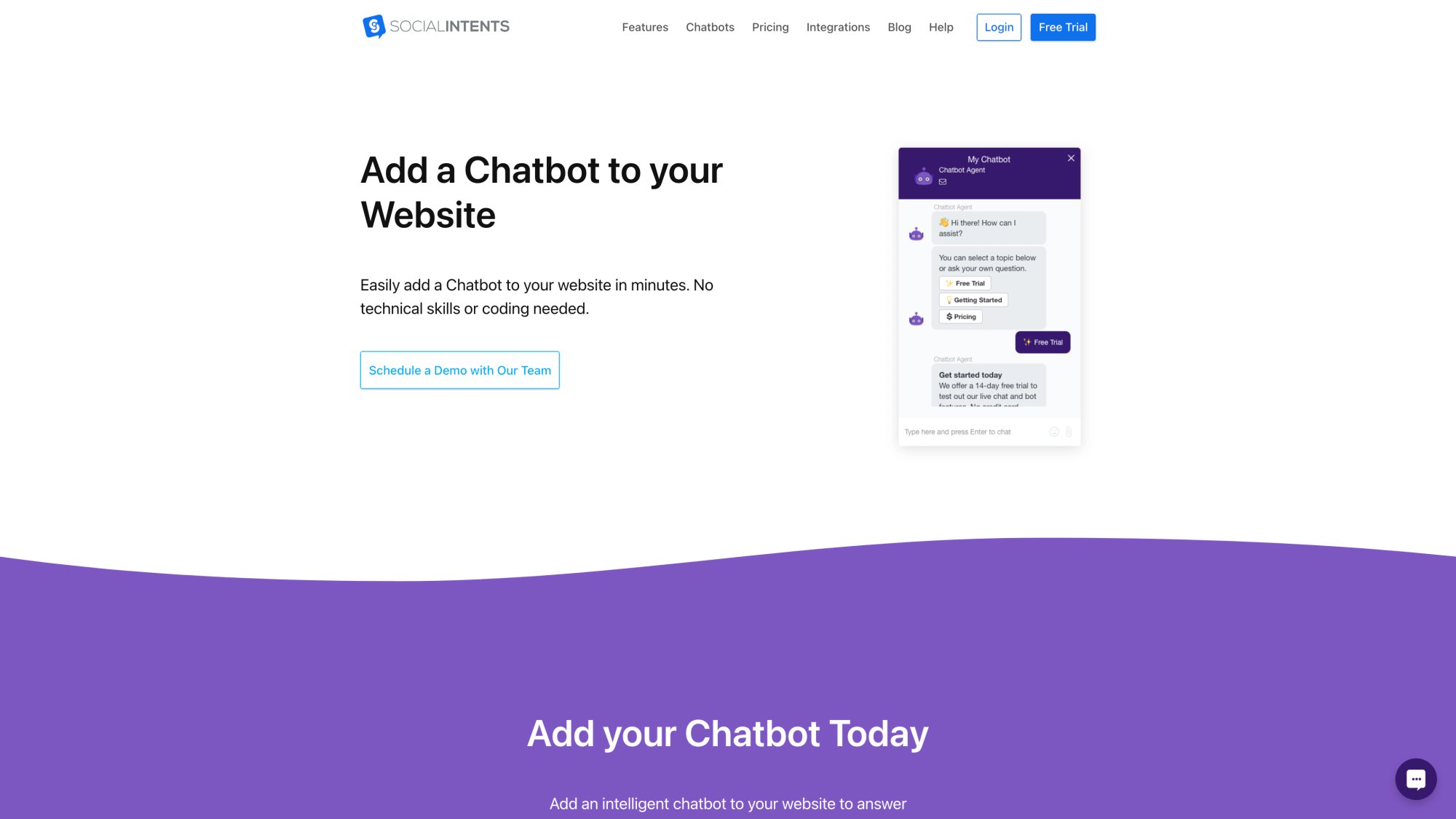
The chatbot setup interface is intuitive and visual. You can configure everything from conversation flows to widget appearance without touching code. Training data uploads, integration connections, and team routing all happen in one centralized dashboard.
Bringing everything together with a real-world example using Social Intents.
Scenario: You're a B2B SaaS company selling project management software. Your goal is to book demos with qualified leads (companies with 10+ employees, actively looking for solutions).
Your Social Intents Setup:
1. Platform Configuration:
-
Sign up for Social Intents (14-day free trial)
-
Create a ChatGPT-powered bot
-
Train it on your website, pricing page, feature docs, and integration guides
-
Connect your OpenAI API key
2. Pre-Chat Form Design:
Enable a lightweight pre-chat form asking:
-
Name
-
Work email
-
Company name
Keep it minimal. You'll ask qualifying questions during the conversation.
3. Conversation Flow:
Greeting: "Hey there! I can help you explore our features, answer questions, or connect you with our team. What brings you here today?"
Quick replies:
-
📅 Book a demo
-
💰 See pricing
-
🔧 Ask about features
-
🔗 Check integrations
After initial engagement:
Bot answers their question using trained knowledge, then asks: "What's your team size?" (to qualify)
If they say 10+, bot asks: "What's your biggest project management challenge right now?" (captures pain point)
Then: "How soon are you looking to implement a new solution?" (gauges urgency)
Closing:
For hot leads (10+ team, clear pain point, urgent timeline): "I'd love to show you how we solve exactly that. Would you like to book a 15-minute demo this week?"
Bot displays scheduling link or hands off to sales rep in Teams.
4. Team Integration:
Connect Social Intents to your Microsoft Teams sales channel. Every website chat appears as a Teams message. Your sales team can:
-
Monitor conversations in real-time
-
Jump in when the bot escalates
-
Take over high-priority leads instantly
5. CRM Integration:
Set up Zapier to create leads in HubSpot when your team uses the /zap command. This ensures only qualified chats (ones your team manually flags) create CRM records.
6. Proactive Triggers:
-
Pricing page: After 30 seconds, show: "Need help figuring out which plan fits your team?"
-
Features page: After 50% scroll, show: "Questions about what you're reading?"
-
Exit intent (pricing page only): "Before you go, want our comparison guide?"
7. Analytics Setup:
Enable Social Intents' GA4 integration to track:
-
Chat requests
-
Chats answered
-
Demo bookings
-
Lead captures by page and traffic source
Results You Can Expect:
With this setup, you should see:
-
25-40% of chat conversations capturing email addresses
-
60-70% of qualified leads booking demos or requesting follow-up
-
3-5× higher conversion rates compared to your old contact form
-
Instant sales team engagement when hot leads appear
And because your team works from Teams, adoption is immediate. No training, no resistance, just results.
Advanced Tactics for Higher Lead Quality
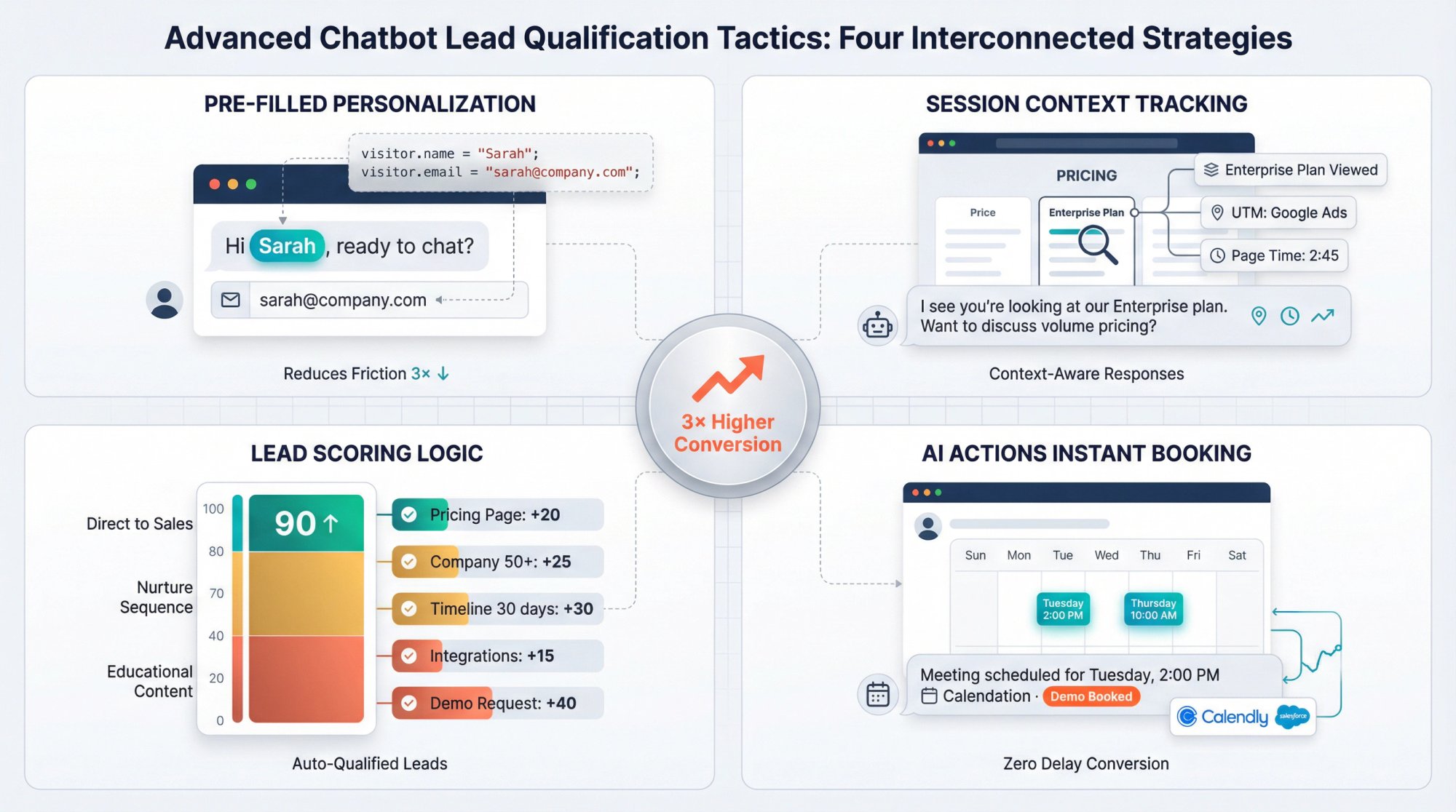
Once your basic chatbot is humming along, try these advanced strategies to capture even more qualified leads:
Pre-Fill Known Visitor Information
If a visitor is logged into your product or you've tracked them via cookies, pre-populate the chat form with their name and email. Social Intents supports this via our JavaScript API.
Why it matters: Reduces friction massively. Instead of "Enter your name and email," they see "Hi Sarah, ready to chat?" That personal touch increases engagement.
Pass Session Context to Your Bot
Use Social Intents' JavaScript SDK to pass contextual information to your chatbot:
-
Current page URL
-
UTM source/medium/campaign (where they came from)
-
Pricing tier they viewed
-
Product category they browsed
-
Logged-in user account details
The bot can then personalize its responses. Example: "I see you're looking at our Enterprise plan. Want to discuss volume pricing?" That's way more effective than generic "How can I help?"
Add Lead Scoring Logic
Not all leads are equal. Use the information your bot collects to score leads automatically:
Sample scoring model:
-
Visited pricing page: +20 points
-
Company size 50+: +25 points
-
Timeline "Next 30 days": +30 points
-
Asked about integrations: +15 points
-
Requested demo: +40 points
Leads scoring 80+ go straight to sales. Leads scoring 40-79 enter nurture sequences. Leads below 40 get educational content.
You can build this logic using contact properties in Social Intents and Zapier filters.
Use AI Actions for Instant Booking
Don't make prospects fill out a form and wait for someone to email them scheduling options. Use Social Intents' AI Actions to embed calendar booking directly in chat.
The flow:
-
Visitor: "I want a demo"
-
Bot: "Perfect! Here are some times this week…" [displays calendar widget]
-
Visitor picks a slot
-
Bot confirms and creates meeting invite
-
Lead gets added to CRM with "Demo booked" tag
Zero friction. Zero delay. Maximum conversion.
Common Mistakes That Kill Lead Gen Chatbot ROI
Even with a solid setup, certain mistakes can sabotage your results:
| Mistake | The Problem | The Fix |
|---|---|---|
| Asking for Email Too Early | Bot greets visitor and immediately demands email before answering anything | Provide value first. Answer at least one question, demonstrate you're helpful, then request contact info. Frame it as "so I can send you follow-up info" not "because I need it." |
| Too Many Qualification Questions | Bot asks 8 questions before offering any value. Visitors bail out. | Ask maximum 3 qualification questions. Capture the essentials (company size, use case, timeline) and move on. You can gather more details later in the sales process. |
| No Human Handoff Option | Bot can't answer a complex question, and there's no way to escalate to a human. Visitor gets frustrated and leaves. | Always include an option like "Talk to a specialist" or automatically detect when the bot is struggling and offer handoff. Social Intents makes this seamless with instant routing to Teams or Slack. |
| Forgetting to Integrate CRM | Leads get captured in chat but never make it into your sales pipeline. They fall through the cracks. | Set up Zapier integration or use API webhooks to push every qualified lead into your CRM automatically. No manual exports, no missed follow-ups. |
| No Measurement or Iteration | You launch the bot and forget about it. Conversion rates stay mediocre because you never optimize. | Review metrics weekly. Read transcripts monthly. Run A/B tests quarterly. Chatbots get better with attention. |
Frequently Asked Questions
Q: How long does it take to set up a lead generation chatbot?
With a platform like Social Intents, you can have a basic bot live in 1-2 hours. Add another few hours for training, flow refinement, and CRM integration. Most businesses are fully operational within a day or two.
Q: Will a chatbot annoy my website visitors?
Not if you do it right. Use proactive triggers sparingly (not every page, not instantly), make the chat easy to minimize, and always let visitors opt out gracefully. Studies show that 64% of consumers actually prefer chatbots because they get help anytime without waiting.
Q: What's better: rule-based bots or AI chatbots?
AI chatbots handle unpredictable, free-form questions much better. Visitors don't follow scripts. They ask questions in a thousand different ways, and AI understands intent behind varied phrasing. For lead generation specifically, AI bots convert better because they feel more helpful and less robotic.
Q: Can chatbots work outside of business hours?
Absolutely. This is one of their biggest advantages. Your chatbot never sleeps. It can capture leads at 2 AM just as effectively as at 2 PM. For after-hours conversations, configure the bot to capture contact information and promise follow-up: "Our team is offline right now, but I've got your details and someone will reach out first thing in the morning."
Q: How do I prevent my chatbot from giving wrong information?
Train it thoroughly on accurate, up-to-date content. Review chat transcripts regularly to catch mistakes. Use Social Intents' training tools to add specific Q&A pairs for important questions where you want exact control over the answer. And always provide a human handoff option for complex or sensitive questions.
Q: What conversion rate should I expect?
This varies by industry and setup, but well-configured lead gen chatbots typically convert 25-40% of conversations into captured leads. Compare that to typical form conversion rates of 2-5%, and the improvement is dramatic. Some businesses report even higher rates (60-70%) on high-intent pages like pricing.
Q: Do I need a developer to set this up?
Not with modern platforms. Social Intents is completely no-code. You configure everything through a visual dashboard, paste one line of JavaScript to embed the widget, and you're live. The only "technical" step is connecting an OpenAI API key, which is just copy-paste.
Q: How much does a lead generation chatbot cost?
Costs vary by platform. Social Intents offers plans starting at $39/month with a 14-day free trial, which includes unlimited agents, AI chatbot capabilities, and integrations with Teams/Slack. That's significantly cheaper than hiring even a single full-time person to staff live chat, and the bot works 24/7.
Start Capturing More Leads Today
Every hour your website operates without a lead generation chatbot, you're losing prospects. Someone visits your pricing page, has a question, doesn't find an answer, and closes the tab. Gone forever.
You can fix this starting today.
The setup process we've outlined works. Train your bot on your content, design a helpful conversation flow, integrate with your sales tools, and launch. Within days, you'll see new leads appearing in your CRM that would have otherwise vanished.
At Social Intents, we've made this entire process as simple as possible. Our platform handles the technical complexity so you can focus on conversations that convert. Your team responds from the tools they already use (Teams, Slack, Google Chat), your bot works 24/7 answering questions, and your leads flow automatically into your sales pipeline.
Ready to transform your website into a lead-generating machine?
Sign up for a free 14-day trial of Social Intents and see the difference a smart chatbot makes. No credit card required, full functionality unlocked. Set up your first bot in minutes and start capturing leads while you sleep.
Stop waiting for prospects to fill out forms. Start conversations that convert.