If your live chat is working, it eventually becomes too successful.
Multiple customers start chatting at once. Sales leads show up mid-support rush. A VIP customer asks for a refund while someone else can't check out. Your agent is juggling three conversations and accidentally sends the wrong reply to the wrong person.
The solution isn't "be faster." It's prioritization: a repeatable way to decide which conversation gets attention first, and how you route work so the right people handle the right issues at the right time.
This guide gives you a complete, field-tested system you can start using today, whether your team answers chats from Microsoft Teams, Slack, Google Chat, or a web console. You'll learn exactly how to triage conversations, what signals to watch for, and how to keep response times low without burning out your support team.
What Does Chat Conversation Prioritization Really Mean?
Prioritization is not just sorting a list.
It's a system that answers four questions in seconds:
• What is this conversation about? (intent and category)
• How urgent is it? (time sensitivity)
• How important is it? (impact, customer value, risk)
• Who should handle it? (routing, escalation, capacity)
Most teams fail here because they treat chat like email. First in, first out. But live chat is a real-time channel. If the customer is actively typing, waiting, or stuck at checkout, the "oldest" conversation isn't always the highest priority.
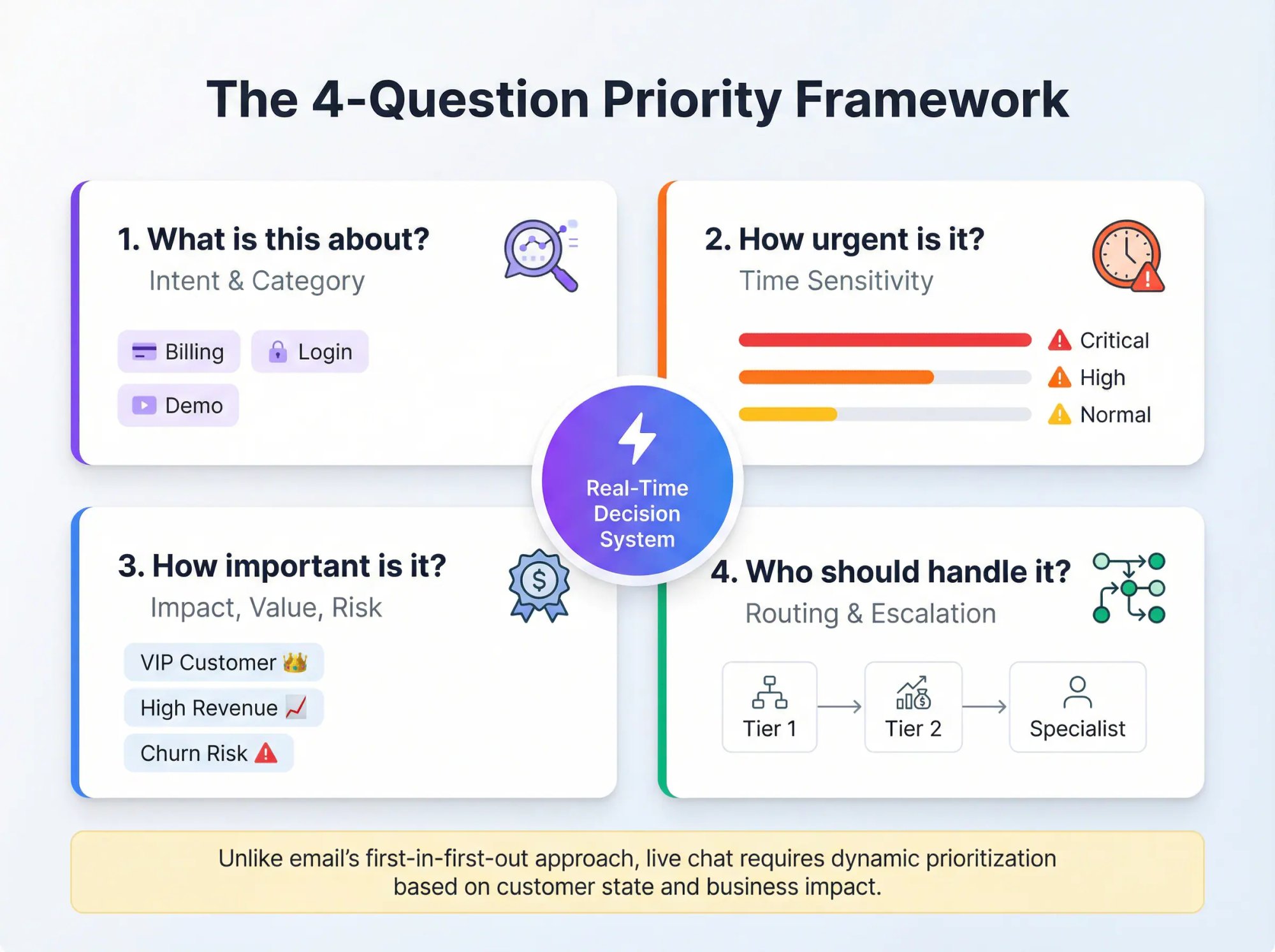
Queue prioritization focuses agent resources on the conversations that matter most, using approaches like queue entrance time and conversation interactiveness. A customer who just sent a message is more "interactive" and can be prioritized.
Why Chat Prioritization Matters More Than Ever in 20263
Customers expect speed. According to SuperOffice research, 79% of consumers prefer live chat purely because of the immediacy it offers compared to other channels. If you leave someone waiting too long, you risk losing them.
According to research from Penn State University Extension, live chat carries the quickest response time expectation of under one minute, with customer satisfaction dropping after 30 seconds of waiting. Companies that do prioritize well are often able to respond within seconds. That kind of instant support keeps satisfaction high.
On the flip side, juggling chats poorly leads to slow responses, mix-ups (replying in the wrong window), and a drop in service quality. Plus, according to HubSpot's 2024 research, 68% of support teams report their customers now expect lightning-fast responses thanks to AI.
Translation: If you're not prioritizing effectively now, you're about to fall even further behind customer expectations.
What Does a Successful Chat Prioritization System Look Like?

A prioritization system is "successful" when:
• Urgent issues get handled fast (checkout failures, outages, account access, high-risk billing)
• High-value conversations don't get lost (VIP customers, renewal risk, enterprise leads)
• Agents don't thrash between chats (context switching kills speed and quality)
• Your first response time stays consistently low for chat
As a starting benchmark: according to SuperOffice's Customer Service Benchmark Report, companies should aim to respond to live chat within 1 minute, with the average being 2 minutes and 40 seconds (benchmarks vary by industry).
The good news? Live chat, when managed well, lets agents help multiple customers at the same time. Often 3-5 chats concurrently without sacrificing quality. But handling several conversations requires skill and smart prioritization.
6 Signals That Should Drive Your Chat Priority Strategy
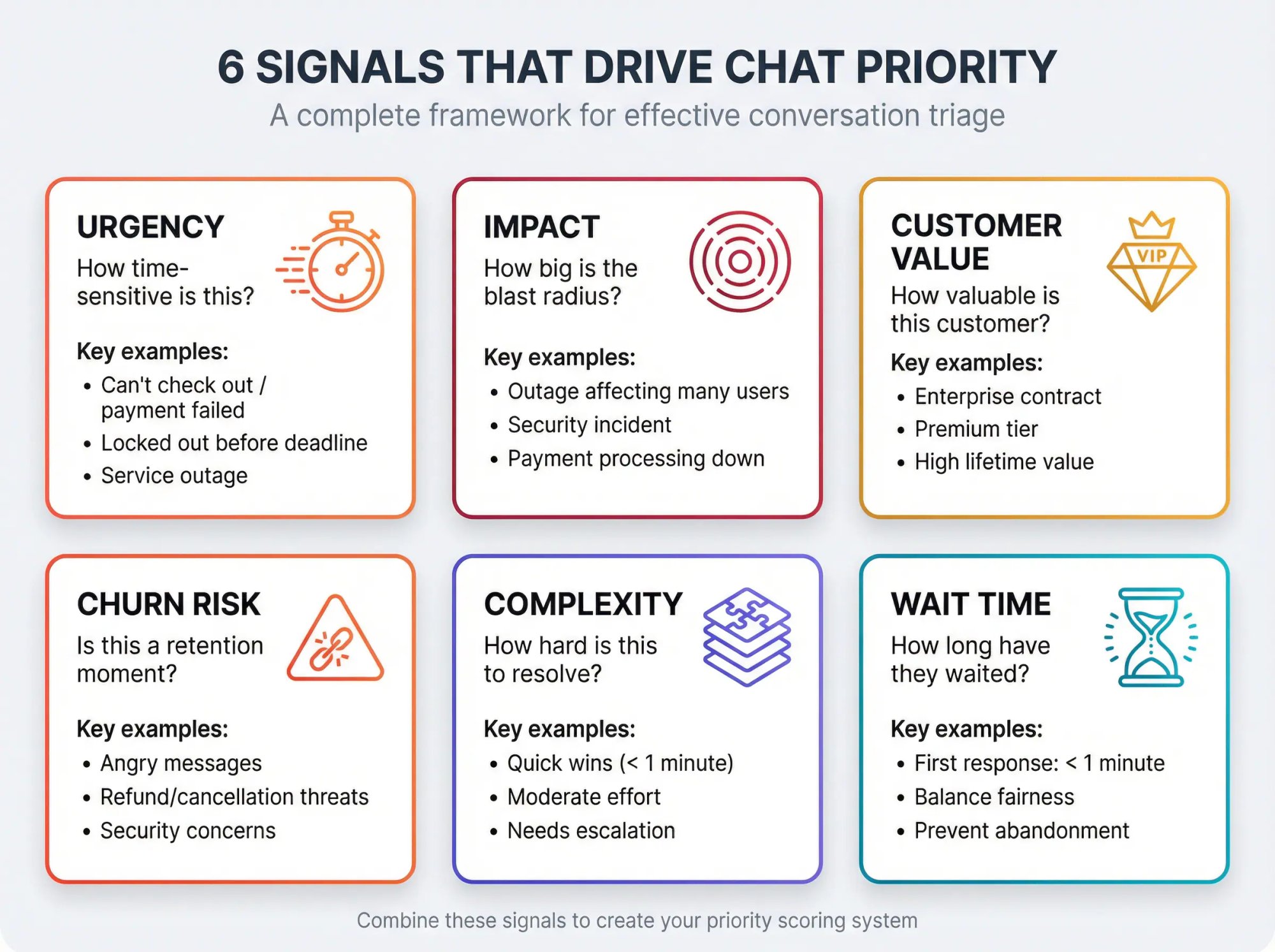
You can build an excellent prioritization system with six signals. You don't need all six on day one, but these are the levers that consistently work.
How Urgent Is This Customer's Issue?
How time-sensitive is the customer's situation?
High urgency examples:
• Can't check out / payment failed
• Locked out / login failure before a deadline
• "My appointment starts in 20 minutes"
• Service outage affecting their work
Always ask: Is this an urgent issue? Some problems are mission-critical. Think service outages, billing errors, or an angry customer who's unable to complete a purchase. These should jump to the front of the line.
Look for keywords like "error," "not working," "urgent," or distressed language (all caps, exclamation marks). For example, "My payment isn't going through and I'm being charged twice!!" is a fire to put out now, versus "Can you tell me your refund policy?" which is important but not an emergency.
What Is the Impact of This Issue?
How big is the blast radius?
High impact examples:
• Outage affecting many users
• Security incident
• Major workflow broken
• Payment processing down
A common approach is to combine impact and urgency to derive priority. Service management best practices outline this in priority matrix frameworks, where you multiply impact by urgency to create a base priority score.
How Valuable Is This Customer to Your Business?
Who is the customer (or lead), and what's the business value?
| Customer Type | Business Value | Priority Signal |
|---|---|---|
| Enterprise contract | High recurring revenue | Immediate attention |
| Premium tier | Elevated service level | Priority routing |
| High lifetime value | Long-term relationship | VIP treatment |
| Hot lead (pricing + demo) | High conversion potential | Fast response |
If you can identify the person chatting as a VIP (perhaps a high-spend client or a customer with a long history), you may choose to prioritize them. One strategy is to train agents to focus on urgent or VIP customer chats first. These conversations can have disproportionate impact on the business if handled well or poorly.
Ideally, your CRM or chat system will highlight priority customers. This could be as simple as a tag or note that pops up ("Gold-tier customer" or an account health score). Some live chat tools integrate with CRM data to show customer lifetime value or past purchases when a chat comes in.
Is This a Churn Risk or Security Issue?
Is this a churn-risk moment?
Examples:
• Angry messages ("This is unacceptable")
• Refund/cancellation threats
• Privacy/data concerns
• Account takeover or security issues
Some advanced systems use AI chatbots to detect sentiment and can auto-prioritize queries based on issue severity. For instance, routing chats about "site down" ahead of general questions.
How Complex Is This Chat to Resolve?
Some issues are quick wins. Some require escalation.
Your system should:
→ Fast-resolve small issues when possible (keeps the queue clean)
→ Escalate complex issues quickly (don't trap them with the wrong agent)
A savvy agent will evaluate each conversation and think: what does this chat require, and in what order should I tackle things?
Tackle the tough ones early. If you identify a chat that's particularly difficult or time-consuming, it's often wise to start on it right away. You might need to consult a colleague or do research. Starting sooner means you can get that process going while the customer is online.
Quick wins to clear the queue. Conversely, if a question is super simple and you can resolve it in under a minute, you might choose to answer it immediately and close it out. For example, if Chat A is "How do I reset my password?" and Chat B is "I need a detailed breakdown of my last invoice," you might quickly send the password reset instructions to A (maybe using a canned response) and mark that chat done, then give full focus to the invoice issue.
How Long Has This Customer Been Waiting?
Even if a conversation is low urgency, long waits damage trust.
Use wait time as a balancing factor so low-priority chats don't get abandoned. Fairness and responsiveness often mean "first-come, first-served". Generally, you tackle chats in the order they arrived. This prevents someone who's been waiting 5 minutes from being ignored while you chat with a new arrival.
In practice, keep an eye on wait times and aim to give everyone at least an initial response quickly. A best practice is to respond the moment a new chat is added to your queue with a greeting. Even if you can't solve their issue right away, acknowledging them buys you time.
For example, when a new chat comes in, send a quick message: "Hi there! I see your question. Give me 30 seconds to read it and I'll help you shortly." Now they know they're not being ignored.
The Chat Priority Formula That Actually Works
Here's the simplest model that scales:
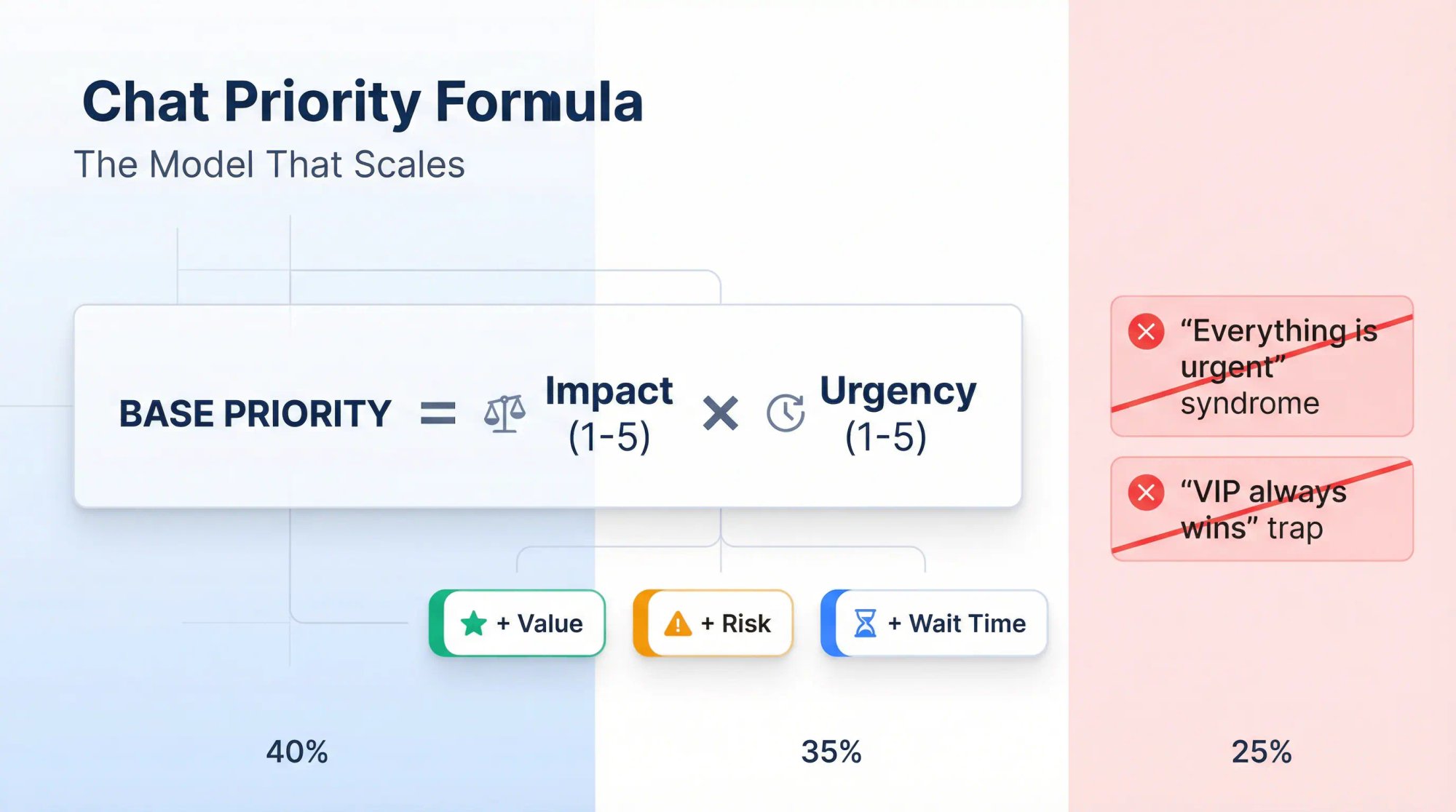
Impact (1-5) × Urgency (1-5) creates a base priority
Add modifiers for Value, Risk, and Wait Time
This avoids the two classic failures:
① "Everything is urgent"
② "VIP always wins and everyone else waits forever"
Your 4-Level Chat Priority System You Can Copy Today
Keep it to four levels. More than four usually creates confusion and inconsistent decisions.
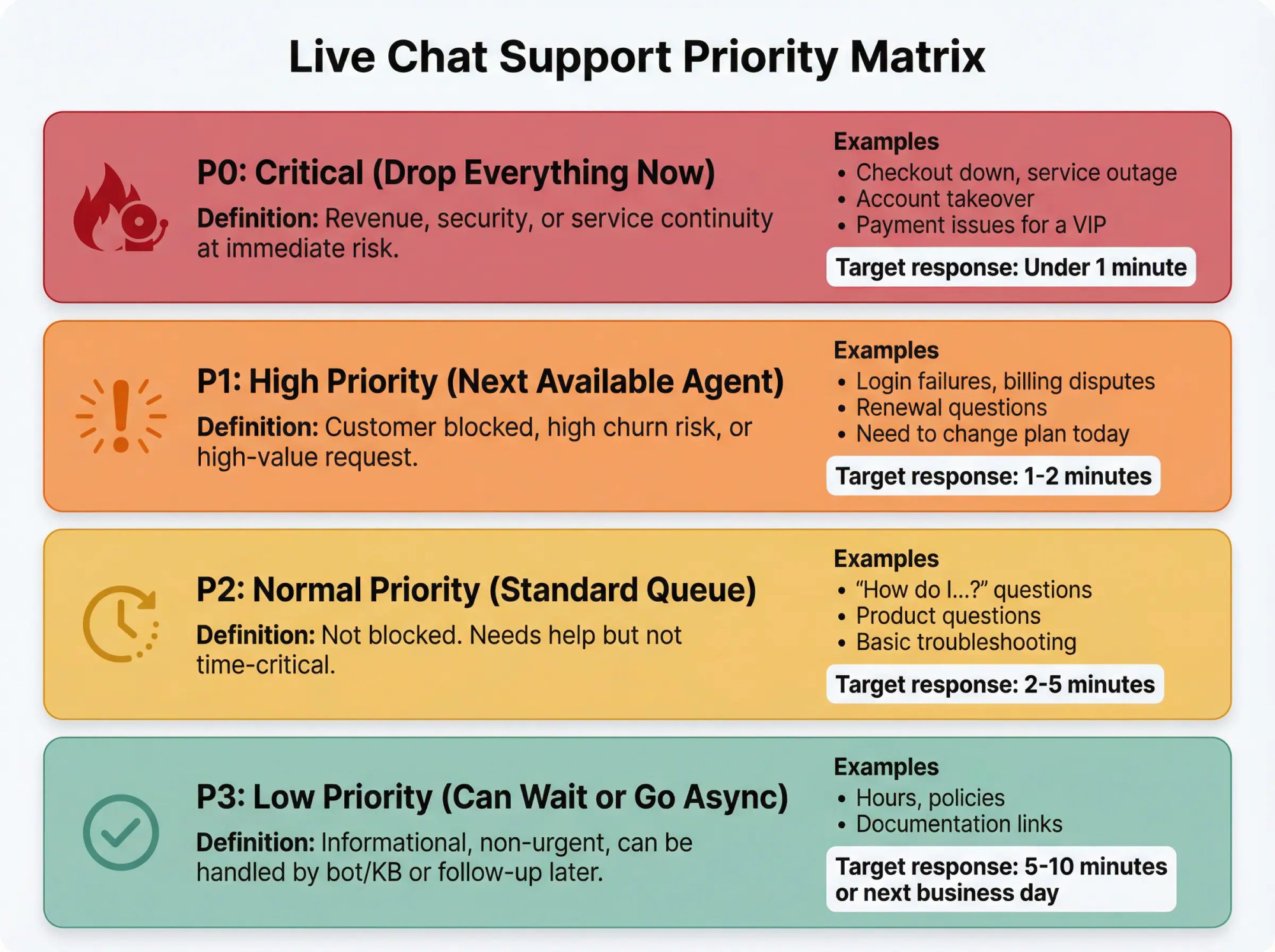
P0: Critical (Drop Everything Now)
Definition: Revenue, security, or service continuity at immediate risk.
Examples: Checkout down, service outage, account takeover, payment issues for a VIP.
Target response: Immediately (aim for under 1 minute if staffed)
P1: High Priority (Next Available Agent)
Definition: Customer blocked, high churn risk, or high-value request.
Examples: Login failures, billing disputes, renewal questions, "I need to change my plan today."
Target response: Within 1-2 minutes
P2: Normal Priority (Standard Queue)
Definition: Not blocked. Needs help but not time-critical.
Examples: "How do I…?", product questions, basic troubleshooting.
Target response: Within 2-5 minutes
P3: Low Priority (Can Wait or Go Async)
Definition: Informational, non-urgent, can be handled by bot/KB or follow-up later.
Examples: Hours, policies, documentation links.
Target response: Within 5-10 minutes or next business day
The 60-Second Chat Triage Script Your Team Can Use Today
Train agents to do a fast "triage lap" before deep troubleshooting.
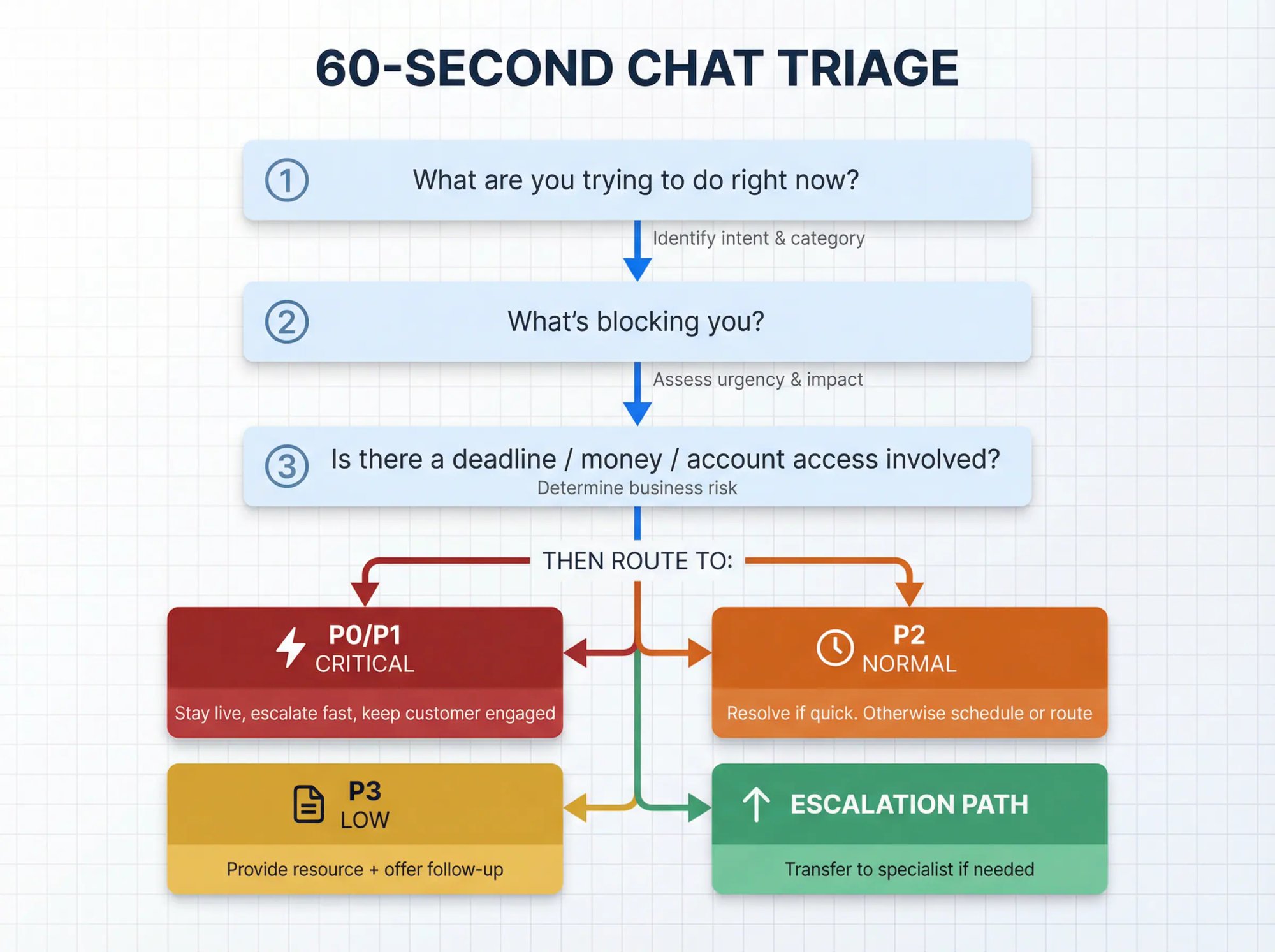
Ask (or infer) these 3 questions:
① What are you trying to do right now?
② What's blocking you?
③ Is there a deadline / money involved / account access involved?
Then decide:
• P0/P1: Stay live, escalate fast, keep the customer engaged
• P2: Resolve if quick. Otherwise schedule or route
• P3: Provide a resource + offer follow-up
How Social Intents Helps Teams Prioritize Chat Conversations
At Social Intents, we built our platform around a powerful idea: keep agents where they already work (Teams, Slack, Google Chat, Zoom, Webex) and route chats into those tools. That changes how you put prioritization into action, in a good way.
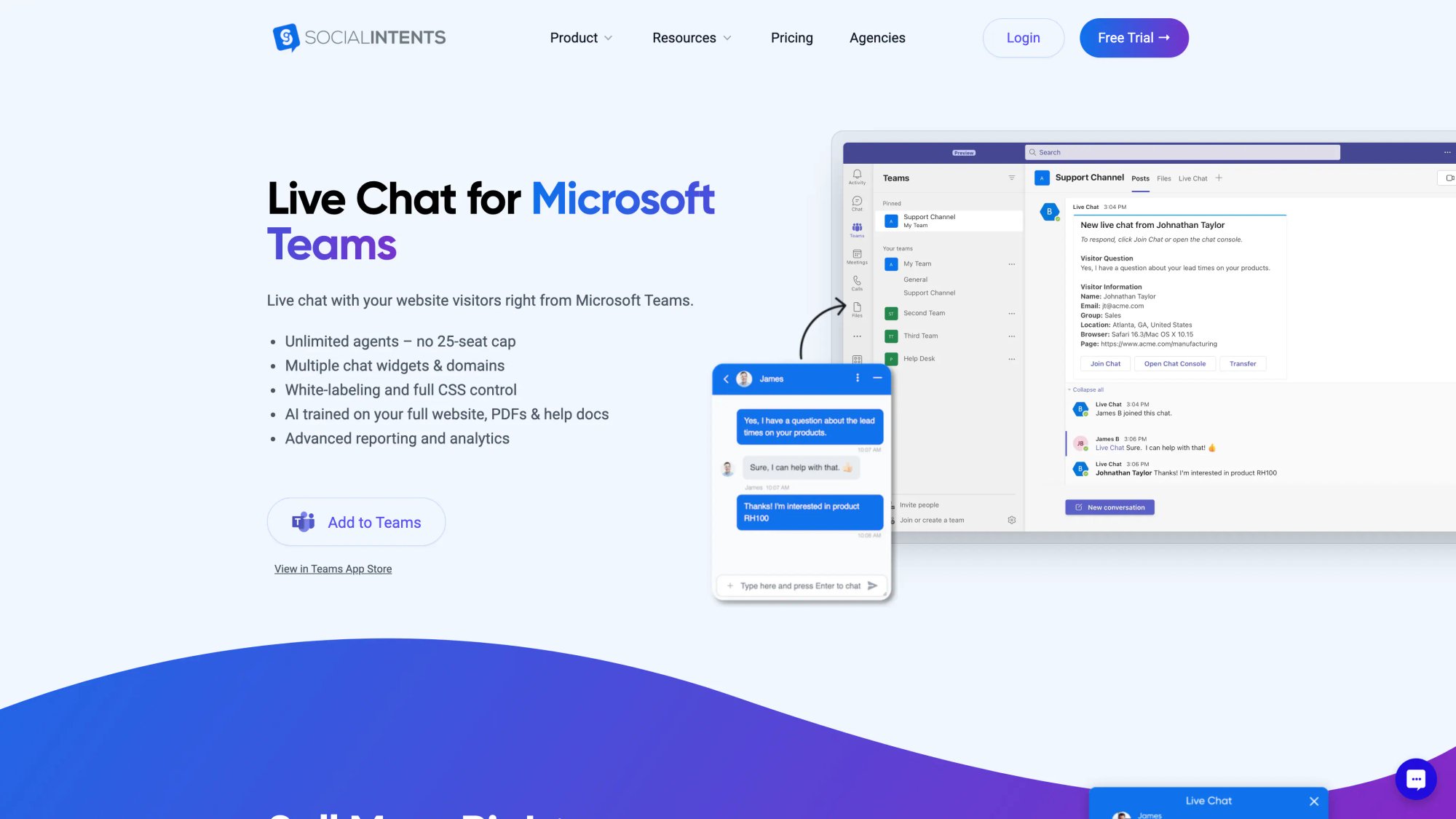
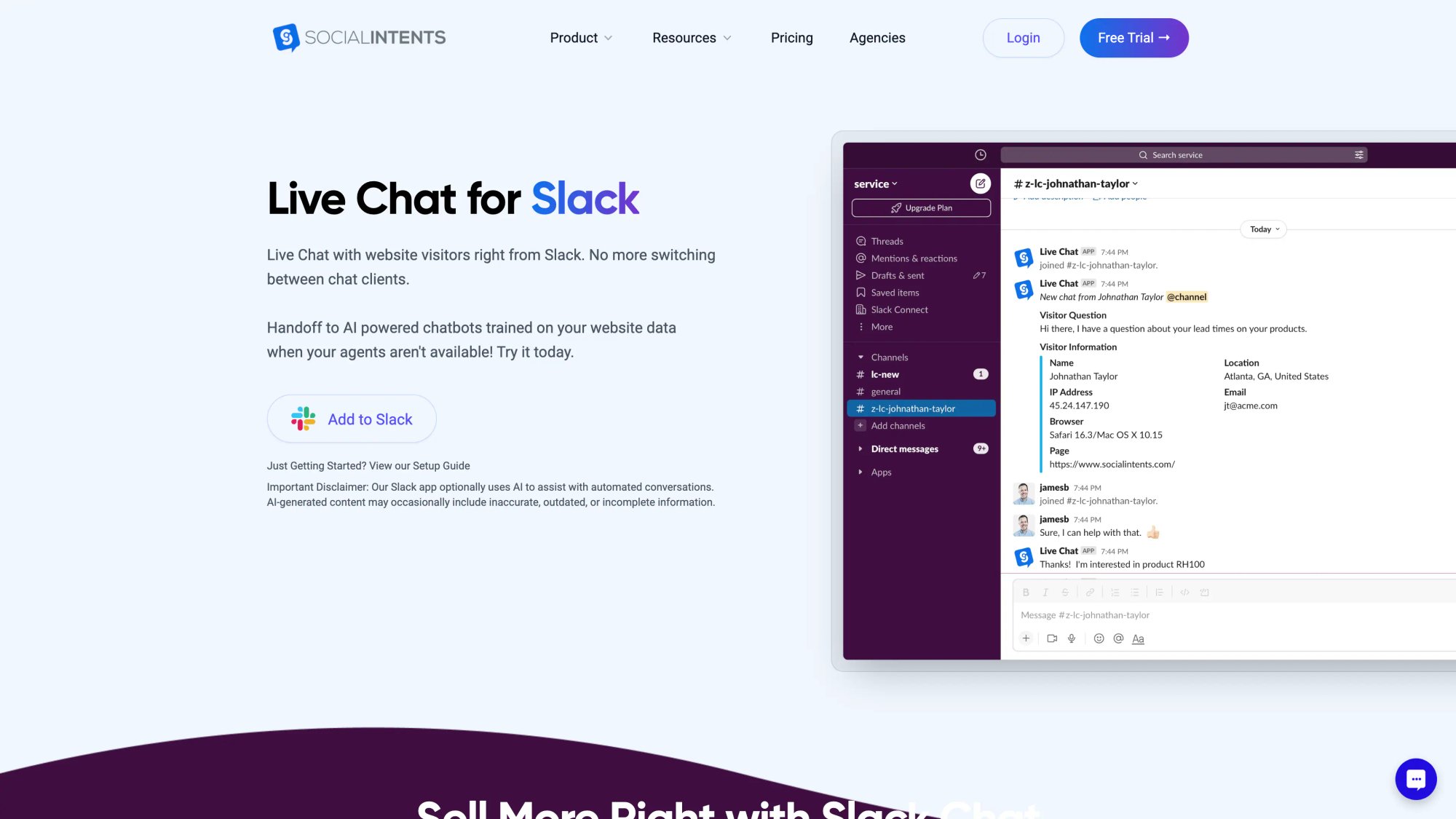
Instead of "one inbox with priority sorting," you use a combination of:
→ Routing (by department/channel)
→ Triage workflow (dispatcher + tagging)
→ Automation (AI chatbots + integrations)
→ Escalation (human handoff + transfers)
Below is a complete plan you can start using with Social Intents.
Step 1: Route Chats to the Right Team Channel First
The fastest way to prioritize is to reduce mixing. If sales and support land in the same place, you'll constantly fight priority conflicts.
Use Departments to Route Chats to Specific Teams Channels
We let you create departments/groups and map each one to a Teams channel or Slack channel, so chats are routed based on the visitor's selection.
Recommended lanes:
• #chat-sales
• #chat-support
• #chat-billing
• #chat-vip (optional, if you can identify VIPs)
• #chat-triage (optional dispatcher lane)
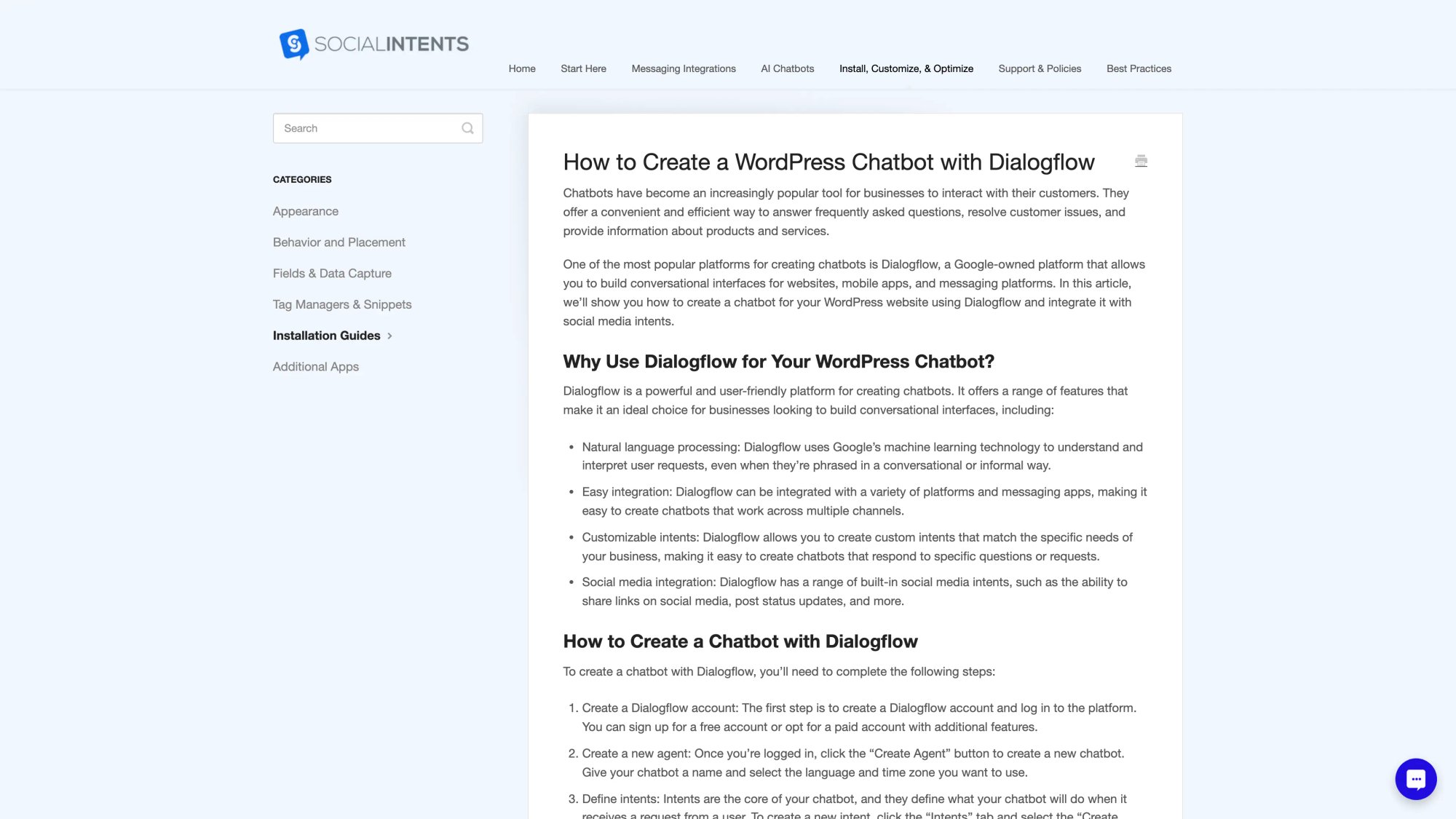
How to use this for prioritization:
Put P0/P1 categories (billing, outage, access) into lanes with stronger staffing or faster alerts. Keep "how-to" and pre-sales in separate lanes so agents aren't context switching.
This is routing 101, but it's powerful. If you regularly have multiple simultaneous chats, your highest ROI operational change is good routing.
Step 2: Set Up a Triage Agent to Filter Chat Priority
If you regularly have multiple simultaneous chats, your highest ROI operational change is a dispatcher.
Dispatcher responsibilities:
• Greets new chats quickly (prevents abandonment)
• Applies tags / identifies priority
• Assigns or transfers to the best agent
• Escalates P0/P1 immediately
This is how high-volume support teams keep response times low even with limited staff. The dispatcher doesn't solve problems. They route them to the right person fast.
Step 3: Tag Conversations the Moment You Know Priority Level
You can't manage what you can't label.
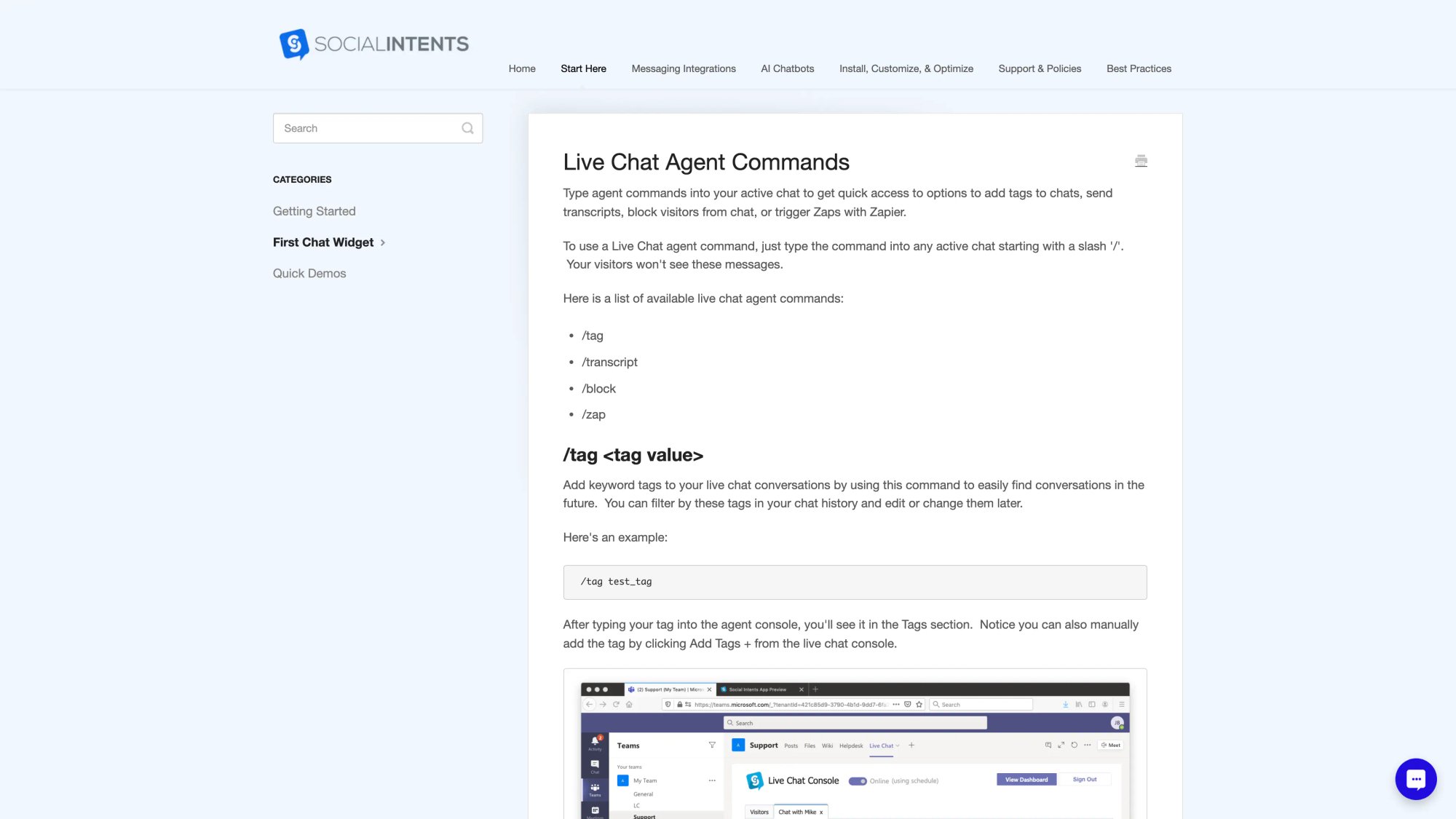
We support agent slash commands inside an active chat, including:
• /tag to add tags
• /transcript to send a transcript
• /block to block a user
• /zap to trigger Zapier workflows
Tagging System You Can Copy Right Now
Use 2-3 tags per conversation maximum:
| Tag Category | Tag Options | Purpose |
|---|---|---|
| Priority | p0, p1, p2, p3 |
Urgency level |
| Category | billing, login, bug, howto, shipping, returns, demo |
Issue type |
| Routing outcome | escalated, resolved, followup |
Final status |
Example:
• /tag p1
• /tag billing
• /tag escalated
Now you can audit what should have been prioritized vs what actually happened. This data becomes gold for improving your system.
Step 4: Use Canned Responses for Faster First Contact
Prioritization fails when agents spend 2 minutes composing the perfect first reply.
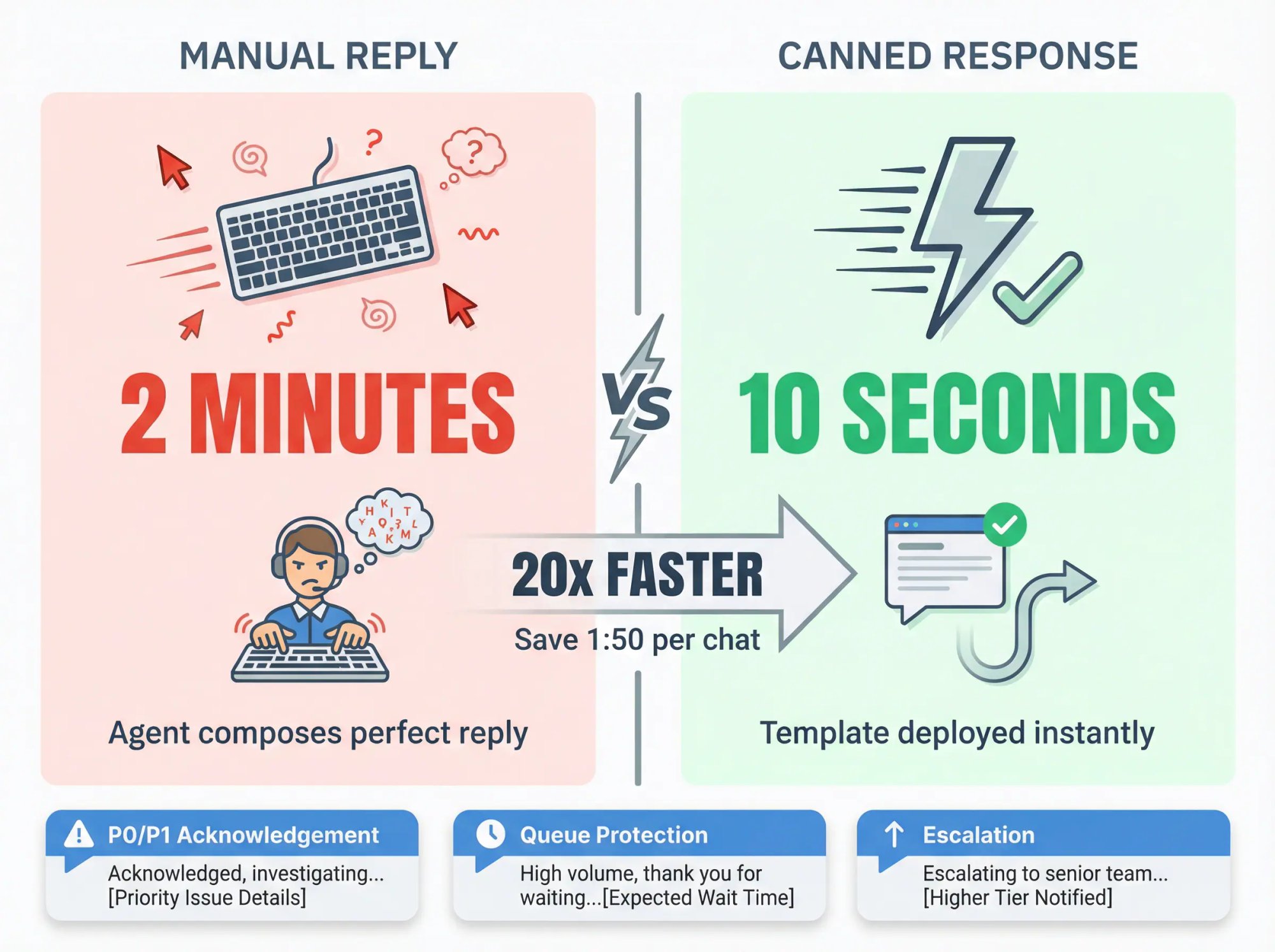
Use a two-step response pattern:
① Acknowledge + set expectation (10 seconds)
② Investigate + resolve (later)
We support shortcuts/canned responses usable directly from Slack via slash commands or from Teams.
3 Canned Replies Every Team Should Have
P0/P1 acknowledgement:
"Thanks. I'm on this now. Quick question so I can fix it fast: what email/account is this under?"
Queue protection (when overloaded):
"We're helping a few people at the moment. I will help you. Can you share your email + a 1-sentence summary of what's blocked?"
Escalation:
"I'm bringing in a specialist to make sure you get the right answer. One moment."
These templates save precious seconds and keep customers informed while you work.
Step 5: Make Chat Transfers Effortless for High-Priority Issues
When a conversation is P0/P1, you need fast escalation.
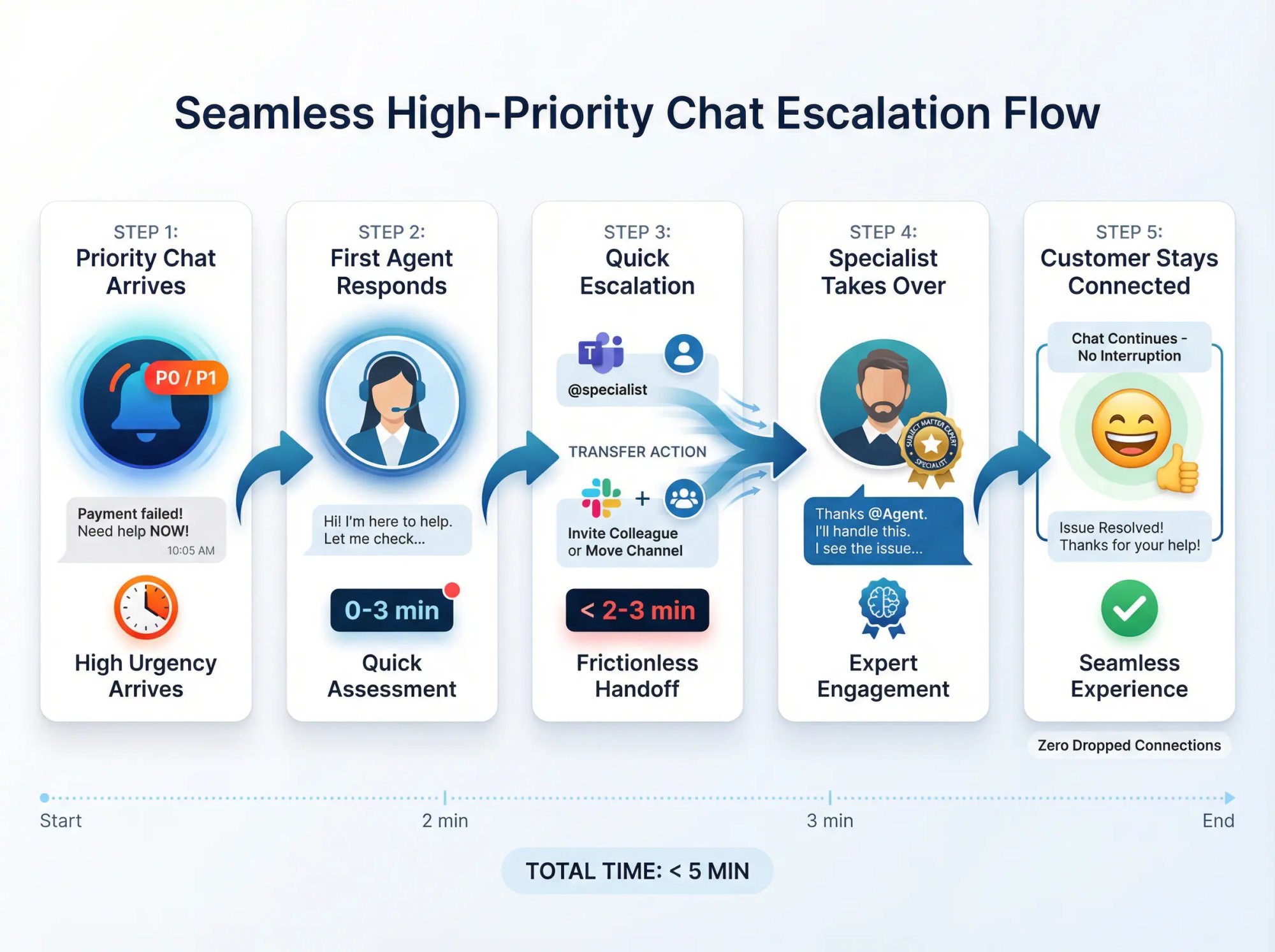
We support transferring live chats in Microsoft Teams by mentioning another team member so they're notified and can take over. In Slack, you can invite colleagues into the conversation or move it to another channel.
Rule: If a chat is P0/P1 and not solvable by the first agent in 2-3 minutes, transfer/escalate immediately. Don't let pride or workflow friction slow you down.
Step 6: Set Up Offline Modes and Availability Strategically
Prioritization isn't only a live problem. It's also an after-hours problem.
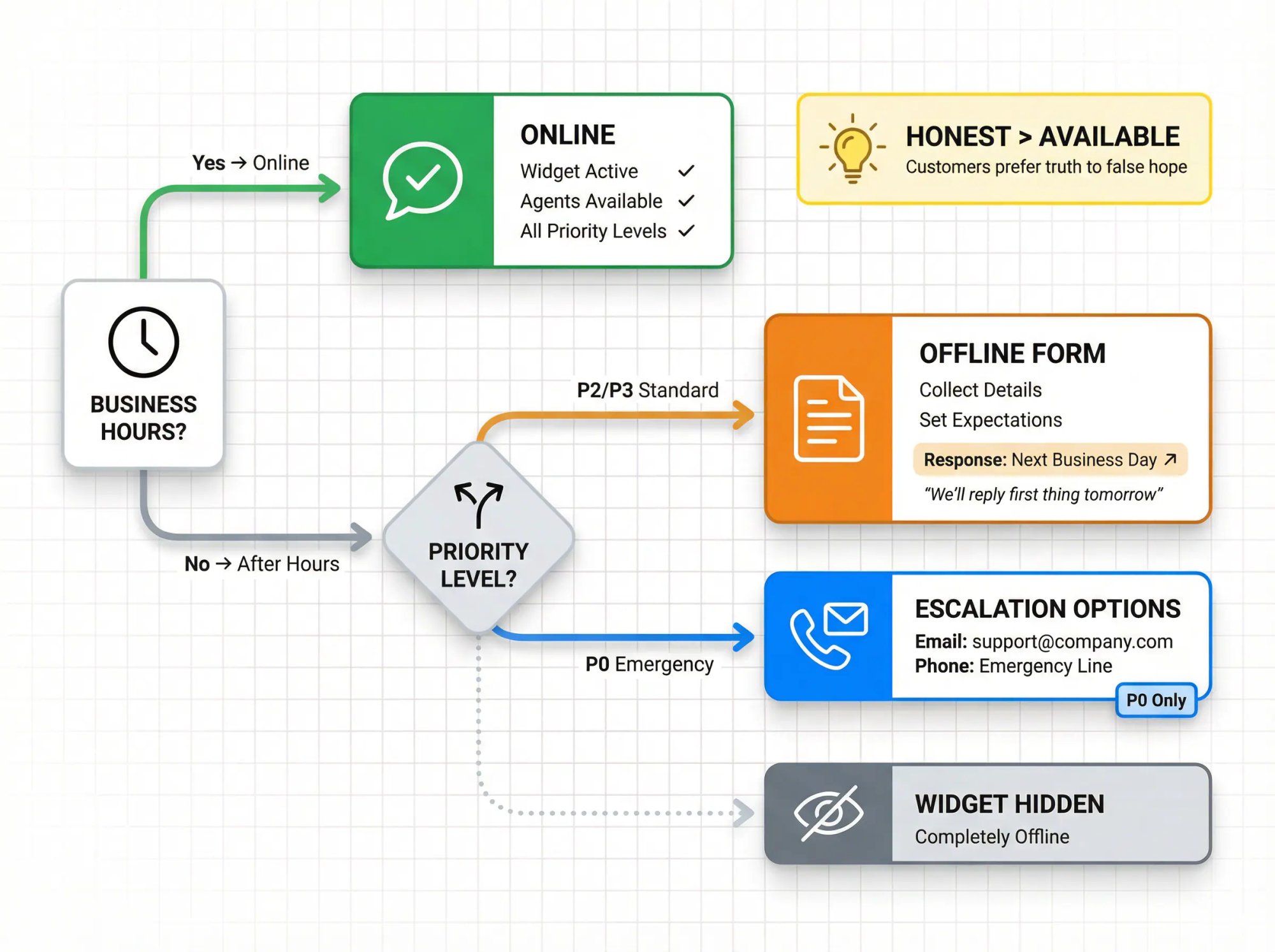
Our Teams and Slack settings allow you to set up:
• Availability hours ("Online Schedule")
• Offline form outside online hours
• Optional "hide widget when offline"
Best practice:
Don't pretend you're live if you're not. Use offline workflows for P2/P3. Provide escalation options for true P0 (e.g., "If this is urgent, email support@yourcompany.com or call our emergency line").
Customers appreciate honesty. They'd rather know you'll respond first thing tomorrow than sit waiting for a reply that never comes.
Step 7: Use AI for Triage While Humans Handle Critical Chats
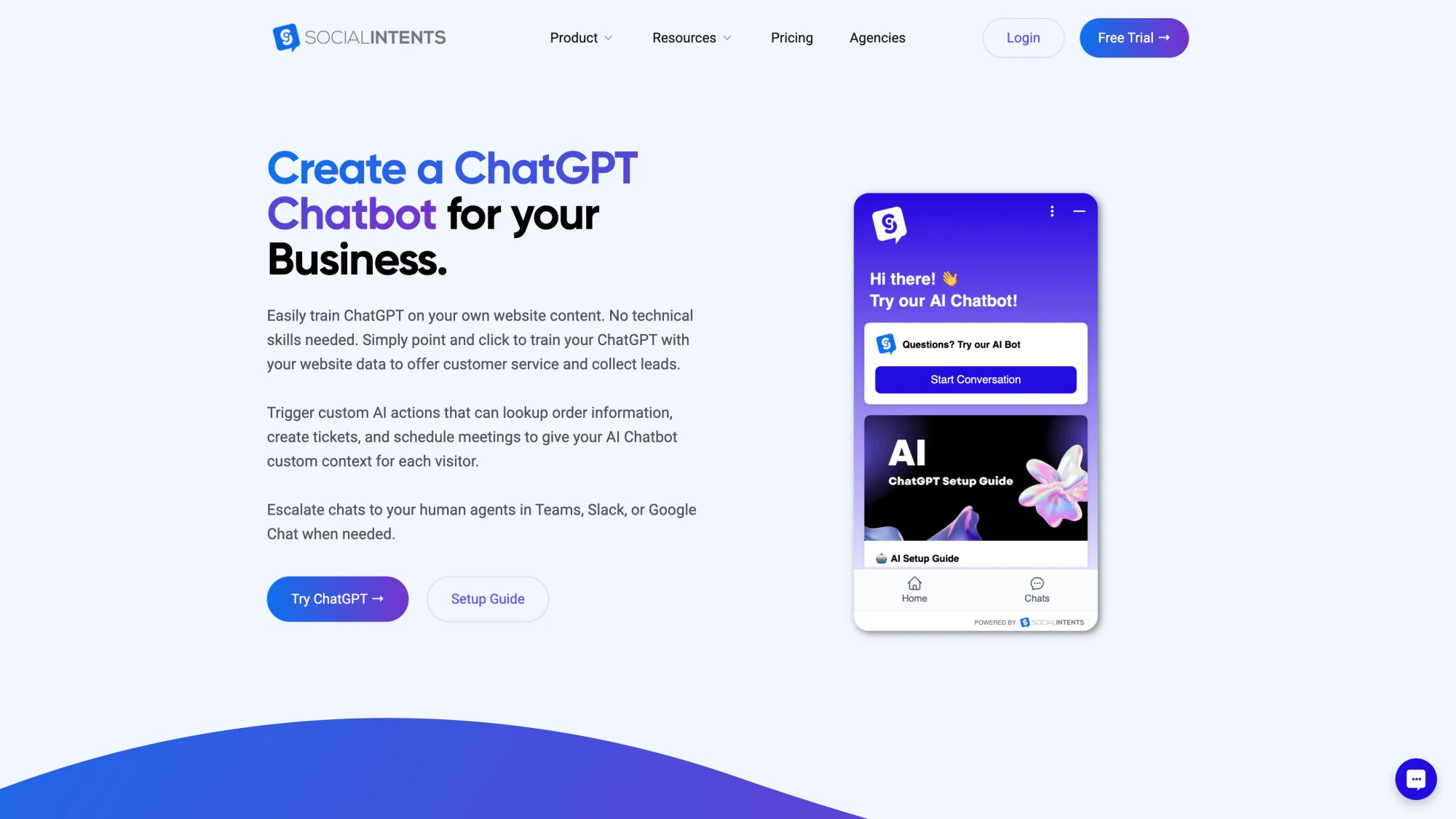
AI isn't just for answering FAQs. Used correctly, it becomes your triage assistant:
• Identifies intent
• Collects missing details
• Executes lookups
• Escalates with context
At Social Intents, we support building AI agents that handle routine questions and escalate conversations to live teams in Teams, Slack, or Google Chat when needed. You can also use Custom Actions to call external APIs in real time (order status, shipping dates, ticket creation).
Think of it as "Let AI handle the routine while your team takes over when it matters."
How to Auto-Prioritize Chats Using Customer Data
Here's the insight most chat teams miss:
The best prioritization signal is customer context you already have elsewhere.
Examples:
• Subscription tier in Stripe
• Open invoice status
• Cart value
• Account health score
• Shipment status ("delayed")
• Known outage flag
Use a custom action to fetch that context, then:
→ Auto-tag vip or p1
→ Route to a dedicated lane
→ Escalate to a human immediately
This is the difference between:
"What's your order number?" (again)
and
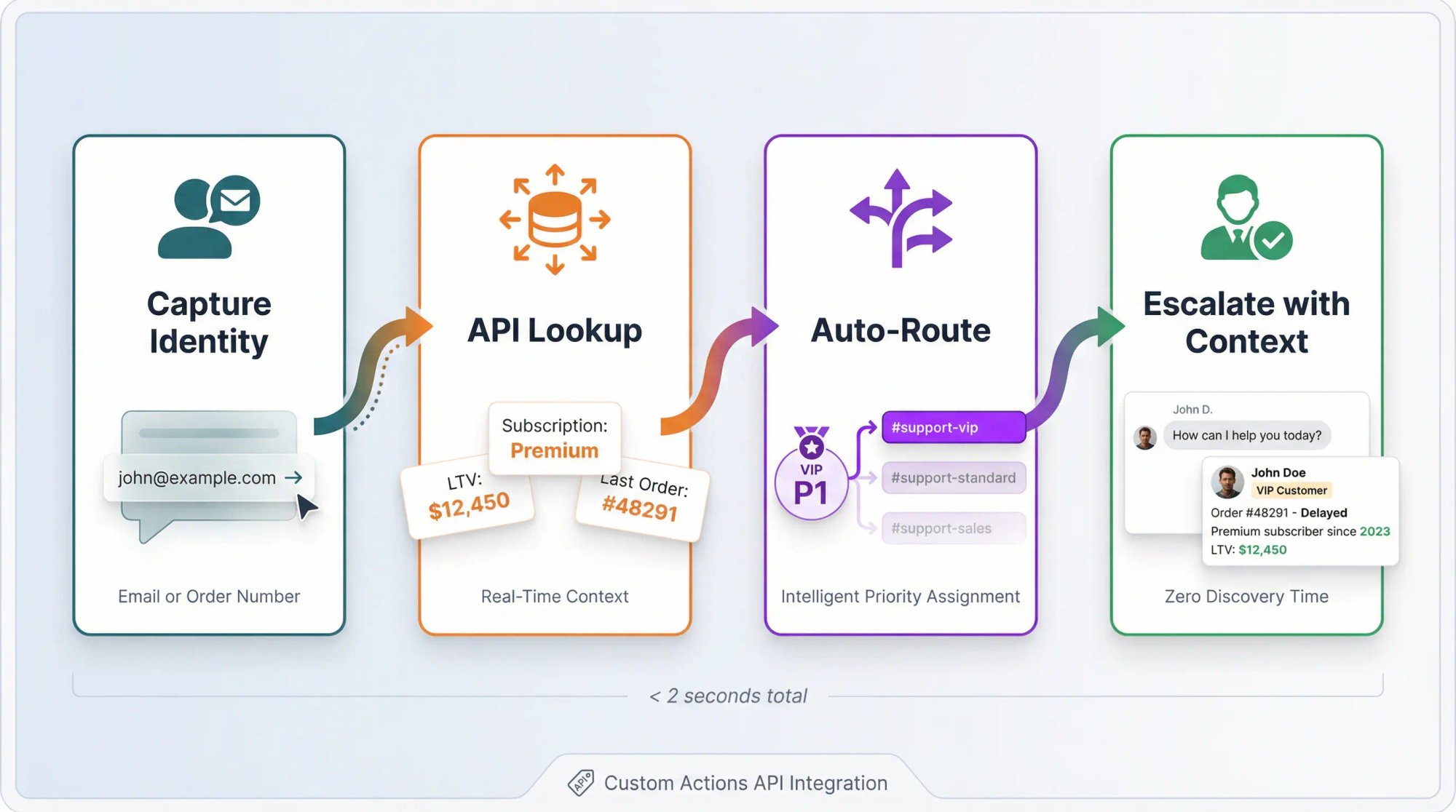
"I see Order #48291 is delayed. Do you want a refund or expedited replacement?"
That's the kind of magic that makes customers say "Wow, they actually know who I am."
How to Prioritize Across Multiple Chat Channels
If you support multiple channels (chat + SMS + WhatsApp + email), the hard part is deciding across queues.
Advanced prioritization across queues and channels typically includes:
• Tiered service levels based on customer value
• Responding to customer sentiment
• SLA adherence
• Channel-level priority examples (voice first, then chat, then cases)
The model's key principles:
① Channel priority (what must be fastest?)
② Queue priority (which team's work comes first?)
③ Within-queue priority (severity/urgency/value rules)
With Social Intents, you can put this into action by routing conversations into different channels/lanes, staffing those lanes differently, and using dispatcher + tags + automation to enforce the rules.
Priority Scorecard Template You Can Use This Week
Use this when you want consistent decisions across agents.
Scoring Table (1-5)
| Factor | 1 | 3 | 5 |
|---|---|---|---|
| Urgency | "No rush" | "Today" | "Right now / deadline" |
| Impact | Single user | Multiple users | Widespread / outage / critical workflow |
| Value | Free/low LTV | Standard | Premium/VIP/high LTV/high intent lead |
| Risk | Neutral | Mild frustration | Angry, cancellation/refund/security |
| Effort | Quick fix | Moderate | Complex / needs escalation |
Priority Formula
Priority Score = (Urgency × Impact) + Value + Risk
Then map:
• 18+ → P0
• 14-17 → P1
• 9-13 → P2
• ≤ 8 → P3
This is intentionally simple. You can tune later. The point is to have a consistent framework that prevents "everything is urgent" syndrome.
SLA Targets That Actually Work for Live Chat
You should publish internal SLAs even if you don't publish them externally.
Starter internal SLA (example):
| Priority | First Response | Resolution Target |
|---|---|---|
| P0 | Immediately | Within 15 minutes or escalate |
| P1 | Within 1-2 minutes | Within 30 minutes or escalate |
| P2 | Within 2-5 minutes | Within 2 hours or schedule follow-up |
| P3 | Within 10 minutes | Next business day acceptable |
What matters is consistency and measurement, not "perfect numbers."
10 Chat Prioritization Mistakes to Avoid (And How to Fix Them)
1. FIFO-Only (First In, First Out)
Problem: You always answer the oldest chat first, regardless of urgency.
Fix: Blend wait-time with urgency/impact/value (queue entrance time + interactiveness is a proven model).
2. Letting Customers Self-Select Priority
Problem: Everyone marks their chat as urgent.
Fix: Allow categories, not priorities. Infer urgency from intent + context.
3. Too Many Priority Levels
Problem: You have P0, P1, P2, P3, P4, P5… and nobody can remember what means what.
Fix: Stick to 4 levels maximum.
4. Mixing Sales and Support Chats in One Queue
Problem: Your sales team is trying to close a deal while support is handling refunds in the same queue.
Fix: Route into lanes using departments/channels. Keep them separate.
5. No Dispatcher During Peak Chat Volume
Problem: Five chats come in at once and nobody's triaging. Everyone's grabbing random chats.
Fix: Rotate a triage role. One person greets, tags, and routes for 30-60 minutes, then switches.
6. Agents Handling Too Many Chats at Once
Problem: Your agent has 7 chats open and is replying to the wrong people.
Fix: Cap concurrency at 3-5 chats. Use dispatcher + acknowledgement macros to buy time.
7. No Clear Escalation Path
Problem: Junior agents are stuck trying to solve complex technical issues they're not equipped for.
Fix: Standardize transfers/escalation inside Teams or Slack. Make it one command or @mention away.
8. No After-Hours Chat Plan
Problem: Customers chat at 2am and get no response. They're frustrated by morning.
Fix: Set up schedules + offline modes. Don't misrepresent availability. Offer alternative contact methods for true emergencies.
9. No Tagging or Priority Data to Learn From
Problem: You have no data on what types of chats are coming in or how long they take.
Fix: Tag priority + category at minimum. Review weekly. This data drives better staffing and routing decisions.
10. AI Chatbots Without Human Backup
Problem: Your bot is handling billing disputes and making customers angrier.
Fix: Use AI chatbots for triage + routine answers + lookups. Escalate to humans for high risk/high value. Never let AI handle refunds, cancellations, or angry customers alone.
Ready-to-Run Chat Prioritization Workflow
Use this as your internal runbook.
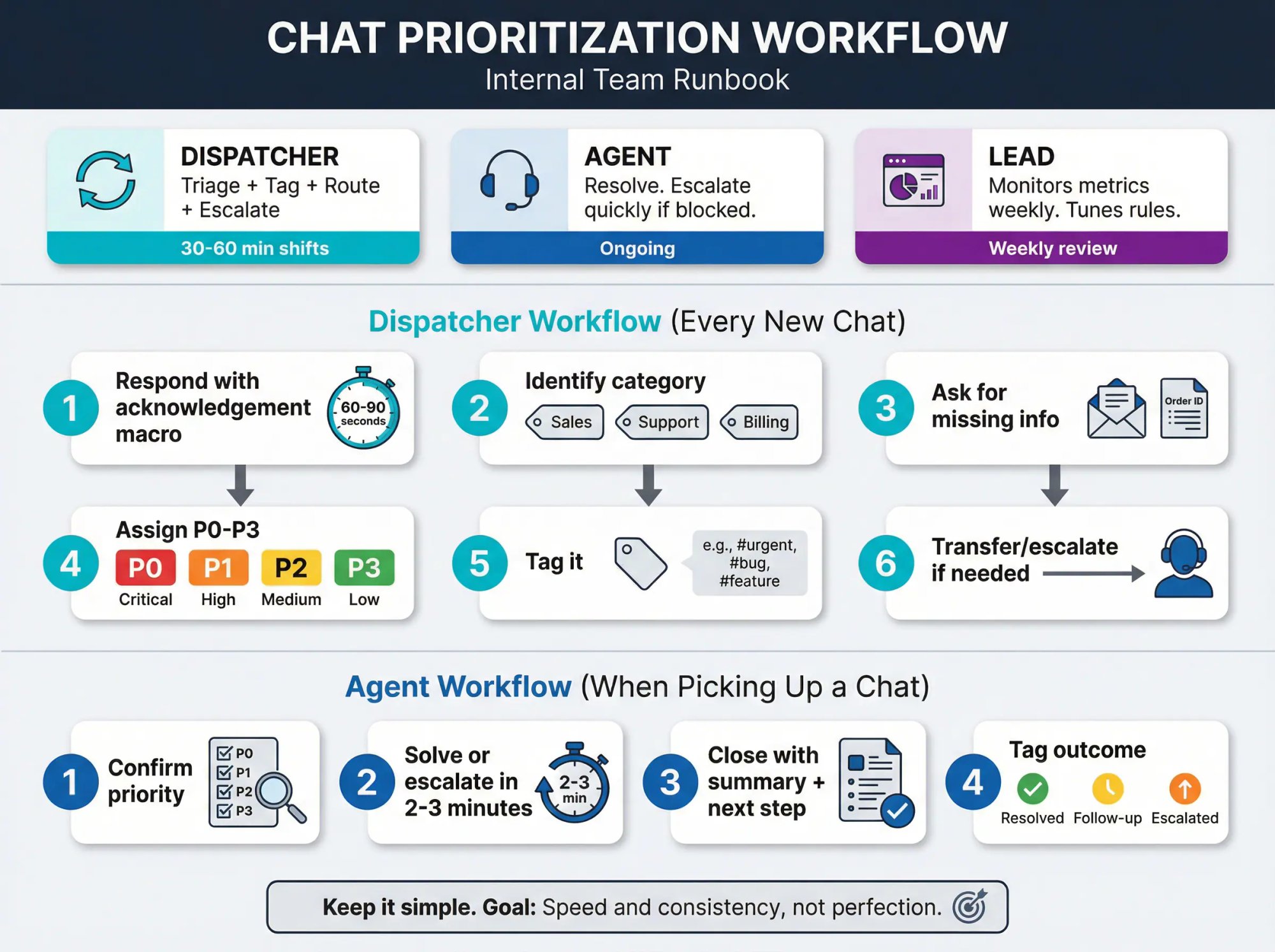
Roles
| Role | Responsibility | Time Commitment |
|---|---|---|
| Dispatcher (rotating) | Triage + tag + route + escalate | 30-60 min shifts |
| Agents | Resolve. Escalate quickly if blocked. | Ongoing |
| Lead | Monitors metrics weekly. Tunes rules. | Weekly review |
Dispatcher Workflow (Every New Chat)
① Respond with acknowledgement macro (within 60-90 seconds)
② Identify category (sales/support/billing/etc.)
③ Ask for missing info (email/order ID)
④ Assign P0-P3
⑤ Tag it
⑥ Transfer/escalate if needed
Agent Workflow (When Picking Up a Chat)
① Confirm priority
② Solve or escalate in 2-3 minutes
③ Close with summary + next step
④ Tag outcome (resolved, followup, escalated)
Keep it simple. The goal is speed and consistency, not perfection.
Advanced: Auto-Prioritize Using Real-Time Customer Data
If you want your prioritization to feel "magical," here's the blueprint:
① Capture identity (email / order number) early
② Call a Custom Action to fetch context
③ Auto-route or recommend priority
④ Escalate with context (so the human doesn't restart discovery)
Our Custom Actions explicitly support API calls and workflows like ticket creation, order status lookup, shipping dates, and more.
Imagine this scenario:
Customer: "Where's my order?"
Bot: [Looks up email, calls Shopify API, gets order status]
Bot: "I see Order #48291 shipped yesterday via FedEx. It should arrive Friday. Here's your tracking link. Would you like anything else?"
vs.
Customer: "Where's my order?"
Agent: "Can I get your order number?"
Customer: "I don't have it."
Agent: "Can I get the email you used?"
[5 minutes of back and forth…]
The difference is night and day. And when something is wrong with that order (delayed shipment, wrong item), you can automatically tag it p1 and route to a human immediately.
Step-by-Step Chat Prioritization Workflow for Your Team
To make all the above very tangible, here's a step-by-step workflow you can adapt for your team:
Initial triage (first 30 seconds): When new chats come in, scan the messages or issue types. Send a greeting to each new chat immediately. Identify any urgent or VIP chats right away and focus on those first. If needed, send a quick "One moment please" to others.
Handle high-priority chats first: Solve or advance the urgent/VIP issues. If it's complex and you've engaged it, maybe ask the customer for some info or to perform a step (buying you a little time). While they do that, you can switch to the next conversation.
Work the queue in parallel: Switch to the next conversation in line (especially any that have been waiting). Provide an answer or at least an update. Keep bouncing between active chats based on who's waiting or who needs a reply next. The key is no one should feel forgotten. Every active chat gets regular touch points (every minute or two at most).
Use your tools: Drop in canned responses for common questions to save time. Let your chatbot handle new simple queries coming in, or set your status to "busy" if possible to divert new chats to others/bot. If you find a particular chat is meant for another team, transfer it promptly (with a warm handoff message to the customer).
Watch concurrency limits: If you have 4 chats open and a 5th comes in but you're at your limit, see if a colleague can take it. If not, you might pick it up but immediately send an "I'll be right with you" and then try to free yourself by closing another chat quickly. Don't overload yourself to the point of meltdown. It's better to have one or two customers wait an extra minute than to have five customers all get subpar service.
Keep communicating: As you close out some conversations, new ones will replace them. Continue to prioritize by urgency and wait time dynamically. If one customer has gone quiet (perhaps they are typing a long reply or stepped away), focus attention on others in the interim. If someone's issue is resolved, wrap it up efficiently (provide any final info and kindly say goodbye) to remove that chat from your queue.
After the rush, review: When the chat rush subsides, quickly scroll through to ensure no open chat was left unattended. Take note of what came in. Were there a bunch of one type of issue? This might inform you to update a help article or prepare for next time. Also, take a breather! High-volume chat handling is intense. A short break helps you reset for the next round.
Why Teams Choose Social Intents for Chat Prioritization
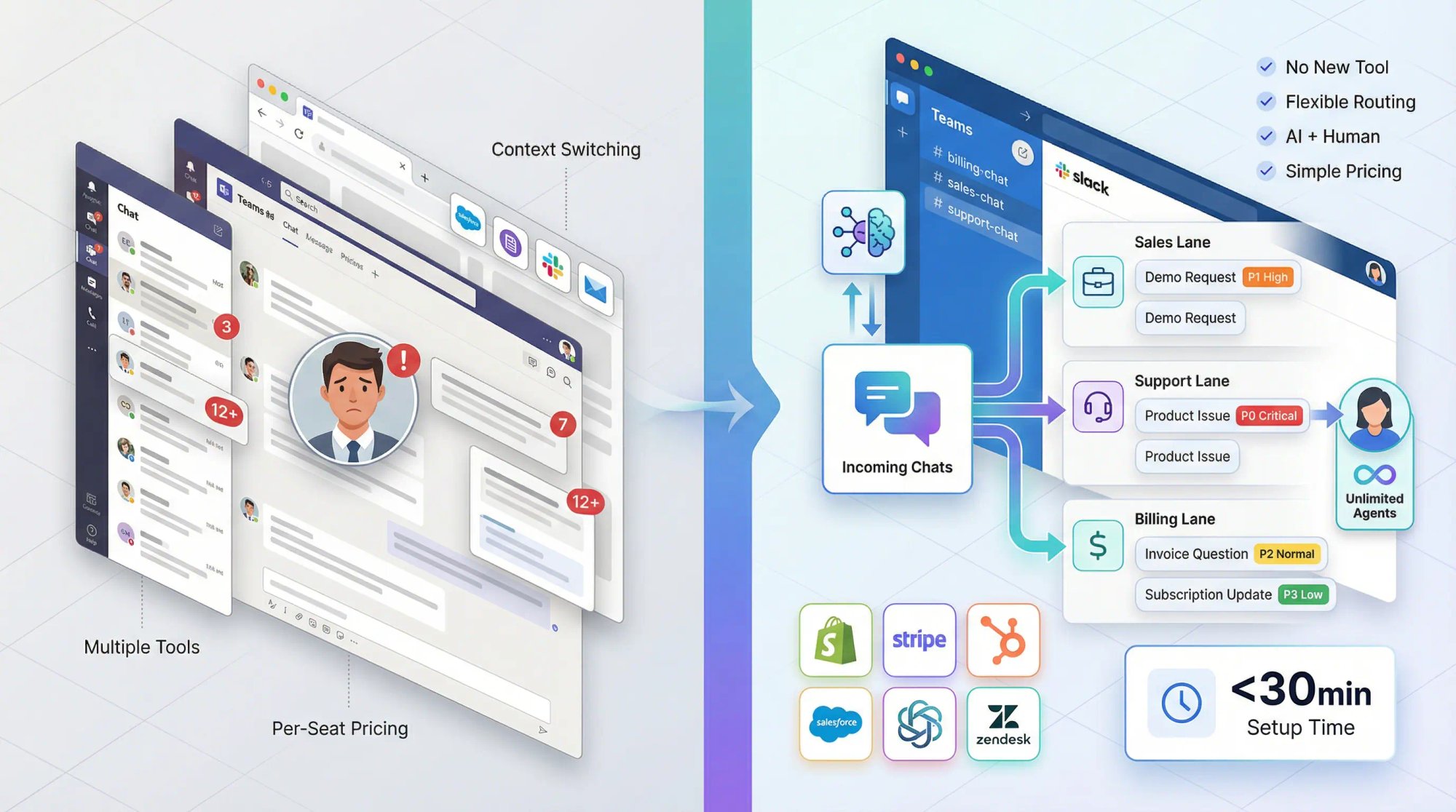
Here's why prioritization is easier when you use Social Intents:
No new tool to learn. Your agents already live in Teams or Slack all day. Chats come directly into those platforms. No separate helpdesk login. No context switching.
Unlimited agents. From our Basic plan up, you get unlimited agents. No per-seat pricing that forces you to understaff. You can have your entire team ready to jump on chats during peak hours.
Flexible routing. Map departments to specific channels. Sales goes to #sales-chat, support to #support-chat, billing to #billing-chat. Clean separation = better prioritization.
AI + human handoff. Our AI chatbots can handle FAQs and collect context, then escalate to your team with all the details. The human picks up mid-conversation with full context. No "What's your order number?" repeated three times.
Custom Actions. Connect to Shopify, Stripe, your CRM, your ticketing system. Pull real-time data into conversations. Auto-tag VIPs. Auto-route based on account status.
Simple pricing. Four plans (Starter, Basic, Pro, Business) plus an Agency/Reseller plan. No surprises. 14-day free trial. Start here.
Want to see it in action? Try Social Intents free for 14 days and set up your first prioritized chat workflow in under 30 minutes.
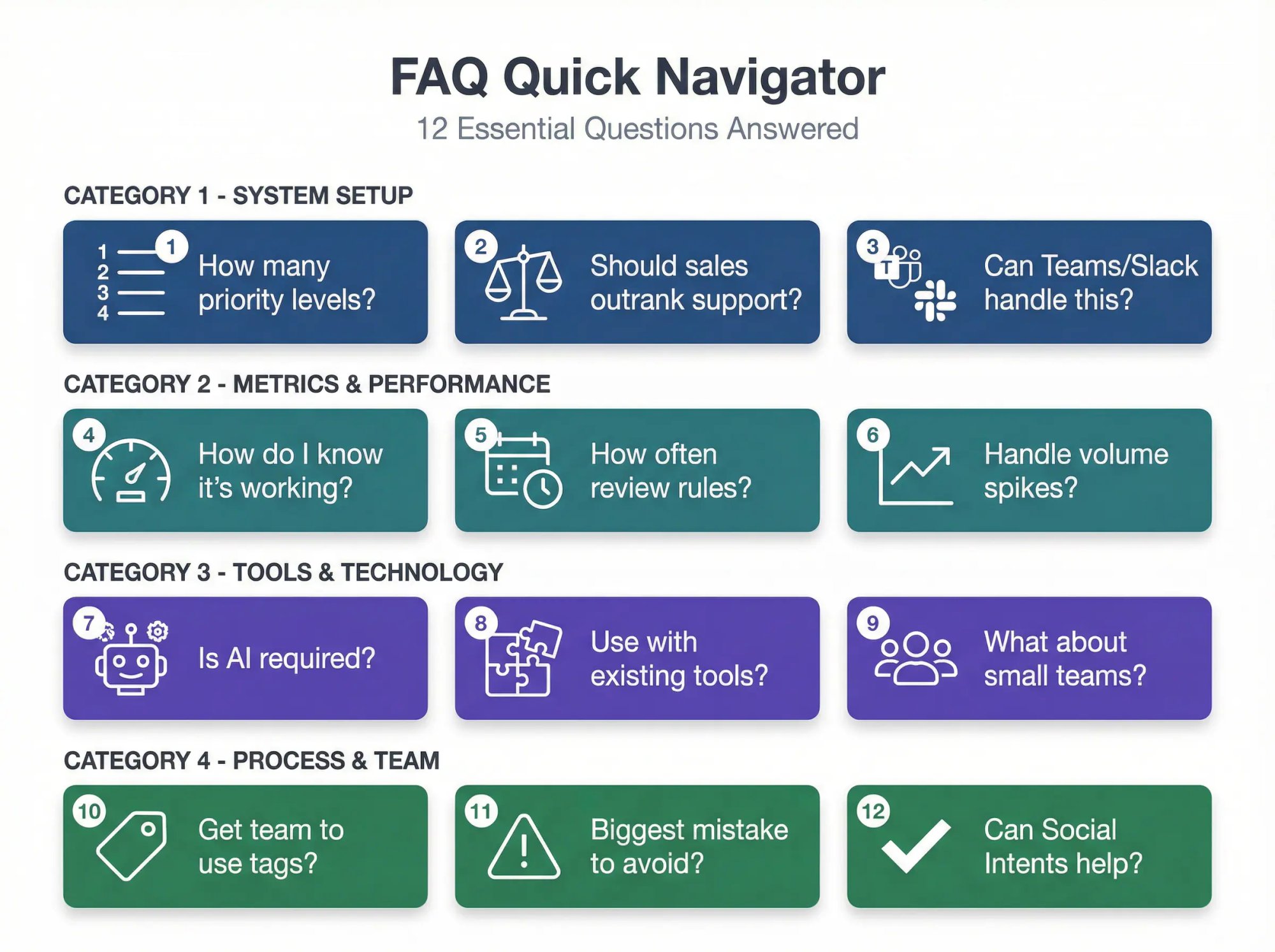
Frequently Asked Questions
How many priority levels should we use?
Four. It's enough to create real differentiation without debate fatigue. P0 (critical), P1 (high), P2 (normal), P3 (low). More than four levels and your team will spend more time arguing about whether something is a P2 or P3 than actually helping customers.
Should sales chats outrank support chats?
Sometimes. If you're understaffed, prioritize by business model:
• E-commerce: Checkout failures often outrank demos (can't buy = lost revenue right now)
• SaaS: Outages/access issues often outrank most sales (existing customers can't use the product they're paying for)
Use routing lanes so you don't have to make this decision in the moment. Sales and support should be separate queues with separate staffing.
Can Teams or Slack handle real chat prioritization?
Yes. You prioritize through routing lanes + dispatcher workflow + tags + macros + escalation. Social Intents supports department-to-channel routing, transfers, tags, canned responses, schedules, and AI-based automation. It all works natively in Teams and Slack.
Actually, Teams and Slack make prioritization easier because your whole team can see the queue. Anyone can jump in. You're not limited to "whoever's logged into the helpdesk."
Is AI required for chat prioritization?
No, but it's increasingly helpful for triage and instant replies. According to HubSpot's State of Customer Service data, 91% of customer service leaders in 2025 agree that customer expectations have grown year-over-year, with 81% saying customers now expect immediate resolution.
Even without AI, you can prioritize manually using the frameworks in this guide. But AI chatbots can handle the P3 stuff (FAQs, policies, simple lookups) automatically, which frees your humans to focus on P0/P1/P2.
How do I get my team to actually use tags?
Make it dead simple. Train them on exactly 3 tags to start:
• Priority: p0, p1, p2, p3
• Category: billing, login, bug, howto, demo
• Outcome: resolved, escalated, followup
Show them the /tag command. Make it part of the closing checklist. "Before you close this chat, tag it."
Then review weekly. Share stats. "Last week we had 47 P1 chats and our average response time was 90 seconds. Great work!" or "We had 12 chats tagged billing that took over 10 minutes. Let's figure out why."
People follow systems when they see the value and when it's easy.
How do I handle chat volume spikes like Black Friday?
Before the spike:
• Pre-write canned responses for expected questions
• Staff extra agents
• Test your routing and escalation paths
• Brief your team on the plan
During the spike:
• Consider a "swarm" approach (all hands on deck for P0/P1)
• Use AI chatbots to deflect P3 questions automatically
• Set realistic expectations ("We're experiencing high volume, average response time is 5 minutes right now")
• Don't be afraid to pause new chats if you're truly overwhelmed
After the spike:
• Review what worked and what didn't
• Update your runbook
• Thank your team
How do I know if prioritization is working?
Track these metrics:
• First response time (by priority level)
• Resolution time (by priority level)
• Customer satisfaction (CSAT scores, especially for P0/P1)
• Abandonment rate (how many chats are abandoned before first response)
• Tag distribution (are you getting the mix of P0/P1/P2/P3 you expected?)
If your P0 chats are getting answered in under 1 minute and your CSAT is high, you're doing it right.
If your P2 chats are sitting for 20 minutes while agents handle P3 stuff, your system isn't being followed.
Can we use this with our existing chat tool?
The principles in this guide work with any live chat platform. The specific tactics (routing to Teams channels, using /tag commands, Custom Actions) are Social Intents features, but the framework (4 priority levels, urgency + impact scoring, dispatcher workflow) is universal.
That said, we built Social Intents specifically to make this kind of workflow easy. If your current tool makes prioritization hard, give us a try.
What's the #1 mistake teams make with prioritization?
Treating everything as urgent. When everything is urgent, nothing is urgent.
You need the discipline to say "This is a P2, it can wait 3 minutes" even when the customer is pushy. Not every chat is a fire. Most are normal support requests that can be handled in order.
The flip side: don't be so rigid that you miss actual emergencies. If someone says "I can't access my account and I have a client meeting in 5 minutes," that's P1 even if they've only been waiting 30 seconds.
Use judgment. That's why you have humans, not just bots.
How often should we review prioritization rules?
Monthly at minimum. Weekly if you're actively tuning a new system.
Look at:
• Tag distribution (are things landing in the right buckets?)
• Response time by priority (are P0/P1 actually getting faster service?)
• Agent feedback ("We're getting a lot of X that's being tagged P1 but it's really P2")
• Customer complaints ("I waited 10 minutes for a checkout issue")
Adjust your rules, retrain your team, repeat. Prioritization is a living system, not a one-time setup.
Do small teams need formal prioritization?
Yes, but simpler. You probably don't need a full dispatcher role. But you do need:
• The 4 priority levels (so you know what to tackle first)
• Basic routing (sales vs support)
• Canned responses (to save time)
• A plan for when all 3 agents are busy
Even a 2-person team can get overwhelmed if 5 chats come in at once. Having a system (even a lightweight one) prevents panic and ensures the most important stuff gets handled first.
Can Social Intents help with all of this?
Yes. We built our platform specifically for teams that want powerful chat prioritization without a heavyweight helpdesk.
Here's what you get:
• Route chats to Teams/Slack channels (department-based routing)
• AI chatbots that handle FAQs and escalate to humans with context
• Canned responses and shortcuts in Slack/Teams
• Tags and agent commands (/tag, /transcript, /zap)
• Custom Actions to pull real-time data (VIP status, order info, etc.)
• Transfers and collaboration (invite teammates, escalate to specialists)
• Unlimited agents (Basic plan and up)
Start your free 14-day trial and see how fast you can set up a prioritized chat workflow that actually works.
Conclusion: Master Chat Prioritization in 2026
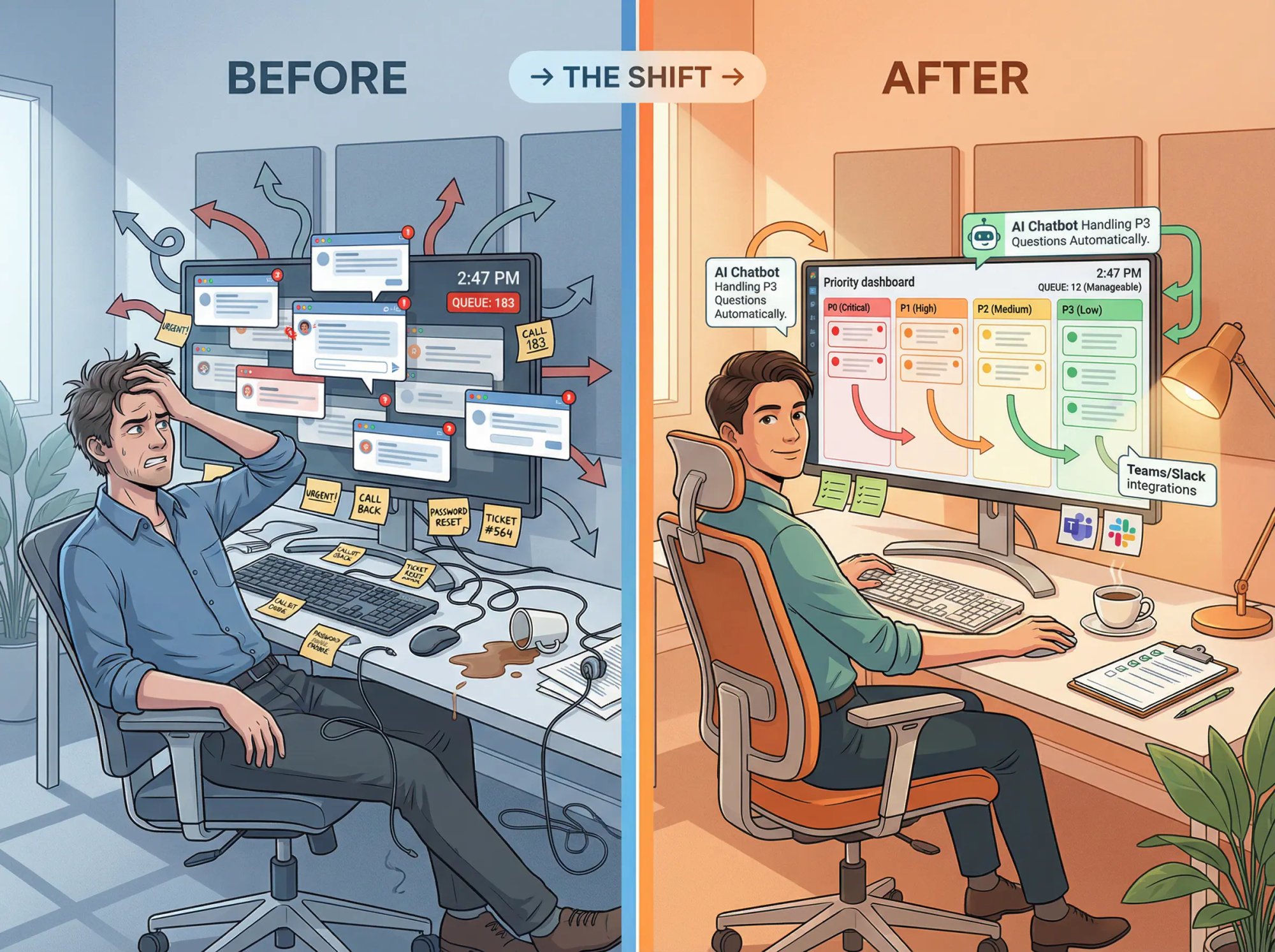
Mastering how to prioritize chat conversations takes practice, but it pays off immensely.
When you prioritize effectively, customers get help faster and feel valued, and agents stay in control rather than feeling overwhelmed.
Remember these key takeaways:
Speed with strategy. Respond quickly to everyone, but triage by urgency and importance. Urgent and VIP chats get first dibs, and no one waits too long without a response.
Multitask wisely. Use every idle moment. Switch between chats when you're waiting on a customer's reply or a system check. Handle easy questions immediately to lighten the load, and dive into hard ones early to get them on track.
Use tools and teamwork. Don't go it alone. Chatbots, canned responses, and integrated platforms are your friend. They'll reduce your manual workload and surface the highest-priority chats. Likewise, lean on your team to share the workload and back each other up.
Communicate constantly. Keep customers in the loop at all times. A well-timed "I'm on it" or "One sec" message can turn a potential frustration into a positive experience. It shows you care and you haven't forgotten them, which is exactly what customers want.
By putting these practices into action, you'll prevent the common pitfalls of live chat support. No more customers slipping through the cracks or agents drowning in 10 open windows. Instead, you'll have a smooth-running chat operation where the most pressing conversations get top priority and every customer gets a timely, helpful response.
In 2026, where average first-response time is measured in seconds, mastering chat prioritization is a must. Do it well, and you'll impress your customers with lightning-fast, attentive service – the kind that turns first-time visitors into loyal fans.
Ready to build a better chat prioritization system? Try Social Intents free for 14 days and see how Teams/Slack integration + AI automation + smart routing can transform your support workflow.