Over 96% of online shoppers track their package status after hitting "buy." That tells you everything about customer expectations in e-commerce today. When someone places an order, the first thing they want to know is: where is it?
The problem? "Where is my order?" (WISMO) inquiries flood customer service channels. Your support team spends hours answering the same question over and over. Phone calls stack up. Live chat sessions multiply. Email inboxes overflow with variations of the same query.
If customers can't get quick answers, 90% will consider switching to a competitor that offers better tracking and communication.
The solution is straightforward: an Order Status Chatbot. A virtual assistant that provides real-time order and shipping updates automatically, 24/7, without any human intervention needed.
The best part? You don't need to write a single line of code to build one.

What Is an Order Status Chatbot and Why Does Your Business Need One?
An order status chatbot is an AI-powered assistant that automatically answers customer questions about their purchases. Someone asks "Where's my order?" and the bot instantly fetches the current status, shipping details, and delivery estimate from your system.
Think of it as having a support agent who never sleeps, never takes breaks, and can handle unlimited conversations simultaneously.
Here's why this matters for your business:
Instant gratification for customers
Shoppers get immediate answers about order status, shipping updates, and delivery ETAs. No waiting on hold. No delayed email responses. Just instant transparency that meets modern customer expectations.
Massive reduction in support volume
Research shows most support tickets are repetitive questions like order status or refund policy. A chatbot handles these instantly, cutting down phone calls, live chat sessions, and emails on routine queries.
24/7 self-service availability
Your chatbot doesn't take holidays or weekends off. Customers get updates at 2 AM on Sunday just as easily as 2 PM on Tuesday.
Happier customers who trust your brand
Proactively keeping customers informed about their orders reduces anxiety and builds trust. When people can easily check their order status, they feel taken care of.
Your human agents focus on what matters
By deflecting simple "where's my order" questions, your support team can spend time on complex issues that truly need a personal touch. Some companies report chatbots handling up to 70% of common support requests without human intervention.
Opportunities for smart engagement
An advanced order bot can do more than lookup status. If an order just delivered, the bot might ask for feedback or recommend complementary products. If an item is delayed, it could offer a discount on the next purchase. These small touches can boost sales and customer loyalty.
Requirements for Building an Order Status Chatbot (No Code)
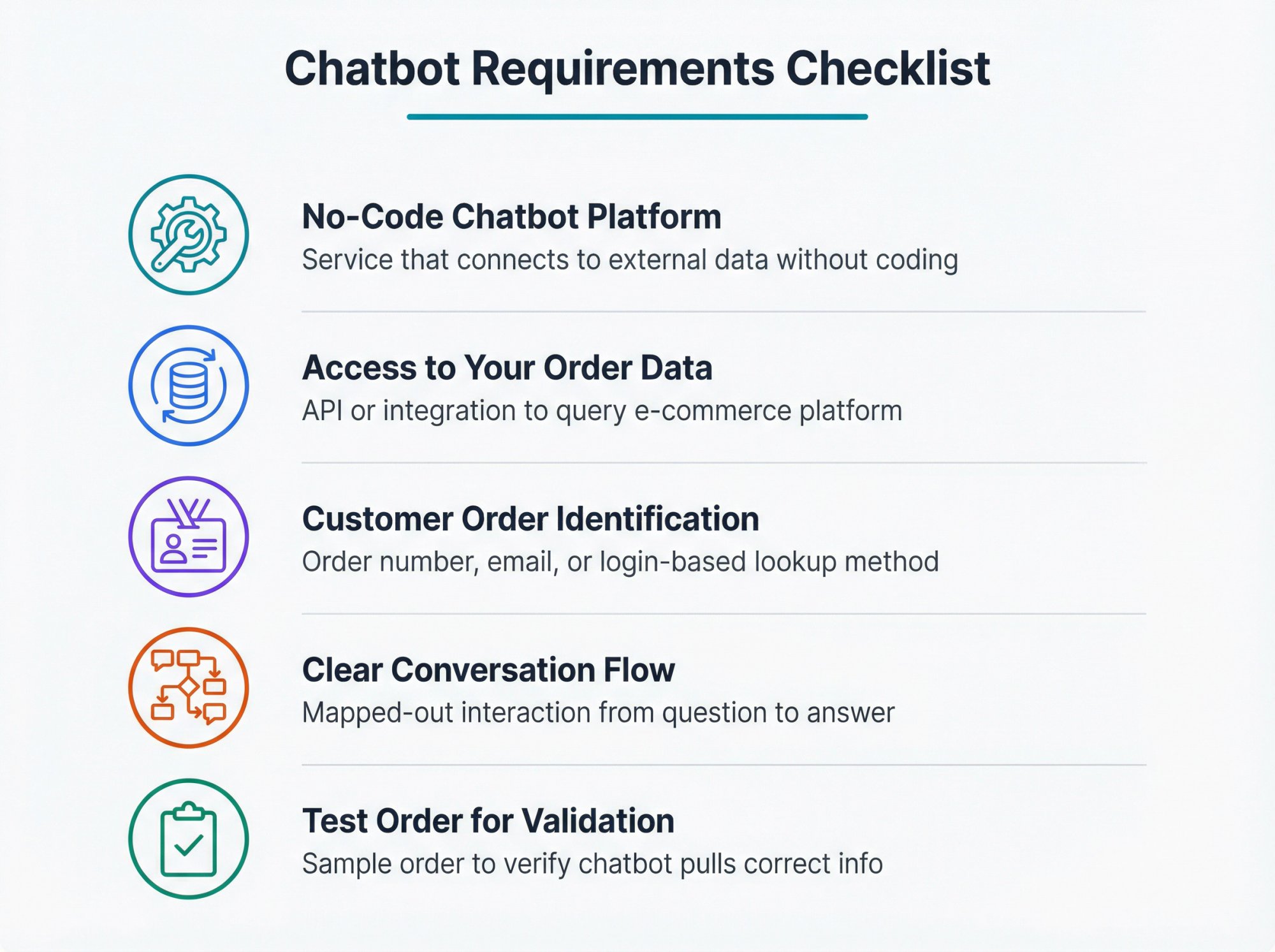
Before building your chatbot, make sure you have these pieces in place:
1. A no-code chatbot platform
You need a service that supports no-code development and can connect to external data. Social Intents offers a code-free way to build AI chatbots with "Custom Actions" that can fetch order data from any system.
2. Access to your order data
Your chatbot needs to retrieve order statuses from somewhere (your e-commerce platform, order management system, or custom database). This typically means having an API or integration method to securely query order information.
Many platforms have pre-built e-commerce integrations for Shopify, WooCommerce, BigCommerce, and other popular systems. Social Intents has native Shopify integration and supports custom API calls for any other system.
3. A way to identify customer orders
Decide how the bot will know which order to lookup. Common approaches:
• Ask for an order number (simplest method)
• Ask for email or phone number associated with the order
• For logged-in users, automatically identify them through your system
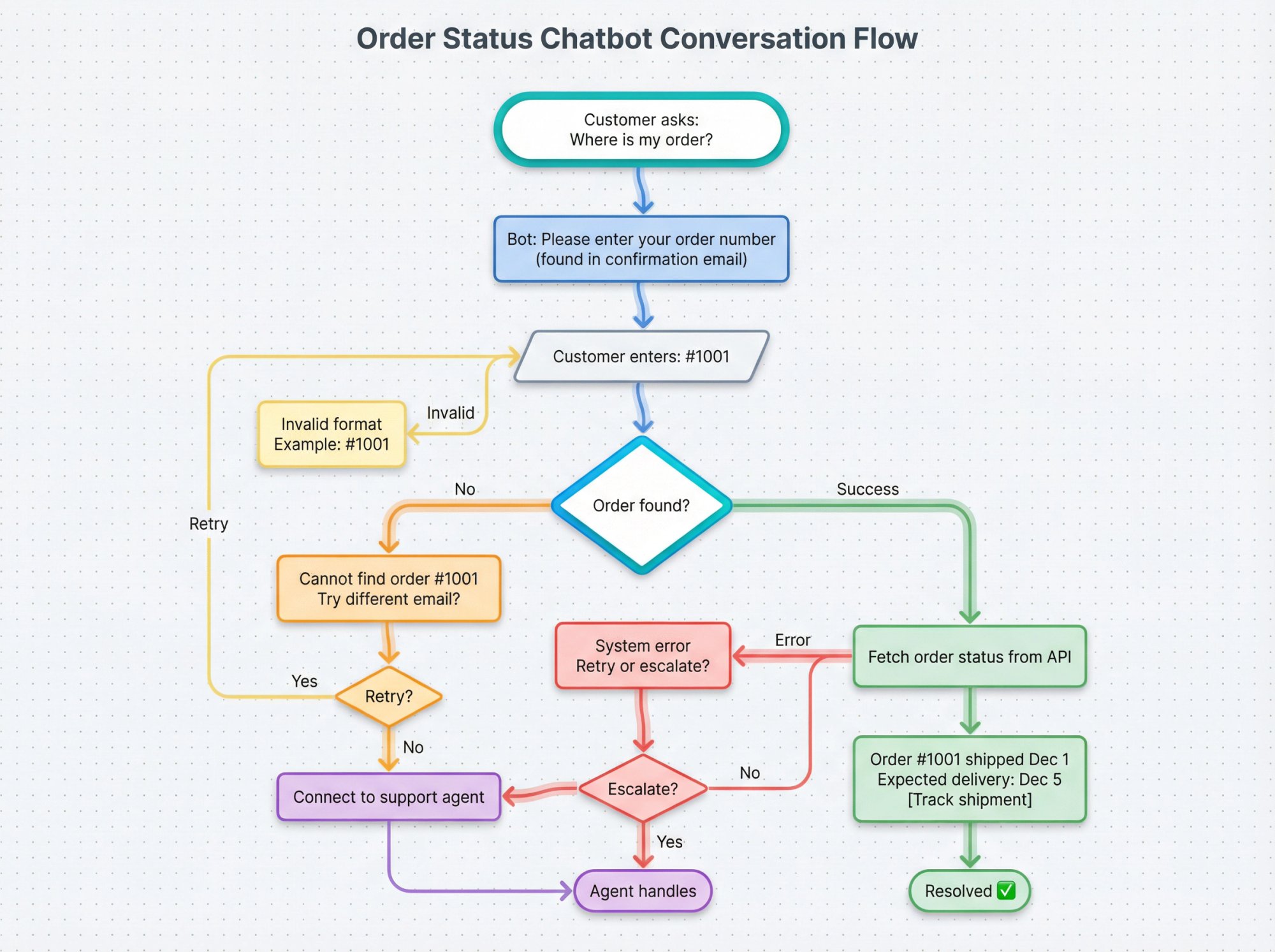
4. A clear conversation flow
Map out the interaction on paper before you build:
• Customer asks: "Where's my order?"
• Bot greets them and asks for order number or email
• Customer provides the identifier
• Bot fetches order status and responds with details
• If there's an issue, bot offers help or escalates to human support
5. A test order to validate everything works
Have a sample order in your system to test that the chatbot pulls correct information.
How to Choose the Best No-Code Chatbot Platform for Order Tracking
The foundation of your order status bot is the platform you build it on. When evaluating options, consider these factors:
| Consideration | What to Look For |
|---|---|
| E-commerce integration | Native apps for Shopify, BigCommerce, WooCommerce, or support for custom API calls |
| No-code interface | Visual builders, form-based setup, drag-and-drop designers |
| AI capabilities | ChatGPT, Claude, or Gemini integration for natural language understanding |
| Custom actions | Ability to trigger API calls or functions during conversations |
| Deployment options | Website widget, Facebook Messenger, WhatsApp, SMS support |
| Pricing | Free trials, transparent pricing, conversation limits that fit your volume |
For this guide, we'll use Social Intents as our example because it offers straightforward no-code setup for order status bots. The platform provides:
| Feature | Capability |
|---|---|
| E-commerce Integration | One-click Shopify integration plus support for other platforms |
| Custom AI Actions | Custom API calls to any system without coding |
| AI Models | ChatGPT, Claude, and Gemini support |
| Pricing | Free plan for testing (up to 20 chats/month), paid plans starting at $69/month for 1,000 conversations |
The steps we'll cover work similarly on other platforms, but we'll show specific Social Intents examples for clarity.
How to Set Up Your Basic Order Status Chatbot
Once you've chosen your platform, it's time to create the foundation of your bot.
Create your chatbot app
Sign up and create a new chatbot. Give it a clear name like "Order Status Bot" or "Shipping Assistant." If the platform asks for integration type, choose website chatbot or whichever channel you're targeting.
Configure the welcome experience
Set your bot's greeting message. Keep it friendly and clear about what it can do:
"Hi! I'm your virtual order assistant. I can help track your order or answer questions about shipping. How can I help you today?"
Customize the appearance
Most platforms let you match the chat widget to your branding. Upload your logo as the bot's avatar, choose colors that match your site, and adjust the chat button position.
Social Intents allows deep customization so the chatbot feels like a natural part of your website rather than a generic plugin.
Enable human handoff
This is critical. Even the smartest bot will encounter situations it can't handle. Configure your platform to escalate to human agents when:
• The bot isn't confident about an answer
• A customer explicitly asks for a person
• The issue requires human judgment
Social Intents can route escalated chats directly to your team in Microsoft Teams, Slack, Google Chat, or their web console. Your team gets notified immediately and can see the full conversation history.
Set availability hours
For an AI chatbot handling order status, 24/7 availability is ideal. But you can configure offline hours if needed.
Add basic knowledge (optional)
Many AI platforms let you train the bot on FAQs or documents. You can upload common questions about your return policy, shipping policy, or product info. For now, focus on getting the order lookup working, then expand from there.
How to Connect Your Chatbot to Your Order Management System
This is where your chatbot becomes truly useful. You need to enable it to fetch live order data from your system.
There are two main approaches, depending on your setup.
How to Use Built-In E-commerce Integrations for Order Lookup
If you're on Shopify, WooCommerce, BigCommerce, or another popular platform, this is your easiest path.
For Shopify users:
Install the Social Intents Shopify app from the Shopify App Store. During installation, you'll grant permission to read orders. The app connects your store's order data to the chatbot automatically.
Once integrated, you can enable order lookup features through the dashboard. The app handles all the API complexity in the background.
For other platforms:
Check if your chatbot platform has a native integration or app for your e-commerce system. Social Intents supports Wix, WordPress, Webflow, and many more. If a pre-built connector exists, use it. These integrations save time and ensure reliability.
How to Connect Custom Order Systems Using API Actions (No Coding)
If you have a custom order database or want more control, no-code platforms let you configure API requests through a visual form. No programming required.
Here's how it works using Social Intents Custom API Actions as an example:
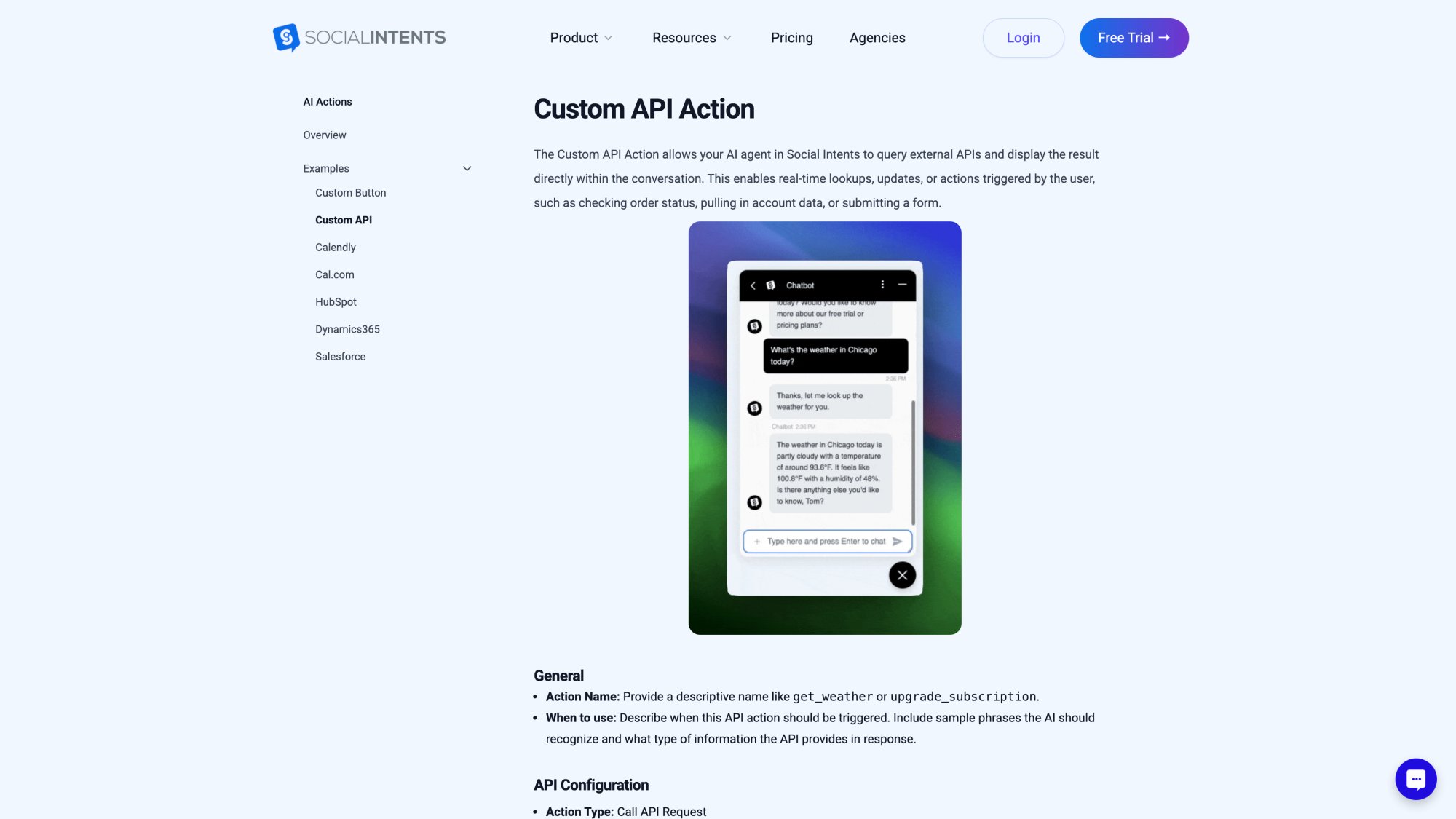
Navigate to Custom Actions
In your chatbot dashboard, find the Custom Actions or Integrations section. Click "Add Action" to create a new one.
Define when to trigger the action
This is where you teach the bot when to fetch order data. Enter phrases like:
"Trigger when visitor asks about order status or tracking. Examples: 'where is my order', 'track order', 'status of order', 'check delivery', etc."
The AI uses this to recognize customer intent, even if they phrase it differently than your examples.
Set what information to collect
Specify what data you need from the customer to look up their order:
• Order ID (the order number from their confirmation email)
• Email address (optional, for additional verification)
You define these as variables (like {{order_id}} and {{email}}). The platform will automatically ask the customer for any missing information.
Configure the API request
This is simpler than it sounds. You fill in a form with:
Endpoint URL: The address of your order status API
Example: https://api.myshop.com/getOrderStatus?order={{order_id}}&email={{email}}
The {{…}} placeholders get replaced with actual customer-provided values.
HTTP Method: Usually GET for retrieving data
Authentication: Add your API key or token as a header
Example: Authorization: Bearer YOUR_API_KEY
The platform securely stores this so customers never see it.
Request Headers: Any additional headers your API requires
Map the response to a friendly message
When your API returns data (usually JSON format), you need to tell the bot what to show the customer.
Example API response:
{
  "status": "Shipped",
  "delivery_date": "2025-12-05",
  "tracking_url": "http://tracking.carrier.com/12345"
}
Your response template:
"Your order is {{status}}. Expected delivery by {{delivery_date}}. Track your shipment for real-time updates."
The bot fills in the placeholders with actual data from your API.
Handle errors gracefully
What if the customer enters an invalid order number? Configure a fallback message:
"I couldn't find an order with that number. Please double-check the order number in your confirmation email, or I can connect you with a human agent for help."
Save and test
Most platforms have a preview mode. Test your action:
• Type: "Where is my order 1001?"
• The bot should recognize the intent and either ask for the order number or go straight to calling the API
• Verify the response looks correct and all data appears properly
• Test edge cases: wrong order numbers, different phrasings, incomplete information
This no-code Custom API Action approach enables real-time order status checks directly in chat conversations. You're teaching the chatbot "when someone asks about orders, call this URL to get live data, then respond with these fields."
How to Design an Effective Chatbot Conversation Flow
With the technical integration working, focus on the user experience. We're configuring settings and writing prompts, not coding.
Make it easy to start
Add a visible button or menu option that says "📦 Track My Order". This gives customers a clear path to the order status feature.
Many platforms support quick-reply buttons or persistent menus. Use them.
Ask clearly for information
When the bot needs the order number, be specific:
"To check your order, I'll need your Order Number. You can find it in your confirmation email (it looks like #1001 or ORD-12345). Please enter your order number:"
Handle multiple orders intelligently
If a customer has several recent orders, your bot could:
• Ask for email first
• Show a list: "I found 2 orders for that email. Which would you like to track?"
• Customer selects one
• Bot provides the status
This requires slightly more complex logic, but many no-code platforms support it through visual flow builders.
Plan for things that go wrong
| Scenario | Bot Response |
|---|---|
| Order not found | "I can't find an order with that number. Could it be under a different email? You can try again, or I can connect you with a human agent." |
| Invalid input | "That doesn't look like an order number. Order numbers usually look like #1001. Could you try entering it again?" |
| API error | "Sorry, I'm having trouble accessing order details right now. Please try again in a moment, or I can connect you with our support team." |
| Customer frustrated | Automatically offer human handoff: "I sense this is getting frustrating. Would you like me to connect you with a team member who can help?" |
Set the right tone
Keep it conversational and helpful. Most brands use first-person for chatbots:
"I can help with your order" feels more natural than "This chatbot can assist you."
Give your bot a friendly personality, but make it clear it's automated. Include something like "I'm an AI assistant" in the greeting to set expectations.
Consider privacy
Only show essential information in responses. Order status and delivery city are fine. Full addresses or sensitive payment details should never appear in the chat.
If someone needs detailed account information, escalate to a secure channel or human agent.
Support multiple languages (if needed)
If you serve diverse customers, some platforms offer real-time translation. Social Intents includes auto-translation on higher-tier plans, so a customer asking "¿Dónde está mi pedido?" in Spanish still gets a helpful response.
Pro tip from real support teams: Review actual customer service transcripts from your team. Notice how customers phrase questions and what information agents ask for. Mirror this natural flow in your bot's conversation design.
How to Test Your Order Status Chatbot Before Launch
Before going live, run comprehensive tests. Your chatbot is about to represent your brand to customers.
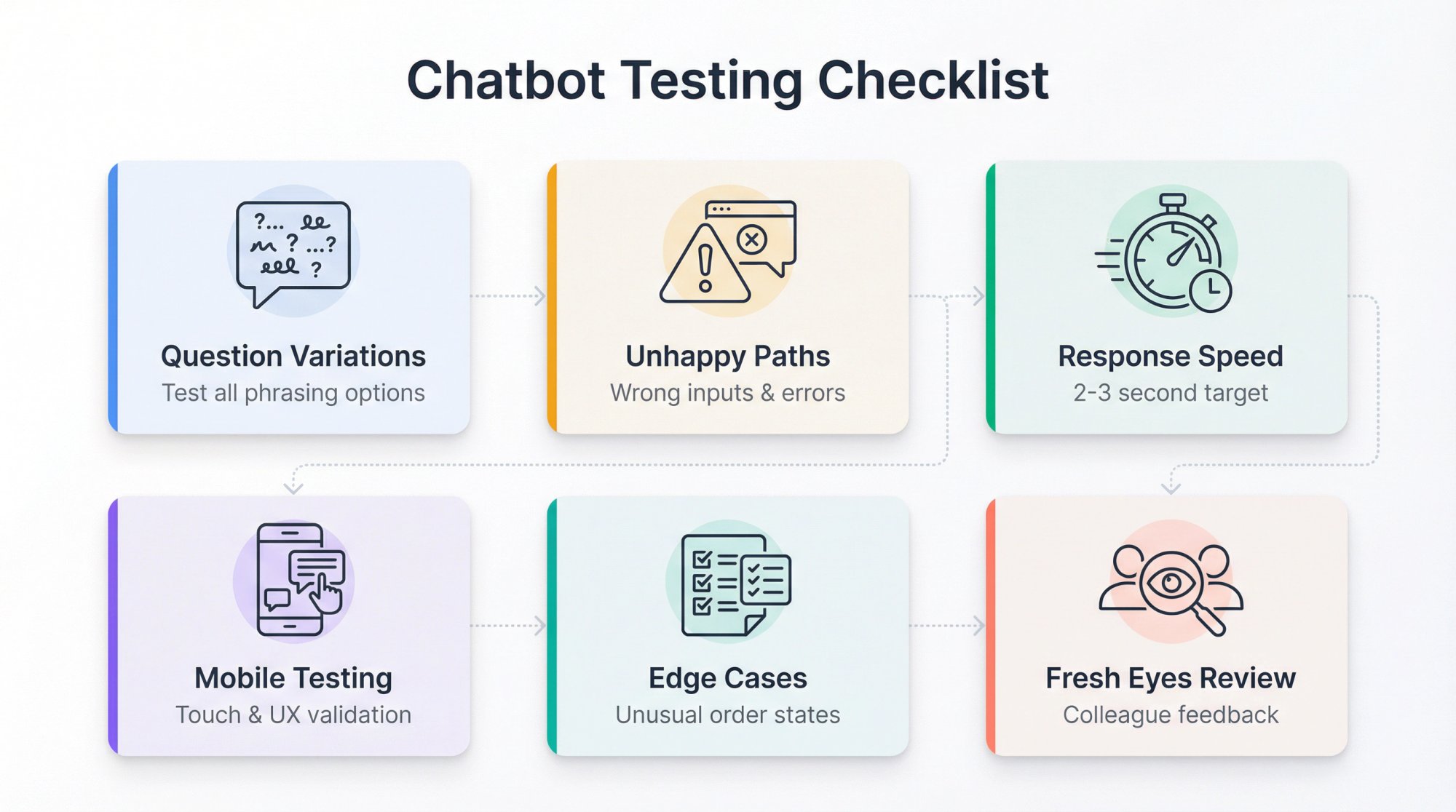
Test common question variations
Try every way customers might ask for order status:
• "Where is my order?"
• "Track order 12345"
• "Is order #12345 shipped yet?"
• "I want to check delivery status"
• "Did my package arrive?"
• "Order status?"
The AI should catch all variations. If it misses some, add those phrases to your trigger list or training examples.
Test the unhappy paths
These are just as important:
• Wrong order number (nonexistent order)
• Typo in order number
• No response from customer after being asked for order number
• Customer changes topic mid-conversation
• Customer asks unrelated question while tracking an order
• API is slow or times out
Make sure the bot handles each scenario gracefully and offers helpful next steps or human escalation.
Check response speed
When you ask for order status, the bot should respond within 2-3 seconds. If it's consistently slow, investigate whether your API needs optimization.
Test on mobile devices
Most customers will use the chatbot on their phones. Verify:
• Chat widget is easily accessible
• Text is readable without zooming
• Buttons work on touchscreens
• The experience feels smooth
Test edge cases
Create test orders in unusual states:
• Backordered
• Awaiting payment
• Delivered but returned
• Cancelled
See how the bot's messages look for each status. Adjust templates if needed to handle special cases clearly.
Get fresh eyes on it
Invite colleagues to test the chatbot as if they were customers. They'll try things you didn't think of and catch issues you missed.
How to Deploy and Promote Your Order Status Chatbot
After successful testing, it's time to go live.
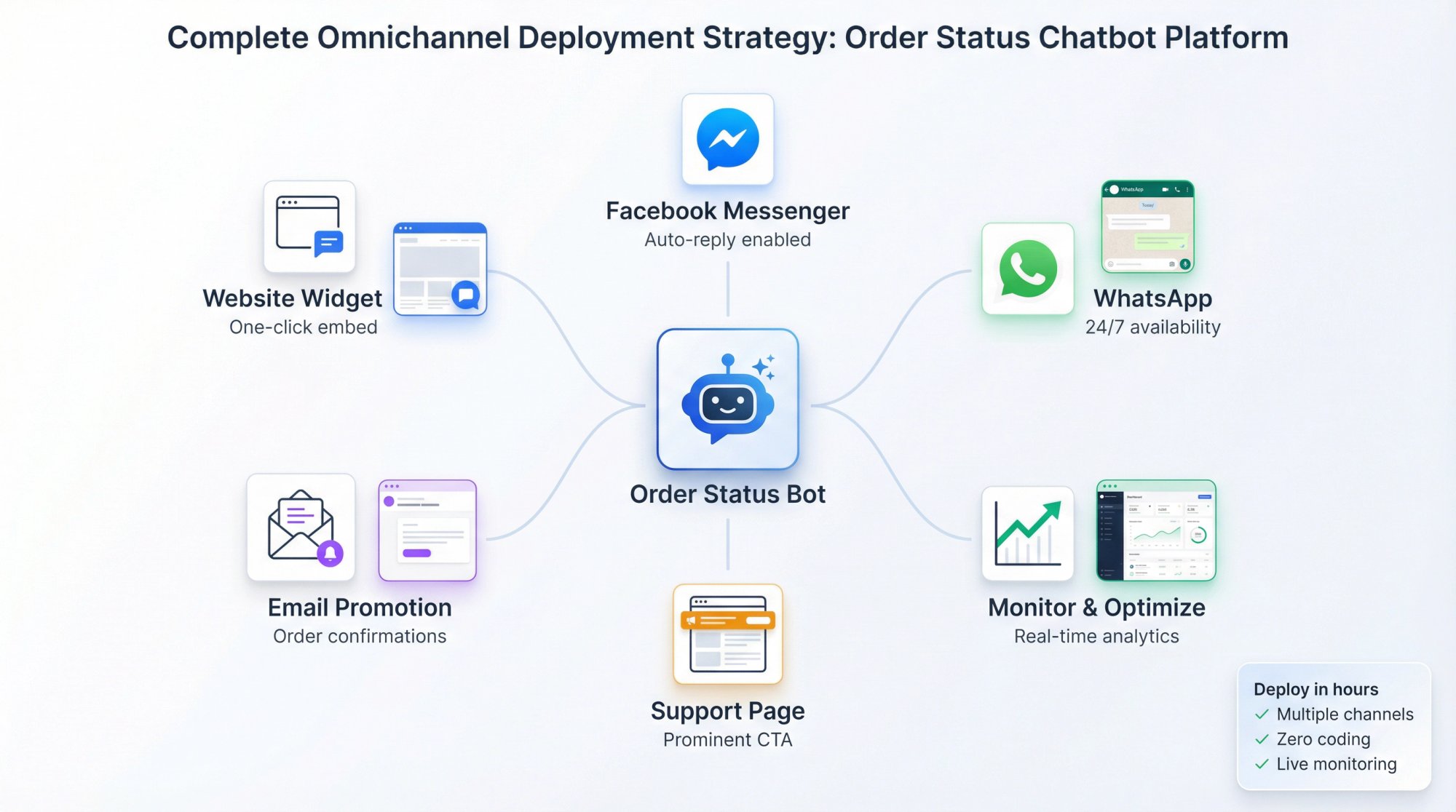
Deploy to your website
Most no-code platforms provide a JavaScript snippet to embed. If you used an app (Shopify, WordPress), it likely auto-installed for you. Social Intents provides simple one-click installation for major platforms.
Visit your website as a regular user and verify the chat widget appears and works.
Extend to other channels (optional)
Want the bot on Facebook Messenger or WhatsApp? Social Intents supports multiple channels. Connect them through the dashboard and test on each platform.
Tell your customers about it
The best chatbot in the world is useless if customers don't know it exists.
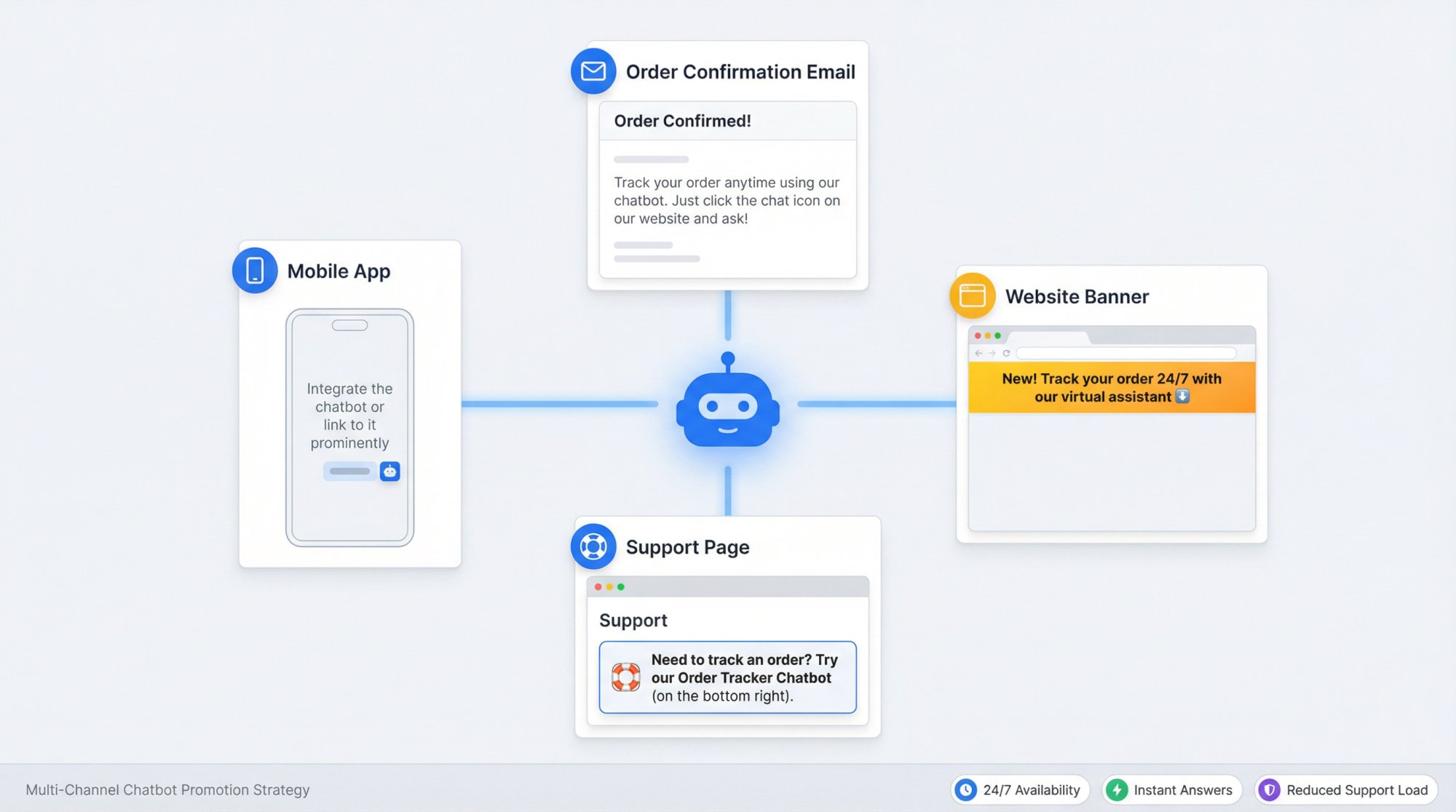
Smart ways to promote your order status bot:
Order confirmation emails: "Track your order anytime using our chatbot. Just click the chat icon on our website and ask!"
Support page: "Need to track an order? Try our Order Tracker Chatbot (on the bottom right)."
One-time banner: "New! Track your order 24/7 with our virtual assistant 👇"
Mobile app: Integrate the chatbot or link to it prominently
These promotions will deflect traffic from email and phone to the chatbot, actually reducing support load.
Monitor early performance
In the first weeks after launch, watch closely:
• How many order inquiries is the bot handling daily?
• What percentage resolve without human help?
• Are customers satisfied with the responses?
• What questions is the bot struggling with?
Most platforms provide analytics dashboards. Review a sample of actual chat transcripts to spot patterns and opportunities for improvement.
Prepare your team for handoffs
If you enabled human escalation (recommended), ensure your support team knows how it works. When a chat transfers from bot to human, your team should see:
• Full conversation history
• Customer information the bot collected
• Context about why it escalated
Social Intents routes escalated chats directly into Teams or Slack where your team already works, making handoffs seamless.
Iterate and improve
Real usage will reveal opportunities:
• Add more trigger phrases if customers use wording the bot doesn't recognize
• Expand to handle related questions ("How do I return an item?")
• Adjust response templates for clarity
• Update information when shipping providers or policies change
The beauty of no-code platforms is that updates take minutes, not development sprints.
Best Practices for Order Status Chatbots That Actually Work
Building a no-code chatbot is quick. Building a great chatbot requires thoughtful refinement.
Be transparent that it's a bot
Customers appreciate honesty. Your greeting should make it clear:
"Hi! I'm the virtual order assistant 🤖 I can help with tracking and FAQs. For complex issues, I'll connect you with our team."
This sets realistic expectations.
Use quick-reply buttons
After providing order status, offer clear next actions:
[ View Full Tracking ] [ Talk to Agent ] [ Main Menu ]
These buttons guide users and reduce confusion.
Keep responses concise
Don't info-dump. If an order is delayed, say:
"Your order is delayed. New expected arrival: Jan 10. Sorry for the wait! Need anything else?"
That's better than a long paragraph explaining logistics.
Add personal touches
If you have the customer's name, use it:
"Hello Sarah, I found your order! It shipped yesterday and should arrive by Thursday."
Small personalization makes automated interactions feel more human.
Consider proactive notifications (advanced)
Some platforms let logged-in users receive proactive messages:
"Hi John, your Order #1001 was delivered today! Need help with anything?"
This requires integration with your login system but can significantly boost the customer experience. Social Intents supports pre-populating visitor information through JavaScript.
Implement smart security
For high-value orders, consider an extra verification step:
"For security, please enter the last 4 digits of your phone number on the order."
This prevents random people from querying any order number they guess.
Comply with data regulations
If you operate in GDPR regions, ensure your chatbot's data handling complies. Most platforms handle security properly, but verify how conversation logs are stored and whether you need to disclose bot usage in your privacy policy.
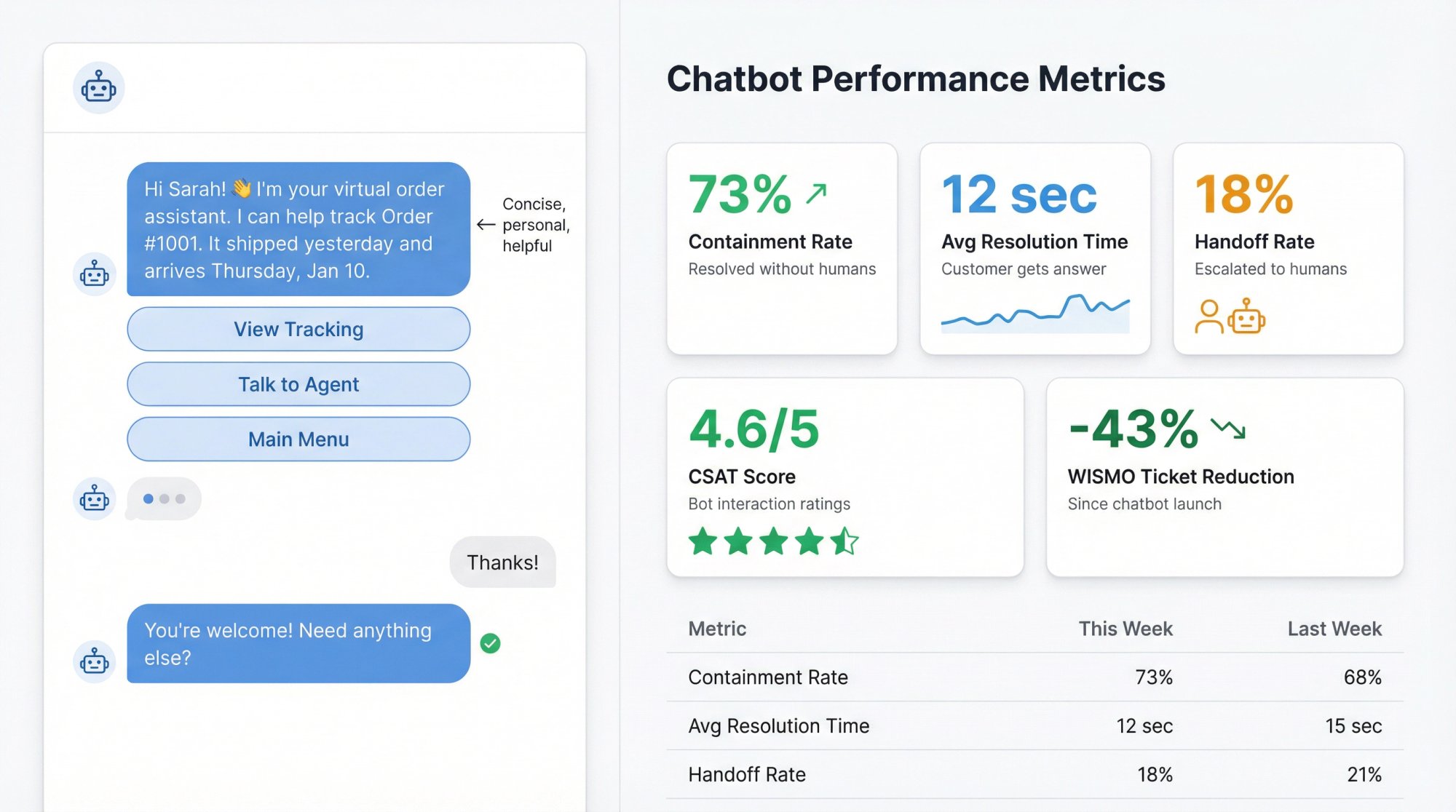
Measure what matters
After a few weeks, track these metrics:
| Metric | Why It Matters |
|---|---|
| Containment rate | Percentage of order inquiries handled without human help |
| Average resolution time | How quickly customers get their answer |
| Handoff rate | How often the bot escalates to humans |
| Customer satisfaction | Ratings or feedback on bot interactions |
| WISMO ticket reduction | Did overall "where's my order" tickets decrease? |
These numbers prove ROI. If you reduce WISMO tickets by 30%, that directly translates to saved agent hours and better service on complex issues.
Keep it updated
When you change shipping carriers, update tracking URL formats. When you add new order statuses, teach the bot how to handle them. Treat your chatbot like a living FAQ that needs regular maintenance.
Why Social Intents Works Well for Order Status Chatbots
Throughout this guide, we've referenced Social Intents because it's specifically designed for these use cases. Here's why it works so well for order status chatbots:
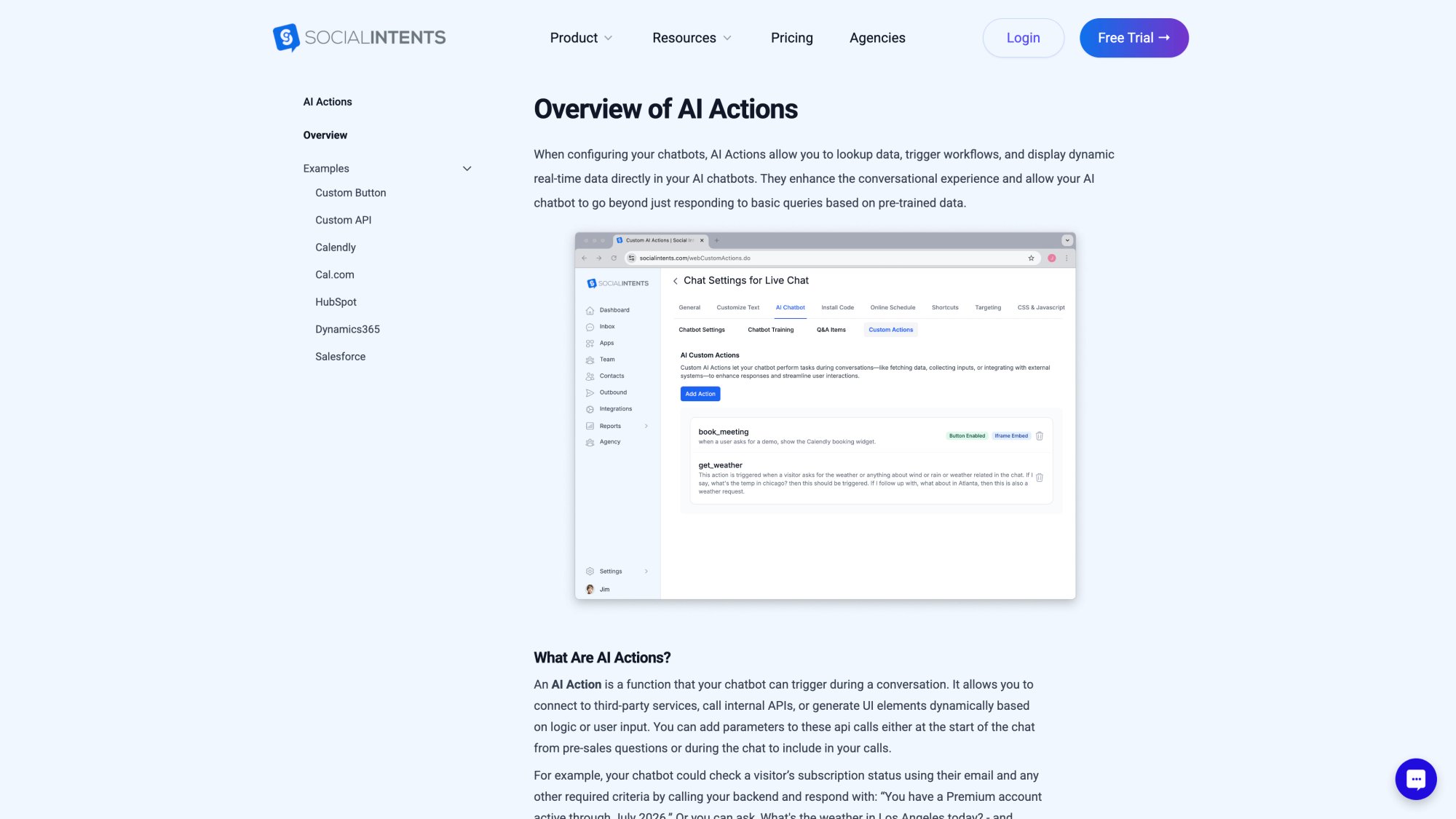
Custom AI Actions make order lookup simple
The no-code Custom Actions feature lets you connect to any order API through a visual form. No developers needed. Just configure the endpoint, map the response, and you're done.
Native e-commerce integrations
Social Intents has one-click Shopify integration, plus support for BigCommerce, WooCommerce, Wix, and WordPress. These native connections make setup even faster for popular platforms.
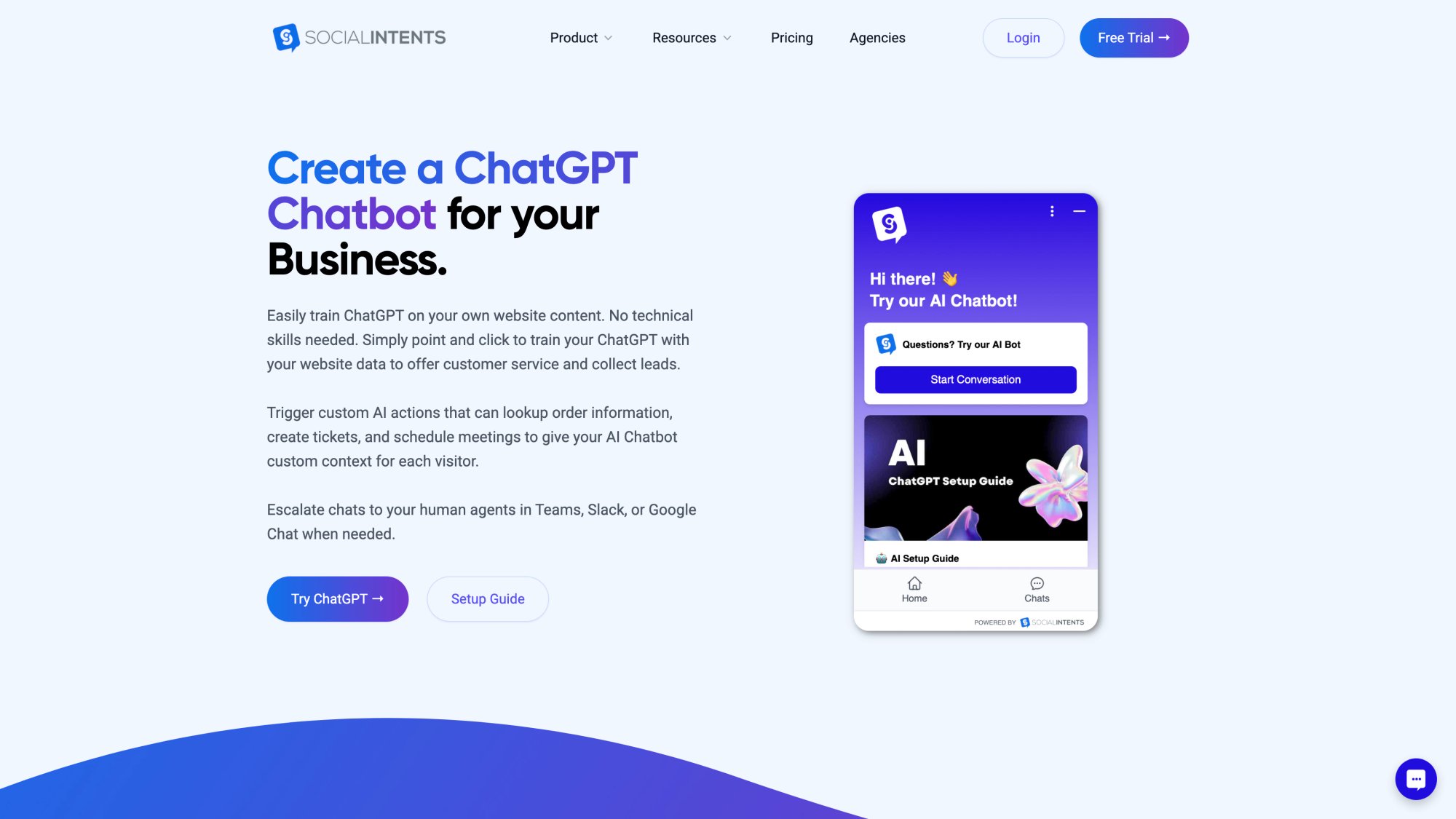
Powerful AI with ChatGPT, Claude, and Gemini
The chatbot uses leading AI models (ChatGPT, Claude, and Gemini) to understand natural language variations. Your customers can ask "where's my stuff?" and the bot knows they mean order status.
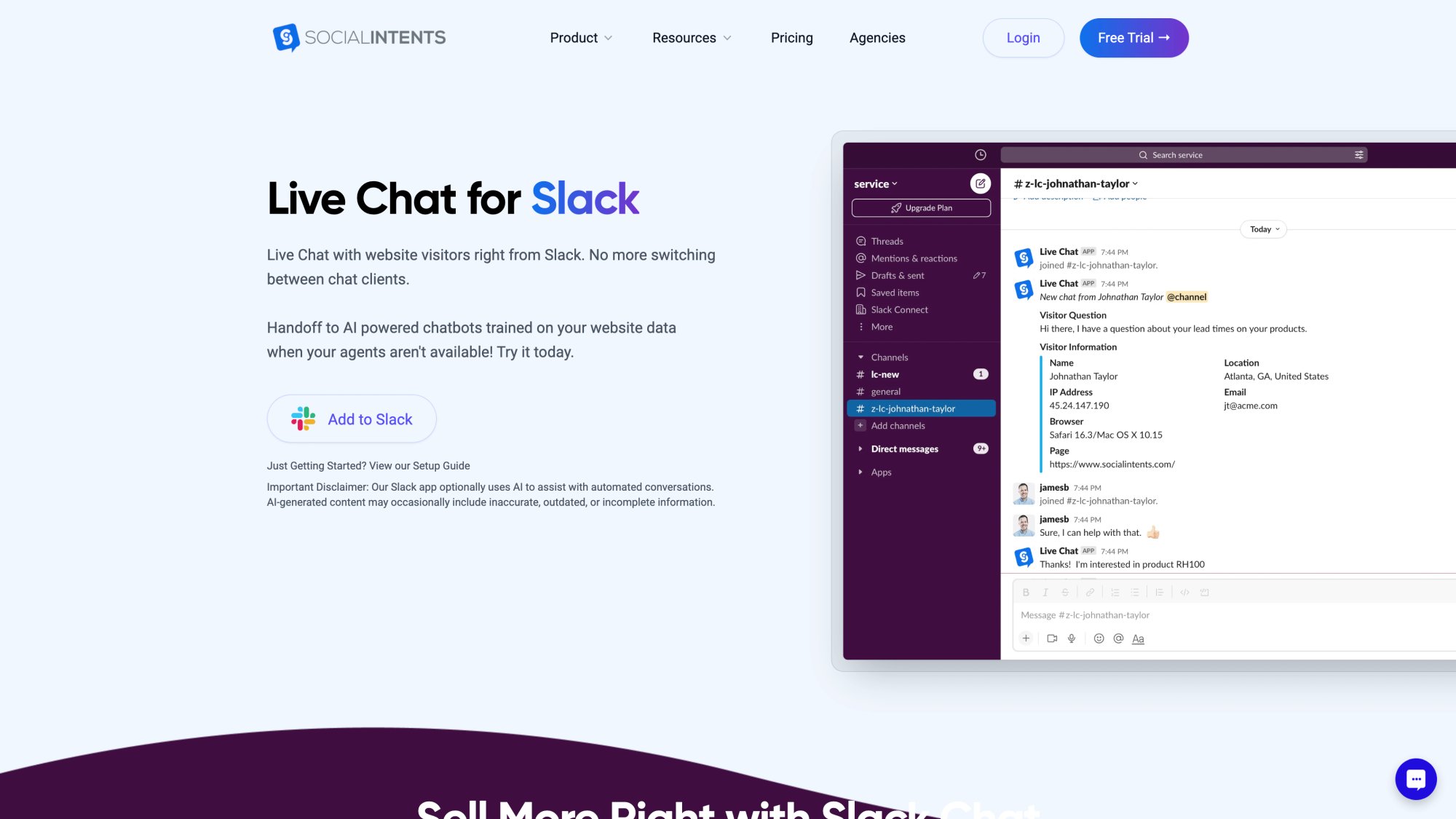
Seamless human handoff to Teams or Slack
When the bot needs help, it can route chats directly to your team in Microsoft Teams, Slack, Google Chat, or Zoom. Your agents don't need to learn a new interface. They just reply in the tools they already use all day.

Multi-channel support
Beyond website chat, Social Intents supports WhatsApp and Facebook Messenger bots, so you can offer order tracking wherever your customers are.

Transparent, fair pricing
Free plan for testing (20 chats/month), then paid plans starting at $69/month for 1,000 conversations with unlimited agents and advanced features like order lookup and real-time translation.
Ready to build your order status chatbot? Get started with Social Intents and have it running in less than an afternoon.
Order Status Chatbots: Give Customers the Instant Visibility They Expect

Building an order status chatbot without code isn't just possible in 2025. It's actually straightforward. Modern no-code platforms have made it simple to create AI assistants that fetch live order data and provide instant answers to customers.
You've learned the complete process:
① Choose a no-code chatbot platform with e-commerce integration
② Set up the basic chatbot with branding and human handoff
③ Connect to your order system (via native integration or custom API action)
④ Design a clear, helpful conversation flow
⑤ Test thoroughly before launch
⑥ Deploy and promote to your customers
⑦ Monitor, iterate, and improve over time
The benefits are substantial:
• Customers get instant order updates 24/7
• Your support team stops drowning in repetitive WISMO questions
• Customer satisfaction improves with transparency
• Your business scales support without proportionally scaling headcount
Order status chatbots are becoming a customer service standard, not a novelty. Shoppers increasingly expect to self-serve for tracking. If you don't offer it, they notice.
The good news is that building this capability no longer requires hiring developers or investing months of effort. With platforms like Social Intents enabling API-connected AI bots through simple configuration, even small businesses can deploy sophisticated order tracking chatbots in days.
Your customers want to know where their orders are. Give them the instant visibility they expect, and watch your support load decrease while satisfaction increases.
Ready to build yours? Start your free trial with Social Intents today.
Frequently Asked Questions About Building Order Status Chatbots
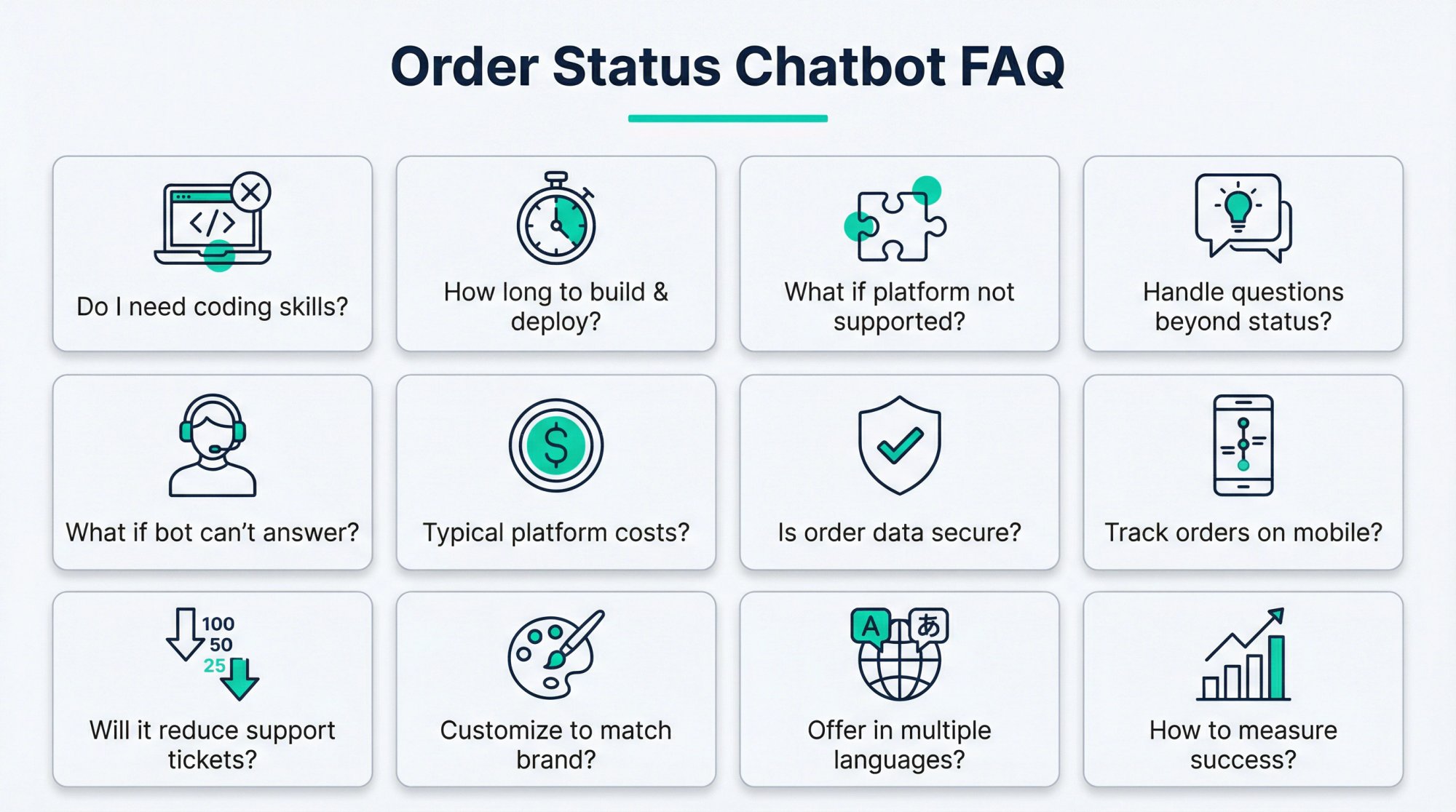
Do I really need coding skills to build an order status chatbot?
No. Modern no-code platforms like Social Intents provide visual interfaces and form-based setup for everything, including API connections. If you can fill out a form and write conversational text, you can build one.
How long does it take to build and deploy an order status chatbot?
With a platform that has native e-commerce integration (like Social Intents for Shopify), you can have a basic version running in 1-2 hours. Custom API setups might take a few hours more to configure and test. Most businesses go live within a day.
What if my e-commerce platform isn't supported?
As long as your platform has an API for retrieving order data, you can use custom API actions to connect. The chatbot calls your API endpoint and displays the results. This works with any system that provides order information through an API.
Can the chatbot handle questions beyond order status?
Absolutely. Once you have the order lookup working, you can train the bot on FAQs (return policies, shipping policies, product questions) and add more custom actions for other tasks like initiating returns or updating addresses.
What happens if the chatbot can't answer a question?
Good chatbot platforms include human handoff. When the AI isn't confident or a customer asks for a person, the conversation escalates to your support team. Social Intents routes these handoffs into your existing tools like Teams or Slack.

How much does a chatbot platform typically cost?
Expect $20-100/month for a quality AI chatbot service for small-to-midsize businesses. Social Intents offers a free plan for testing (20 chats/month) and paid plans starting at $69/month for 1,000 conversations with advanced features. Enterprise solutions cost more but handle higher volumes.
Is it secure to let a chatbot access order information?
Yes, when done properly. You control what data the bot can access through API permissions. Authentication happens server-to-server with API keys that customers never see. Only show essential information (status, delivery date) in chat, not sensitive details like full credit card numbers.
Can customers track orders on mobile?
Definitely. Modern chatbot widgets are mobile-responsive and work seamlessly on phones. Many platforms also support dedicated mobile messaging channels like WhatsApp or Facebook Messenger.
Will an order status chatbot actually reduce support tickets?
Yes. Companies typically see significant reductions in WISMO inquiries after setting up automated order tracking. Some report chatbots handling 70% of common support requests without human help, freeing agents for complex issues.
Can I customize the chatbot to match my brand?
Most no-code platforms let you customize colors, logos, button text, and conversation tone. Social Intents allows deep customization so the chatbot feels like a natural part of your website, not a generic plugin.
What if I want to offer order tracking in multiple languages?
Some platforms include real-time translation features. Social Intents offers auto-translation on higher-tier plans, so customers can ask in their language and get responses translated automatically.
How do I measure if my chatbot is successful?
Track containment rate (percentage resolved without humans), average resolution time, customer satisfaction ratings, and the reduction in WISMO support tickets. Most platforms provide analytics dashboards with these metrics.