Running an online store in 2025 means one thing: your customers expect answers right now. Not in an hour. Not tomorrow morning. Now.
This shift has made AI-powered chatbots absolutely essential for e-commerce success. Recent research shows that by 2025, an estimated 80% of retail customer interactions will be handled by conversational AI. The numbers back this up in a big way.
Take Black Friday 2025 as an example. U.S. online spending hit $11.8 billion (9.1% higher than 2024), with a massive surge driven by shoppers turning to AI chatbots to compare prices and find deals. Retailers like Walmart and Amazon have already rolled out AI shopping assistants that chat with customers, give personalized recommendations, track prices, and even place orders through natural conversation.
So what's the reality? Enterprise-grade AI chatbots aren't optional anymore. They're how you scale customer engagement without scaling costs.
What Makes an AI Chatbot "Enterprise-Grade" for Ecommerce?
Think of an enterprise AI chatbot as the much smarter cousin of those basic chat widgets from five years ago. We're not talking about simple FAQ bots with scripted responses anymore.
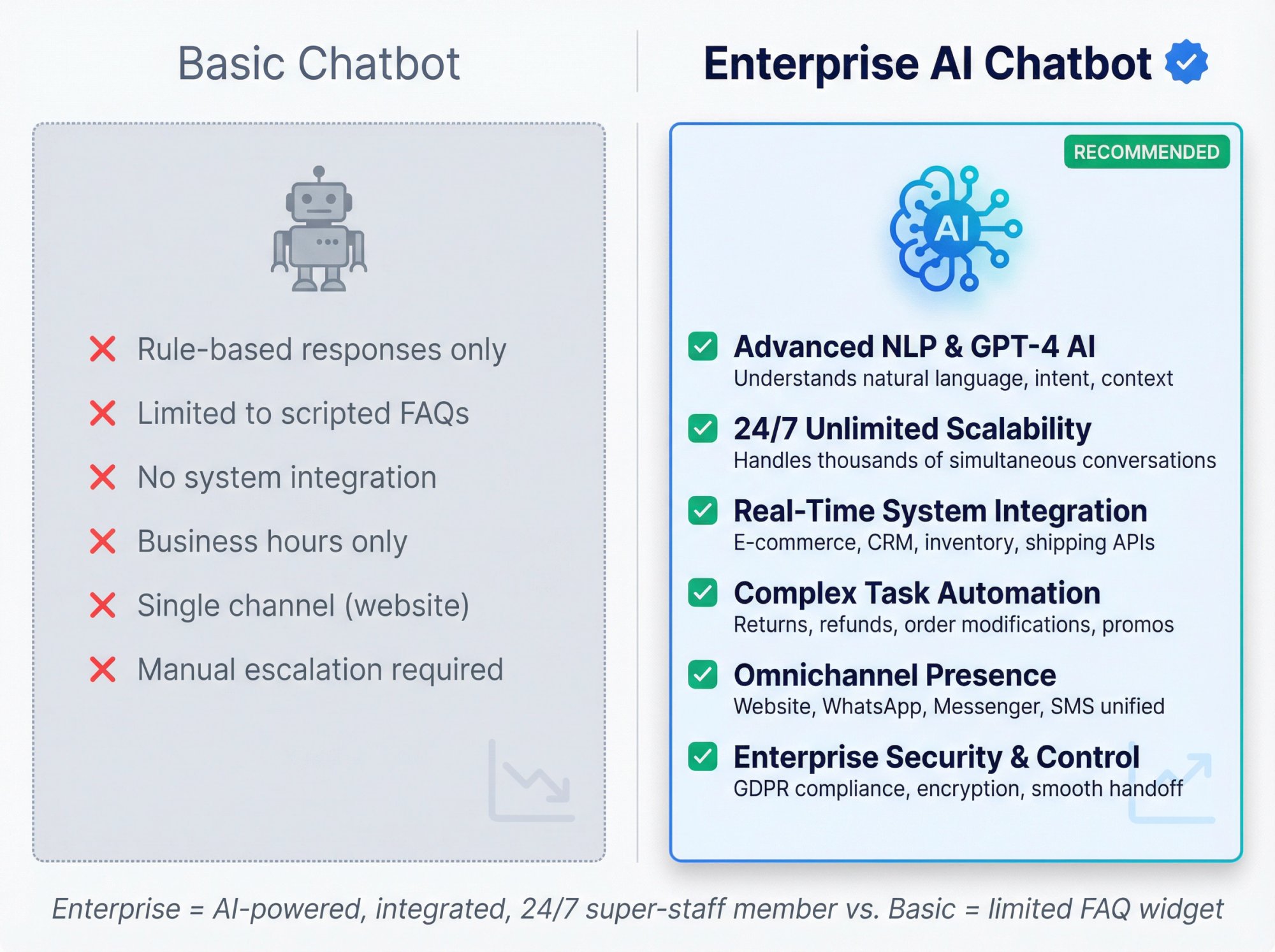
An enterprise chatbot is powered by advanced AI (often GPT-4 or similar models) and deeply integrated into your retailer's systems and processes. This integration is what separates the good from the great.
Advanced Natural Language Understanding
Modern enterprise chatbots use sophisticated NLP to handle a wide variety of customer requests phrased in everyday language. Unlike old rule-based bots, a modern AI chatbot can figure out that "Where's my stuff?" actually means "track my order status" and then take action on it.
24/7 Scalability Without Breaking a Sweat
These chatbots are built for high-traffic online stores. They run around the clock, handling thousands of simultaneous conversations in multiple languages without breaking a sweat. No lunch breaks. No holidays. No midnight emergencies when your site gets slammed during a flash sale.
Real-Time Backend Integration
This is where things get interesting. An enterprise solution connects directly into your business systems: your e-commerce platform, order database, inventory management, CRM, shipping APIs, and more. This allows the chatbot to do things basic chatbots simply can't.
For example, when a customer asks about their order, the bot can securely look up the order in your system and respond with "Your order shipped yesterday and is due to arrive on Tuesday", complete with a tracking link.
Complex Task Automation
Beyond answering questions, enterprise bots take action on the customer's behalf. A robust retail chatbot might:
• Generate a return label
• Modify an order
• Issue a refund
• Apply a promo code
All within the chat session. This frees your human team from repetitive tasks and gives customers instant service.
Omnichannel Presence
Enterprise chatbots work across the channels your customers actually use. A shopper might start chatting on your website, continue the conversation on Facebook Messenger or WhatsApp, and later get an update via SMS. All handled by the same AI assistant.
Studies show 82% of shoppers are more likely to buy from brands with an omnichannel conversational experience (consistent support across site, social, messaging apps).
Enterprise-Grade Security and Control
An enterprise solution offers the control and compliance features big companies need: admin dashboards for monitoring, analytics, data encryption, privacy compliance (GDPR, etc.), and easy escalation to human agents.
When a chatbot hands off a conversation, it passes the full context and chat history to the human agent, ensuring a smooth transition without customers repeating themselves.
In short: An enterprise e-commerce chatbot is like a virtual super-staff member that understands customers deeply, has immediate access to all relevant data, works 24/7, speaks many languages, and scales effortlessly. All while fitting into your existing tech stack.
Why Ecommerce Companies Are Going All-In on AI Chatbots
Deploying an AI chatbot in your online retail business can genuinely transform operations. Here's what the key benefits look like with recent data to back them up.
24/7 Instant Customer Service (No More Waiting)
An AI chatbot never sleeps. It can engage customers at any hour with instant answers. This meets the modern expectation for immediacy. 83% of consumers today expect help "right now" when shopping online.
Unlike human support teams limited by business hours and staffing, a chatbot handles inquiries at 2 AM just as well as 2 PM. Quick, responsive service builds trust and boosts your brand's reputation for customer care.
Higher Conversions and Sales Uplift
A well-designed e-commerce chatbot doesn't just respond. It actively drives sales. By engaging visitors in real time and guiding purchase decisions, chatbots turn window shoppers into buyers.
The impact is significant:
| Metric | Impact | Source |
|---|---|---|
| Shopper spending | 25% more on average when engaging with chatbot | Industry Research 2025 |
| Conversion rate increase | Up to 30% improvement for online retailers | Industry Analysis |
| Revenue from cart recovery | 7-25% boost via messaging chatbots | Industry Data |
How? Consider a customer lingering on a product page. The chatbot can proactively pop up with "Need help? I can answer questions or even give you a promo code!" This timely nudge, or a personalized recommendation, can push the customer closer to checkout.
In short, the chatbot becomes a virtual salesperson that never misses an opportunity.
Reduced Cart Abandonment
Cart abandonment hovers around 70% industry-wide. AI chatbots attack this problem by proactively assisting and re-engaging customers before they slip away.
If a user hesitates at checkout, the bot can gently intervene: "Hey, I see you're about to purchase. Can I answer any questions or offer a 10% off coupon to help you decide?"
These interventions work. E-commerce chatbots are credited with cutting cart abandonment rates by 20-30% through timely reminders or incentives. Even if a shopper leaves the site, a chatbot integrated with messaging apps can follow up.
Massive Cost Savings and Efficiency at Scale
One of the biggest wins for enterprises is the dramatic reduction in customer service costs that AI automation delivers.
The numbers are striking:
• Average cost of a chatbot interaction: $0.50
• Average cost of a human agent interaction: $6.00
Multiply that across thousands of chats, and the savings become enormous. Global use of chatbots saved businesses an estimated $11 billion in support costs in 2022 alone.
For individual companies, this translates to needing a smaller support team even as your customer base grows. A good chatbot can answer 70-80% of routine questions on its own, deflecting those tickets from your human agents.
Research projects that by 2026, chatbots and conversational AI will save contact centers about $80 billion in labor costs as they automate a big chunk of interactions.
Improved Customer Satisfaction and Loyalty
When customers get quick, helpful service, they're happier. And happy customers stick around.
AI chatbots can actually increase overall customer satisfaction (CSAT) by resolving issues faster and more consistently. A study found that intelligent conversational interfaces led to an average 12% boost in CSAT scores for customer service.
The reasons are clear:
→ No more waiting on hold
→ No bouncing between departments
→ Fewer errors or forgetful answers
The bot gives accurate info drawn from your knowledge base, every time. Plus, chatbots can be programmed with a friendly tone and personality, making the interaction more engaging than a dry FAQ page.
Some surveys indicate 80%+ customer satisfaction rates with chatbot interactions, as bots improve and handle queries correctly.
Unlimited Scalability for Peak Traffic
Have you ever run a big promotion or hit a holiday rush that overwhelmed your support team? With AI chatbots, that stress vanishes.
They scale elastically to meet any surge in demand. Whether 50 people or 5,000 people message you at once, everyone gets an instant response. This is invaluable during Black Friday, product drops, or viral marketing events.
No customer goes ignored due to volume, preventing lost sales and negative experiences. Importantly, this scalability comes without the linear cost increase of hiring and training temporary staff.
95% of customer interactions are expected to be AI-powered by 2025 (up from just 30% a few years ago), precisely because of this ability to scale service instantly.
Better Use of Human Agents (Focus on High-Value Tasks)
By offloading repetitive inquiries and simple tasks to AI, your human support and sales staff are freed to tackle the complex, high-touch issues.
The chatbot can handle "Level 1" queries like "Where is my package?" or "How do I reset my password?" dozens at a time. Meanwhile, your human team can concentrate on things like saving a high-value sale, addressing an angry customer's complaint, or providing tailored advice that builds loyalty.
This hybrid model leads to better outcomes all around. Research shows 89% of consumers prefer a mix of AI and human help, where routine matters are solved by bots and human agents step in for the rest.
About 64% of workers reported they could focus on more complex work once chatbots handled repetitive support tasks, according to industry research.
Rich Data and Insights into Customer Behavior
Each chatbot conversation is a source of valuable data. Enterprise chatbot platforms typically log all interactions and provide analytics on:
• What customers are asking
• Where they get stuck
• How they behave
Over time, this uncovers frequently reported issues with your products or website, knowledge base gaps, and opportunities for new features and offerings.
For instance, if hundreds of people ask if you stock a certain size or color you don't carry, that's market demand insight. Or if lots of users seem confused about your return policy even after the bot explains, maybe that policy (or its presentation) needs improvement.
Chatbots capture these customer questions and pain points automatically, giving product and marketing teams a treasure trove of feedback.
All told, the benefits of an AI chatbot solution for e-commerce span cost reduction, revenue growth, and customer experience enhancement. It's one of those rare initiatives that can simultaneously delight customers, boost sales, and save money.
Industry research forecasts that 80% of e-commerce businesses will be using chatbots by 2025. Those who deploy well stand to gain a strong competitive edge.
Key Features to Look for in an Enterprise Chatbot Platform
Not all chatbots are created equal. If you're evaluating AI chatbot solutions for your e-commerce operations, here are the features and capabilities that really matter in practice.
Easy Integration with Your Systems
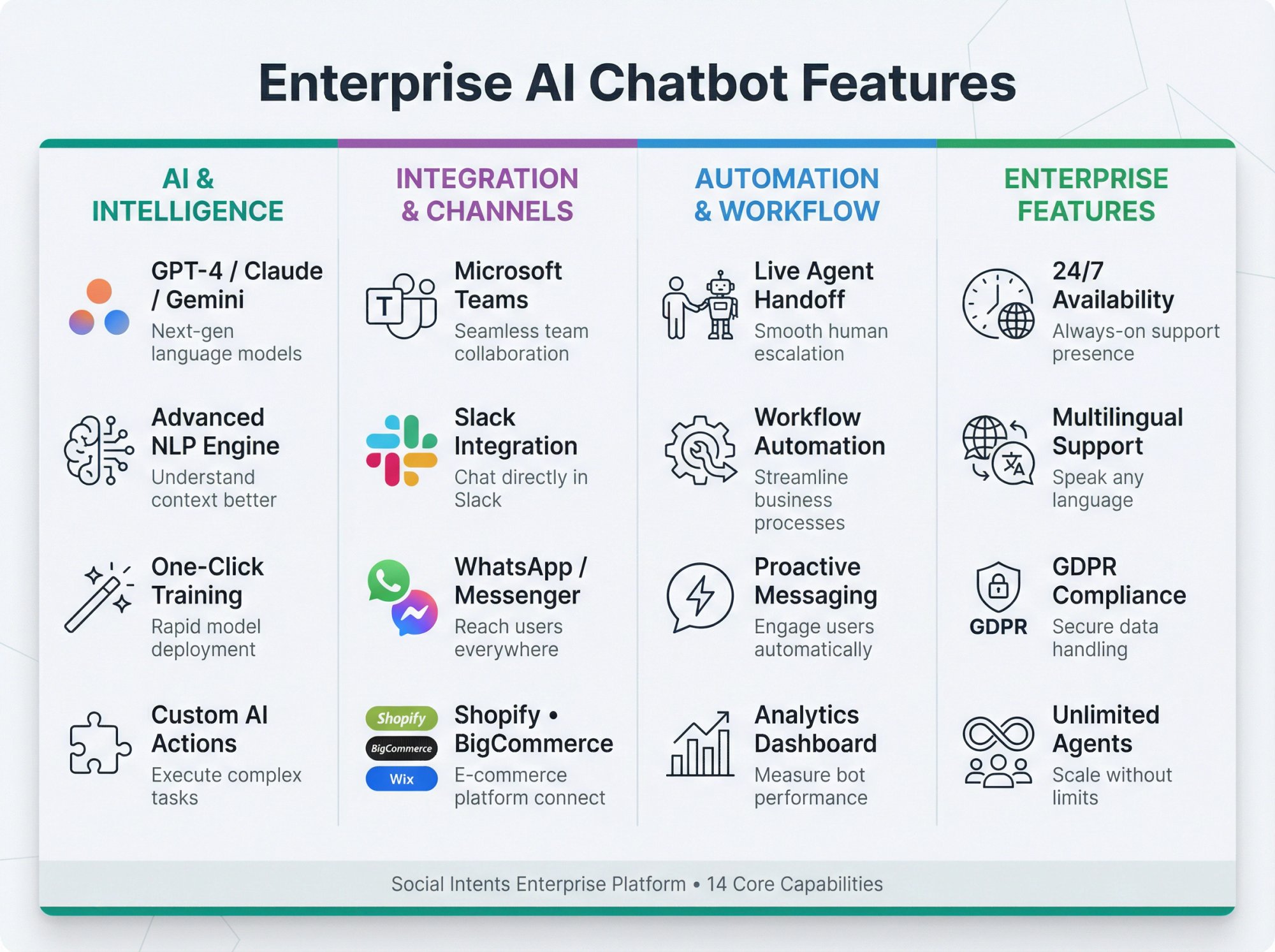
The chatbot must play nicely with your existing tech stack. Look for built-in integrations or APIs that connect the bot with your e-commerce platform (Shopify, BigCommerce, Wix, WordPress, etc.), order management system, product catalog, CRM, and helpdesk.
This is what enables the bot to retrieve order details, customer info, product data, and update records in real time.
Many top chatbots come with pre-built connectors to systems like Salesforce, HubSpot, Slack, and Microsoft Teams.
At Social Intents, we route chats directly into collaboration tools like Teams or Slack for your agents to answer in those platforms. This is perfect if your support team lives in those apps. Seamless integration is vital for an enterprise chatbot.
Natural Language Processing (NLP) and AI Quality
The "smarts" of the chatbot come from its NLP engine and AI model. Enterprise chatbots should be powered by advanced AI like GPT-4, Claude, or Gemini with proven language understanding capabilities.
This allows them to accurately interpret user input, including slang, typos, or complex phrasing. A good bot understands intent. For example, it knows that "I haven't received my package and I'm pretty upset" is a shipping issue with a frustrated tone.
Leading platforms use machine learning to pick the best answer from your knowledge base or formulate a helpful reply even to novel questions. Also consider multilingual NLP if you serve international customers.
Robust NLP means more human-like, effective conversations. Don't settle for a bot that only handles exact keyword matches.
Omnichannel Support
Your chatbot should meet customers wherever they are. Check that a platform supports all channels you care about:
→ Website chat
→ Mobile app chat
→ Instagram DM
→ SMS
→ Apple Business Chat
→ Voice assistants if relevant
Omnichannel doesn't just mean being present on those platforms, but maintaining context across them. For instance, a customer who starts with a Facebook Messenger question might later come to your website. The chatbot should ideally recognize it's the same user or continue the conversation context if possible.
24/7 Availability with Low Latency
This is a given, but make sure the solution guarantees uptime and quick response times. Enterprise chatbots are cloud-hosted (often on scalable infrastructure) to be reliably available.
Latency matters. When a user sends a message, the AI should respond in seconds. Any noticeable lag and customers will lose patience.
Live Agent Handoff (Hybrid Support)
No matter how good the AI, there will always be cases where a human is needed. A critical feature is smooth escalation to live chat.
The chatbot should detect when it cannot help (or when the user asks for a human) and seamlessly transfer the conversation to a human agent. This transfer should bring over the full context: all the chat history, the customer's details, and what the bot has done so far.
That way the agent doesn't ask the customer to repeat information. Many bots can prompt "Sure, I'll connect you with a human. May I have your email to reach you in case we disconnect?" This way even if live chat isn't immediately available, you can follow up.
Workflow Automation and Third-Party Actions
Top e-commerce bots don't just chat. They execute tasks behind the scenes. For example, when a customer says "I'd like to return my order," the chatbot could:
① Automatically create a return merchandise authorization (RMA) in your system
② Send the customer a return shipping label
③ Schedule a pickup with your courier
All through connected APIs.
Similarly, a bot could log a ticket in your helpdesk, update a CRM record, or trigger automation at certain keywords. This kind of process automation is hugely valuable.
Many enterprise chatbots now support calling external APIs or webhooks as part of conversation logic (sometimes termed "agents" or "custom actions"). This is particularly important for e-commerce use cases like checking order status, modifying orders, or pulling tracking info from a shipping carrier's API.
Personalized Recommendations and AI Upselling
A big advantage of AI is that it can analyze data and make smart suggestions on the fly. In a sales context, your chatbot should be able to recommend products or content tailored to the customer.
This could be based on:
• Their browsing behavior ("You viewed winter jackets, may I suggest matching gloves?")
• Their purchase history
• Context from the conversation
Some bots also do conversational product search, where a user can describe what they want in plain language and the bot filters the catalog to find matches.
This is like having a personal shopping assistant for each visitor, driving engagement and potentially increasing sales.
Multilingual Support
If you operate globally, ensure your chatbot can handle multiple languages fluently. Many enterprise bots use the AI model's capabilities or translation APIs to converse in dozens of languages.
For example, a customer can ask in Spanish and get an answer in Spanish, even if your knowledge base is in English. The bot can translate on the fly.
Check what languages are supported and whether the bot needs separate training data for each language or not.
No-Code Bot Builder and Training UI
For enterprise adoption, it helps if the platform is easy for your team to use and update without constant IT help. A no-code, visual chatbot builder is very useful, allowing you to design conversation flows or edit the knowledge base through a GUI.
Look for features like one-click training on your website or PDF docs (so the bot can learn your policies, help center articles, etc.), and a convenient way to add custom Q&A pairs or scripted dialogues for specific intents.
Quick deployment and easy maintenance are important so that your chatbot can evolve with your business needs with minimal friction.
Analytics and Continuous Learning
To truly succeed, you'll need to monitor your chatbot's performance and iteratively improve it. Good chatbot solutions provide analytics dashboards showing usage stats:
• Number of conversations
• Resolution rate
• Customer satisfaction ratings
• Common questions asked
• Drop-off points
These insights let you identify where the bot might be failing or where you might need to expand its knowledge. For example, if many users ask a question the bot doesn't have an answer for, you'll see that in logs and can train the bot on that topic.
Continuous improvement is a hallmark of enterprise chatbot deployments. The more you refine it, the better it gets.
Security, Privacy, and Compliance Features
Enterprises have strict requirements around data security and user privacy. Ensure any chatbot provider you consider:
✓ Encrypts data in transit and at rest
✓ Adheres to GDPR or other relevant regulations
✓ Ideally offers a Data Processing Agreement (DPA) for you to sign
Features like role-based access (so only certain staff can view transcripts), conversation redaction, or options to opt-out certain data from being stored can be important.
Customization of Personality and Tone
While not as mission-critical as the above, it's a nice plus if you can customize the chatbot's persona to match your brand voice. Most platforms let you set a name and avatar for the bot.
The better ones let you tweak the tone of responses (formal vs. casual, friendly vs. concise, etc.) either through settings or by providing example style guidelines for the AI.
Ensure you can customize the greeting messages, fallback apologies, and any visible interface text to suit your style. A consistent brand experience builds trust, even in automated interactions.
Proactive Messaging and Triggers
A great feature for e-commerce is the ability for the chatbot to initiate conversations or notifications based on user behavior.
For example, it can send a proactive message if a user has been on a product page for more than 60 seconds ("Can I help you find something or answer questions about this product?"). Or it can trigger at checkout if the user stalls, to offer assistance.
Additionally, bots can proactively notify customers of important updates: "Your order has shipped!" or "Price drop on an item you viewed."
Popular Use Cases: What Can an Ecommerce Chatbot Do?
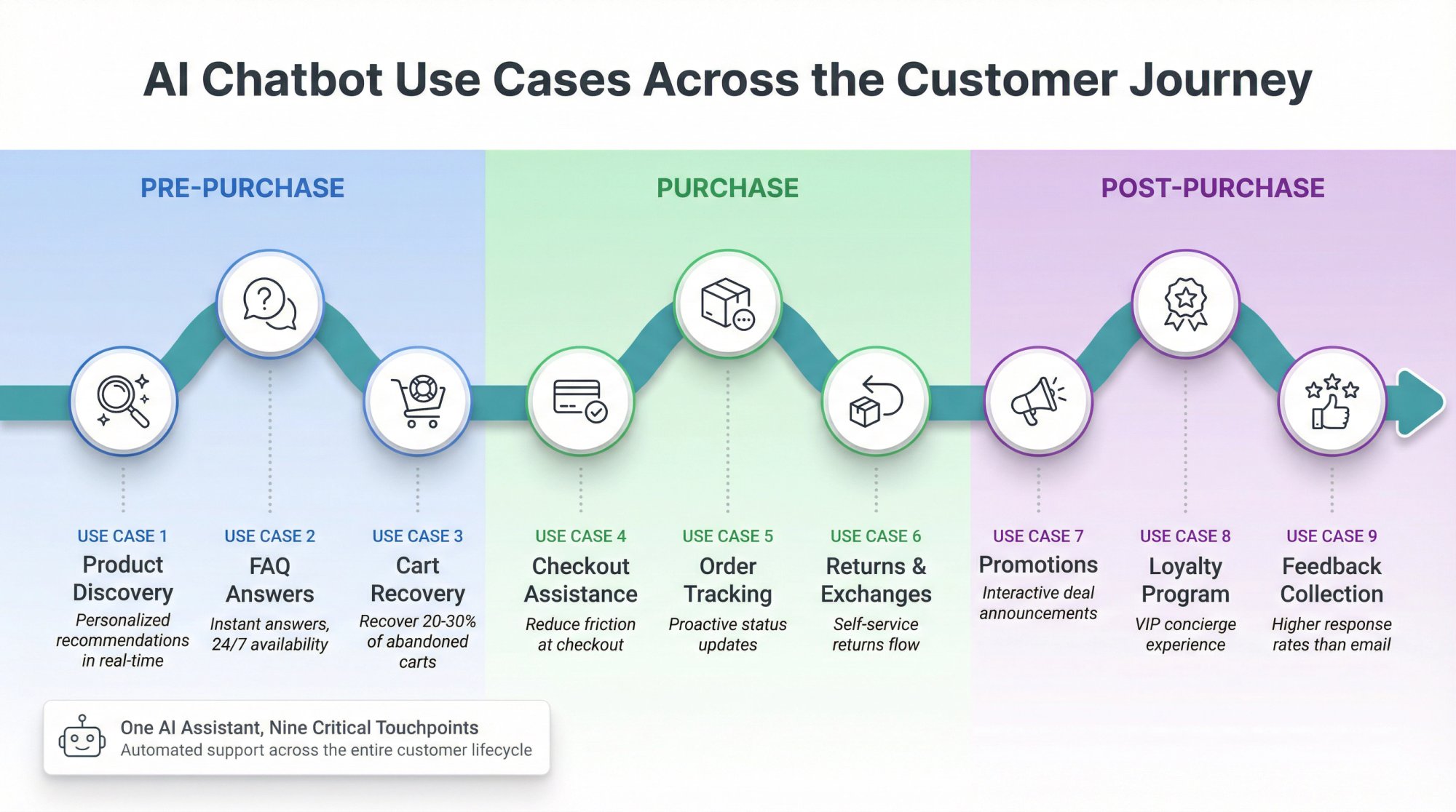
To really grasp the value of an AI chatbot, it helps to see it in action. Here are some of the most common and impactful use cases.
1. Instant Answers to FAQs
One of the simplest but most valuable tasks is handling the repetitive questions customers ask every day.
"What's your return policy?" "How long is shipping?" "Do you have this item in stock?"
Instead of tying up your support agents, a chatbot can field these FAQs 24/7. The bot pulls answers from a preloaded knowledge base or your FAQ pages, giving customers immediate info.
For instance, major retailers use chatbots to answer common questions about how to use their mobile apps, saving time for both customers and their support teams.
2. Product Discovery and Personal Shopping Assistant
Shopping online can be overwhelming when you have hundreds or thousands of SKUs. An AI chatbot can act like a personal shopper that helps customers find products they'll love.
By asking a few quick questions ("Who are you shopping for today?" or "What's your budget and style preference?"), the bot can narrow down options and recommend items.
For example, a user might say "I need a gift for my mother's birthday." The chatbot could follow up: "Great! What does she like? (e.g. cooking, tech, fashion, etc.)" Based on the answers, it suggests a few suitable gift ideas from your catalog, complete with images and links.
Beauty and apparel retailers use chatbots this way. For example, skincare brands' bots ask users about their hair type and goals, then recommend the perfect products.
3. Shopping Cart Recovery and Checkout Assistance
Chatbots are excellent at mitigating cart abandonment. If a customer adds items to their cart but doesn't complete checkout, the bot can intervene with a friendly reminder or offer.
On-site, this might be a message like: "Forgot something? I noticed you haven't finished your order. Let me know if you have questions, or click here to complete your purchase. Use code SAVE10 for 10% off!"
These little prompts can convince wavering customers to pull the trigger. Off-site, if integrated with email or messaging, the bot could send an abandoned cart message 30 minutes or a day later.
E-commerce brands that implemented chatbot-driven cart reminders have seen notable increases in recovered sales.
4. Order Tracking and Post-Purchase Updates
After a customer buys, the service shouldn't stop. A common use case is letting customers easily track their orders and get updates via chatbot.
Instead of making customers dig through emails for a tracking number, they can simply ask the bot, "Where's my order?"
The bot, tied into your order management or shipping system, can reply with real-time status: "Your package is in transit and expected to arrive by Tuesday. Here's the tracking link for more details."
Customers love this because it's fast and convenient. They don't have to log in or contact support for updates.
Additionally, if there's a delay or issue, the bot can proactively notify the customer to set expectations, which greatly reduces "Where is my order?" calls to your support team.
5. Handling Returns and Exchanges Effortlessly
Returns are inevitable in retail. Chatbots can turn a potentially frustrating process into a smooth, self-serve experience.
A returns chatbot can walk customers through the steps:
① "Need to return an item? No problem. What's your order number?"
② "Got it. Which item are you returning and why?"
③ "Thanks. Click here to download your prepaid return label. Would you like me to schedule a UPS pickup or do you prefer to drop it off?"
This automated flow saves customers from having to email or call support for returns. It's available anytime, which is great for customers who decide to return something outside of business hours.
A well-designed returns chatbot can even offer alternatives, like exchanges ("Do you want this in a different size?") or store credit bonuses, potentially saving the sale.
6. Announcing Promotions, Deals, and New Products
Chatbots can function as an interactive marketing channel to drive engagement and sales.
Suppose you have a big holiday sale or just launched a new product line. The chatbot can be used to spread the word directly to interested customers.
For instance, when a user lands on your site, the bot might proactively say: "Just so you know, we're running a 20% off sale on summer apparel this week! Can I help you find something in your size?"
Or for returning customers, "Welcome back! We've just released the new XYZ gadget. Check it out here."
7. Loyalty Program and VIP Concierge
For retailers with loyalty programs or VIP tiers, chatbots can serve as a concierge for loyal customers.
They can remind users of their point balance or status benefits ("You have 200 points which you can redeem for $20 off. Want to use them on this order?").
They can also handle inquiries like "How do I use my rewards?" or "What perks do I get as a Gold member?"
Additionally, bots can deliver targeted offers to loyal customers: "Thanks for being a Platinum member! Here's a sneak peek at our new collection, and a 25% VIP discount code just for you."
8. Collecting Customer Feedback
Want to know how your customers felt about their shopping experience? Just ask. Automatically.
Chatbots can be programmed to gather feedback and reviews in a conversational way. After a purchase is delivered, the bot might reach out: "Hope you're enjoying your order! Mind rating your experience or sharing any feedback? It'll only take a moment."
Within the chat, customers could rate their satisfaction (thumbs up/down, or a 1-5 star scale) and even type additional comments.
This real-time feedback is invaluable. It tends to have higher response rates than emailed surveys because it's right there in the messaging channel.
9. In-Store Support and Hybrid Retail Experiences
For retailers that also have physical stores, chatbots can bridge online and in-store.
Customers shopping in-store can use their phone to interact with the bot for:
• Help finding products
• Checking stock availability at that specific location
• Getting info on current store promotions
Home improvement retailers have in-store bots that help find items in the aisles. Grocery chains' chatbots can answer questions about local store stock and their loyalty program.
The possibilities extend far beyond these examples. E-commerce chatbots can also assist with lead generation, appointment bookings, product education, and much more.
Many leading brands have publicly shared their chatbot successes: from major coffee chains automating mobile order FAQs, to fashion retailers' chatbots offering outfit suggestions, to beauty brands' chatbots that schedule makeup appointments and give beauty advice.
And as highlighted earlier, giants like Target are integrating with AI platforms to let customers shop via conversational AI, creating curated, conversational shopping experiences.
When brainstorming use cases for your business, think about the pain points or common questions in the customer journey: pre-purchase, during purchase, and post-purchase. Chances are, a chatbot can streamline those touchpoints.
How to Choose the Right Enterprise AI Chatbot Solution
With dozens of AI chatbot platforms on the market, picking the right one for your e-commerce needs can be daunting. Here are some key considerations and steps to help you evaluate and choose the best chatbot solution.
1. Clarify Your Primary Use Cases and Goals
Start by defining what you need the chatbot to do for your business. Is the top priority to:
• Reduce customer support load (answer FAQs, track orders, handle returns)?
• Increase sales (product recommendations, lead capture, upselling)?
• Maybe both?
Also consider the scale. Do you expect thousands of chats a day, and do you need multi-language support?
Listing your must-have use cases will immediately narrow down the field. For example, if live agent handoff is crucial, eliminate any option that can't seamlessly transfer chats.
2. Check Integration Compatibility
As discussed in the features section, integration is key. Ensure the chatbot platforms you consider can connect to your website or platform and back-end systems.
If you're on Shopify or BigCommerce, there are specific chatbot apps that plug in easily. If you have a custom site, make sure the platform provides a JavaScript snippet for web chat integration and open APIs for data access.
For pulling order info, does the chatbot already integrate with your e-commerce software or will you need custom API work?
Also consider your CRM or ticketing system. Do you want the bot to create support tickets or escalate chats? Look for those specific integrations in the product's specs.
This is where Social Intents shines. We integrate seamlessly with Microsoft Teams, Slack, Google Chat, Zoom, and Webex. Your agents can handle chats directly in the tools they're already using all day. Plus, we offer native apps for Shopify, BigCommerce, Wix, and WordPress, making setup incredibly fast.
3. Evaluate AI Capabilities and Flexibility
Not all "AI chatbots" are equally intelligent. Some use older or more limited AI tech.
Try to find out what model or approach a platform uses. For instance, do they leverage OpenAI's GPT-4, Anthropic's Claude, or Google's Gemini?
Newer models generally mean better language understanding, which means a more helpful bot. You might even prefer a solution that allows you to bring your own AI key (some enterprise platforms let you plug in your OpenAI API key so you're always using the latest model).
Additionally, ask about training: Can the bot be trained on your specific content easily (by crawling your site or uploading documents)? And can it handle long, complex queries or multi-turn conversations where context matters?
Testing a few typical questions during a trial is a great way to gauge a bot's NLP chops.
4. User Experience and Bot Customization
A chatbot's value also lies in how well it can be tailored to your brand and workflows.
Look at the customization options:
• Can you easily edit the welcome message, button styles, and overall widget appearance to match your branding?
• Can you define the bot's name and avatar?
• Can you customize the conversation flows?
Some enterprise bots allow visual flow building, useful if you want the bot to ask specific questions in a given sequence for certain tasks (e.g. a guided product finder).
Also important is the ease of adding content: Is there a simple interface for your team to add Q&A pairs, or to input variations of questions for training?
The best solutions let you update the bot's knowledge without coding.
5. Scalability and Performance
Given you're looking at enterprise solutions, check that the platform can handle enterprise-level traffic.
Do they have any stated limits on conversations per month or concurrent users, and do those align with your needs?
Also look at pricing model in this context. Some charge per chat or per resolution, which might explode in cost at large scale. Others have flat rates up to certain limits.
Make sure you understand how costs scale with usage.
Performance-wise, see if the vendor mentions latency or uses region-based servers if your customers are global (to reduce response lag). If your site gets slammed on Black Friday, you need to trust the chatbot won't become a bottleneck or crash.
6. Analytics and Reporting
Evaluate the reporting capabilities. These will be crucial for you to prove ROI and continuously improve the bot.
Does the platform offer a dashboard with metrics like:
• Number of conversations
• Self-service resolution rate
• Average response time
• Customer satisfaction on chatbot interactions
• Conversion funnel impact
Can you drill down into transcripts to see what customers are asking and how the bot answered?
Some tools even highlight unanswered questions or provide training suggestions. This is very valuable. You'll want to know, for example, if many people ask about "price match policy" but your bot isn't trained on that, so you can add it.
7. Security and Compliance Check
Don't overlook this, especially in enterprise contexts. Verify the vendor's security posture.
Do they mention being GDPR-compliant (important if you have EU customers)? Are chats encrypted? Where is data hosted (e.g., EU data centers vs US)?
If you deal with any sensitive data, ensure the bot can be configured to mask or avoid storing it. Ask if they have had any security audits or certifications.
8. Vendor Support and Track Record
Consider the vendor's experience and support offerings. Have they worked with e-commerce companies of your size before?
A provider with a solid track record in retail will understand use cases like order tracking better and might have more refined solutions for them.
Check reviews or case studies. Are their existing clients happy?
Also, what support do they provide to you, the business? Enterprise plans often come with dedicated account managers or faster support SLAs. This can be crucial during the onboarding phase or if something breaks during a peak season.
9. Pilot Testing with Your Data
Most enterprise chatbot providers offer either a free trial or a pilot program. Take advantage of this.
There's no substitute for actually seeing the bot handle your real use cases. During the trial, train it on a subset of your content or upload some FAQs, then test it with real questions from past tickets.
How well does it perform? Involve some of your customer support reps in testing. They can judge if the answers are accurate and helpful.
Also, have people from different regions or non-native speakers test it to see how it handles various language inputs or phrasing.
If possible, A/B test it on a small portion of your live traffic to get real customer reactions.
Social Intents and several others have 14-day trials or free tiers to let you test the waters. Taking advantage of these can help you make the decision with real data.
10. Consider Total Cost of Ownership
Finally, factor in the pricing and contract details. Enterprise solutions can range from a few hundred dollars a month to thousands, depending on capabilities and usage.
Understand the pricing model thoroughly: Is it per active user, per conversation, per resolution, or a flat rate up to certain limits? Are there overage charges?
Also, account for any development or implementation costs (if you need custom work for integration or more training data prep).
Sometimes a platform might seem cheaper but require more dev time to set up, which is an indirect cost.
Also, weigh the cost against potential ROI: For instance, if a solution saves you from hiring 5 extra support agents, that value might justify a higher software cost.
By carefully considering the above points, you'll be well equipped to make an informed decision. To summarize: match the chatbot's strengths to your specific requirements, and don't skip hands-on testing.
The right enterprise chatbot will integrate smoothly, handle your use cases with AI smarts, and be manageable for your team, delivering clear value in customer satisfaction, sales, and efficiency.
Best Practices for Implementing an AI Chatbot in Ecommerce
Once you've chosen a chatbot solution, a thoughtful implementation approach is crucial to ensure you get the maximum benefit. Here are best practices and steps to successfully deploy your e-commerce AI chatbot.
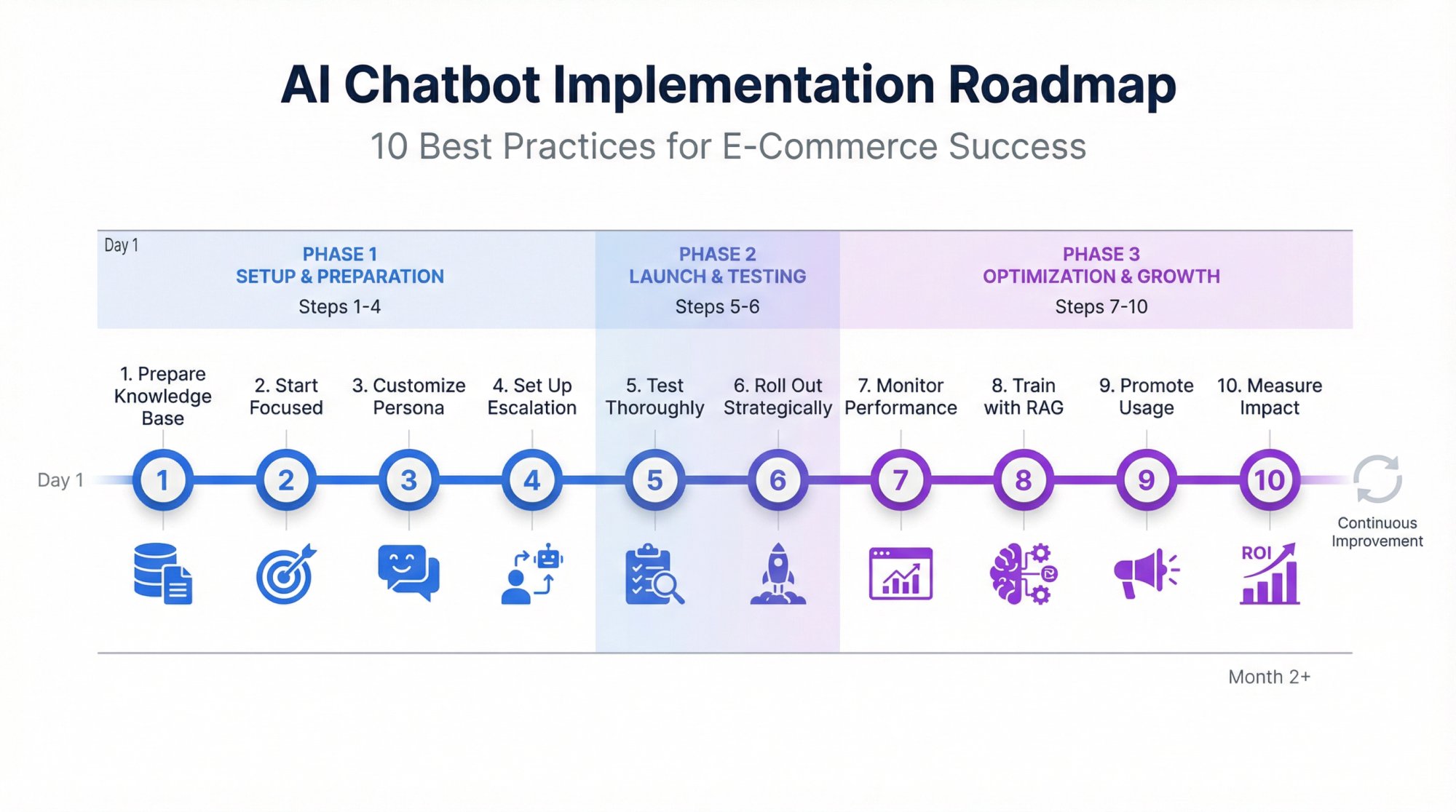
1. Prepare Your Knowledge Base and Content
The effectiveness of your chatbot will depend heavily on the quality of information it has.
Gather all the resources your bot might need:
→ FAQs
→ Help center articles
→ Product catalogs/specs
→ Return and shipping policies
If your site has a robust FAQ or support section, that's a goldmine. Many bots can ingest your website content directly.
Additionally, compile internal documents (like an agent training manual with Q&A) if available. Essentially, you want to train the AI on the same knowledge your best customer service reps have.
2. Start with a Focused Use Case (or Two)
It's tempting to launch the bot and have it do everything at once, but a phased approach often works better.
Identify 1-2 high-impact use cases to nail first. A common starting point is order tracking and simple FAQs, since those are straightforward and valuable.
You might configure the bot's initial logic such that it explicitly offers "Track my order" and "Ask a question" options to users, making it clear what it can do.
By focusing, you can ensure those flows work flawlessly before expanding. Early success in one area also builds trust within your organization and with customers.
3. Customize the Chatbot's Persona and Tone
Spend time configuring the chatbot's greeting, voice, and overall persona. This is not just cosmetic. It sets the tone for user interactions.
Write a concise, friendly welcome message that aligns with your brand. For instance: "Hi there! I'm Ava, the virtual assistant. I can help with product questions, orders, or anything else – just ask!"
If you have a brand style guide, infuse that into the bot's language. Decide if the bot will use emojis, how formal versus casual it should be, and any signature sign-offs.
Also set up the fallback responses. If the bot doesn't understand, have it say something like: "I'm sorry, I'm not sure about that. Let me fetch a human colleague for you." And then trigger a handoff.
4. Set Up Escalation Paths and Agent Integration
One of the most important implementation steps is defining how and when the bot should hand off to humans.
Configure triggers for escalation: For example, if the user explicitly types "agent" or "representative", or if the bot makes two attempts and the user is still unsatisfied, it should offer a transfer.
Integrate with your live chat or helpdesk system so that when transfer happens, your team is notified immediately (e.g., a notification in your agent dashboard or in Slack/Microsoft Teams channel if you use those).
Test this process end-to-end: user asks something complex → bot routes to human → agent sees the prior conversation and joins.
Ensure the agents have been trained on how to use the system.
At Social Intents, this handoff is seamless because your agents are already in Teams or Slack. When a chat needs escalation, it routes directly to the channel your team monitors. No separate dashboard to check. No context lost. Just smooth collaboration between AI and humans.
5. Test Thoroughly with Realistic Scenarios
Before fully rolling out, put your chatbot through its paces internally. Assemble common customer questions (you can pull from actual support logs) and see how the bot responds.
Test edge cases and phrasing variations. Customers might say "refund", "money back", or "return item" to mean the same thing. Does the bot catch all those?
If you have multilingual support, test in those languages.
Get team members who weren't involved in setup to use the bot as if they are customers and provide feedback. Fresh eyes will catch things you may overlook.
Also, test the failure modes: Ask nonsense or out-of-scope questions to see how the bot handles them. It should fail gracefully (with a handoff or apology).
6. Roll Out Strategically (and Let Customers Know)
When you officially launch the chatbot on your site or channels, consider doing it in phases.
For instance, you might start by enabling the bot for a subset of users (some platforms allow showing it to, say, 50% of visitors or only after hours initially).
Monitor and then expand to 100% as confidence grows.
Make sure to announce or indicate the new feature to users in a helpful way. You can do a blog post or an email to customers saying "We've introduced a new AI Assistant to help you 24/7. Try asking it anything!"
On the site, the chat widget's first message can also introduce itself: "Hi! I'm an AI chatbot here to help with quick questions."
7. Closely Monitor Performance Metrics and Feedback
Once live, keep a close eye on how the chatbot is doing.
In the first days/weeks, review transcripts daily if possible. Look at the self-service resolution rate. Are users getting answers or are many being handed off?
If handoffs are high, check why: Are there certain questions the bot isn't handling well? That's a cue to train it better on those topics.
Pay attention to any customer feedback provided. Some bots allow users to thumbs-up/thumbs-down responses. Look at those signals.
Also, gather input from your human agents. They can tell you if the chatbot is causing any confusion or if they notice repetitive issues when chats escalate.
Use the analytics: For example, if the dashboard shows the average customer rating for bot chats is, say, 4 out of 5, what could make it 5?
8. Train the Bot with RAG and Ongoing Updates
A very effective technique for keeping answers accurate is Retrieval Augmented Generation (RAG), which means the bot pulls from a live knowledge source when answering, rather than relying purely on static training.
If your platform supports it, set up the bot to fetch answers from your knowledge base or documentation on the fly. This way, when you update an FAQ on your site, the bot automatically reflects the change.
Even if you don't have that feature, make it a practice to update the bot whenever your policies or promotions change.
For example, if you have a new holiday return policy, ensure the bot's answer for "return policy" is updated accordingly.
Continuous training is the secret sauce to keeping your chatbot highly effective as your business evolves.
9. Promote Chatbot Use (But Provide Easy Outs)
Encourage customers to use the chatbot by placing the widget prominently and perhaps suggesting it in your contact page ("Chat with our virtual assistant for fastest service").
If you have a phone line or email, you might even deflect some queries to chat by messaging like "Have a quick question? Chat with our assistant for instant answers."
That said, always allow customers an easy way to reach a human if they need or want to.
The best practice is to never trap users with the bot. If they type "human" or are clearly not getting what they need, ensure the conversation is transferred or a ticket is created promptly.
10. Measure Impact and Iterate
After a month or two, take stock of how the chatbot has impacted your key metrics.
Are support response times down? Is your live chat volume reduced, and if so, by how much (and what's the estimated cost saving)? Did you see any lift in conversion rate or average order value correlated with chatbot usage?
Some ROI can be directly measured. For example, if the bot handled 1,000 inquiries that would have been emails to support, that's X hours of agent time saved.
Other impacts like sales influence may require analysis (many platforms can track conversations that led to a purchase).
Gather these stats and share them with stakeholders. It will show the value of the project and secure buy-in for further investment or expansion.
Use the data to plan next steps: Perhaps scaling the chatbot to new markets, adding more functionality (like proactive outbound messages), or integrating more systems for even richer capabilities.
Implementing an enterprise chatbot is not a one-and-done deployment, but an ongoing program of improvement. Much like hiring and developing a star employee. With careful setup, monitoring, and optimization, your AI chatbot will become more accurate, more helpful, and more indispensable to your e-commerce operations over time.
The State of Ecommerce AI Chatbots in 2025 and Beyond
It's worth taking a step back to look at the bigger picture and trends shaping enterprise AI chatbots as we head into 2026. The landscape has evolved rapidly in the last couple of years, driven by breakthroughs in AI and changing consumer behaviors.
Generative AI Supercharges Chatbot Abilities
The rise of powerful generative AI models like OpenAI's GPT-4 (and soon GPT-5), Anthropic's Claude, and Google's Gemini has dramatically improved how human-like and capable chatbots can be.
Today's top e-commerce bots can carry on nuanced, unscripted conversations that were sci-fi just a few years ago. They can understand context over long dialogues, handle unpredictable customer inputs, and even produce creative responses.
This leap has been noticed by major retailers. For example, advanced AI shopping agents can call stores on your behalf to check stock, acting almost like a real personal assistant.
And major retailers recently announced integrations where customers can shop their catalog through conversational AI, getting a conversational, curated experience rather than browsing a traditional site.
The takeaway for enterprises is that AI chatbots are no longer limited to simple Q&A. They're becoming full-fledged shopping concierge agents.
Customers Are Getting More Comfortable with AI Assistance
Consumer attitudes toward chatbots and AI have warmed, especially with mainstream exposure to AI through tools like Siri, Alexa, and ChatGPT.
By 2025, a majority of customers have likely interacted with some AI agent and many find it helpful. Surveys show that 62% of consumers would rather use a chatbot than wait for a human agent if it means getting an immediate answer.
And as bots get smarter, more people actually seek them out: During recent holiday seasons, a significant portion of online orders were influenced by AI, indicating that AI-driven recommendations and support are directly driving purchases.
On Black Friday 2025, industry analytics noted a massive surge in AI-driven retail site traffic as shoppers actively used chatbots to find deals.
While some customers still prefer human interaction for complex issues, the stigma around "talking to a bot" has greatly diminished. The key is that the bot must deliver value: speed, accuracy, and ease.
Augmented Customer Experiences (Mix of AI and Human)
The future is likely AI-human teamwork in customer service and sales.
As mentioned, consumers like a hybrid approach: routine stuff by AI, complex stuff by humans. We're seeing tools where AI assists human agents too (e.g., suggesting replies or summarizing customer history on the fly).
For e-commerce, this might mean your human agents become "AI supervisors" handling high-level issues and training the AI for better performance.
It also means chatbots will increasingly have a persona that complements human service.
Voice and Multimodal Chatbots
While most e-commerce chatbots today are text-based, voice-enabled AI is on the rise.
By 2025, more consumers are talking to devices and expecting voice support in shopping (through smartphones, smart speakers, or car assistants).
Industry research projects the voice-based chatbot market to grow into the tens of billions by 2030.
We can anticipate that enterprise chatbots will expand to channels like:
• Voice search
• Phone IVR systems (replacing those old touch-tone menus with an AI that you can just speak to)
• Video/visual shopping assistants
Already, we see glimpses: Some fashion retailers have experimented with bots you can send a photo to ("I want something like this dress") and the AI will find similar products.
Increased Personalization with AI
Personalization has been a buzzword for a while, but AI is taking it to new heights. Enterprise chatbots are getting better at leveraging customer data (past purchases, browsing history, preferences) to tailor interactions.
We're approaching a world where every customer can have an individualized shopping conversation with the AI.
For instance, the bot might greet a returning customer by name and immediately mention something relevant: "Welcome back, Alex! The running shoes you bought last month, how are they? We just got a new color you might like."
Or if the customer has an open order, "Hi Sam, your last order is on its way, due Tuesday. What can I help you with today?"
This level of context awareness makes the experience feel more like a concierge service.
Research shows shoppers are more likely to buy from brands with omnichannel conversational experiences (which implies consistency and personalization across channels).
In short, personalization at scale via AI will be a competitive differentiator.
ROI and Business Impact Are Driving Adoption
Gone are the days when chatbots were just a trendy experiment. Enterprises now demand clear ROI from AI initiatives, and chatbots are delivering.
The stats throughout this guide (cost savings, sales increases, efficiency gains) underscore why companies are investing.
Leading implementations have shown 148-200% ROI on chatbot projects along with hundreds of thousands of dollars in annual savings.
Those numbers speak to executives. As a result, we're seeing chatbot projects move from small pilots to enterprise-wide deployments.
The conversation has shifted from "Should we try a chatbot?" to "How fast can we scale our chatbot capabilities across customer touchpoints?"
Analysts predict the global chatbot market will nearly quadruple between 2024 and 2030, reaching $27-28 billion.
For e-commerce players, adopting AI chatbots is becoming a standard best practice (much like having an e-commerce site itself became standard 20 years ago).
Continuous Improvement in AI Tech
Lastly, the AI tech itself is rapidly improving. New models (like the much anticipated Google Gemini as a rival to GPT-4) are coming online, promising even better understanding and reasoning.
We're also seeing the development of more specialized AI agents, ones fine-tuned for certain industries or tasks. For instance, an AI model specifically tuned to retail dialogues might emerge, making e-commerce chatbots even more accurate out-of-the-box.
The smart approach for businesses is to partner with vendors who keep pace with these advances.
For example, if your chatbot provider updated from GPT-3.5 to GPT-4 and saw a boost in answer quality, that's a good sign they'll continue upgrading as new models come out.
Keeping your AI capabilities current can be a competitive advantage. Those using the best tech will offer superior experiences.
In summary: 2025 has proven that AI chatbots in e-commerce are not a fad, but a foundational technology that's here to stay and evolve. The trend is toward more powerful, more integrated, and more accepted AI assistants in the shopping journey.
Why Social Intents Is Built for Enterprise E-commerce
Throughout this guide, we've covered what makes an enterprise AI chatbot solution truly effective for e-commerce. Now talk about how Social Intents delivers on those requirements with a unique approach that's perfect for modern retail teams.
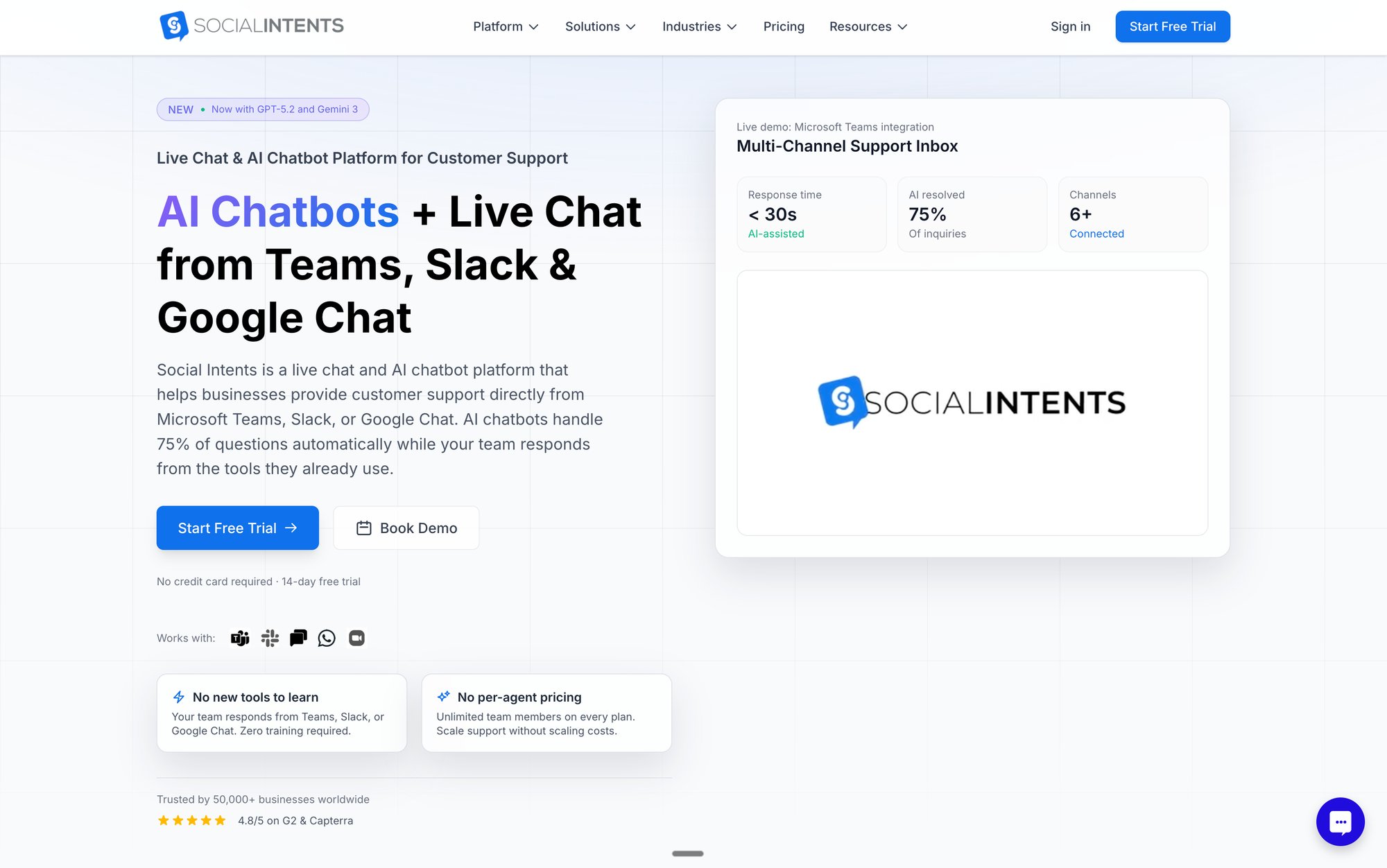
Meet Your Customers Where Your Team Already Works
Here's the thing about traditional chatbot platforms: They expect your support team to learn yet another interface, monitor yet another dashboard, and juggle yet another tool.
We took a different approach.
Social Intents routes live chat directly into the collaboration tools your team already uses every single day: Microsoft Teams, Slack, Google Chat, Zoom, and Webex.
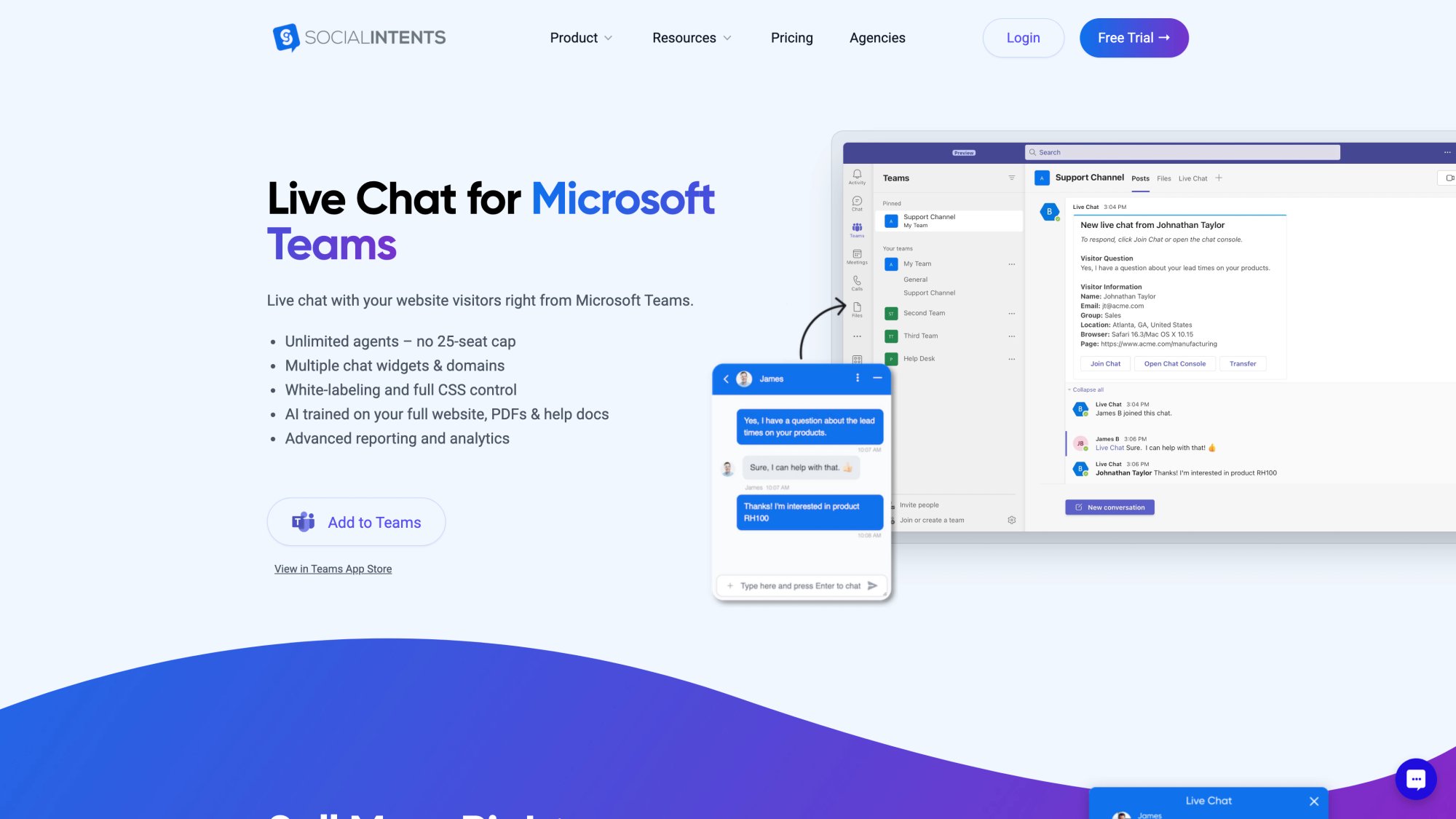
Your customers chat on your website. Your team responds from Teams or Slack (or whatever platform they're already in). No separate dashboard to check. No context switching. No learning curve.
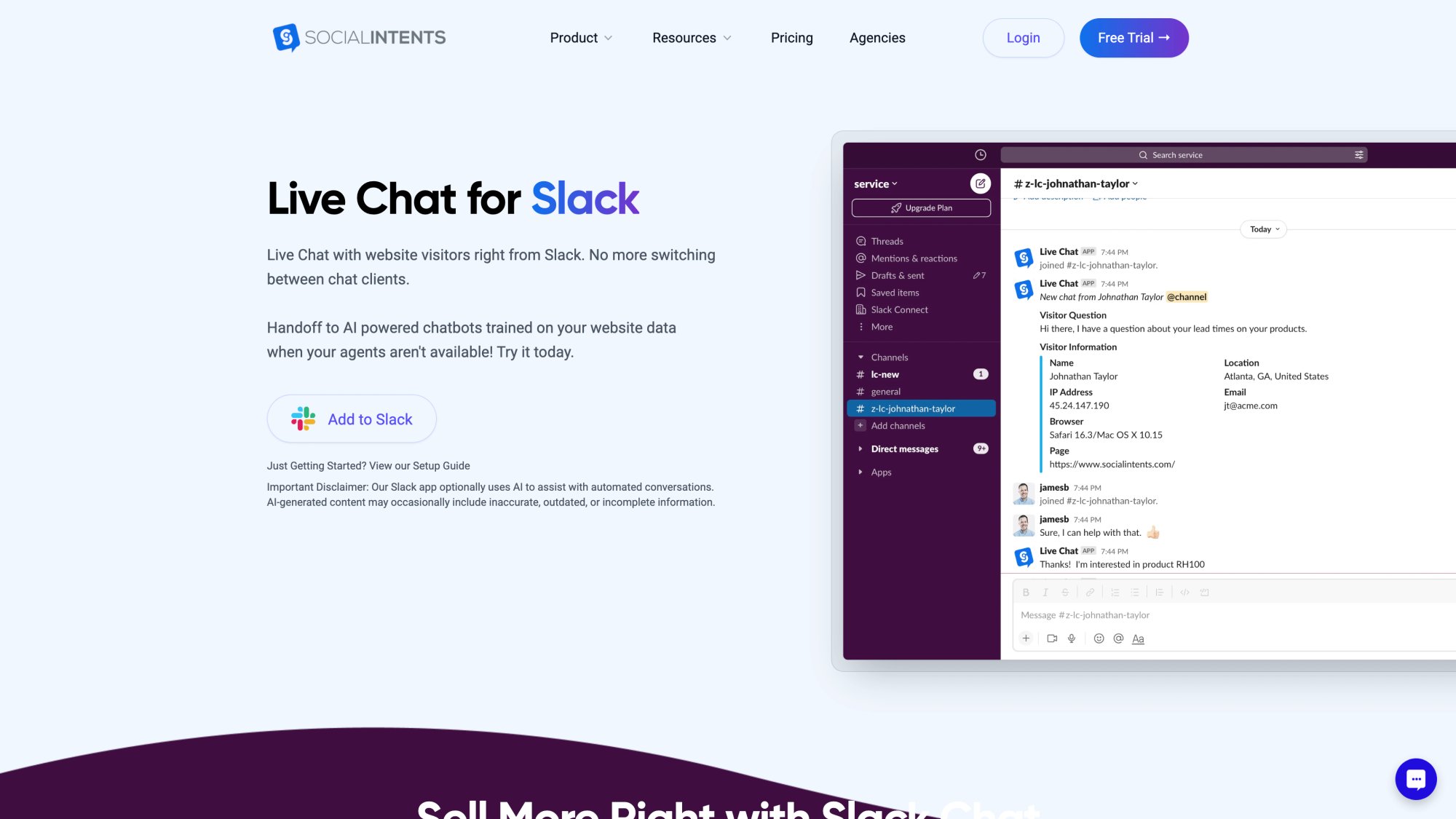
This means:
✓ Instant adoption across your team (they already know how to use Teams/Slack)
✓ Faster response times (agents are already in these tools all day)
✓ Seamless AI-to-human handoff (everything happens in one place)
✓ Better collaboration (agents can loop in colleagues instantly)
Advanced AI Chatbots with Real Intelligence
We support the latest AI models: OpenAI ChatGPT, Anthropic Claude, and Google Gemini.
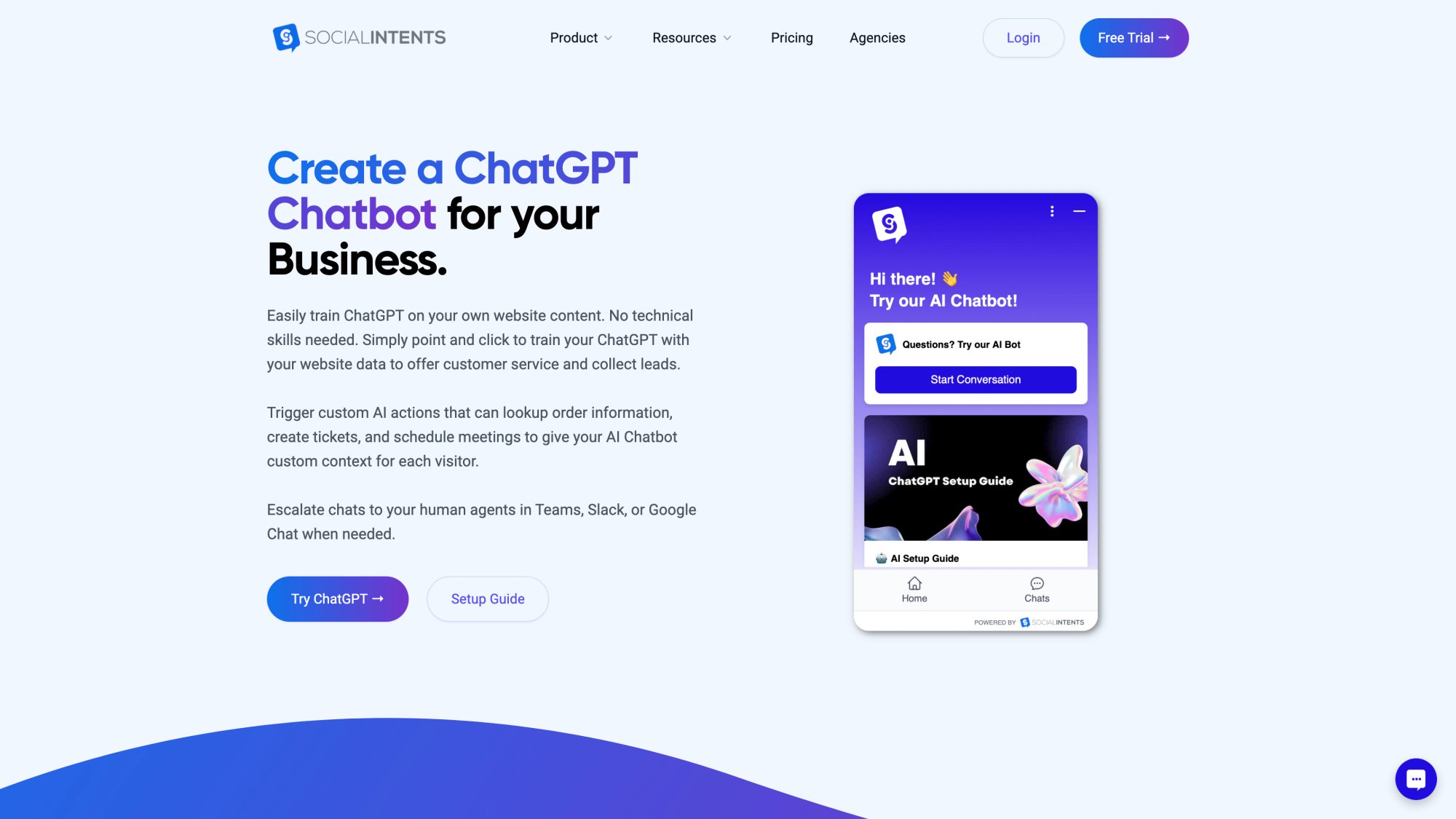
This gives you access to the most advanced natural language processing available today. Your chatbot can:
• Understand complex, nuanced customer questions
• Handle unscripted conversations naturally
• Learn from your website content, documents, and knowledge base with one-click training
• Provide accurate, conversational answers that feel genuinely helpful
And when the AI can't help? It seamlessly hands off to your human agents in Teams or Slack with full context preserved.
Custom AI Actions for Ecommerce Workflows
This is where Social Intents really shines for enterprise e-commerce.
Custom AI Actions let your chatbot integrate with third-party tools to enrich conversations with real-time data:
→ Check order status automatically
→ Create support tickets
→ Look up shipping information
→ Process returns or exchanges
→ Update customer records in your CRM
These custom integrations mean your chatbot isn't just answering questions. It's actually resolving issues end-to-end. Customers get instant service without waiting for a human agent to manually look things up.
(This capability is getting a lot of attention from agencies, web design providers, and Microsoft partners looking to enhance their offerings with AI chatbots.)
Multi-Channel Support Including WhatsApp and Messenger
Your customers aren't just on your website. They're on Facebook, Instagram, WhatsApp, and other messaging platforms.
Social Intents lets you deploy AI chatbots on WhatsApp and Facebook Messenger with the same seamless escalation to your team in Teams or Slack.
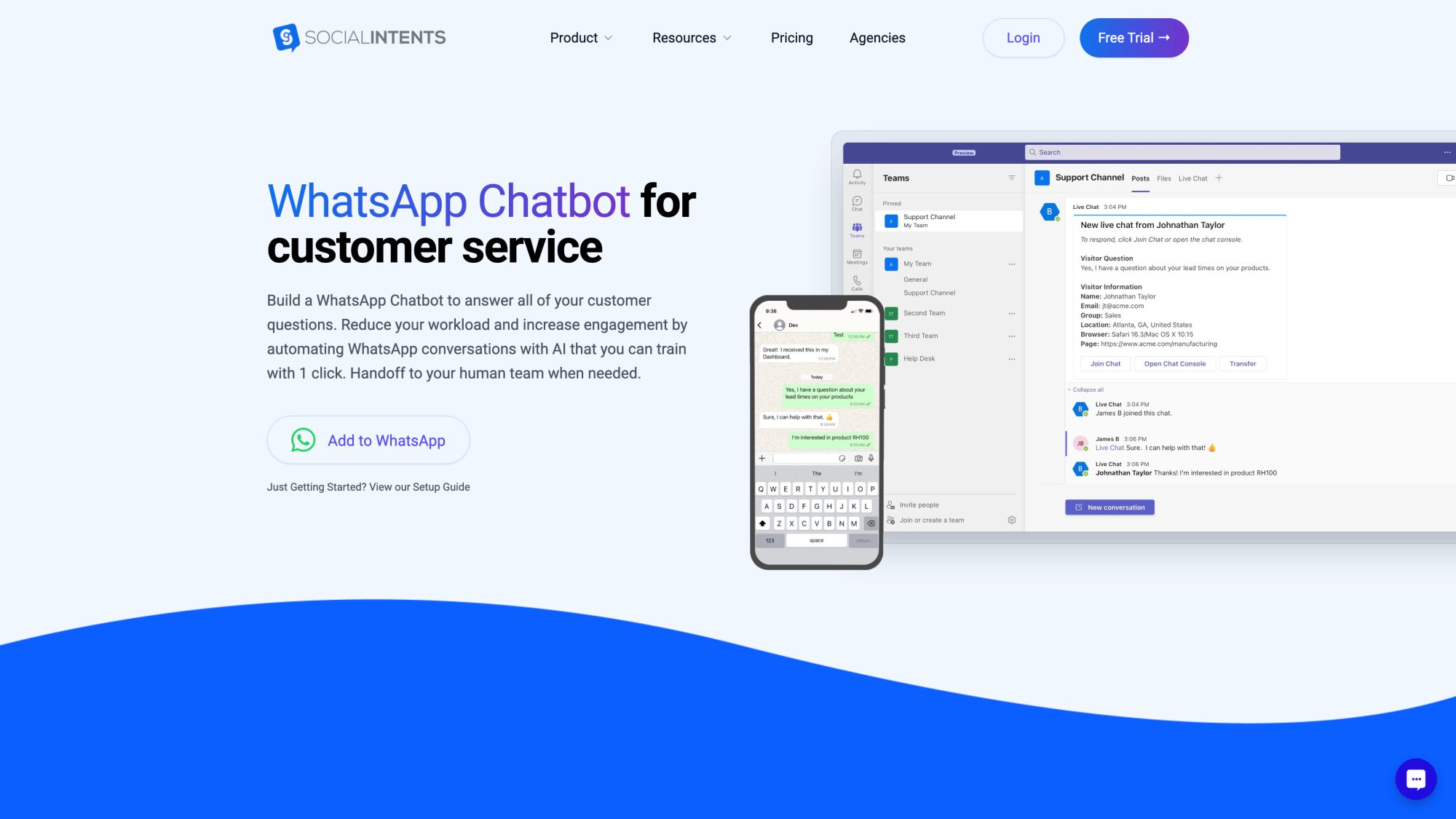
This omnichannel approach means:
• Customers can reach you on their preferred platform
• Your team manages all conversations from one place
• Context is maintained across channels
• You provide consistent, instant support everywhere
Built for Ecommerce Platforms
We have native apps for the platforms you're already using:
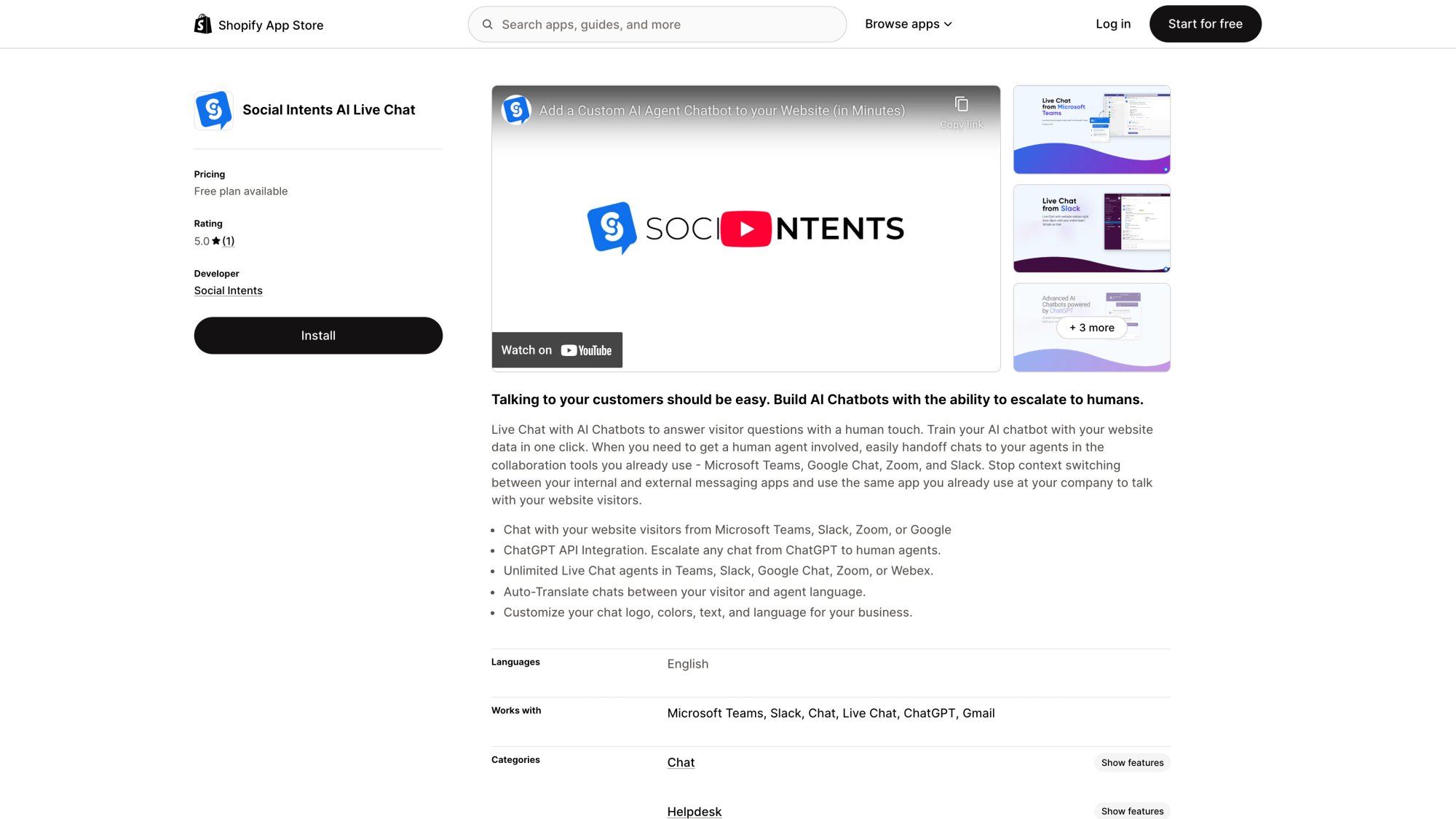
• Shopify – Install in minutes, start chatting with customers immediately
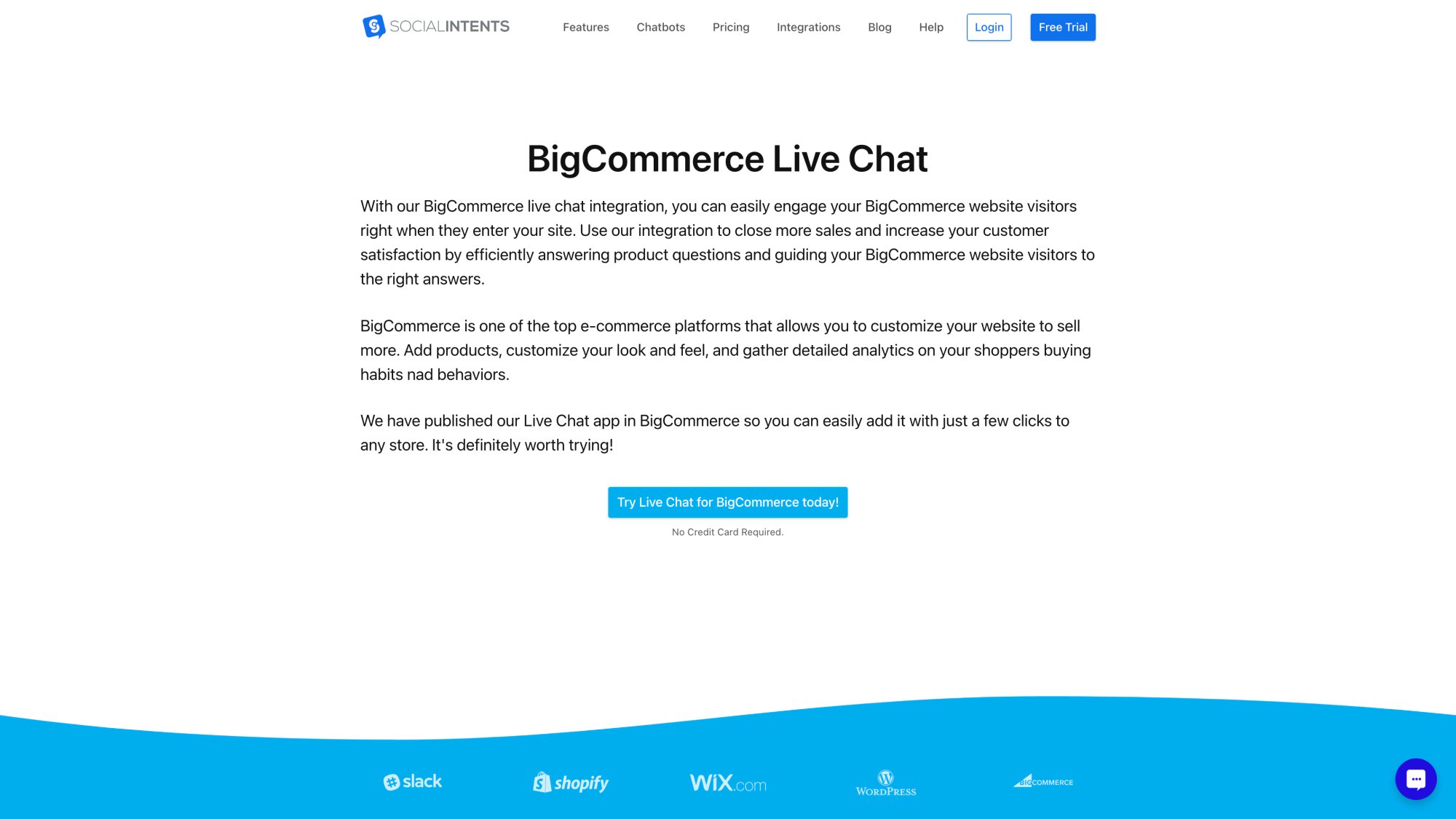
• BigCommerce – Seamless integration with your store
• Wix – Easy setup with pre-built widget
• WordPress – Dedicated plugin for quick deployment
• Webflow – Listed in their app marketplace
Plus, if you're on a custom platform, our JavaScript snippet makes embedding the chat widget incredibly simple.
Unlimited Agents from Basic Tier Upward
Unlike many chatbot platforms that charge per agent or per conversation, Social Intents offers unlimited agents starting from our Basic plan.
This means:
✓ Your entire team can participate in chats without additional cost
✓ Easy to scale as your team grows
✓ No worrying about who has "access" to the chatbot
✓ Predictable monthly pricing regardless of team size
Our pricing is based on conversation volume and features, not how many people use it.
Real-Time Translation for Global Teams
Serving customers around the world? Social Intents includes real-time auto-translation in our Business plan.
The chatbot can translate messages bi-directionally, so each side sees messages in their own language. This makes multilingual support effortless without needing separate bots for each language.
Enterprise-Grade Security and Compliance
We take security seriously:
• Data encryption in transit and at rest
• GDPR compliance with Data Processing Agreement available
• Privacy controls for sensitive customer data
• Role-based access for your team
While we don't currently have SOC 2 certification (we're a lean, focused team), we follow enterprise security best practices and are transparent about our infrastructure (hosted on AWS).
Agency and Reseller Program
This is getting significant traction: We offer a white-label solution for agencies, web design firms, and Microsoft/Slack partners.
Our Agency/Reseller plan ($299/mo flat) includes:
• 20 chatbots/live-chat apps
• 10,000 monthly conversations
• 10,000 training docs
• White-label branding
• Sub-accounts for clients
• Brandable portal
Extra chatbots are just $20 each. This lets agencies offer AI chatbot solutions to their clients under their own brand, creating a new revenue stream.
Quick Setup with No-Code Training
You don't need developers to get Social Intents up and running.
Our platform offers:
• One-click training on your website or uploaded documents
• Visual conversation flow builder for guided interactions
• Easy FAQ management through a simple interface
• Customizable greetings and personality to match your brand
• JavaScript SDK for advanced customization if needed
Most of our customers are live within a few hours, not days or weeks.
14-Day Free Trial
We're confident enough in our platform to offer a 14-day free trial with full features.
No credit card required to start. Try it with your real data, test it with your team, see how it performs with actual customer questions.
This lets you make an informed decision based on real experience, not just sales pitches.
Why Social Intents for Enterprise Ecommerce?
When you choose Social Intents for your online store, you get:
✓ AI chatbots powered by the latest models (ChatGPT, Claude, Gemini)
✓ Seamless integration with your team's existing tools (Teams, Slack, etc.)
✓ Native apps for major e-commerce platforms (Shopify, BigCommerce, Wix, WordPress)
✓ Custom AI Actions to handle order status, returns, and more
✓ Multi-channel support including WhatsApp and Messenger
✓ Unlimited agents from Basic plan upward
✓ Real-time translation for global customers
✓ White-label agency program for partners
✓ No-code setup with quick deployment
✓ 14-day free trial to test risk-free
We're not the biggest chatbot company out there. But we're focused on solving a specific problem exceptionally well: Making AI-powered live chat work seamlessly for teams that already live in Microsoft Teams, Slack, or Google Chat.
For e-commerce businesses that want powerful AI chatbots without forcing their teams to learn new tools, Social Intents is the smart choice.
Ready to see it in action? Start your free 14-day trial today. No credit card required.
Frequently Asked Questions
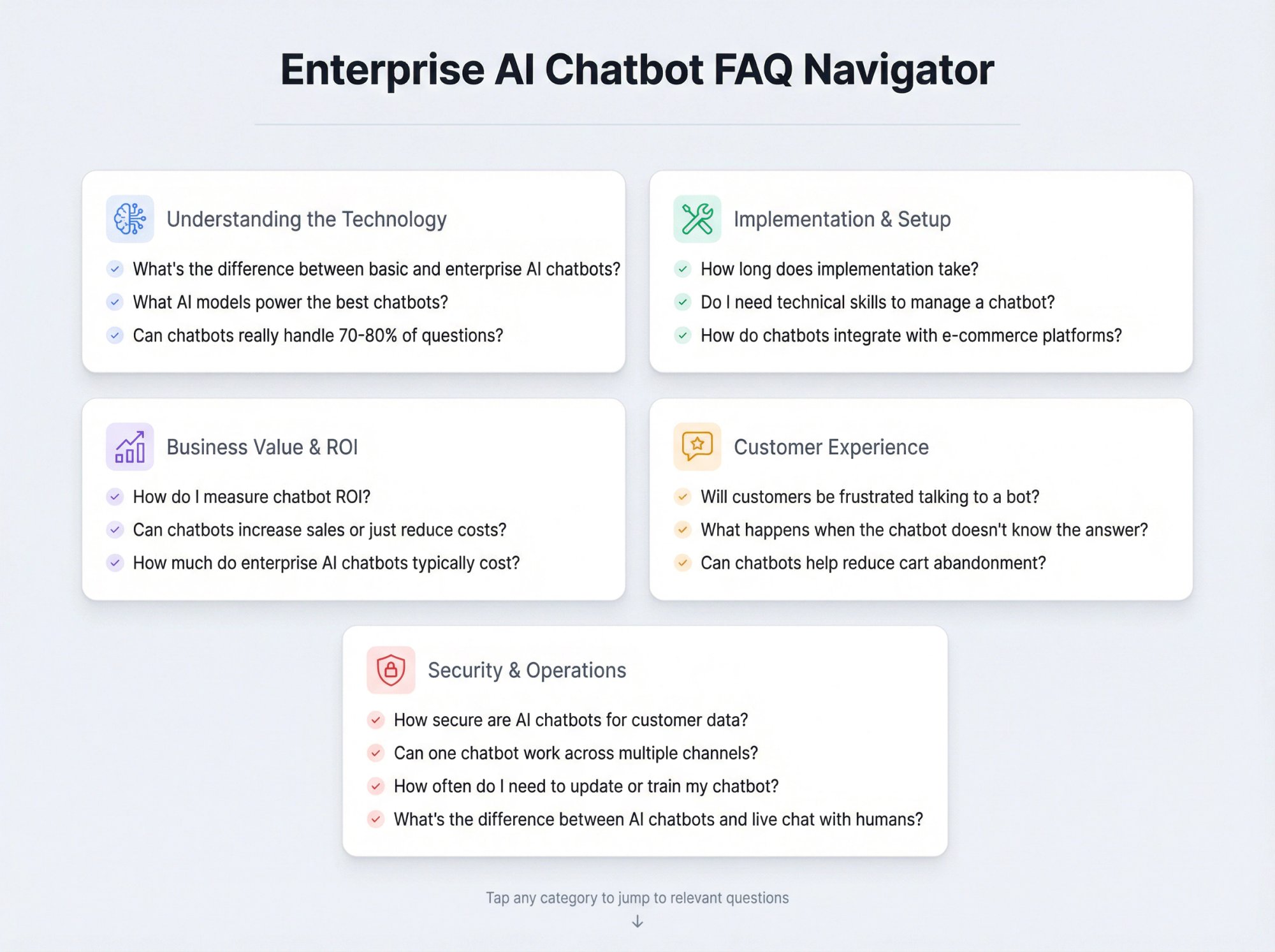
What's the difference between a basic chatbot and an enterprise AI chatbot?
A basic chatbot typically uses rule-based responses and can only handle pre-scripted questions. Enterprise AI chatbots use advanced natural language processing (like GPT-4) to understand nuanced questions, integrate with your backend systems to access real-time data, and can actually take actions like processing returns or checking order status. They're built for high-traffic scenarios, offer multi-channel support, and include enterprise features like security compliance and analytics.
How much do enterprise AI chatbots typically cost for e-commerce?
Pricing varies widely depending on capabilities and usage. Entry-level solutions can start around $39-69/month for small businesses, while comprehensive enterprise platforms range from $99 to several hundred dollars monthly. Some charge per conversation, per resolution, or offer flat-rate pricing up to certain conversation limits. Social Intents starts at $39/month for our Starter plan, with unlimited agents available from the Basic plan ($69/mo) upward.
Can AI chatbots really handle 70-80% of customer questions?
Yes, when properly trained. Modern chatbots can answer up to 79% of common questions accurately. The key is comprehensive training on your FAQs, product catalog, policies, and help documentation. The remaining 20-30% of queries typically involve complex scenarios, VIP customers, or situations requiring human judgment and empathy. That's why the hybrid AI-human model works best: bots handle routine queries, humans handle the complex stuff.
How long does it take to implement an enterprise chatbot?
Implementation time depends on complexity. For platforms with native e-commerce integrations (like Social Intents for Shopify, BigCommerce, or Wix), you can be live in a few hours. This includes embedding the chat widget and doing basic training on your website content. More complex implementations involving custom API integrations, workflow automation, and extensive knowledge base setup might take 1-2 weeks. The actual technical setup is usually fast; most time goes into content preparation and testing.
Will customers be frustrated talking to a bot instead of a human?
Not if the bot is well-designed. 62% of consumers would rather use a chatbot than wait for a human agent if it means getting an immediate answer. The keys to customer acceptance are:
① Make it clear they're talking to an AI assistant
② Ensure the bot gives accurate, helpful answers
③ Provide an easy path to human help if needed
④ Transfer context smoothly when escalating to humans
Research shows 89% of consumers prefer a mix of AI and human help anyway.
How do chatbots integrate with existing e-commerce platforms?
Most enterprise chatbot platforms offer pre-built integrations or apps for major e-commerce platforms. For Shopify, you'd install a chatbot app from their app store. For BigCommerce, Wix, or WordPress, similar native apps exist. These integrations typically use APIs to access your product catalog, order data, and customer information. For custom platforms, chatbots usually provide a JavaScript snippet to embed the chat widget, plus RESTful APIs or webhooks to connect to your backend systems. The best solutions (like Social Intents) make this process incredibly simple with one-click installations.
Can chatbots help reduce cart abandonment?
Absolutely. E-commerce chatbots are credited with cutting cart abandonment rates by 20-30%. They do this through:
• Proactive engagement (offering help if a user stalls at checkout)
• Answering last-minute questions that might prevent purchase
• Offering discount codes to nudge hesitant buyers
• Following up via messaging or email with abandoned cart reminders
The instant availability of answers when customers have questions is often what converts an abandonment into a sale.
What happens when the chatbot doesn't know the answer?
A well-designed enterprise chatbot should have multiple fallback mechanisms:
① It might search your knowledge base more broadly or rephrase to find a related answer
② It should gracefully acknowledge when it can't help: "I'm not sure about that specific question. Let me connect you with a specialist who can help."
③ It should seamlessly escalate to a human agent with full context of the conversation so the customer doesn't have to repeat themselves
The worst thing a bot can do is make up an answer or frustrate the customer by pretending to understand. Good bots admit their limitations and get help.
How secure are AI chatbots for handling customer data?
Reputable enterprise chatbot providers use encryption for data in transit and at rest, comply with GDPR and other privacy regulations, and don't collect sensitive payment information through chat. However, best practices include:
• Never having customers share credit card numbers or passwords in chat
• Using secure authentication for account lookups
• Choosing vendors that offer Data Processing Agreements (DPAs)
• Verifying clear privacy policies
If you're in a regulated industry (healthcare, finance), look for providers that can accommodate HIPAA or PCI compliance requirements.
Can one chatbot work across multiple channels (website, social media, messaging apps)?
Yes, this is called omnichannel support and it's a key feature of enterprise chatbots. The bot can be deployed on:
• Your website
• Instagram DM
• SMS
• Other channels
All while maintaining conversation context. Social Intents specifically offers chatbots for websites, WhatsApp, and Facebook Messenger that all route back to your team in Teams or Slack. This means a customer could start a conversation on Facebook and continue it later on your website, with the bot recognizing it's the same customer and picking up where they left off.
Do I need technical skills to manage an enterprise chatbot?
Not necessarily. Modern enterprise chatbot platforms are designed to be managed by non-technical users. They offer no-code interfaces for:
• Training the bot (uploading FAQs, pointing it to your website to crawl content)
• Customizing responses
• Monitoring conversations
You should be able to update the bot's knowledge without waiting for IT support. That said, more advanced features like custom API integrations, workflow automation, or complex conversation flows might benefit from developer involvement. But day-to-day management (adding new FAQs, reviewing transcripts, adjusting settings) can typically be handled by customer service or marketing teams.
How do I measure the ROI of an AI chatbot?
Track these key metrics:
① Support cost savings – multiply chats handled by the bot by your average cost per human interaction (typically $6) to see savings
② Resolution rate – percentage of chats resolved without human intervention
③ Response time improvement – compare before/after chatbot for average response times
④ Conversion impact – track if chatbot-engaged visitors convert at higher rates
⑤ Cart recovery – measure abandoned carts recovered through chatbot interventions
⑥ Customer satisfaction – compare CSAT scores for chatbot interactions vs. traditional support
Most enterprise platforms provide analytics dashboards with these metrics built-in.
What's the difference between AI chatbots and live chat with human agents?
Live chat with human agents involves real people responding to customer messages in real-time. AI chatbots use artificial intelligence to automatically respond to customer questions 24/7 without human intervention.
The best approach is hybrid: AI chatbots handle routine questions automatically (FAQs, order tracking, basic product info), deflecting 70-80% of queries. When complex issues arise or customers request human help, the bot seamlessly transfers to live agents. This gives you the efficiency of automation with the personal touch of humans when needed.
Social Intents excels at this hybrid approach, routing AI conversations and human agent chats into the same Teams or Slack channels.
Can chatbots actually increase sales, or just reduce support costs?
They do both. Shoppers who engage with an AI chatbot spend 25% more on average compared to those who don't interact with the bot. Chatbots increase sales through:
• Proactive product recommendations based on browsing behavior
• Answering pre-purchase questions that remove buying friction
• Upselling and cross-selling suggestions
• Timely offers or discount codes to nudge hesitant buyers
• Recovering abandoned carts with targeted messages
Chatbots have been shown to improve conversion rates by up to 30% for online retailers. So yes, they're revenue drivers, not just cost savers.
What AI models power the best enterprise chatbots?
The most advanced enterprise chatbots use large language models (LLMs) like:
These models provide superior natural language understanding, contextual awareness, and conversational ability compared to older rule-based or keyword-matching systems. Some platforms let you choose which AI model to use or even bring your own API key. Social Intents supports ChatGPT, Claude, and Gemini, giving you access to the latest and most capable AI technology for your chatbots.
How often do I need to update or train my chatbot?
Initially, you'll train the chatbot on your existing content (website, FAQs, help docs, product catalog). After that, regular updates depend on how often your business changes.
Best practice is to review chatbot performance:
• Weekly in the first month
• Monthly thereafter
Update the bot whenever you:
• Launch new products or services
• Change policies (shipping, returns, etc.)
• Run new promotions
• Notice the bot frequently can't answer certain questions
• Receive feedback that responses are outdated
Many platforms offer easy ways to add new Q&A pairs or upload updated documents. Think of it like maintaining your website, updating it as your business evolves.