
Live Chat for Clinics & Medical Practices
Reduce phone calls by 40%. Help patients check availability, get office directions, prepare for appointments, and answer common questions instantly from Microsoft Teams, Slack, or Google Chat.

"Do you have any appointments available tomorrow afternoon?"
Trusted by medical practices, dental offices, and clinics


Streamline Every Patient Touchpoint
From first contact to follow-up care, live chat helps your practice communicate faster and more efficiently.
Appointment Scheduling
Let patients check availability and request appointments without calling. Reduce hold times and missed connections.
- Check available time slots
- Request reschedules
- Appointment reminders
Pre-Visit Preparation
Help patients prepare with office directions, parking info, required documents, and what to expect.
- Office location & parking
- Forms to bring
- Insurance verification
General Questions
Answer common questions about your services, office hours, accepted insurance, and billing.
- Services offered
- Insurance & payment
- Office hours & contact
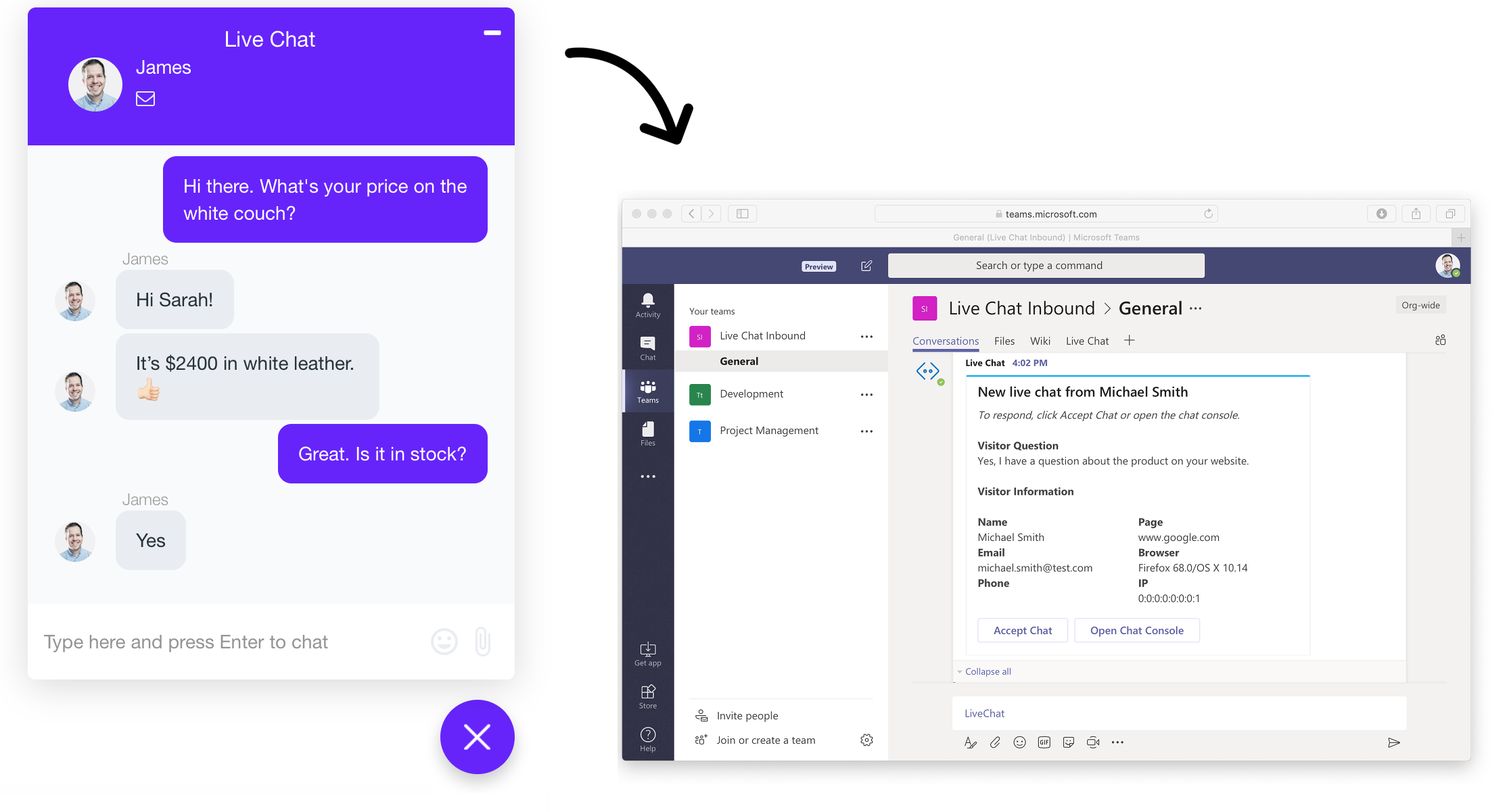
Microsoft Teams IntegrationAnswer Patient Chats from Microsoft Teams
Your staff already uses Teams. Now they can respond to website visitors without switching apps or learning new software. Patient inquiries appear as Teams messages in real-time.
No App Switching
Staff responds to patient questions directly in Teams. No extra tabs, software, or training required.
Route to Departments
Send chats to the right team (front desk, billing, scheduling) using dedicated Teams channels.
Unlimited Staff Members
Add your entire team without per-seat fees. Everyone can participate in patient conversations.
AI Chatbots Handle Inquiries 24/7
Train an AI chatbot on your office information, services, and FAQs. Patients get instant answers to common questions even outside business hours.

ChatGPT
GPT-5.2 powered responses trained on your practice information, services, and frequently asked questions.
- Natural conversations
- Smart follow-ups

Claude
Anthropic's Claude provides thoughtful, helpful responses ideal for detailed patient support conversations.
- Detailed explanations
- Nuanced responses

Gemini
Google's Gemini offers advanced understanding for complex patient inquiries about services and appointments.
- Multi-turn context
- Latest AI models
Everything Your Practice Needs
Purpose-built features for clinics, dental offices, and medical practices.
Appointment Requests
Let patients check availability and request appointments directly through chat.
Department Routing
Send chats to Scheduling, Billing, or Front Desk based on patient needs.
Business Hours Mode
Show live chat during office hours, AI chatbot after hours automatically.
Enterprise Security
Encrypted data transmission, secure storage, and role-based access controls.
Chat Transcripts
Email transcripts to patients and staff for records and follow-up.
Analytics Dashboard
Track chat volume, response times, and identify common patient questions.
Common Questions
Ready to Improve Patient Communication?
Join hundreds of clinics, dental offices, and medical practices using Social Intents to connect with patients faster.