
 Cisco Webex Integration
Live Chat for Cisco Webex
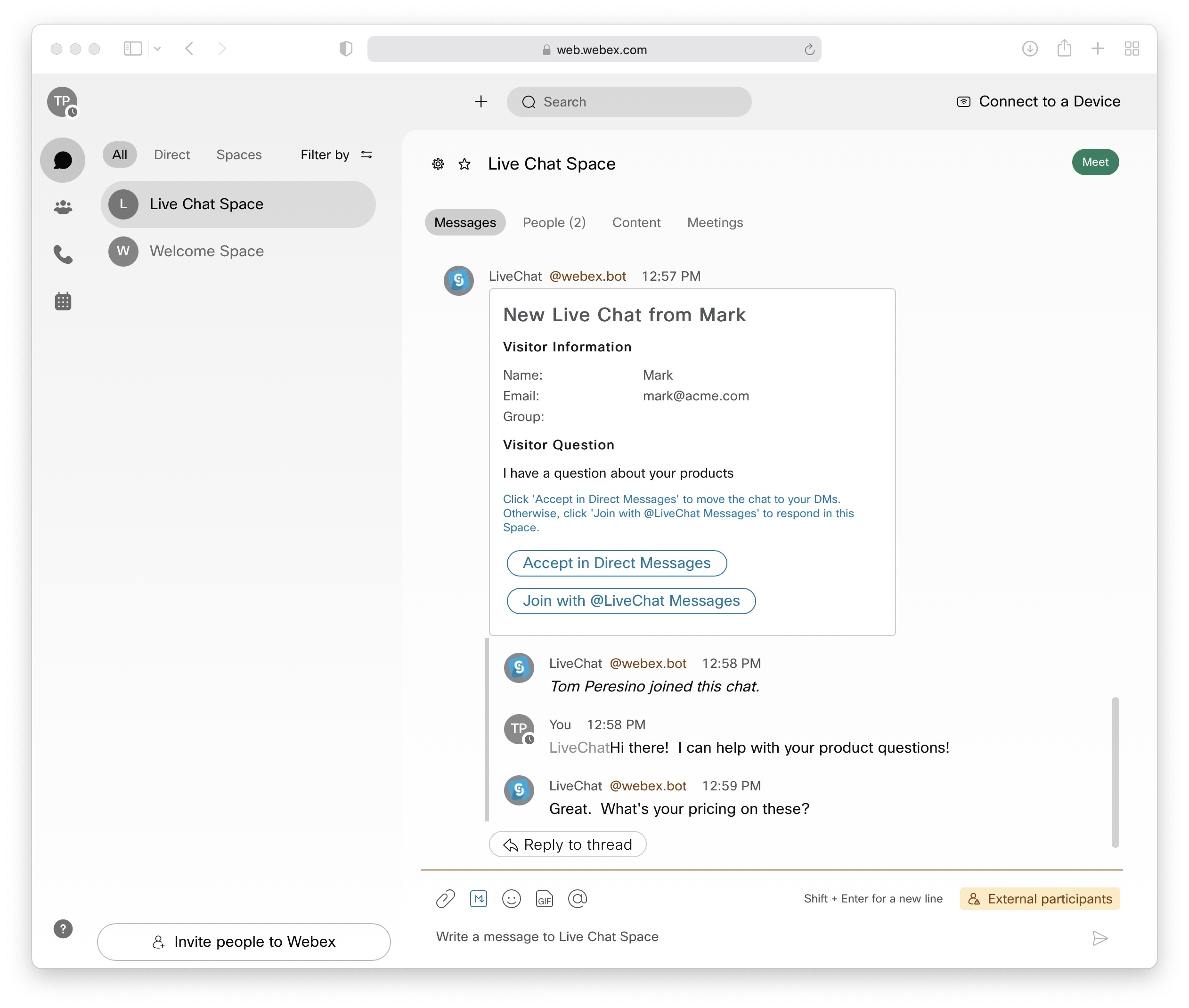
Chat with website visitors, WhatsApp contacts, and SMS messages directly from Cisco Webex Teams. AI chatbots handle routine questions while your team focuses on complex issues.
Webex Teams
Connected
Website Visitor
AI Chatbot
Website Visitor
You via Webex
Trusted by 50,000+ businesses worldwide






How Webex Live Chat Works
Connect your website to Cisco Webex in minutes. No coding skills required.
Connect Webex
Sign up and authorize Social Intents to connect with your Cisco Webex Teams workspace.
Customize Widget
Design your chat widget with your brand colors, welcome messages, and pre-chat forms.
Add to Website
Copy one line of JavaScript code and paste it into your website or CMS.
Chat from Webex
Receive visitor messages directly in your Webex space and reply in real-time.
Webex Live Chat Features
Everything you need to deliver exceptional customer support from Cisco Webex.
Real-Time Messaging
Instant two-way communication between your website and Webex Teams. No delays, no missed messages.
AI Chatbots
ChatGPT, Claude, and Gemini powered bots handle 75% of questions automatically before escalating to Webex.
Unlimited Agents
No per-seat pricing. Add your entire team to Webex live chat without extra costs.

WhatsApp Integration
Respond to WhatsApp Business messages directly from Webex Teams alongside website chats.
SMS Messaging
Send and receive text messages through Webex. Perfect for customers who prefer SMS.
Analytics & Reports
Track chat volume, response times, customer satisfaction, and agent performance.
One Webex Space, Every Customer Channel
Stop switching between apps. Manage all customer conversations from a single Webex Teams space.
Website Live Chat
Embed a customizable chat widget on any website or web app.
WhatsApp Business
Connect your WhatsApp Business account and reply from Webex.
SMS Text Messages
Two-way SMS messaging with customers who prefer texting.

Facebook Messenger
Respond to Messenger inquiries without leaving Webex Teams.
How Teams Use Webex Live Chat
From sales to support, Webex live chat helps teams across your organization.
Sales Teams
Engage website visitors in real-time. Qualify leads, answer product questions, and book demos without leaving Webex.
- Lead capture forms
- CRM integrations
- Calendar booking
Customer Support
Provide instant help desk support from Webex. AI handles common questions while agents focus on complex issues.
- AI-powered FAQs
- Ticket creation
- Chat transcripts
IT Help Desk
Internal IT support via Webex. Employees get help without submitting tickets for simple questions.
- Knowledge base AI
- Internal chat widget
- SSO authentication
Works with Your Favorite Tools
Webex live chat integrates with popular CRMs, help desks, and website platforms.






Frequently Asked Questions
Everything you need to know about Webex live chat.
Ready to Add Live Chat to Webex?
Join 50,000+ businesses using Social Intents to connect with customers from the tools they already use.
No credit card required • Setup in 5 minutes • Cancel anytime