Choosing the right AI engine for your customer service chatbot isn’t just a technical decision. It shapes how your customers experience support, how much you spend on automation, and whether your team actually trusts the bot to handle real conversations.
Two of the leading AI platforms for customer service chatbots today are OpenAI’s GPT models and Anthropic’s Claude models. OpenAI’s latest generation includes the GPT-5.6 family, with models such as GPT-5.6 Sol, Terra, and Luna designed to balance intelligence, speed, and cost. Anthropic’s current Claude lineup includes Claude Fable 5, Opus 5, Sonnet 5, and Haiku 4.5, ranging from its most capable reasoning models to faster options designed for high-volume applications.
Both platforms are extremely capable, but they take somewhat different approaches to reasoning, conversational style, safety, latency, and cost. Those differences become important when you’re choosing an AI model that will interact directly with customers and represent your brand.
The good news? You don’t have to lock yourself into one choice. Social Intents supports both ChatGPT and Claude in its chatbot platform, letting you switch between models or even run them side by side to see which performs better for your specific use cases.
What Are ChatGPT and Claude AI?
ChatGPT burst onto the scene in late 2022 and quickly became synonymous with conversational AI. Built on OpenAI’s GPT architecture, it excels at creating [natural, human-like dialogue that adapts to nuanced queries](https://www.socialintents.com/blog/ai-chatbot-for-customer-service/).
OpenAI’s current flagship API models are the **GPT-5.6 family: GPT-5.6 Sol, Terra, and Luna**. They support text and image input, reasoning, and a **1.05 million-token context window**, with a knowledge cutoff of **February 16, 2026**. Sol is positioned for the most complex professional work, Terra balances intelligence and cost, and Luna is optimized for high-volume, cost-sensitive workloads. The models can also use tools such as web search, file search, and computer use, allowing applications to retrieve current information rather than relying entirely on their training data.
ChatGPT itself builds additional capabilities around those underlying models, including web search, Projects, custom GPTs, deep research, agent capabilities, connected apps, and tools for working with files and other content. This means there’s an important distinction between **ChatGPT, the end-user product, and GPT models, the AI engines developers can integrate into their own customer service chatbots**.
Claude arrived in 2023 from Anthropic, a company founded by former OpenAI researchers with a strong emphasis on AI safety and alignment. Anthropic’s current lineup has advanced to **Claude 5**, led by Claude Fable 5, Opus 5, and Sonnet 5, alongside the faster Haiku 4.5. Fable 5 is Anthropic’s most capable generally available model, Opus 5 is designed for complex agentic and enterprise work, and Sonnet 5 provides a balance of intelligence, speed, and cost.
Fable 5, Opus 5, and Sonnet 5 each support **1 million-token context windows** and up to 128,000 output tokens. Their knowledge cutoffs vary by model: Anthropic lists reliable knowledge through **January 2026 for Fable 5, May 2026 for Opus 5, and January 2026 for Sonnet 5**. The newer Claude models also support adaptive reasoning and agentic tool use, while Anthropic’s web search tool lets Claude retrieve fresh information from the web when enabled.

Both providers offer free access alongside several paid subscription tiers. ChatGPT currently offers Free, Go at $8/month, Plus at $20/month, and Pro at $200/month. For organizations, ChatGPT Business starts at $20 per user/month when billed annually or $25 per user/month when billed monthly, with Enterprise pricing available separately. OpenAI
Claude offers Free, Pro at $20/month or $200/year, which works out to about $16.67 per month on the annual plan. Higher-usage Max plans cost $100/month for Max 5x or $200/month for Max 20x. For organizations, Claude Team Standard seats cost $20 per user/month when billed annually or $25 when billed monthly, while Premium seats cost $100 per user/month annually or $125 monthly. Anthropic
It’s important to note that these ChatGPT and Claude subscriptions are separate from their developer APIs. When you integrate either AI provider through Social Intents, you bring your own OpenAI or Anthropic API key and API usage is billed separately by the provider. That gives you direct visibility and control over which models you use and how much you spend.
How Much Context Can ChatGPT and Claude Handle?
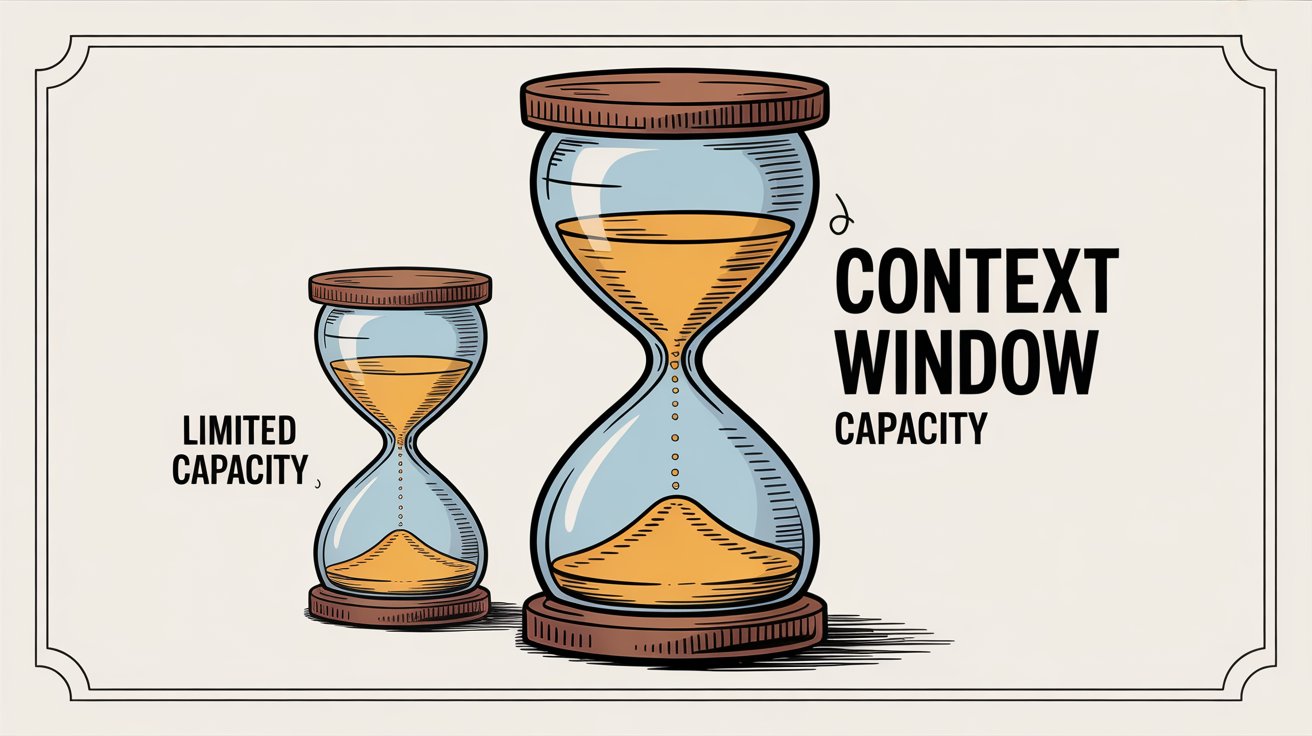
One of the biggest technical considerations when choosing an AI model is how much information it can process at once. For customer service, a larger context window can help the AI work with long conversations, product documentation, account history, troubleshooting steps, and other supporting information without losing track of earlier details.
ChatGPT vs Claude: Context Window Comparison
| Model | Context Window | Max Output | Practical Meaning |
|---|---|---|---|
| OpenAI GPT-5.6 Sol | 1.05M tokens | 128K tokens | OpenAI’s most capable GPT-5.6 model can work across very large collections of documentation, conversation history, and retrieved customer data in a single request. |
| OpenAI GPT-5.6 Terra | 1.05M tokens | 128K tokens | Offers the same large context capacity as Sol while balancing intelligence and cost for production workloads. |
| OpenAI GPT-5.6 Luna | 1.05M tokens | 128K tokens | Keeps the same context capacity while targeting lower-cost, high-volume applications such as customer service automation. |
| Claude Fable 5 | 1M tokens | 128K tokens | Anthropic’s most capable widely available model can analyze extremely large document sets and maintain context across long-running workflows. |
| Claude Opus 5 | 1M tokens | 128K tokens | Designed for complex reasoning and agentic tasks while retaining large amounts of conversation and reference material. |
| Claude Sonnet 5 | 1M tokens | 128K tokens | Combines a million-token context window with faster performance and lower cost, making it particularly relevant for production chatbot workloads. |
OpenAI’s GPT-5.6 Sol, Terra, and Luna all support a 1.05 million-token context window with up to 128,000 output tokens. That is a major increase from the 400,000-token window offered by the original GPT-5 generation. For customer service applications, the larger window gives the model room to work with extensive support documentation, previous conversation turns, troubleshooting instructions, CRM context, and retrieved knowledge within the same request.
Anthropic has made a similar jump. Claude Fable 5, Claude Opus 5, and Claude Sonnet 5 now provide 1 million-token context windows by default, with maximum outputs of 128,000 tokens. Unlike earlier Claude releases, where million-token context was limited to certain models or long-context configurations, Anthropic’s current flagship models make the 1M window standard.
In practice, though, a million-token context window doesn’t mean a customer service chatbot should load its entire knowledge base into every conversation. Large prompts can increase cost and latency and may include far more information than the model actually needs. A better approach for most support chatbots is to use retrieval-augmented generation (RAG) to find the most relevant help articles, product information, policies, and customer data, then provide that information to the model along with the current conversation. The larger context window gives the chatbot much more headroom when a support issue genuinely requires a large amount of information.
For real-time information, ChatGPT still has the smoother native experience – its consumer plans ship with built-in web search. Claude now offers optional web search for Pro, Max, and enterprise customers as well, so both assistants can reach beyond their training cutoffs when you enable the feature. OpenAI Anthropic
But for most customer service scenarios, you won’t need real-time browsing. Both models work with Social Intents‘ RAG-style training system, where you train the chatbot on your own content like product docs, FAQs, and knowledge base articles. This keeps answers accurate and current without relying on the model’s built-in knowledge.
Which AI Chatbot Sounds More Natural to Customers?
How well does each model actually talk to customers? This is where subjective experience comes into play.
Recent head-to-head testing bears that out. In Tom’s Guide’s October 2025 showdown, Claude 4.5 produced the most expressive, genre-aware dialogue while ChatGPT-5 delivered concise, structured responses. (Tom’s Guide)
GPT-5 still sounds polished, it just trends toward longer, more detailed answers unless you rein it in with tone instructions. Claude tends to hit a calm, policy-compliant voice by default, which some support teams prefer when they need consistency across hundreds of conversations per day.
Both models can hallucinate, meaning they sometimes generate plausible-sounding answers that aren’t actually true. This is a known issue with all large language models.
ChatGPT requires robust guardrails like fact-checking and retrieval systems to keep answers accurate. Claude’s constitutional training makes it more cautious. If it’s not sure about something, it’s more likely to say so rather than guess. This can build customer trust, but occasionally Claude refuses perfectly reasonable requests because it’s being extra careful.
For maintaining conversation context, both models perform well. ChatGPT’s memory can carry preferences across sessions, while Claude keeps everything inside the live thread. Either way, Social Intents’ retrieval layer supplies source-grounded answers and trims hallucinations.
Both platforms support multilingual conversations, and Social Intents can add real-time translation so agents work in their preferred language regardless of which AI model powers the widget. (Social Intents)
How to Train ChatGPT or Claude for Your Business
Getting your chatbot to sound like your brand and answer accurately about your products requires training. Social Intents makes this straightforward with either model.
You simply connect your OpenAI or Anthropic API key, choose the model you want (GPT-5, GPT-5 mini, GPT-4.1, or specialized o-series models on the OpenAI side; Sonnet 4.5, Sonnet 4, Opus 4.1, or Haiku 3.5 on the Claude side), and then train the bot on your content. Social Intents uses a RAG (retrieval-augmented generation) approach. You point it at your website, PDFs, or knowledge base articles, and it ingests that content. When a customer asks a question, the bot pulls answers from your documentation rather than making things up.
For example, you might train your chatbot by providing URLs to your product pages, support articles, and FAQs. The bot will then reference those specific sources when answering customer questions. This works identically for both ChatGPT and Claude.
You can also set the bot’s personality and tone through system prompts. Social Intents provides an instruction field where you define how the bot should behave. For instance: “You’re a friendly chatbot for Company X. Keep answers concise and always reference the product FAQs when relevant.” Both models follow these instructions well, though Claude’s constitutional framework makes it naturally better at avoiding certain types of content without you having to explicitly forbid them.
Beyond text responses, both ChatGPT and Claude support calling external functions through APIs. Social Intents offers Custom Actions, which let your bot do things like look up order status, check inventory, or push data to your CRM. When a customer asks “Where’s my order?”, the bot can invoke a custom action to fetch real tracking information from your system. This capability works with either model, so you’re not limited based on your AI choice.
Which Chatbot Handles High Message Volumes Better?
When your chatbot is handling customer conversations, uptime and responsiveness matter.
OpenAI positions GPT-5 as a more reliable, versatile successor to GPT-4, and reviewers echo that the unified router handles heavier workloads with fewer slowdowns. When you integrate through Social Intents, you’re making API requests directly, so the same stability improvements carry over to your chatbot.
Anthropic, by contrast, has introduced new weekly usage caps for Pro and Max subscribers to curb power users running Claude Code nonstop. Those limits sit on top of the existing rolling quotas, meaning heavy deployments need monitoring or additional usage purchases. For most standard support loads you’ll be fine, but if you’re expecting sustained peaks, plan for those guardrails or consider splitting traffic between ChatGPT and Claude.
That doesn’t mean Claude can’t work for high-volume support. It just means you should plan for rate limit considerations and potentially use a tiered approach (which we’ll discuss next).
ChatGPT vs Claude: Which Is Cheaper for Customer Service?
If you’re paying per token through the API (which is how Social Intents implementations typically work), ChatGPT is generally cheaper.
API Pricing: OpenAI GPT vs Claude (Per Million Tokens)
| Model | Input Cost | Output Cost |
|---|---|---|
| GPT-5.6 Sol | $5.00 | $30.00 |
| GPT-5.6 Terra | $2.00 | $12.00 |
| GPT-5.6 Luna | $0.20 | $1.20 |
| Claude Fable 5 | $10.00 | $50.00 |
| Claude Opus 5 | $5.00 | $25.00 |
| Claude Sonnet 5 | $2.00 | $10.00 |
| Claude Haiku 4.5 | $1.00 | $5.00 |
OpenAI’s current GPT-5.6 lineup covers a wide range of price points. GPT-5.6 Sol costs $5 per million input tokens and $30 per million output tokens, while the more economical Terra costs $2 / $12. For high-volume applications, GPT-5.6 Luna is dramatically less expensive at just $0.20 per million input tokens and $1.20 per million output tokens. OpenAI
Anthropic follows a similar tiered approach. Claude Fable 5 costs $10 / $50, Opus 5 costs $5 / $25, and the production-oriented Sonnet 5 costs $2 / $10 per million input and output tokens. Haiku 4.5 costs $1 / $5 for applications that prioritize speed and lower cost. Anthropic
That makes the cost comparison more nuanced than it was a year ago. GPT-5.6 Terra and Claude Sonnet 5 have the same $2 input price, while Sonnet 5 is slightly cheaper on output at $10 versus $12. At the low-cost end, however, GPT-5.6 Luna has a substantial pricing advantage over Claude Haiku 4.5, costing one-fifth as much for input and less than one-quarter as much for output.
For a customer service chatbot handling thousands of conversations per month, model selection can therefore have a major impact on cost. A high-volume bot using GPT-5.6 Luna can be extremely inexpensive to operate, while Terra and Sonnet 5 sit in a higher tier for conversations that benefit from stronger reasoning and instruction following. Frontier models such as GPT-5.6 Sol, Claude Opus 5, and Claude Fable 5 are considerably more expensive and will usually make more sense for particularly difficult or specialized tasks rather than routine support conversations.
There is one important wrinkle for very large prompts. OpenAI applies higher pricing to GPT-5.6 requests that exceed its short-context threshold. For prompts over 272,000 input tokens, pricing increases to 2x the standard input rate and 1.5x the standard output rate for the full request. That matters if you’re regularly passing extremely large knowledge bases or document sets directly to the model, although most customer service chatbots using retrieval won’t come close to that threshold.
Since Social Intents lets you bring your own API keys, you control this spending directly. You can choose the model that best fits your balance of quality, speed, and cost, monitor usage through OpenAI or Anthropic, and switch models as your requirements change.
When Should You Choose ChatGPT for Customer Service?
ChatGPT makes sense as your customer service AI in several scenarios:
→ Budget-conscious deployments
If you’re handling high message volumes and need to keep API costs down, ChatGPT’s pricing structure is hard to beat. The combination of good performance and lower per-token costs makes it the economical choice for scaling up.
→ Conversational, friendly tone
ChatGPT excels at sounding chatty and approachable without much tuning. If your brand voice is casual and warm, ChatGPT naturally leans that direction. It’s comfortable with multi-turn conversations that feel like actual dialogues rather than Q&A sessions.
→ Multimodal needs
If you anticipate using images, voice, or other non-text inputs in your support workflow, ChatGPT’s multimodal capabilities give you more options. While most customer service still happens through text, having the flexibility can be valuable.
→ Large enterprises with complex requirements
OpenAI offers robust enterprise plans with dedicated support, custom rate limits, and advanced security features. If you’re a large organization with specific compliance or integration needs, ChatGPT’s ecosystem is more mature.
When Should You Choose Claude AI for Customer Service?
Claude shines in different circumstances:
→ Safety and regulatory compliance
If you’re in a regulated industry (healthcare, finance, legal services), Claude’s cautious approach to responses reduces the risk of the bot saying something inappropriate or making claims it shouldn’t. The constitutional AI training is specifically designed to avoid problematic outputs.
→ Deep reasoning and complex queries
When customer questions involve synthesizing information from multiple sources or understanding nuanced policy details, Claude’s analysis-driven approach handles that well. It’s better at thinking through multi-step problems.
→ Long documents and extensive context
If your support bot needs to reference comprehensive manuals, lengthy policy documents, or very long conversation histories, Claude’s extended context window (200K tokens by default and up to 1M tokens for eligible customers) means it can keep all that information in mind simultaneously. Anthropic
→ Privacy-conscious operations
Anthropic doesn’t use your conversations to train future models by default. If data privacy is a priority for your customers or your business, this policy offers peace of mind.
Can You Use Both ChatGPT and Claude Together?
You don’t have to pick just one model and stick with it forever.
Social Intents supports both ChatGPT and Claude seamlessly, and you can switch between them or run them in parallel. This flexibility lets you experiment and find what works best for your specific customers and use cases.
Some businesses take a tiered approach: using ChatGPT for high-volume, general FAQs (because it’s faster and cheaper) and Claude for sensitive questions, complex technical support, or situations where extra caution matters.
Others A/B test the models against real customer conversations to see which one generates better satisfaction scores, shorter resolution times, or fewer escalations to human agents.
Because Social Intents integrates both models into the same chat widget and agent workflow (through Teams, Slack, Zoom, or Google Chat), switching doesn’t require retraining from scratch or rebuilding your support infrastructure. You train on your content once, and either model can use that knowledge base.
How to Set Up AI Chatbots with Social Intents
Regardless of which AI model you choose, Social Intents handles the technical complexity of deployment.
Setting up your chatbot takes a few steps:
① Add the live chat widget to your website
② Connect it to your team’s existing tools (Microsoft Teams, Slack, Zoom, Google Chat, or Webex)
③ Enable AI by adding your OpenAI or Anthropic API key
④ Train the bot on your content with a single click
⑤ Customize welcome messages, escalation triggers, and conversation flow
Once it’s live, your chatbot engages visitors automatically. When a conversation exceeds the bot’s knowledge or matches specific trigger phrases you’ve set, Social Intents automatically invites a human agent to join the chat right inside Teams or Slack. Your team doesn’t need to learn a new platform or switch contexts. They just see the conversation appear in their existing workspace and can respond naturally.
This is the same workflow whether you’re using ChatGPT, Claude, or even Google’s Gemini (which Social Intents also supports). The AI model choice doesn’t change how your agents work. It only affects the quality, style, and cost of automated responses.
The beauty of this setup is that your team maintains complete control. The bot handles repetitive questions, provides instant responses 24/7, and gathers context before escalating to humans. Your agents focus on complex issues, emotional situations, and conversations that genuinely need a human touch.
What Can ChatGPT and Claude Actually Do in Real Customer Conversations?
Beyond technical specs and pricing, what matters is how well your chatbot performs in actual customer conversations.
Both ChatGPT and Claude can:
- Answer FAQs accurately when trained on your content
- Maintain context across multiple back-and-forth exchanges
- Escalate to human agents when needed
- Handle basic transactions like appointment scheduling or data lookups through custom actions
- Support customers in multiple languages
- Work 24/7 without breaks
The differences show up in nuance. ChatGPT might generate slightly more creative or elaborate answers. Claude might be more conservative and stick closer to your documented policies. ChatGPT handles very high message volumes more reliably. Claude processes longer reference documents more effectively.
For most businesses, both models work well. The best practice is to test them with your actual customer queries and see which one performs better on your metrics (response accuracy, customer satisfaction, escalation rate, resolution time).
Social Intents makes that testing easy because you can swap models without rebuilding anything. Try ChatGPT for a week, switch to Claude the next week, and compare results. Or run both simultaneously on different parts of your site and measure performance differences.
How to Choose Between ChatGPT and Claude
If you’re still weighing which model to start with, consider these questions:
How price-sensitive is your deployment?
If you’re expecting thousands of conversations per month and need to keep costs predictable, ChatGPT’s lower per-token pricing gives you more headroom.
Do your queries involve long documents or complex policies?
If customers frequently ask questions that require referencing extensive documentation, Claude’s larger context window handles that better.
How important is response safety?
If you’re in a regulated industry or simply want to minimize the risk of inappropriate responses, Claude’s constitutional AI provides extra guardrails.
What’s your expected message volume?
For very high volumes, ChatGPT’s infrastructure currently scales more reliably.
Do you need multimodal support?
If you plan to incorporate images, voice, or other non-text elements, ChatGPT gives you more options.
Most importantly, remember that you can change your mind. Social Intents doesn’t lock you into one model. You can start with ChatGPT because it’s cheaper, then switch specific conversation types to Claude if you find certain queries work better there. Or vice versa.
The flexibility to experiment is valuable because customer service needs evolve. What works for your initial launch might not be optimal six months later when your query mix changes or new features become available from either OpenAI or Anthropic.
How to Get Started with AI Customer Service Chatbots
If you’re ready to add AI to your customer service workflow, the implementation with Social Intents is straightforward:
Week 1: Setup and Training
- Install the chat widget on your site
- Connect to Teams, Slack, or your preferred collaboration tool
- Add your OpenAI or Anthropic API key
- Train the bot on your documentation (FAQs, product pages, support articles)
- Set up escalation rules and triggers
Week 2: Testing and Refinement
- Monitor conversations to see how the bot performs
- Adjust system prompts to improve tone and accuracy
- Add more training content for gaps in knowledge
- Fine-tune when the bot escalates to humans
Week 3 and Beyond: Optimization
- Compare different models if you’re testing both
- Measure key metrics (resolution rate, customer satisfaction, escalation rate)
- Add custom actions for common transactional queries
- Continuously update training data as products or policies change
The ongoing effort is minimal. Once your bot is trained and working well, maintenance mostly involves keeping your knowledge base current and occasionally refining prompts based on conversation quality.
What’s Next for AI Customer Service Chatbots?
Both ChatGPT and Claude continue to evolve rapidly. OpenAI regularly releases new model versions with improved capabilities, and Anthropic updates Claude frequently as well.
What that means for your customer service strategy: whichever model you choose today won’t be your only option forever. New features, better performance, and price changes are constant in this space.
The advantage of building on a platform like Social Intents is that you’re insulated from those changes. When OpenAI releases GPT-5 or Anthropic ships Claude 4.5, you can test the new models by simply switching your API key and seeing if performance improves. You don’t have to rebuild integrations or retrain from scratch.
This is especially valuable as new capabilities emerge. If image understanding becomes important for your support use case, you can switch to a model that handles it well. If a new budget-friendly model appears that maintains quality, you can adopt it immediately.
Why the AI Model You Choose Matters Less Than You Think
The ChatGPT vs. Claude decision gets a lot of attention in AI discussions, but for practical customer service deployments, the differences are smaller than they initially appear.
Both models are remarkably capable. Both can handle the vast majority of customer service queries when properly trained. Both integrate smoothly into your existing support workflows through platforms like Social Intents.
What matters more than your initial model choice:
- Training quality – How well you’ve documented your products and policies
- Escalation rules – When the bot hands off to humans
- Agent integration – How seamlessly the bot connects to your team’s tools
- Continuous improvement – How often you review and refine bot performance
Get those right, and either ChatGPT or Claude will serve your customers well. Get those wrong, and even the best AI model will struggle.
Social Intents focuses on making all of those aspects easy. The one-click training on your content, the seamless escalation to human agents in Teams or Slack, the custom actions for transactional queries. These operational elements matter more than subtle differences between AI models.
ChatGPT vs Claude: Which Should You Choose?
Start with whichever model aligns with your immediate priorities:
If cost and scale are your main concerns, begin with ChatGPT. If safety and complex reasoning matter more, start with Claude.
Then measure, learn, and adjust. Run both models in parallel if you want hard data on which performs better for your specific customers. Social Intents makes that experimentation cheap and easy.
Most businesses find that either model works well for the majority of queries. The real value comes from having AI handle routine questions 24/7, giving your human agents time to focus on complex issues and relationship-building.
Both ChatGPT and Claude excel at that core function. The specific model you choose is less important than committing to actually deploying AI in your support workflow, training it properly, and continuously refining based on real customer conversations.
Ready to see how AI chatbots transform your customer service? Social Intents supports both ChatGPT and Claude, integrates with your existing tools, and can be up and running in less than an hour. The 14-day free trial gives you time to test both models and see which works better for your business.
Frequently Asked Questions
Can I switch between ChatGPT and Claude after I’ve already trained my chatbot?
Yes. Social Intents lets you switch AI models without losing your training data. Your knowledge base (the content you’ve trained the bot on) is stored separately from the model itself. When you switch from ChatGPT to Claude or vice versa, the new model simply pulls from the same training content. You might need to adjust system prompts slightly to account for different model personalities, but the core knowledge transfers seamlessly.
Which model is better for non-English customer support?
Both ChatGPT and Claude handle multiple languages well, and the performance differences are minimal for most common languages. ChatGPT has slightly more extensive language support due to its larger training dataset, but Claude performs excellently in major world languages. For non-English support, the bigger factor is Social Intents‘ built-in real-time translation feature, which works regardless of which AI model you choose. This means your bot can converse in one language while your human agents respond in another, with automatic translation in both directions.
How do I prevent the chatbot from giving incorrect information to customers?
Both ChatGPT and Claude can hallucinate (generate plausible but incorrect answers). The best defense is proper training through Social Intents‘ RAG system. When you train your bot on specific documentation, product specs, and policies, it retrieves answers from those sources rather than making things up. Also set clear escalation rules. Configure the bot to hand off to human agents when confidence is low or when customers ask about topics not covered in your training data. Finally, review conversation logs regularly to identify areas where the bot struggles, then add better training content for those topics.
Can I use both ChatGPT and Claude for different types of customer queries?
Absolutely. Some businesses run ChatGPT for general FAQs (because it’s faster and cheaper) and Claude for complex technical questions or sensitive topics (because it’s more cautious and thorough). You could set up different chat widgets for different product lines or customer segments, each powered by whichever model works best for that use case. Social Intents supports multiple chatbots on the same account, so you can deploy both models simultaneously and route queries based on the page, user type, or conversation topic.
What happens when the chatbot can’t answer a customer’s question?
When the AI reaches the limits of its knowledge or encounters a query it can’t handle confidently, it should escalate to a human agent. With Social Intents, this happens automatically. You configure escalation triggers (specific phrases, uncertainty thresholds, or certain topics), and when those are met, the conversation appears in your team’s Teams, Slack, Zoom, or Google Chat workspace. A human agent can then join the conversation seamlessly. The customer experiences this as a natural handoff, not as starting over with a new person. The bot provides context to your agent about what’s already been discussed, so they can pick up right where the automation left off.
How much does it cost to run ChatGPT vs Claude through Social Intents?
The AI model costs are separate from Social Intents‘ subscription. Social Intents’ Starter plan runs $49/month (or $39/month when billed annually) and higher tiers add more chat volume, widgets, and AI training capacity. Social Intents On the AI side, GPT-5 bills $1.25 per million input tokens and $10 per million output tokens (GPT-5 mini drops to $0.25 / $2), while Claude Sonnet 4.5 costs $3 per million input tokens and $15 per million output tokens up to the 200K standard window (Haiku 3.5 is $0.80 / $4). OpenAI Anthropic For a typical small business handling a few hundred conversations per month, the AI usage often lands in the $20-80/month range for ChatGPT and $40-120/month for Claude, depending on response length and context size. You control this directly through your OpenAI or Anthropic account and can set spending caps to avoid surprises.
Do I need technical knowledge to set up either chatbot?
No. Social Intents is designed for non-technical users. The setup process involves: (1) adding a widget code snippet to your website, (2) connecting to Teams or Slack (which is just clicking an “Add to Teams” or “Add to Slack” button), (3) pasting your OpenAI or Anthropic API key, and (4) training the bot by providing URLs to your documentation. The entire process usually takes less than an hour. Social Intents provides step-by-step guides for both ChatGPT and Claude integration, and their support team helps if you get stuck.
Which model is better for handling customer complaints or frustrated users?
Claude’s constitutional AI training makes it naturally better at de-escalation and maintaining a calm, helpful tone even when customers are upset. It’s less likely to respond defensively or generate responses that might inflame the situation. ChatGPT can also be prompted to handle difficult conversations well with proper system instructions. For high-stakes interactions where empathy and caution matter most, Claude has a slight edge. But the best practice for any frustrated customer is to escalate to a human agent quickly. Social Intents lets you set up escalation triggers based on customer sentiment, specific keywords (like “angry” or “terrible”), or simply offering the option to speak with a person early in the conversation.
Can the chatbot handle transactions like processing orders or refunds?
Yes, through Social Intents‘ Custom Actions feature. Both ChatGPT and Claude can be connected to your backend systems via API calls. For example, if a customer asks about order status, the bot can invoke a custom action that queries your order management system and returns real tracking information. If someone wants to process a refund, the bot can initiate that workflow (though you’d typically require human approval for financial transactions). The capability to call external functions works identically for both models. You just configure which actions are available and when the bot should use them.
How do I know if my chatbot is actually improving customer satisfaction?
Social Intents provides analytics on conversation volume, resolution rates, and escalation patterns. But the best way to measure satisfaction is to ask customers directly. You can configure the chatbot to send a quick survey at the end of each conversation (“Did this chat help you solve your problem?”). Track those responses over time. Also monitor escalation rate (what percentage of conversations need human intervention). If that rate decreases over time, it means your bot is getting better at handling queries independently. Review conversation transcripts regularly to spot where the bot struggles, then improve training content for those topics. Most businesses see measurable improvements in first-contact resolution and response time within the first month of deployment.
Sources: Analysis based on OpenAI GPT-5 model documentation, OpenAI pricing updates, OpenAI API pricing tables, Anthropic Claude model overview, Anthropic context window guide, Anthropic pricing guide, Tom’s Guide GPT-5 vs Claude 4.5 comparison, Data Studios GPT-5 report, TechCrunch coverage of Claude rate limits, Social Intents pricing, and Social Intents chatbot documentation. All information current as of October 2025.